Transform Your Space With Home Design AI
Discover how home design ai revolutionizes visual room planning with hyper-realistic staging and true-dimension furniture placement in just a few clicks.
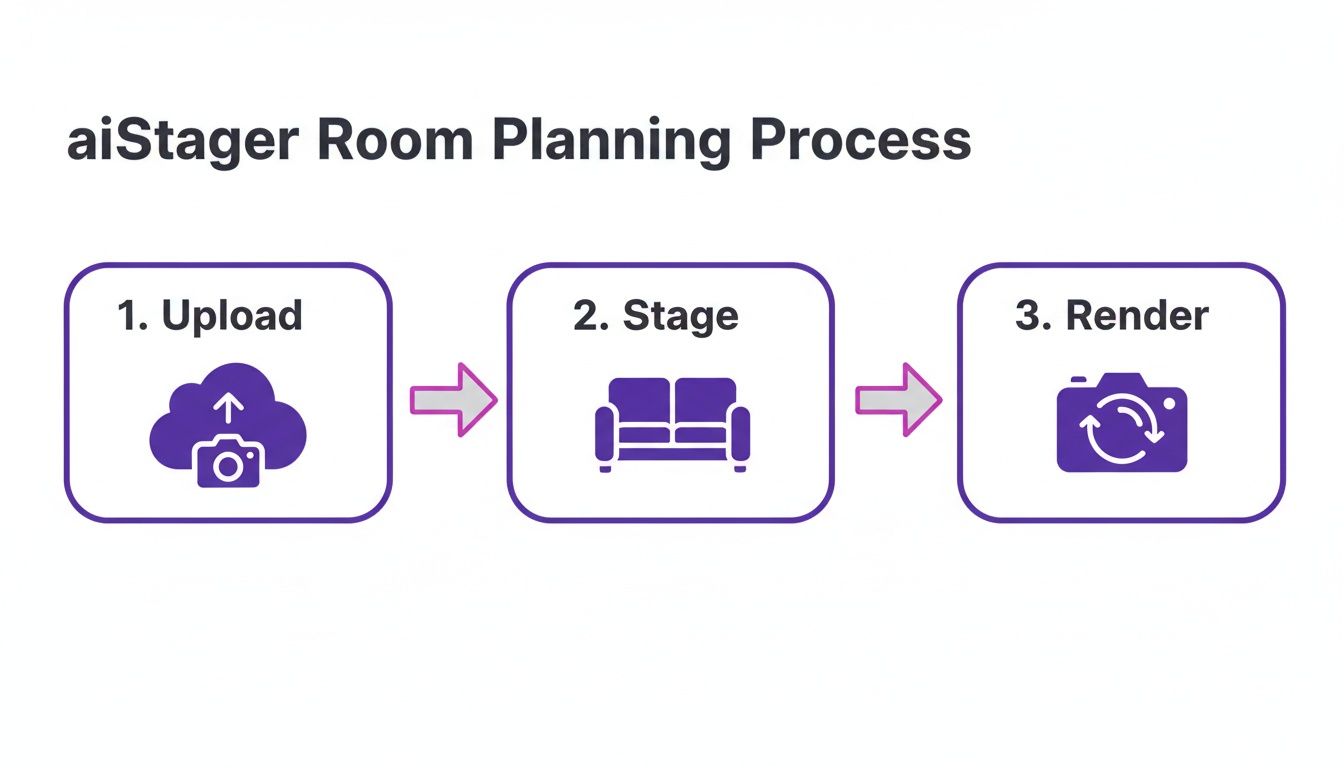
Getting a photo of your living room into a full 3D scene takes mere seconds with aiStager. It’s one of the few tools that spins a single snapshot and a product link into hyper-realistic room renders—complete with accurate dimensions and lifelike furniture. Whether you’re aiming for a cozy farmhouse look with a slipcovered couch or a sleek industrial loft aesthetic, aiStager adapts to any style inspiration.
You don’t need to build walls or model furniture by hand. Instead, aiStager:
- Automates Room Modeling from a simple photograph
- Suggests Design Styles, whether you love Pottery Barn, West Elm, boho-chic, Scandinavian, or modern farmhouse
- Maintains True Dimensions so every couch and coffee table fits perfectly
Home Design AI Quick Overview
Here’s a snapshot of how aiStager’s core features translate into practical benefits:
| Feature | Benefit | Example Use Case |
|---|---|---|
| Single-Photo Modeling | Instant 3D room creation | Upload a photo and apply a new style in seconds |
| Variant Testing | Side-by-side color and finish comparisons | Swap West Elm and CB2 sofas to see what works, or test two Pottery Barn accent chairs |
| Hyper-Realistic Render | Accurate scale, lighting, and shadows | Virtually stage homes for listings |
Each row links a specific capability to how you might use it on a real project.
Real-World Use Cases
Designers often experiment by swapping a velvet Article sofa for a leather CB2 model, testing different hues and textures without a single delivery slip. Some even try a Restoration Hardware Cloud Sofa or Serena & Lily bedding sets for a fresh look.
Real estate agents turn empty rooms into buyer magnets by dragging in Pottery Barn chairs or West Elm side tables, or by exploring coastal beach house vignettes with seagrass rugs. All from their browser.
Interestingly, the virtual interior design AI market has jumped from $1.52 billion to a projected $1.98 billion, reflecting growing consumer appetite for online customization. Discover more about market growth in the full report.
This screenshot shows aiStager’s product insertion controls.
You can drag, drop, and preview new items in your actual room photo.
aiStager delivers photoreal outputs that blend seamlessly with room photos.
Instead of juggling mood boards or flat mockups, you get real furniture in context—no guesswork required.
Within seconds, aiStager renders visuals up to 100× faster and at a fraction of the cost of manual mockups.
- Automated style tests
- Detailed variant comparisons
- Instant previews
All of which makes your design decisions feel effortless.
Learn more about interior design AI in our guide Interior Design With AI.
Today, your virtual setups can look so real that they’re virtually indistinguishable from photographs.
Understanding Home Design AI
Think of home design AI as a trusted design partner that learns your style over time. It studies room photos, furniture catalogs and style keywords to build a profile of what you like.
Behind the scenes, machine learning models identify walls, floors and lighting in each image. They also pick up on color palettes and material textures—be it linen drapes or a bohemian cotton rug from Ruggable.
Once it has that data, the system stitches together hyper-realistic room mockups that look like professional photos.
- Image Processing: Detects edges, dimensions and spatial layout from a single snapshot.
- Style Extraction: Tags materials—leather, velvet or linen—by scanning product libraries.
- Preference Mapping: Matches design elements to terms like “coastal” or “mid-Century Modern.”
Cloud-based rendering acts like a remote drafting table, offloading heavy calculations so your device never slows down. You get true-to-scale rooms and furniture placement in a matter of seconds.
How Machine Learning Powers Style Matching
Neural networks mix and match colors on the fly, mimicking how an artist blends paint in a studio. They simulate sunlight or lamp glow to generate realistic shadows.
The AI can even compare a velvet sofa from Pottery Barn with a leather option from CB2—all without manual tweaking.
- Upload a room photo and a product link from any retailer.
- AI pulls product images and measurements automatically.
- The engine stages the item in your space at the correct scale.
- Preview alternative finishes or colors with a single click.
Homeowners can swap a navy West Elm rug for cream in seconds. Real estate agents can stage an empty bedroom with IKEA pieces in minutes.
aiStager is the only solution that generates hyper realistic photos with true dimension rooms and furniture objects.
Exploring Variant Testing
Variant testing feels like having a furniture showroom built into the app. With a few clicks, you can compare silhouettes and fabrics from Article, CB2 and Pottery Barn. You might even test a Crate & Barrel Sonoma lounge chair alongside a West Elm Andes Sofa in two-tone fabric. Each option shows accurate scale, lighting and shadowing.
- Sofa Styles: Velvet, leather, performance fabrics
- Table Finishes: Walnut, oak or painted white
- Rug Patterns: Geometric, floral, natural fibers
For example, a homeowner might switch a West Elm Clyde sofa from dark gray to blush in under five seconds. An interior designer could test an IKEA Kivik sectional in three different lengths without leaving the interface. This immediacy cuts down returns and speeds up client sign-off.
Real Time Color Swatch Mixing
Imagine dragging digital swatches onto your floor plan and watching them blend instantly. With aiStager, you can tweak pillow covers, cabinet finishes and paint shades using a simple slider. The cloud renders each change in seconds—as if you had a 3D animation studio at your fingertips.
Designers mix CB2 and West Elm accent chairs until the balance feels just right. You can also change the finish of a West Elm Parsons coffee table from walnut to matte black or painted white. Homeowners see a Pottery Barn console in oak versus walnut before making a choice.
Market interest is rising fast. The AI interior design tools market is projected to grow from US$91 million in 2025 to US$184 million by 2031, a clear sign that both professionals and consumers are embracing these solutions. Learn more about AI interior design tools market growth.
By now, you can see how home design AI turns rough ideas into vivid previews. A few clicks are all it takes to place a new product in your room—upload a photo, drop in a link and you’re done. That means fewer guess-ups, fewer returns and faster approvals. Start planning your space today with aiStager.
Key Home Design AI Features
Home design AI platforms come packed with clever tools that turn a single photo into a 3D playground. With aiStager, you’ll find everything from automated room detection to real-time color swapping, making every tweak feel as natural as moving magnets on a mood board.
Automated Room Detection
Kick off a project by uploading one snapshot of your space. In a few seconds, the system maps walls, floors and windows—no tape measure required.
- Upload Image: Pick any room photo.
- Boundary Mapping: AI spots structural elements automatically.
- Dimension Extraction: Exact measurements flow into your 3D scene.
Key Insight: Automated mapping lays the foundation for every staging scenario.
Smart Furniture Placement
Next, imagine furniture that knows where to “snap” into place. aiStager senses perspective and obstacles so each item aligns perfectly.
- Accurate Scaling: New pieces match real-world proportions.
- Easy Nudging: Click, drag and fine-tune with a single gesture.
- Instant Swaps: Replace a West Elm sofa with a CB2 leather version in moments.
This makes both professional staging and personal redesigns quicker and more precise.
Dynamic Style Matching
Think of this like a live mood board. The tool reads textures, colors and light, then suggests items that harmonize without guesswork.
- Accessory Pairing: Mix cushions, lamps and rugs that truly blend.
- Brand Blending: Combine Pottery Barn accents with West Elm pieces safely.
- Theme Switching: Flip from coastal breezy to mid-century modern with one click.
This method cuts down decision fatigue and builds confidence in your choices.
Real Time Color Swapping
Painting an armchair or repainting cabinets now takes seconds, not hours. Real-time swapping lets you test finishes instantly.
- A navy velvet sofa switches to emerald or blush in two seconds.
- A Pottery Barn rug toggles patterns without reloading.
- Cabinet handles shift from chrome to bronze right away.
Note: aiStager delivers hyper-realistic renders with true-to-scale rooms and furniture details.
Practical Applications
These features unlock a variety of projects:
- Virtual Staging For Real Estate: Furnish empty listings in minutes with IKEA and CB2 catalogs.
- Living Room Refresh: Tweak a West Elm Harmony Sofa’s color and finish without lifting a cushion.
- Retail Merchandising: Preview Pottery Barn accessories in an actual room to drive online sales.
- Coordinating a modern farmhouse entryway with slipcovered benches and distressed wood consoles.
Each tool speeds up decisions and cuts down on costly returns.
You might be interested in our guide on AI home design apps for more inspiration.
Feature Comparison Table
| Feature | aiStager | Traditional Mockup |
|---|---|---|
| Setup Time | Under 10 seconds | Several hours or days |
| Accuracy | True dimension rooms and furniture | Manual measurement errors |
| Variants Tested | Unlimited color and finish swaps | Costly and slow |
This overview highlights aiStager’s speed and precision compared to manual mockups. Automating each step slashes labor time and gives homeowners instant feedback.
"Testing sofa sets from West Elm and CB2 became intuitive thanks to aiStager’s real-time previews."
Whether you’re staging a listing or giving your home a facelift, aiStager’s toolbox helps you make design decisions faster and with more confidence. You can export high-resolution images for presentations or online galleries in multiple formats.
Best Practices
- Use High-Resolution Photos: Clear images ensure pin-point room detection.
- Compare Brands Side by Side: Test West Elm, CB2, IKEA and more without shipping delays.
- Match Lighting Conditions: Consistent natural light creates realistic shadows.
- Save Snapshot Variants: Export each render to review and share with clients.
- Gather Early Feedback: Review drafts with stakeholders to avoid last-minute edits.
- Try Curated Style Templates: Jumpstart your project with on-brand mood sets.
"aiStager’s true-to-scale renders reduced our staging timeline by 85%," says Real Estate Agent Katie M.
Ready to explore endless design scenarios? Give aiStager a spin and see how quickly you can transform any space. Have fun designing!
Using aiStager For Room Planning
Drop a single snapshot of your living room into aiStager and watch the walls and floors map out in seconds. Then, with a couple of clicks, add pieces like the West Elm Harmony Sofa or the Article Sven Sleeper in different finishes. For a plush look, you could try layering a Restoration Hardware Belgian Linen bench near a sleek metal console.
The engine respects true dimensions and matches your room’s lighting so every couch and table sits in perfect scale. You skip the headache of 3D modeling and get instant visual feedback. That means faster choices and more confidence in every layout.
Realistic Room Generation
Brand partnerships with IKEA, Pottery Barn and CB2 let you test styles side by side. Stage an empty space with a Pottery Barn armchair, then swap in an IKEA chaise—no fuss.
- Brand Integrations: IKEA, Pottery Barn, CB2
- True-Dimension Rooms: Precise scale for every item
- Realistic Lighting: Natural and artificial light simulation
- Browser-Based: No software installation required
Variant Testing
Think of variant testing as an endless digital showroom. Switch finishes on the IKEA Kivik sectional, try navy leather from CB2 or blush velvet from West Elm in seconds. These quick swaps cut uncertainty and keep returns to a minimum.
- Upload a high-res photo of your room
- Paste product URLs from any retailer
- Click Stage—it processes in moments
- Preview and tweak color or finish
Speed And Comparison
When you line aiStager up against other virtual staging platforms, the advantages pop. Render times fall to under 10 seconds, yet fidelity stays sky-high.
Briefly, here’s how aiStager stacks up:
Comparing aiStager To Other Tools
| Criteria | aiStager | Competitor A | Competitor B |
|---|---|---|---|
| Setup Time | Under 10 seconds | 2 minutes | 5 minutes |
| Realism | True-dimension rooms and furnishings | Approximate scale | Flat mockups |
| Variant Testing | Unlimited color and finish swaps | Limited presets | Single-variant only |
This table highlights why aiStager delivers speed, realism and flexible testing that others can’t match.
As the interior design software market grows—valued at USD 5.37 billion in 2024 and projected to reach USD 5.91 billion by 2025—AI-driven features like personalized suggestions and smart IoT-compatible layouts are winning over more designers. Read the full research about interior design software market growth here.
For a firsthand look at hyper-realistic staging and true-dimension renders, head to aiStager’s homepage: https://www.ai-stager.com/
This image shows how intuitive placement controls and lighting tools bring each design to life. Shadows fall naturally, and every piece feels planted in the real space.
aiStager lets you iterate multiple design scenarios without hiring a professional 3D artist.
A few clicks later, you can export high-res images, share variants with clients and fine-tune your favorite layouts. The result is a hands-on workflow that makes home design AI both fast and flexible.
Best Practices Guide
- Use crisp, well-lit photos for precise wall and floor mapping.
- Grab product URLs with clear dimension data and images.
- Match furniture placement to your room’s perspective for seamless results.
- Test both day and night lighting modes to set the right mood.
Follow these steps, and every render will look like an actual photograph—your clients won’t believe it until the furniture arrives.
Implementing Home Design AI
Integrating home design AI into your workflow starts with a clear, simple plan. Whether you’re outfitting a design studio or tackling a weekend DIY project, a step-by-step method keeps surprises to a minimum. You might even incorporate custom boho pillows from Anthropologie or curated art prints for an eclectic vibe.
Choosing the right platform early on boils down to budget and functionality. You can pick a fully hosted cloud system or install everything on your own servers. Each option brings its own mix of maintenance effort, security settings, and how well it plugs into your existing tools.
- Budget Range: Rough annual estimates based on team size and project load
- Feature Set: Realistic rendering, variant testing and API access
- Brand Library: Catalogs from IKEA, Pottery Barn, West Elm plus custom feeds
- Deployment Mode: Quick cloud setup or full on-premise control
Preparing Your Assets
Start by gathering crisp, well-lit photos of each room. Aim to shoot both wide-angle views and close-ups of key architectural features.
Then organize your product images. Each item needs clean photos and accurate measurements in the right file formats.
Pro Tip Tilt your camera about 45 degrees to capture walls and floors in one shot. It helps the AI map out spaces more precisely.
Lock down data handling next. Send client photos over encrypted channels and store them under strict access rules. Keep a log of who touches which file to meet compliance needs.
Integrating With Your Systems
When you have hundreds of products, syncing data manually gets messy fast. Connect through aiStager’s RESTful API to pull product details straight from your PIM.
Define roles like admin, editor and viewer so everyone sees only what they need. This keeps the workflow clean and secure.
- Supported Formats: JPEG, PNG, TIFF for true-to-life color
- Automatic Resize: AI adjusts resolution while preserving dimensions
- Watermark Options: Add client or brand marks to protect your designs
Choosing Deployment Options
A cloud setup gets your team going in minutes. There’s almost no IT work and updates happen in the background. You could stage a CB2 sectional or a West Elm sofa before lunch.
On-premise software, on the other hand, gives you full control of data storage and compliance policies. Perfect for firms that can’t send customer info offsite.
aiStager’s cloud option gets teams up in under 5 minutes without tedious server tweaks.
Streamlining Onboarding With aiStager
With aiStager, the first step is as simple as uploading a room photo and pasting a product link. That’s it—no catalog imports or confusing setup screens.
In three steps—upload, stage, render—you can cut setup time by 75% compared to old-school methods.
After that, arrange quick team trainings and share setup guides. Then kick off a few test projects with real clients to gather feedback.
Monitoring And Support
Once you’re live, keep an eye on key figures like render times and user adoption. These metrics reveal where you can tweak workflows and boost ROI.
Set up a help channel or ticketing system for anyone who hits a snag. Supply clear docs on shooting tips, catalog specs and common fixes.
- Average Render Time: Aim for under 10 seconds per image
- Data Throughput: Handle 200+ product imports per batch without hiccups
- User Satisfaction: Target 90%+ positive feedback after each milestone
- System Uptime: Keep it at 99.9% with automated health checks
This roadmap lets businesses and home decorators embrace home design AI with confidence. Small tests, instant previews and true-dimension rooms remove guesswork before any purchase.
Next Steps
Start with a pilot project for a small design team or a real estate division. Compare before-and-after renders in an internal review.
Keep feedback rolling in by discussing new images in weekly check-ins. Tweak your asset collection and access rules until you hit your performance targets.
Ready to dive in? Kick off your implementation journey today.
Choosing the Right Home Design AI Vendor
Picking a home design AI vendor is like choosing a long-term creative partner—you need someone who listens, adapts and delivers reliably. Speed, accuracy and flexibility should work in harmony rather than compete. A simple, step-by-step framework helps you judge each platform against the same key benchmarks.
Here’s a quick rundown of what really matters:
- Output Quality and True Dimension Accuracy
- Rapid Rendering Speed for Quick Iterations
- Variant Testing Across Sofa, Table and Rug Options
- Seamless Wayfair, IKEA and Pottery Barn Integrations
- Transparent Subscription Pricing
- Reliable Customer Support and Data Security
Core Evaluation Criteria
Output quality is the heart of any staging tool. Look for renders that feel like real photos, with furniture and rooms at their true scale. Try a few test images—check the proportions, shadows and textures against a real-world reference.
Rendering speed can make or break your workflow. If each iteration takes longer than 10 seconds, you’ll lose creative momentum. Run benchmarks during your trial to see how the vendor performs under real-world load.
Variant testing keeps ideas flowing. Swap a West Elm sofa for a CB2 model in seconds and watch finishes update in real time. This way, you can explore more looks without waiting on manual edits.
Testing Style Variants
A robust AI platform should let you paste any product URL and see it in your scene—no tedious uploads required. Native support for IKEA, Wayfair and Pottery Barn catalogs slashes setup time and keeps your team focused on design, not data entry.
“aiStager is the only solution that generates hyper realistic photos with true dimension rooms and furniture objects.”
Pricing Models And Support
Vendors handle pricing in very different ways. Some lean on tiered subscriptions with monthly credit bundles. Others charge per render or offer volume discounts when you reach enterprise levels.
| Pricing Model | Description | Best Use Case |
|---|---|---|
| Tiered Subscription | Monthly or yearly credit bundles | Regular staging volumes |
| Pay Per Render | Credits consumed per image | Ad hoc or low-volume use |
| Enterprise Custom | Custom credits, SLA, SSO | Large teams and catalogs |
Don’t forget about support and security. Ask about typical response times, SLA guarantees and how your photos and product data stay encrypted. A solid onboarding program with clear documentation can cut adoption time by weeks.
Key Questions To Ask
- What is the typical render time for a high-resolution room image?
- How simple is it to upload a photo and paste a product link?
- Can I test unlimited color and finish variants instantly?
- Which brands are supported natively, and can I import new catalogs?
- What pricing tiers exist, and do unused credits roll over?
- How do you protect my client photos and product data?
Run a side-by-side pilot with identical inputs. Track realism accuracy, average speed and variant flexibility. Log any dimension errors or missing models to compare results fairly.
Concluding Why aiStager Wins
When hyperrealism and precise spatial modeling matter most, aiStager consistently delivers. With just a few clicks, you get true-dimension rooms populated by exact furniture objects. The platform’s mix of speed, style-swap flexibility and seamless brand integrations places it a cut above the rest.
Dedicated customer success teams guide you through every step, and a flexible trial lets you test drive risk-free. Start your free trial and design with confidence today.
Home Design AI FAQ
Q: What Is Home Design AI And How Does It Work?
Imagine snapping a photo of your room and instantly seeing how new furniture fits—down to the true dimensions. Home design AI takes a single room image and a product link, then uses machine learning to generate a photorealistic render that feels like you’re standing in the space.
- Step 1: Upload a clear room image shot at about a 45° angle.
- Step 2: Paste a product URL from any retailer like Pottery Barn or IKEA.
- Step 3: aiStager auto-detects measurements and delivers a hyper-realistic preview.
These three steps show why aiStager is the only solution creating true-to-scale rooms and furniture in stunning detail.
Q: How Do I Test Different Sofa Brands And Finishes Using AI?
Swapping sofas in your mind can lead to endless what-ifs. With aiStager, you can line up options from West Elm, CB2 or Article in a few clicks. It works like this:
- Upload a photo of your living room.
- Add multiple product URLs for each sofa variant.
- Toggle colors, fabrics and finishes instantly.
This approach cuts out guesswork, speeds up sign-off and slashes return rates.
Image Requirements And Data Upload
Q: What Types Of Images And Data Do I Need For Accurate Virtual Staging?
Start with high-resolution JPEG or PNG photos taken in good light and with minimal clutter. Wide-angle shots that include walls, floors and windows help the AI understand your room’s geometry. Also, choose product URLs that provide clear visuals and dimension metadata.
Pro Tip: Shoot in natural light to boost shadow accuracy and spatial realism.
Q: Is My Personal Or Client Data Safe?
aiStager wraps every upload in end-to-end encryption and enforces strict access controls. You keep full ownership of your photos, and premium exports come watermark-free. There’s also built-in support for GDPR and CCPA compliance.
Ready to transform your rooms in seconds? Try aiStager now at aiStager.