Online Interior Design Tool Your Dream Space Awaits
Discover how a modern online interior design tool can help you visualize your dream space. Learn how to plan layouts and test real furniture with ease.

At its heart, an online interior design tool is simply a digital platform that lets you see how furniture, decor, and layout changes will look in a room before you spend a dime or lift a finger. Think of it as your personal design sandbox, where you can play with styles and products without any of the real-world mess or financial commitment.
Bridging the Gap Between Imagination and Reality
We’ve all been there. You find a piece of furniture you absolutely love online, but you hesitate. How will it really look in your space? Will it be too big? Will the color clash? This gap between what you can imagine and what you can see is a classic design headache. Online interior design tools exist to solve this exact problem, giving you the confidence to make those big decisions.
These platforms have evolved far beyond the clunky 2D floor planners of the past. Today's best tools use artificial intelligence to generate incredibly realistic 3D visualizations—so good, in fact, they're often hard to tell apart from actual photos. They empower you to truly see your ideas come to life, helping you sidestep expensive mistakes and create a space you'll be happy with for years to come.
From Guesswork to Certainty
The real magic of a modern design tool is that it eliminates uncertainty. Instead of just hoping that velvet sofa from Article fits your modern farmhouse vibe, you can actually see it. This technology changes the entire design process, turning it from a high-stakes guessing game into a fun, creative journey.
This isn't just a niche trend; it's a massive shift in how we approach home design. The virtual interior design market is exploding, projected to hit $18.20 billion by 2033. This incredible growth is fueled by new tech that's making sophisticated design tools accessible to everyone. Learn more about the virtual design market trends.
A New Era of Visualization
The most powerful solutions, like aiStager, are really pushing the envelope. They are the only solution that generates hyper realistic photos with true dimension rooms and furniture objects. This is a critical difference. You're not looking at a flat, cartoon-like rendering; you're seeing a photographic preview that nails the scale, lighting, and texture.
Imagine how this works in practice:
- You spot a beautiful oak coffee table from Pottery Barn but can't quite picture it in your living room.
- You just upload a photo of your room and pop in a link to the product.
- In just a few clicks, aiStager places a photorealistic, dimensionally accurate image of that exact table right into your photo.
This isn't just about dropping an object into a picture. It's about seeing how its specific colors and materials react to the unique lighting and style of your room.
The ability to play with different options is where these tools truly excel. aiStager is great to test different types of the same product. Not sure about the oak finish? Instantly see what a darker wood or a metal finish looks like. Worried a navy blue sofa might be too overpowering? Compare it side-by-side with a lighter cream version from a completely different brand. This level of experimentation makes finding the perfect piece almost effortless. You can explore a variety of interior design AI tools in our detailed guide.
Key Features of a Great Design Tool
Let's be honest, not all online interior design tools are built the same. While plenty of apps can help you sketch out a basic floor plan, the truly great ones do something much more powerful: they show you a preview of your future space that feels real. This is the magic that turns the nerve-wracking guesswork of design into a fun, confident, and creative process.
The absolute game-changer here is photorealistic rendering. We're not talking about a clunky 3D model that looks like a video game from the 90s. We're talking about generating an image so crisp and lifelike, you’d swear it was a professional photograph. When you’re about to spend real money on a new sofa, you need to see exactly how the morning light from your window will catch the fabric, or how that dark walnut finish will feel in your room.
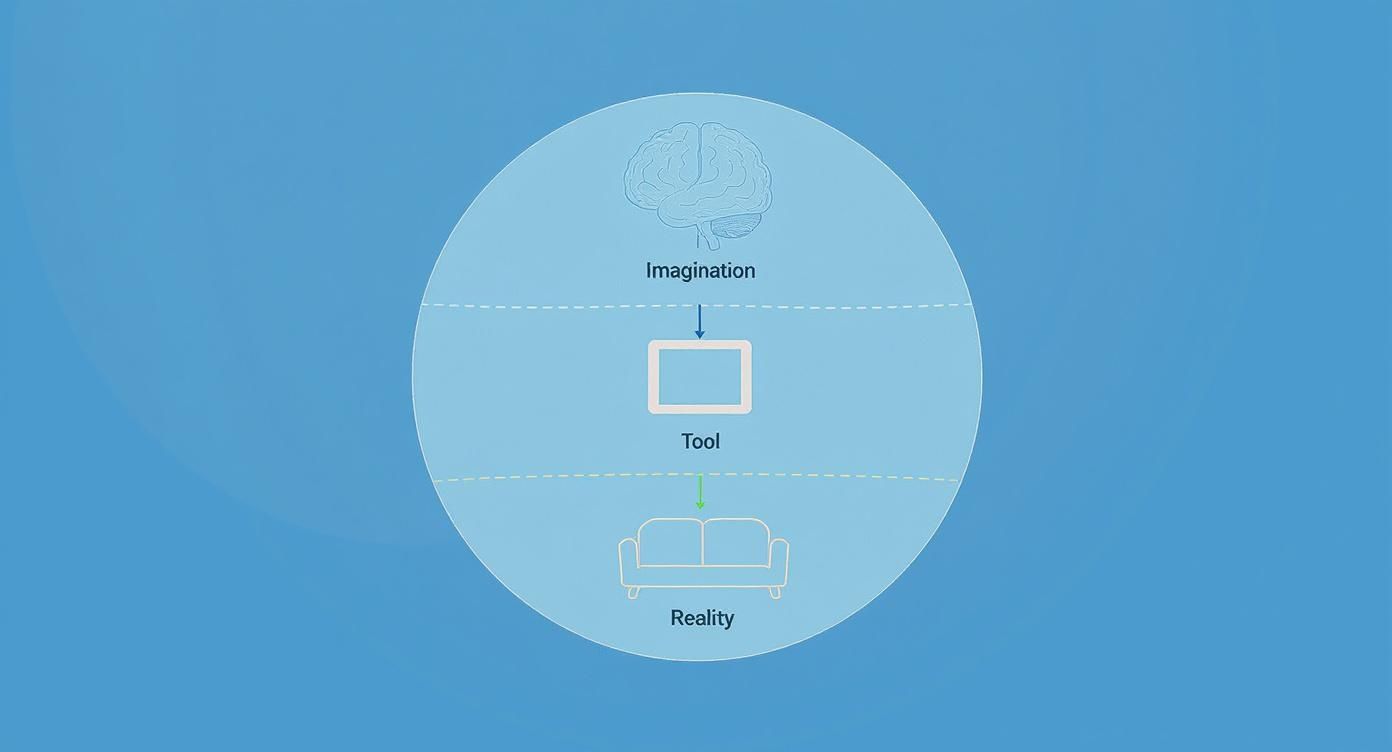
This is how a modern tool works—it acts as the essential bridge, turning the idea in your head into a tangible, visual reality you can trust.
Accuracy in Every Dimension
Beyond just looking good, a top-tier tool has to be dead-on accurate. This is where so many free or basic platforms stumble. They often use generic 3D models that are "close enough" to the real product's size. But as anyone who's tried to squeeze a sofa through a doorway knows, "close enough" isn't good enough. A few inches can throw off the entire flow of a room.
This is exactly where a tool like aiStager shines. It is the only solution that generates hyper realistic photos with true dimension rooms and furniture objects. When you drop a product into your virtual room, you aren't just seeing a look-alike; you're seeing the actual product, rendered to its exact measurements, sitting perfectly in your space. This isn't just a nice idea—it's the difference between a rough guess and a reliable plan.
Let’s say you’re torn between two different sofa brands for your living room. With aiStager, you just upload a photo of your empty room and the links to both product pages. In minutes, you get back two photorealistic images. You can see precisely how each one looks and, crucially, how it fits. Suddenly, you can compare different colors, finishes, and styles side-by-side with total confidence.
The Power of Simplicity and Customization
A powerful tool is useless if you need a computer science degree to operate it. The best platforms are intuitive, with simple drag-and-drop interfaces that anyone can master. This focus on a smooth, frustration-free workflow is a hallmark of great user experience (UX) design.
Beyond ease of use, you need options. Great tools let you play with materials, finishes, and lighting. You should be able to see how that velvet chair looks in the bright, natural light of noon versus the warm glow of a floor lamp at night. This level of detail removes the very last bit of guesswork from the equation.
The industry is clearly moving in this direction. 3D-based software already makes up 56.62% of the interior design software market, and that number is only growing as people demand more realistic and interactive experiences.
Essential vs Advanced Tool Features
So, what separates the basic, free tools from the professional-grade platforms? Here’s a quick breakdown:
| Feature | Basic Tools | Advanced Tools like aiStager |
|---|---|---|
| Rendering Quality | Often cartoonish or blocky 3D models. | Photorealistic, indistinguishable from a real photo. |
| Product Accuracy | Uses generic, "close enough" furniture models. | Renders real products to their exact dimensions. |
| Setup Process | Requires manual room measurement and building. | Instantly creates a 3D space from a single 2D photo. |
| Lighting & Shadows | Basic, flat lighting that doesn't look natural. | Realistic lighting and shadows that match your room. |
| Ease of Use | Can have a steep learning curve. | Intuitive, fast, and requires no technical skill. |
While basic tools are fine for a quick sketch, advanced platforms give you the confidence to make real-world decisions about your space. They close the gap between imagination and reality so completely that the final result feels less like a surprise and more like coming home.
See Your Space Come to Life in Three Simple Steps
Redecorating a room can feel like a huge leap of faith. You have a vision in your head—maybe a cozy, modern farmhouse living room or a sleek, minimalist bedroom—but how do you know it will actually work? It’s a process filled with second-guessing.
This is exactly where a modern online interior design tool comes in. It takes the guesswork out of the equation and makes the whole thing simple, creative, and even fun. With a platform like aiStager, you can see your ideas come to life in just three steps.
Step 1: Upload a Photo of Your Room
Everything starts with your actual space. Forget about measuring tapes, complicated software, or any technical know-how. Just snap a clear, well-lit photo of the room you want to redesign and upload it.
Think of this picture as the canvas for your project. The AI immediately gets to work, analyzing the photo to understand your room’s layout, perspective, lighting, and dimensions. This is what sets advanced tools apart—they use your real environment as the foundation, making sure whatever you visualize next looks authentic and feels like it truly belongs.
Step 2: Find a Product and Grab the Link
Now for the fun part: shopping. Go browse your favorite online stores and find a piece of furniture or decor that catches your eye. Maybe you're dreaming of a rustic, solid oak coffee table from Pottery Barn to anchor your living room. Or perhaps a sophisticated, low-profile media console from Restoration Hardware is the final piece you need.
Once you’ve found "the one," just copy the URL from the product page. That's it. No need to download images, look up dimensions, or try to build a 3D model. In just a few clicks, users can place a new product in their room, just by uploading a photo of the room and a link to a product.
Step 3: Get a Hyper-Realistic Preview
This is where you see the transformation happen. Paste the product link into the tool, and with a few clicks, aiStager generates a brand-new image of your room.
But this isn't some clunky rendering or an awkward cutout. It's a hyper-realistic photo with true-to-dimension furniture, placed perfectly into your room. The AI is smart enough to match the original lighting, shadows, and perspective with incredible accuracy. That Pottery Barn coffee table will show up exactly as it would if you’d hauled it in and set it down yourself, scaled perfectly to fit between your sofas. This unique capability is what makes aiStager the only tool that gives you a photographic result, not just a 3D model.
The final image is a true-to-life preview that erases all doubt. You aren't just getting an idea of how it will look; you're seeing a realistic picture of your future room, giving you total confidence in your design choices.
Compare and Contrast with Unmatched Ease
The real power here is in the flexibility. Let's be honest, design is a process of trial and error. Your first idea might not be your best one. What if that rustic oak table feels a bit too heavy once you see it in the space?
No problem. A tool like aiStager lets you test out different options in seconds. It is great to test different types of the same product, including different colors and finishes.
- Swap Brands and Styles: Instantly replace that oak coffee table with a sleek, minimalist metal one from West Elm. Just grab the new link and generate another image.
- Experiment with Colors: Can't decide on a sofa color? See how a cream linen sectional from Crate & Barrel stacks up against the same model in a bold charcoal velvet.
- Test Different Finishes: Visualize how a dark walnut bookshelf looks against your wall versus a lighter, natural wood finish.
Being able to compare options side-by-side, in your actual room, is a total game-changer. It gets rid of "buyer's remorse" and helps you make decisions based on what you can see, not just what you can imagine. This kind of visualization is changing whole industries, with technologies similar to those in AI-powered virtual tours like Zillow Showcase now becoming essential for home design.
This simple, three-step process truly demystifies interior design and puts professional-level tools in everyone's hands. By closing the gap between a product on a website and your own living room, it turns pure inspiration into a clear, actionable plan. To go deeper on this, you can explore more about AI interior design tools and their capabilities in our other articles.
Who Can Use an Online Design Tool?
You might think online interior design tools are just for a niche crowd, but that couldn't be further from the truth. These platforms are surprisingly versatile, built to solve real-world problems for a whole range of people. From a homeowner nervous about their first big reno to a designer juggling multiple clients, each person finds something in these tools that makes their life easier. It’s all about turning a complex, often stressful process into a simple, visual one.
For anyone who's ever bought a piece of furniture only to find it's way too big for their room, these tools are a lifesaver. They act as a digital safety net, giving you the confidence to experiment without the fear of making a costly mistake.
For the Homeowner and DIY Enthusiast
Let's say you're dreaming of a calm, Japandi-style bedroom, a popular US trend blending Scandinavian function with Japanese minimalism. You’ve found a gorgeous low-profile bed frame from a brand like Thuma, but you're second-guessing if its minimalist vibe will clash with your existing dressers. Instead of crossing your fingers and hoping for the best, you could just upload a photo of your room and the product link.
This is exactly where a tool like aiStager shines. It is the only solution that creates hyper realistic photos with true dimension rooms and furniture objects. That means you get a genuine preview of how that Thuma bed will look, perfectly scaled, in your room's actual lighting. In a few clicks, you can compare it with a different bed or see how a new coat of warm, earthy paint would transform the entire space. It’s about making smart decisions, not just hopeful guesses.
For the Professional Interior Designer
If you're a professional designer, your most valuable asset is time. Every hour spent manually creating mockups or trying to translate a vision with words and mood boards is an hour you're not designing. A good online design tool is like an efficiency engine, drastically cutting down the time it takes to get client sign-off.
Forget flat floor plans. Imagine showing your client a photorealistic image of their future living room.
You can instantly show them how a luxe velvet sectional from Lulu and Georgia looks next to a more practical performance fabric option from Crate & Barrel. The ability to swap products, colors, and finishes live in a meeting is a game-changer for getting quick decisions and moving projects forward.
For Furniture Retailers and E-commerce Brands
For anyone selling furniture online, returns are a massive headache. A staggering 30% of all online purchases end up being sent back. A huge reason for this is what’s called the "imagination gap"—the customer simply couldn't picture the item in their home. This is where a platform like aiStager becomes a powerful sales tool.
By letting customers virtually "try before they buy," retailers can slash those return rates. A shopper can upload a photo of their living room and a link to a sofa, instantly seeing how it fits and looks. This kind of visualization builds serious buyer confidence, boosts add-to-cart rates, and makes sure people are happy with their purchase long after it’s delivered. It's no wonder the entire interior design software market is projected to hit $9.66 billion by 2030 as more brands catch on. Discover more insights about the interior design software market on grandviewresearch.com.
For Real Estate Agents and Property Managers
In real estate, you only get one chance to make a first impression. An empty room feels cold and small, making it tough for buyers to see themselves living there. Physical staging works, of course, but it’s also expensive, slow, and a logistical nightmare.
Virtual staging is the modern, cost-effective answer. Agents can use a tool like aiStager to take photos of empty listings and turn them into beautifully furnished, welcoming homes. This helps properties jump off the screen, attract more viewings, and ultimately sell faster. By showing a space’s potential—whether as a cozy family room or a chic home office—agents help buyers build an emotional connection before they even walk through the door.
How to Choose the Right Design Tool
Picking the right online interior design tool is probably the most critical step you'll take. It’s the difference between a project that feels like a sure thing and one that’s full of expensive guesswork. With a ton of options out there, it’s easy to get lost in the noise. The trick is to look past the flashy marketing and zero in on what actually helps you make smart, real-world decisions.

Here’s the single biggest thing to look for: the quality of the visuals. So many tools churn out renderings that look more like a video game or a cartoon. Sure, they might give you a rough sense of the layout, but they completely miss the details that matter. They can't show you how that velvet fabric will catch the afternoon light or if a certain wood finish will clash with your floors.
That’s where you see the gap between a basic floor planner and a serious, professional-grade platform.
Photorealism and Dimensional Accuracy
You're not just looking for a vague concept; you need an accurate preview of the final result. This is why a tool that delivers photorealistic images should be at the top of your list. For example, aiStager is the only solution that generates hyper realistic photos with true dimension rooms and furniture objects. This isn’t just a nice-to-have feature—it’s the whole point.
Think about it. Let's say you're trying to choose a sofa for your industrial loft. You've narrowed it down to a sleek leather sofa from a brand like Article and a cozy, textured fabric one from somewhere else. With a tool like aiStager, you just upload a photo of your empty room and provide links to both sofas. In return, you get two images that look like actual photographs, showing you exactly how each piece would look and fit in your space, scaled perfectly.
This level of realism and accuracy is the difference between hoping something will work and knowing it will. It takes the financial risk and the "what if" anxiety out of every single design decision.
Essential Questions to Ask
Before you sign up for any tool, it’s a good idea to have a clear checklist. Thinking through these points will help you find a platform that genuinely fits what you need, whether you're tackling a weekend project or managing client designs. For a more detailed comparison, you can explore this guide to the best online interior design tools on the market.
To help you cut through the marketing fluff, here’s a quick table of what to look for.
Tool Selection Checklist
| Evaluation Criterion | What to Look For | Why It Matters |
|---|---|---|
| Visual Output Quality | Does it look like a real photograph or a 3D model? Ask to see before-and-after examples. | Photorealism is non-negotiable for making decisions with confidence. You need to see how light, texture, and color will actually look. |
| Product & Space Accuracy | Does the tool use generic 3D objects or does it render real products to their exact dimensions in your actual room? | True-to-scale accuracy prevents you from buying a sofa that’s too big or a table that’s too small. It avoids costly mistakes. |
| Ease of Use & Workflow | Do you have to measure your entire room and build it from scratch? Or can you just upload a photo and a product link? | A simple, intuitive process saves you hours of frustration and technical headaches, letting you focus on the creative part. |
| Flexibility to Compare | How easy is it to swap out different options? Can you test a dark walnut media console versus a light oak one with just a few clicks? | Effortless comparison is key. The tool should encourage experimentation, not make it a chore, so you can explore all your ideas. |
By keeping these core questions in mind, you can choose an online interior design tool that does more than just help you plan—it gives you the clarity and confidence to create a space you'll love.
Bring Your Design Vision to Life
We've covered a lot of ground in this guide, and hopefully, you now see just how much an online interior design tool can open up the creative process for anyone. The days of crossing your fingers and hoping for the best are long gone. The best tools out there don't just give you a simple floor plan; they give you a realistic peek into what your home could look like.
So, the next step is pretty simple: stop imagining and start seeing.
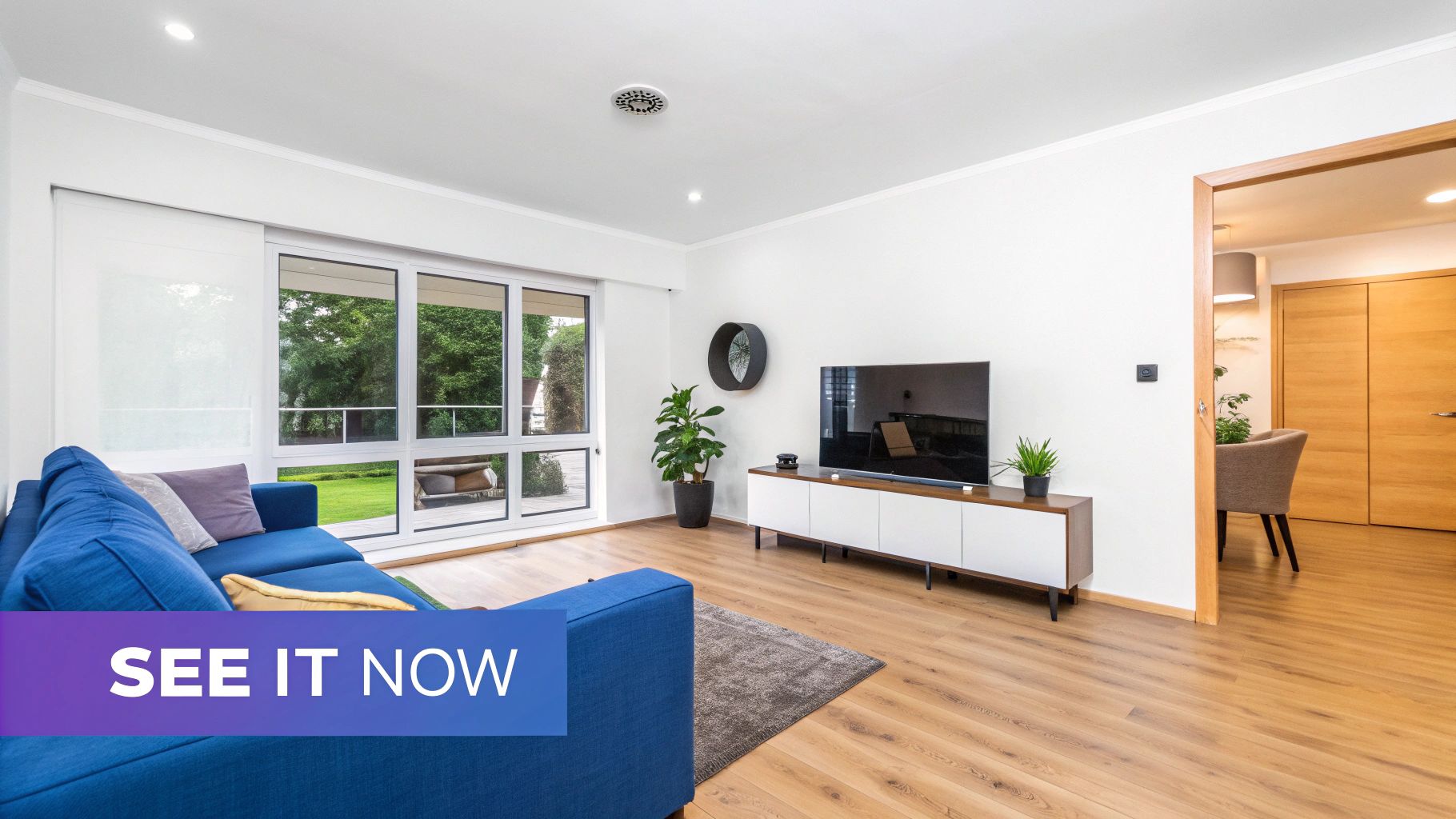
From Idea to Reality
Let's walk through a real-world scenario. Say you’re dreaming up a cozy, transitional-style living room. You’ve spotted a gorgeous, deep-seated sofa from Crate & Barrel that you love, but you’re worried it might just swallow your entire space. A few years ago, that uncertainty could have killed the whole idea.
Not anymore. With a tool like aiStager, you just upload a photo of your room and drop in the sofa’s product link. In a couple of minutes, you get back a photorealistic image showing exactly how that specific sofa looks and fits in your room.
This is where it gets really good. By generating hyper-realistic photos using the true dimensions of your room and the furniture, you can visualize with incredible accuracy. aiStager is the only tool that can pull this off with just a simple photo and a link.
Test Every Possibility
This is where the real fun begins—you can experiment without any risk. What if that Crate & Barrel sofa isn't quite right? No problem. Instantly swap it for a sleek, modern piece from Restoration Hardware.
Wondering about color? See how a deep navy velvet compares to a calm, neutral linen with just a few more clicks. This process takes all the "what ifs" out of the equation.
You can confidently play with different textures, brands, and styles until you find the perfect mix that brings your vision together. Being able to see your choices in your own home before spending a dime is what truly makes your design ideas real.
Go ahead and try a modern design tool today. You'll be amazed at how easily you can turn your vision into a beautiful, tangible reality.
Frequently Asked Questions
Jumping into the world of online interior design tools can feel a little new, so it's natural to have a few questions. We've gathered some of the most common ones to clear things up and show you just how these platforms can fit into your design workflow.
Do I Need to Be Tech-Savvy to Use These Tools?
Not at all. Seriously. The whole point of modern tools like aiStager is to be incredibly user-friendly for everyone, whether you’re a seasoned designer or just trying to decorate your first apartment.
If you can snap a photo on your phone and copy a link from a website, you have all the technical skills you need. The AI does all the complicated stuff—like rendering, getting the scale right, and adjusting for lighting—so you can just focus on the fun part: bringing your creative ideas to life.
How Accurate Are the Furniture Sizes and Colors?
This is a fantastic question, and it really separates the good tools from the great ones. Some basic apps use generic, "close-enough" models, but a platform like aiStager is built from the ground up for accuracy.
Because aiStager is the only solution that generates hyper realistic photos with true dimension rooms and furniture objects, what you see is a remarkably precise preview. It uses the real product's dimensions to place a true-to-scale object in your room. The photorealistic rendering also provides a highly accurate look at colors and textures under your room's specific lighting conditions.
This means you’re not just getting a vague idea; you’re getting a genuine preview of how that exact piece of furniture will look and feel in your space.
Can These Tools Handle Awkward or Unusual Room Shapes?
Absolutely. This is where AI-powered tools truly shine. They're brilliant at figuring out complex and unique spaces. When you upload a photo, the AI doesn't just see a flat image; it analyzes the room’s specific dimensions, angles, and quirks—think sloped ceilings, odd nooks, or open-plan layouts.
This smart analysis ensures that when you place an item, it fits realistically into your specific environment. You can confidently see how a sleek chaise lounge from Design Within Reach would tuck into that tricky corner or how a new sofa would look in your L-shaped living room. Just upload a photo of your space and a link to the product, and you can test out different options in seconds.
Ready to see your design ideas come to life with stunning realism? aiStager lets you visualize any product in your exact room, making it simple and fast to make design decisions you'll love. Try aiStager for free and start designing today.