How to Render a House Like a Pro Without the Learning Curve
Discover how to render a house with photorealistic results. Our guide covers AI tools, design principles, and common pitfalls for flawless visuals.
When you need to render a house, you're essentially creating a photorealistic picture of a room or an exterior. This can be as simple as swapping out furniture in a photo or as complex as building a digital scene from scratch. The best path for you really boils down to your goals for speed, realism, and how much control you need over the final image.
Choosing the Right Way to Render Your House
Picking your approach is the first, and most important, decision you'll make. Get it right, and you'll have a stunning visual in no time. Get it wrong, and you could be stuck in a long, expensive project. Today, you've got three main options, and each one shines in different situations.
The market for this kind of work is booming—it's projected to hit USD 19.82 billion by 2033. This surge in demand has thankfully led to better, more accessible tools for everyone. If you want to dive deeper into the specific programs out there, our guide on what software interior designers use is a great resource.
A Practical Comparison of House Rendering Methods
To help you decide, let's look at the key differences between AI Staging, traditional 3D Modeling, and old-school Virtual Staging. Each has its place, but they are far from interchangeable.
| Feature | AI Staging (aiStager) | 3D Modeling & Rendering | Traditional Virtual Staging |
|---|---|---|---|
| Speed | Minutes | Days to weeks | Hours to days |
| Cost | Low | High | Medium |
| Realism | High (photorealistic, honors dimensions) | Highest (complete control over every detail) | Low to Medium (often looks "pasted on") |
| Technical Skill | None required | Expert level (requires specialized software and training) | Basic to moderate (Photoshop skills) |
| Use Case | Real estate, e-commerce, interior design mockups, quick redesigns | Architectural visualization, custom construction, high-end marketing | Budget real estate listings, basic furniture placement |
| Customization | Moderate (real products, some style control) | Complete (build anything from scratch) | Low (limited to available 2D furniture images) |
Ultimately, the choice depends on your project. For unparalleled custom detail, 3D modeling is king. But for most real-world applications in real estate and design, AI staging offers a powerful blend of speed, quality, and affordability.
This flowchart can help you visualize the decision-making process based on what you need for your project.
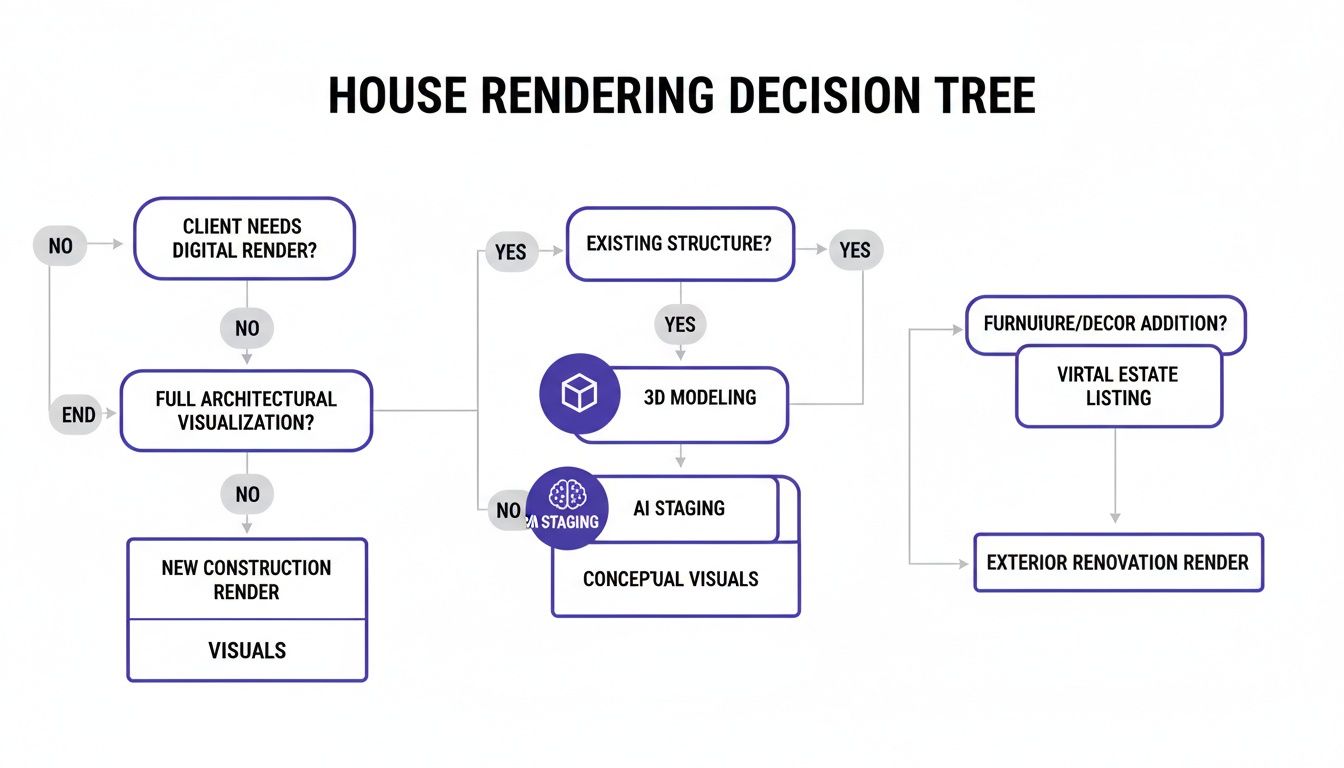
As you can see, if speed, realism, and ease of use are your priorities, AI staging is almost always the answer.
Why AI Staging Excels in Real-World Scenarios
Let’s get practical. Imagine you're an interior designer working with a client who can't decide between two high-end sofas. They love a modern piece from a brand like Article but are also considering a classic from Pottery Barn.
Instead of just showing them product photos, you can show them exactly how each one will look in their own living room.
With a tool like aiStager, the process is incredibly simple. In just a few clicks, you can place a new product in their room just by uploading a photo of their space and a link to the product. The AI gets to work and generates two distinct, hyper-realistic photos.
You can even take it a step further. Want to show the Pottery Barn sofa in both a classic 'Performance Tweed' and a rich 'Saddle' leather? No problem. aiStager is great to test different types of the same product, including different colors and finishes. Each version is rendered with accurate lighting, shadows, and true-to-life dimensions. You're not just guessing—you're giving your client a perfect preview, helping them make a confident decision and speeding up your entire design process.
Your First AI-Powered House Render in Minutes
Getting started with AI to render a house is surprisingly easy. Forget everything you think you know about complex 3D modeling software or needing an art degree. All you really need to begin is a single, clear photo of the room you want to reimagine.
With just that one picture, you can start playing with countless design ideas. The entire process is built to be intuitive and quick. What used to take a professional a week can now be done by anyone in just a few minutes of creative exploration.
The Power of True-to-Scale Visualization
Let's look at a real-world scenario. You're trying to decide between two completely different sofas for your living room. Maybe you like the clean, modern look of the 'Carmel' sofa from Crate & Barrel, but you also love the classic comfort of a Pottery Barn 'Chesterfield'. How can you possibly choose without making an expensive mistake?
This is where a tool like aiStager completely changes the game. You're not just looking at product shots online anymore; you're seeing those exact pieces of furniture in your space. The process is dead simple:
- Upload the photo of your room.
- Drop in a link to the product you're considering.
That’s all it takes. In just a few clicks, users can place a new product in their room. And the result isn't just a clumsy cut-and-paste job.
The AI doesn't just overlay an image. It generates a totally new, photorealistic picture. It reads the room's lighting, understands the perspective, and renders the furniture with accurate scale and shadows so it looks like it's actually there.
This is the key difference. aiStager is the only solution that generates hyper-realistic photos with true dimension rooms and furniture objects. It guarantees that the Carmel sofa doesn't just look good—it actually fits. You'll see immediately if it’s too big for the space or if it’s the perfect complement.
Experimenting with Colors and Finishes in Clicks
The creative control goes way beyond just placing a single item. The real fun starts when you experiment with different options. Let's say you've settled on the Carmel sofa, but now you're stuck on the fabric. Should it be a modern, durable 'Storm' grey, or a warm, inviting 'Chestnut' leather?
Instead of guessing, you can see both. aiStager is great to test different colors and finishes on the same product. A few more clicks and you'll have two photorealistic images to compare side-by-side, helping you make a confident choice and avoid any buyer's remorse.
Many platforms offer an intuitive AI-powered rendering wizard to guide you through the first few steps, making it even simpler to get your project off the ground.
A Workflow Built for Speed and Creativity
This whole process is designed for quick-fire creativity. You can test out dozens of furniture and decor combinations in the time it would normally take to get a single quote from a 3D artist. That kind of speed opens up a world of possibilities.
- Homeowners: You can finally test-drive that big furniture purchase before you commit, making sure everything fits your space and your style.
- Real Estate Agents: An empty listing can be staged in minutes with multiple styles, casting a wider net to attract different kinds of buyers.
- Interior Designers: You can show clients several realistic options almost instantly, which massively speeds up the decision-making process.
What truly sets this approach apart is the ability to use any product from any online store just by grabbing a link. You're not stuck with a limited library of generic 3D models. If you can find it online, you can see it in your room. This freedom is what allows you to create designs that feel genuinely personal and authentic. If you're curious to see how these tools are changing the industry, you can read more in our guide to AI-powered interior design tools.
Crafting a Scene with Style and Realism
When you render a house, you're doing more than just dropping furniture into an empty room—you're telling a story. The real goal is to create a scene that feels authentic and lived-in, not like a sterile page from a catalog. This is where your eye for composition, style, and detail really comes into play to create an image that connects with people.
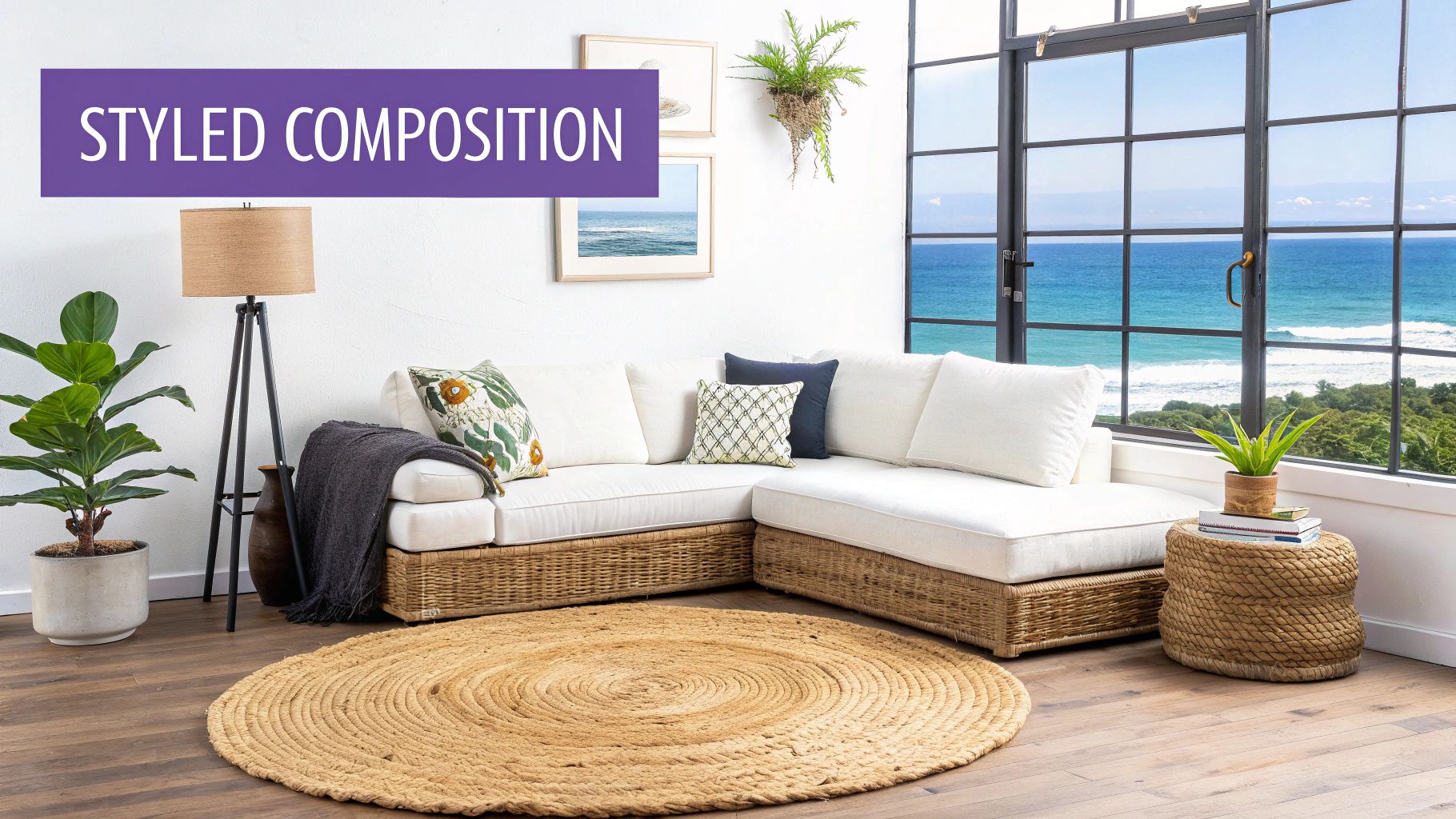
Before you place a single virtual object, take a moment to think about the mood. Are you going for a cozy, rustic retreat? A bright, energetic family hub? Or maybe a sleek, minimalist space? Pinpointing this vibe first will guide every single decision you make, from the color palette to the furniture layout.
Choosing a Design Direction
You can find inspiration just about anywhere, but leaning on established design styles is a great way to build a cohesive look. Here in the US, people tend to gravitate toward aesthetics that feel both comfortable and intentional.
- Modern Farmhouse: Think Joanna Gaines—it's that perfect mix of rustic charm and clean, contemporary lines. This style relies on neutral colors, natural wood, and comfy, oversized furniture from brands like Pottery Barn.
- California Coastal: This look is all about light, airy, and relaxed living. It’s built on light-toned woods, woven textures like jute and rattan from places like Serena & Lily, and a color palette pulled straight from the sand and sea.
- Mid-Century Modern: With its organic shapes, minimalist feel, and connection to nature, this style just never gets old. It's got a timeless appeal that continues to be incredibly popular, often featuring iconic pieces from brands like Herman Miller.
Let's say you're designing a living room with a California Coastal feel. You might start with a light, airy sectional like the 'Harmony' sofa from West Elm. From there, you could experiment by pairing it with different rugs—maybe a natural woven jute rug versus a low-pile wool rug in a soft blue.
This is exactly where a tool like aiStager shows its strength. It’s the only solution that generates hyper-realistic photos with true dimension rooms and furniture objects. When you place that Harmony sectional, you know its scale is 100% accurate for the room. This helps you avoid that classic mistake of picking furniture that looks perfect in a massive showroom but completely swallows your actual space.
Arranging Furniture for Flow and Function
Once you've got your main pieces picked out, where you put them is everything. The layout needs to feel both inviting and practical, with clear pathways for people to move around. A well-arranged room just naturally guides the eye and makes you want to step inside.
Try to create distinct zones. In a big living room, for example, you could have a primary seating area focused on a fireplace or TV, with a smaller, separate zone for reading or a quiet conversation.
The biggest takeaway here is to avoid shoving all your furniture against the walls. Pulling pieces away from the perimeter, even just by a few inches, creates a sense of space and makes the room feel much more thoughtfully designed.
With aiStager, you can play with these arrangements without breaking a sweat. In just a few clicks, you can place a new product in their room. Wondering how that 'Malm' dresser from IKEA would look as a media console? Just by uploading a photo of the room and a link to the product, you can place it, see how its dimensions impact the flow, and decide if it works—no heavy lifting required.
Mastering the Details
The final layer of realism always comes from the details. These are the little things that turn a collection of furniture into a believable home. I'm talking about elements like:
- Lighting: Floor and table lamps add warmth and create a cozy ambiance.
- Textiles: Throw pillows, blankets, and curtains are your best friends for adding color, pattern, and texture.
- Greenery: A few plants are the simplest way to inject life and a pop of natural color into any room.
- Personal Touches: A stack of books on a coffee table or a piece of art on the wall is what makes a space feel truly personal.
The real magic of an AI tool like aiStager is how fast you can test these details. For instance, you can instantly see how a room feels with a bold, patterned rug versus a simple neutral one. aiStager is great to test different types of the same product—visualizing a coffee table in dark walnut, then light oak, then black metal—to see which one truly completes the look. This kind of rapid, realistic experimentation is what makes crafting that perfect scene easier than ever.
From Composition to Final Polished Image
Once you've got everything placed just right, it’s time to create the final, polished image. If you’ve ever used traditional 3D software, you know this part can be a real headache. It’s a tedious dance of tweaking lighting rigs, fussing with material textures, and getting lost in a sea of render settings. Honestly, it can take hours—sometimes days—to get it right.
This is where AI-driven platforms like aiStager completely change the game. The AI does all the heavy lifting. It intelligently analyzes the existing light, shadows, and perspective in your original photo and then generates new furniture that fits right in. The result looks natural and cohesive, not like a cut-and-paste job.
Let the AI Handle the Lighting
I can't stress this enough: lighting is everything. It's the single most important factor for a believable render. When you see a staged photo where the furniture looks fake or just off, it's almost always a lighting problem. Maybe the shadows are too sharp, the reflections are missing, or the color of the light on the new sofa doesn't match the rest of the room.
aiStager takes care of this automatically. Because it builds a true-to-scale 3D model of the furniture inside your 2D photo, it can cast perfectly accurate shadows based on the room’s actual light sources. This is the secret sauce that makes the final images look so hyper-realistic.
You can give the AI a head start with one simple tip:
- Start with a good photo. Always shoot your initial picture in a well-lit space. Daytime with plenty of natural light is perfect. Try to avoid harsh overhead lighting or really dark corners, as this gives the AI the cleanest information to work with.
Test Driving Products with Unmatched Realism
This automated realism is where the fun really begins. Let's say you're redecorating and trying to nail that cozy, organic modern vibe. You've got your eye on a few sofas from different brands but just can't pull the trigger.
With aiStager, you can try them all out in your own living room. In just a few clicks, you can place a new product in the room just by uploading a photo and a link to each sofa. You could see how the famous 'Cloud' sofa from Restoration Hardware looks and feels in the space. Then, with a couple of clicks, swap it for the more structured 'Gather' sectional from Crate & Barrel.
Because aiStager is the only solution that generates hyper-realistic photos with true dimension rooms and furniture objects, you aren't just guessing. You see exactly how each piece fits proportionally. You can even play with different fabrics, as aiStager is great for testing different types of the same product. Compare the Gather sectional in a durable 'Taft' fabric versus a rich 'Saddle' leather to see which one works best with your existing decor.
This isn't about guesswork; it's about visual confirmation. By placing products directly into your own room, you take the risk out of making an expensive design mistake and can finally make a decision with 100% confidence.
From Render to Real-World Application
Once your image is ready, the possibilities are endless. For real estate agents, these renders are marketing gold. They can turn a cold, empty listing into a warm, inviting home that helps buyers form an emotional connection before they even step through the door. For more on this, check out our guide on the best real estate photo editing software.
The need for these tools is exploding. Right now, North America holds the largest market share at about 35.6%, mostly because of how quickly architects and real estate pros have adopted the technology. But the Asia-Pacific region is catching up fast, fueled by a massive construction boom. You can dig into more of these global 3D rendering market trends if you're curious.
For e-commerce brands or interior designers, these images can make product pages pop or serve as killer content for social media. Showing a chair or a table in a dozen different realistic homes helps customers see it in their home, which is a powerful way to boost sales. At the end of the day, a great render closes the gap between imagination and reality.
Common Rendering Mistakes and How to Avoid Them
Even the most powerful software can't save a render that's built on a shaky foundation. After years in this field, I’ve seen a few common slip-ups turn a potentially stunning house render into something that just feels… off. Let’s walk through the most common pitfalls and, more importantly, how to sidestep them for professional, believable results every time.
It all starts long before you place your first piece of virtual furniture.
Starting with a Flawed Foundation
The most frequent mistake I see is simple: feeding the software a subpar photo and expecting a masterpiece. Your final render is only as good as your starting image. Garbage in, garbage out.
This usually shows up in one of three ways:
- Low Light: Dark, grainy photos are a render-killer. They hide crucial details in the corners and on the walls, making it impossible for AI to generate realistic lighting and shadows on the new furniture you add.
- Too Much Clutter: A room packed with personal items and existing furniture confuses the software. While tools like aiStager can work wonders decluttering a scene, you’ll always get better results by starting with a relatively clear space.
- Awkward Angles: A photo snapped from a strange, low, or crooked angle completely distorts a room's perspective. For the most accurate results, shoot from a natural standing height, straight-on.
The Fix: Think like a real estate photographer. Open every curtain, turn on all the lights, and snap a bright, clear shot from a corner to show as much of the room as possible. A great photo is 80% of the battle, seriously.
Unrealistic Furniture Placement and Scale
Another dead giveaway of an amateur render is furniture that just doesn't make sense in the real world. You see it all the time: sofas blocking natural walkways, massive sectionals crammed into tiny rooms, or pieces that are wildly out of proportion with each other. It instantly breaks the illusion.
This is a problem that aiStager is uniquely built to solve. It's the only solution that generates hyper-realistic photos using true dimension rooms and furniture objects. This design prevents you from making these scale-related mistakes automatically.
For example, you might be tempted to see how a massive sectional, like a large configuration of the 'Axis' sofa from Crate & Barrel, looks in a cozy den. A traditional virtual staging tool might let you shrink the image to make it fit, creating a beautiful but completely deceptive final picture. aiStager won’t let you—it renders the sofa at its actual size, showing you immediately and accurately that it would overwhelm the space. That dimensional integrity is what makes a render not just pretty, but practical and honest.
Clashing Styles and Over-Decorating
When you have thousands of items at your fingertips, it’s easy to get excited and just start adding things. But a room packed with clashing patterns and mismatched styles feels chaotic and artificial. The goal is a space that looks curated, not like a furniture store exploded.
Imagine you're aiming for a serene, minimalist US-inspired interior. You start with a sleek, low-profile sofa. Then you add a rustic farmhouse coffee table, ornate traditional lamps, and a loud bohemian rug. Each piece might be great on its own, but together, they create a confusing and unrealistic jumble.
The Solution:
Stick to a cohesive design vision. If you’re going for a Mid-Century Modern look, choose pieces that share that aesthetic. Don't be afraid of negative space; it's essential for creating a balanced, high-end feel.
With aiStager, you can experiment with combinations in seconds. If you find a chair you love, like the iconic 'Eames Lounge Chair' from Herman Miller, you can quickly test it with different side tables and rugs. In just a few clicks, you can place a new product in the room by uploading its product link. This lets you make sure the whole composition feels harmonious before you commit to the final render.
Your House Rendering Questions, Answered
Jumping into the world of house rendering can feel a bit daunting. Whether you're a real estate agent trying to market a property, a designer mocking up a client's space, or a homeowner just wanting to see a new sofa in your living room, you probably have some questions. Let's clear things up.
How Long Does It Take to Render a House?
This really depends on the path you take. The timeframe can be anything from a few minutes to a few weeks.
If you hire a traditional 3D artist, you're looking at a significant time investment. They have to build the entire room from scratch—modeling the space, creating textures, setting up lights, and finally, rendering the image. This meticulous work can easily take several days, or even weeks, for a single, high-quality picture.
On the other hand, AI tools have completely changed the game. An AI-powered platform like aiStager can turn that weeks-long process into a matter of minutes. You just upload a photo of your room, grab a link to a piece of furniture you like online, and the AI does the rest. It generates a realistic, dimensionally accurate image almost instantly. This means you can try out dozens of looks in an afternoon, which was unthinkable just a few years ago.
Can I Render a House Myself, or Do I Need a Pro?
Not too long ago, the answer was simple: you needed a professional. Getting into traditional 3D software like 3ds Max or Blender involves a massive learning curve. To get anything looking remotely real, you needed years of practice and a solid grasp of complex concepts like lighting, shaders, and post-production.
That's just not the case anymore. Modern AI platforms were built for everyone, from real estate pros to homeowners with a vision. With a tool like aiStager, those technical hurdles are gone. If you can snap a decent photo with your phone and copy a URL from a website, you have all the skills needed to create a professional-level render on your own.
We've seen a real shift from complex creation to simple curation. Instead of building a scene from the ground up, you can now drop real-world products into your actual space with a few clicks. High-quality rendering is finally accessible to everyone.
What’s the Real Difference Between AI and Traditional Virtual Staging?
The biggest differences come down to two things: realism and dimensional accuracy.
Traditional virtual staging is basically a high-end Photoshop edit. A designer takes a 2D picture of furniture and manually places it into a photo of an empty room. This often results in obvious problems—the scale is off, the lighting doesn't match, and the perspective feels wrong. The final image just looks "pasted on."
AI staging, especially with a platform like aiStager, is a totally different beast. It's the only solution that generates hyper-realistic photos using true dimension rooms and furniture objects. The AI first analyzes your room's geometry and lighting, then it places a dimensionally perfect 3D model of the furniture into the scene. It automatically adds realistic shadows and reflections so everything looks like it truly belongs. The result is an image that's not just believable, but genuinely useful because it shows exactly how that piece will look and fit.
For example, you can test a specific West Elm 'Mid-Century' media console in your living room and see not just its style, but its exact physical footprint.
How Much Should I Expect to Pay to Render a Room?
The cost can be all over the map, from under fifty bucks to thousands of dollars. Here’s a quick look at what to expect from different options:
- Hiring a 3D Artist: This is your priciest route. A single, custom render for one room can easily run between $500 and $5,000+, all depending on the project's complexity and the artist's skill level.
- Traditional Virtual Staging: This is a more wallet-friendly option, usually costing between $30 and $150 per photo. It’s cheaper, but you often sacrifice the realism and accuracy you'd get elsewhere.
- AI Staging Platforms: This is typically the most affordable and scalable choice. Pricing is often based on per-image credits or a monthly subscription, which is a fraction of the cost of hiring an artist. You get superior, dimensionally accurate results that give you real confidence in your design choices.
Ready to see how your favorite furniture looks in your own space? With aiStager, you can create stunning, true-to-scale renders in just a few clicks. Simply upload a photo of your room and a link to any product to start visualizing your perfect design today. Get started for free on ai-stager.com.