Staging Design Software: Your Complete Guide
Discover how staging design software transforms empty rooms into beautiful, shoppable spaces. Learn how AI tools create photorealistic designs for real estate.

Staging design software gives you the power to take a simple photo of an empty room and, in just minutes, turn it into a beautiful, fully furnished space. Think of it as a way to replace the hassle and cost of physical staging with digital visuals that are fast, flexible, and stunningly realistic. It's a game-changer for anyone who needs to test out design ideas and products on the fly.
From Empty Room to Dream Home Instantly
Ever tried to sell a house or pitch a design concept with nothing but photos of bare, uninviting rooms? It’s tough. The old way of doing things—hiring movers, renting furniture, and managing all the logistics—is a slow, expensive headache. Staging design software was created to solve this exact problem, offering a much smarter way to show off a property's true potential.
This technology is a lifeline for real estate agents, interior designers, and furniture retailers who need to create visuals that sell. The concept is simple but incredibly effective: upload a picture of a room, pick out your furniture and decor, and let the software generate a complete, beautifully realized vision. Not only does this save a ton of time, but it also unlocks unlimited creative freedom. For the best results, you need a great starting image—our guide on how to take the best photos of an empty room can help you nail it.
Visualizing with True-To-Scale Realism
The real magic happens with advanced AI tools like aiStager, which is the only solution that generates hyper-realistic photos with true dimension rooms and furniture objects. Forget those basic apps that give you distorted or awkwardly placed furniture. aiStager ensures every item looks like it was made for the space.
For instance, a designer can experiment with different versions of the same product with a couple of clicks. You could drop a sleek, modern sofa from a brand like Article into a living room, then instantly swap it for a classic Chesterfield from Pottery Barn to see which one better captures that "Modern Farmhouse" vibe. Because aiStager uses true-to-scale models, you can play around with different finishes and colors, knowing that what you see is dimensionally accurate. Our software helps you bring your ideal interior to life, and for great examples of how these designs look in the real world, check out these interior painting photo galleries.
The process is remarkably straightforward: just upload a photo of your room and provide a link to a product. The software handles the rest, placing the new item seamlessly into your space.
The demand for this technology is exploding. The global virtual home staging software market was valued at USD 0.26 billion in 2024 and is projected to hit USD 1.32 billion by 2033. This massive growth signals a major shift in the industry toward efficient, high-quality digital tools that deliver tangible results.
How Does This AI Actually Furnish a Room?
Think of it like having a seasoned interior designer on call, but one that works at digital speed. That’s the core idea behind today's staging design software. You don't need a degree in 3D modeling or a complicated software manual. You just feed it the basics: a photo of an empty room and a link to a real piece of furniture you like. The AI takes it from there.
The process kicks off with the AI doing a deep dive into your photo. It’s not just looking at the picture; it's reading the room. The software figures out the perspective, maps the existing light sources, and measures the dimensions of the space. This is how it builds a perfect digital blueprint of your room.
What’s crucial here is accuracy. This initial step is where a platform like aiStager really shines, as it’s the only solution that generates hyper-realistic photos with true dimension rooms and furniture objects. This means the sofa you add to the image will fit exactly like it would in the real-world space—no guesswork involved.
From a Web Link to a Realistic Room
Once the room is mapped, the AI turns its attention to the product link you shared. It scans the webpage, pulling all the vital stats—dimensions, materials, colors, and textures—to build a dimensionally perfect 3D model of that exact item. It doesn't matter if it's a massive sectional or a tiny accent chair; the software creates its digital twin.
Then comes the "wow" moment. The AI places this newly created 3D furniture model into your digital room. It doesn't just plop it in there, though. It intelligently casts shadows and adjusts the lighting on the furniture to blend seamlessly with the original photo. The result is a stunningly photorealistic image that looks completely real. In just a few clicks, an empty room is beautifully furnished.
This graphic breaks down just how simple that workflow is.
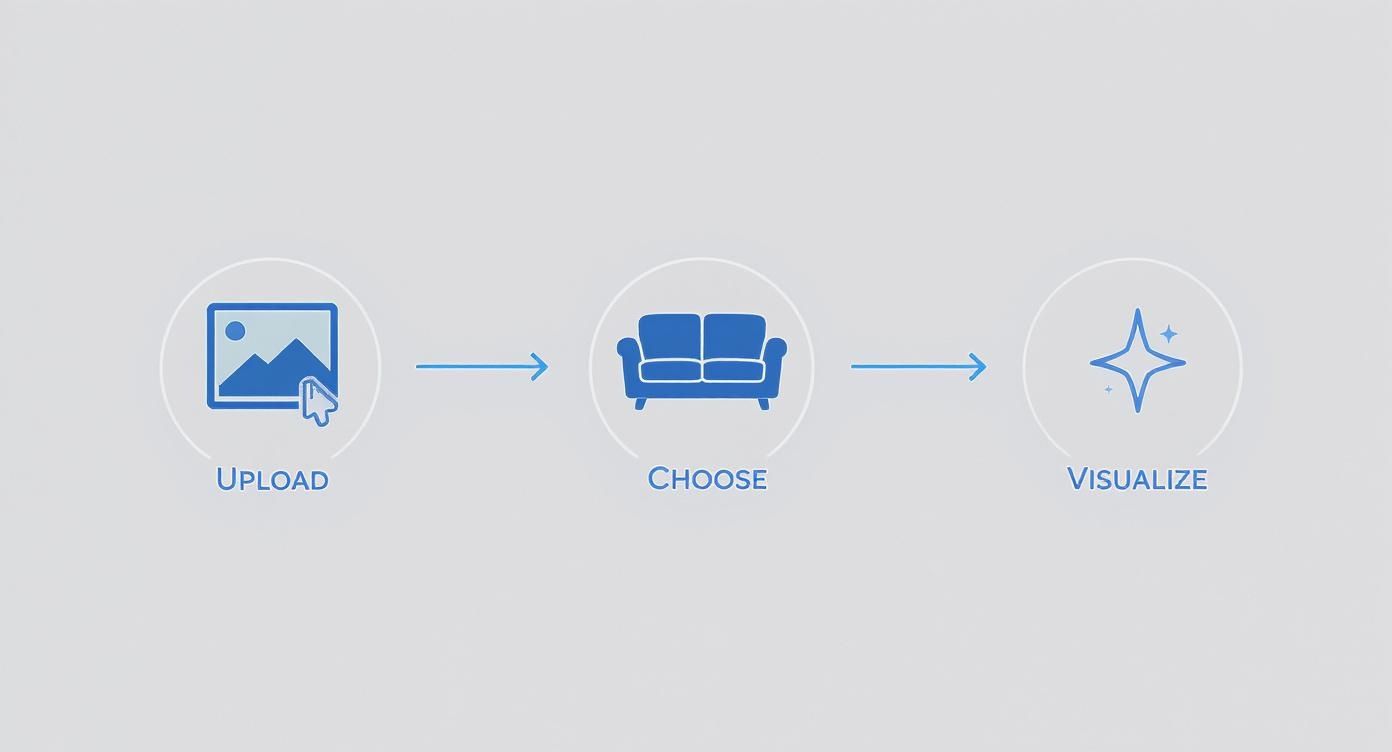
As you can see, it's a straightforward path from a simple photo to a fully realized design concept.
Instant Creative Freedom
This whole process completely changes the game for creative brainstorming. You’re no longer held back by the hassle of moving heavy furniture or trying to guess what might look good. You can try out totally different design styles in minutes, seeing what might appeal to different buyers.
Let's say you're staging a living room and want to capture that popular "Coastal Grandmother" vibe. You could drop in a classic slipcovered sofa from Serena & Lily to see how it looks. But maybe you wonder if something a bit more modern would work better.
With a tool like aiStager, you can instantly swap out the first sofa for the sleek "Jake" sofa from Jayson Home. Better yet, you can cycle through the "Jake" sofa’s different fabric options—a bright white linen, a moody navy velvet—to see which one truly sings in the room's lighting.
This is where the real power lies: the ability to compare different products, brands, and finishes side-by-side without any of the real-world friction. It helps you and your clients make decisions with confidence. This is just one of many ways AI is changing the design world, which you can read more about in our guide to AI interior design tools.
From start to finish, the entire workflow is built to be simple, turning a complex design task into something anyone can master.
The Features That Define Great Staging Software
So, what really separates professional staging software from a basic photo editor or a simple design app? It all comes down to a few critical features that dictate realism, flexibility, and the final quality of your work. Getting these right is the difference between a tool that delivers stunning results and one that just causes headaches.
Let’s be clear: not all staging tools are built the same. While many can plop a generic 3D model into a room, the best platforms offer a level of control and realism that makes the final image look like an actual photograph. That’s the magic that lets designers and real estate pros create truly convincing visuals that sell.
True-to-Scale Rendering: The Non-Negotiable Feature
If there's one feature that’s absolutely essential, it's true-to-scale rendering. This is the technology that makes a piece of furniture look like it actually belongs in the space. It ensures the proportions are right—relative to the room and everything else in it.
Without it, you get that classic, amateurish "floating furniture" look, where a sofa is weirdly tiny or a dining table looks massive. It immediately breaks the illusion.
This is where a platform like aiStager really shines. It's the only solution that generates hyper-realistic photos with true dimension rooms and furniture objects, which completely sidesteps any scaling issues. The AI first builds a dimensionally perfect model of your room from a photo, then does the same for the product using just a web link. The result? A perfect, believable fit, every single time.
Imagine you're designing a cozy reading nook. You can confidently drop in a specific accent chair, like the "Eames Lounge Chair" from Herman Miller, knowing it will be rendered with total accuracy in your client's space. That level of precision is non-negotiable for professional work.
An Unlimited Catalog: The Power of Product Links
Many older staging tools lock you into their limited, generic 3D model library. You're stuck trying to find a "similar" sofa or a "generic" coffee table, which defeats the purpose of showing off a unique design vision. Thankfully, modern tools have moved way beyond that.
The single most powerful feature for creative freedom is the ability to import any product directly from the web. With aiStager, it couldn't be simpler. You just upload a photo of your empty room and paste in a link to the product you want to add.
This capability opens up a world of possibilities. You can test out different pieces from various brands in a matter of clicks. For instance:
- Compare Sofa Brands: Instantly see how a sleek, modern Article "Sven" sofa looks next to a more traditional, plush sectional from Crate & Barrel—all in the same living room.
- Test Finishes and Colors: Visualize a West Elm "Mid-Century" dining table in both dark walnut and acorn finishes to see which one best complements the flooring.
- Experiment with Styles: Drop in a bold, colorful armchair from Joybird to see if it adds the perfect pop of color to a neutral room.
This simple workflow—uploading a room photo and a product link—is all it takes to place a real-world product into your design. It transforms the software from a visualizer into a powerful, practical decision-making tool.
Advanced Controls and High-Resolution Output
Finally, any professional-grade software has to give you control over the final image and deliver top-notch quality. This means features like advanced lighting controls that can simulate different times of day, casting realistic shadows that match the room’s actual light sources.
It also means you need the ability to export high-resolution images. Your visuals should look crisp and clean everywhere, from web listings and social media posts to glossy print brochures and client presentations. These are the finishing touches that turn a good design into a polished, professional asset that grabs attention.
Core Features in Modern Staging Design Software
To put it all in perspective, here’s a quick comparison of how traditional tools stack up against modern, AI-powered platforms.
| Feature | Traditional Staging Software | Advanced AI Staging Software (e.g., aiStager) |
|---|---|---|
| Rendering Accuracy | Often struggles with scale and proportion, leading to an unrealistic "floating" look. | Creates true-to-scale models of both the room and furniture for a perfect, realistic fit. |
| Product Catalog | Limited to a built-in, often generic library of 3D models. | Unlimited catalog—import any real-world product directly from a website link. |
| Lighting & Realism | Basic lighting controls; shadows may look artificial. | Advanced AI analyzes room lighting to cast natural, physically accurate shadows. |
| Speed & Workflow | Manual placement and adjustment can be slow and tedious. | Automated placement and scaling in seconds, dramatically speeding up the design process. |
| Output Quality | Resolution can be limited, not always suitable for print. | Delivers high-resolution, photo-realistic images ready for any marketing channel. |
The takeaway is clear: while older tools laid the groundwork, advanced AI platforms have redefined what's possible, offering unparalleled speed, realism, and creative freedom.
Putting Staging Design Software to Work
The real magic of staging design software isn't the tech itself—it's how professionals use it to solve everyday business problems. Think of it as the bridge between a client's imagination and a confident "yes." For a real estate agent, this means turning an empty, uninspiring listing into a place a buyer can immediately picture as their own.
Instead of just showing four empty walls, an agent can instantly whip up a compelling ‘Mid-Century Modern’ vibe online. They can take a photo of a vacant living room, grab a link to a specific sofa from a brand like Article, and show potential buyers a home that feels warm, stylish, and full of life. It’s this kind of visual storytelling that helps properties connect with buyers on an emotional level and get them off the market faster.
Driving Decisions for Designers and Retailers
Interior designers are finding huge value here, too. That classic design dilemma of choosing between two similar-but-different pieces? Solved in a few clicks. A designer can show a client their actual living room virtually staged with two different coffee tables—say, one from West Elm and another from a small boutique—without anyone leaving their chair.
This kind of rapid visualization removes all the guesswork and empowers clients to feel great about their choices. It’s just as powerful for furniture retailers. Imagine a customer on the fence about a big-ticket item like a custom Joybird sofa.
With a tool like aiStager, a retailer can let that customer see the exact sofa in their own home, just by using a photo of their room and a product link. This removes the biggest barrier to purchase: the fear of getting it wrong.
This practical application is part of a much bigger shift. The construction design software market, which includes these kinds of visualization tools, is projected to climb from USD 11.1 billion in 2025 to a massive USD 26.3 billion by 2035. You can dig deeper into this growth by checking out recent construction design software market research.
The Power of Hyper-Realistic Iteration
What really makes the best platforms stand out is the ability to not just place furniture, but to tweak and perfect it on the fly. This is where aiStager's unique technology becomes so important. It's the only solution that generates hyper-realistic photos with true dimension rooms and furniture objects, which means every visualization is completely believable.
That level of accuracy is everything when you're exploring subtle but critical product variations. Let's say a designer is putting together a 'California Casual' bedroom concept. They can test a bed frame from Pottery Barn in multiple finishes right in front of the client.
- Step 1: Upload a photo of the client's empty bedroom.
- Step 2: Paste the product link for the Pottery Barn bed in an oak finish.
- Step 3: With a single click, the bed appears in the room, perfectly scaled and lit.
- Step 4: In another click, they can swap it for the walnut finish and compare the two looks side-by-side.
Being able to test different colors and finishes of the exact same product in a client’s actual space is a total game-changer. It’s not about finding a generic bed that looks kind of like the real thing; it’s about seeing the exact product in the exact finish they’re considering.
This detail and speed make the whole design process feel more collaborative and less stressful. Clients feel heard and confident, which leads to faster approvals and fewer headaches. For any business, that means quicker project turnarounds, happier clients, and a healthier bottom line. The simple workflow—just a room photo and a product link—makes this powerful capability easy for anyone to use.
Choosing the Right Staging Software for Your Needs
Picking the right staging design software can feel like a huge task, but it gets a lot easier once you know what to look for. The best tool always comes down to your specific needs, but there are a few core things that separate the genuinely powerful platforms from the rest.
Think of it like this: your evaluation should rest on four key pillars.
- Rendering Accuracy: Does the final image look true-to-scale, or does the furniture just feel a little… off?
- Ease of Use: How fast can you get from an empty room photo to a fully staged, client-ready design?
- Catalog Flexibility: Are you stuck with a generic library, or can you pull in any real-world product you want?
- Final Image Quality: The goal is a visual that looks just like a professional photograph.
Prioritizing Dimensional Accuracy Above All
Out of all these, one is completely non-negotiable for getting professional results: dimensional accuracy. Without it, you’ll constantly be fighting visuals where a sofa looks doll-sized or a table seems to hover an inch off the floor. This is the biggest tell-tale sign of a weak staging tool, and it completely breaks the illusion.
This is the exact problem a solution like aiStager was built to fix. It’s the only platform that creates hyper-realistic photos using true dimension rooms and furniture objects, which takes all the guesswork out of the process. The AI first builds a dimensionally perfect 3D model of the room from your photo, then does the same for the furniture using just a product link. Every piece fits perfectly, just as it would in real life.
Let's say you're designing an 'Organic Modern' living room. You could try out a plush boucle sofa from a brand like CB2, and then with a couple of clicks, swap it for a sleek sectional from Roche Bobois. Because aiStager guarantees true-to-scale rendering, you can show both options to your client with total confidence, knowing each one is a physically accurate preview.
Putting Software to the Test
The only real way to know if a tool works for you is to put it through its paces during a free trial. Don't just play around with the nice-looking sample photos they give you. You need to challenge it.
Find a photo of a tricky room—one with weird angles, bad lighting, or a funky layout. Then, pick a specific, real-world product where you know the dimensions. A great test is to see how the software handles different versions of the same item.
For instance, with aiStager, you can upload your challenging room photo and just provide a product link. See how it handles a West Elm dining chair in both an upholstered fabric finish and a solid wood finish. A top-tier tool won’t just place it correctly; it will render the different textures and materials believably.
This simple test tells you everything you need to know. You'll see how well it handles perspective, how accurately it scales objects, and how realistic its lighting and shadows are. For more tips, check out our detailed guide on the best virtual home staging software on the market. Getting hands-on is the only way to be sure the tool you pick can deliver the professional quality your business needs.
Your First Project: A Practical Workflow
Alright, so you’re ready to dive in. Staring at an empty digital room can feel a bit intimidating, but once you get the hang of a basic workflow, it all clicks into place. Let's walk through your first project together, step-by-step, turning a simple photo of a room into a space that feels real and inviting.
Step 1: Capture the Perfect Source Photo
Everything starts with the photo. Seriously, your final design is only ever as good as the picture you start with. For the best results, you'll want a clean, well-lit shot of the empty room.
Natural light is your secret weapon here, so throw open the blinds and try to take the picture during the day. Find a good vantage point, usually in a corner or doorway, to get the widest possible view. Hold your phone or camera at eye level—this helps keep the perspective natural and avoids any weird-looking distortions.
A crisp, straight-on shot gives the software the best possible data to work with. This is especially true for platforms like aiStager, which is the only solution that generates hyper-realistic photos with true dimension rooms and relies on a quality source image to do so.
Step 2: Choose a Compelling Design Style
Now for the fun part: deciding on the vibe. What story do you want the room to tell? Are you picturing a laid-back, cozy 'California Casual' look, or something more rugged and edgy like an 'Industrial Loft'?
Having a clear direction from the start makes it so much easier to pick out furniture and decor that actually look good together. Think about who the room is for. For instance, a 'California Casual' style might mean grabbing a light-colored sectional from Crate & Barrel and pairing it with some natural wood tables and maybe a woven rug.
The idea is to create a scene that looks and feels like someone could actually live there. As you get started, having a solid grasp of effective room layout planning will be the foundation for everything that follows.
Step 3: Curate and Test Products with Ease
This is where you'll really see the magic happen. Modern staging software isn't about using generic, fake-looking furniture anymore. You can pull real products from just about any online store. With a tool like aiStager, it's as simple as uploading your room photo and dropping in a link to a product you want to try.
Imagine you're working on a dining room and can't decide between two different wood finishes for a table from Room & Board. Instead of guessing, you can pop the 'Walnut' version into your virtual room. Don't love it? In one more click, you can swap it for the 'White Oak' finish and instantly see which one works better with the floors.
This ability to try, swap, and compare on the fly is a game-changer. You can test different brands, colors, and materials side-by-side in seconds, helping you (or your client) feel confident in every choice. It’s no wonder the virtual home staging software market is expected to reach USD 1.2 billion by 2030.
Common Questions About Staging Design Software
Diving into any new technology brings up questions. Let's tackle some of the most common ones I hear about staging design software, with clear answers to help you see how these tools can fit right into your workflow.
Is Staging Software Hard for a Non-Designer to Use?
Not anymore. The best tools today, like aiStager, are built for people who aren't 3D artists. Seriously, if you can snap a photo with your phone and copy a link from a website, you have all the skills you need.
The AI does the heavy lifting—all the complicated 3D modeling, scaling, lighting, and shadows. This frees you up to focus on the fun part: your design vision. You can jump right into experimenting with a minimalist "Japandi" vibe or go bold with a "Maximalist" look without getting bogged down by a steep learning curve.
How Realistic Are the Final Images?
The realism all boils down to one key factor: true-to-scale rendering. This is the secret sauce that separates professional software from basic apps. If a tool doesn't get this right, furniture ends up looking comically large or strangely small, and the whole illusion falls apart.
aiStager is the only solution engineered around this very principle. It generates hyper-realistic photos using true dimension rooms and furniture objects. The result is often so good it's hard to tell it's not a professional photograph, giving clients and buyers genuine confidence in what they're seeing.
Am I Limited to a Generic Furniture Library?
With older, clunkier software, you often were. But modern platforms have completely changed the game. Instead of being stuck with a library of generic 3D models, a tool like aiStager lets you pull in a real product from almost any online store using just its web link.
This means you can stage a room with the exact pieces you intend to use. Want to feature a specific sofa from Restoration Hardware or a trendy armchair from Article? No problem. Your creative freedom is wide open.
Can I Test Different Colors or Finishes of the Same Item?
Absolutely. This is where this software truly shines and saves you a ton of headaches. Since the tool can pull all the product information directly from a link, swapping between variations is a breeze.
For instance, with aiStager, you could take a beautiful media console from Pottery Barn and see how it looks in both a classic white and a rustic wood finish. You just upload your room photo, paste the link, and toggle between the options. It takes seconds to see what works best in the actual space, eliminating all the guesswork.
Ready to see just how easy and realistic virtual staging can be? Give aiStager a try and watch your empty rooms transform into beautifully furnished spaces in seconds. Get started for free at ai-stager.com.