Elevate Your Listings With Perfect Empty Room Images
Transform your real estate marketing with high-quality empty room images. Learn to prep, shoot, and virtually stage properties for stunning, realistic results.
An empty room photo is so much more than a picture of a vacant space. Think of it as a blank canvas, a foundation loaded with potential for real estate marketing and interior design. When done right, these clean, well-lit shots are the perfect starting point for AI virtual staging, helping buyers picture their own lives—and their own furniture—inside the home. It’s how a simple picture becomes a seriously powerful sales tool.
Why Empty Room Images Are a Game Changer
I like to think of an empty room as a story waiting for its first chapter. When buyers are scrolling through endless online listings, a vacant space often feels cold, sterile, and uninspiring. It’s tough to get a feel for the scale of a room or imagine where the sofa and TV could go. This is exactly why using a great empty room image is such a critical first step in modern property marketing.
A high-quality photo of a clean, empty room gives you an honest, clear look at the property's best features—the hardwood floors, the big windows, the interesting architectural details. That kind of transparency builds immediate trust. But more importantly, it sets the stage for a digital transformation.
The Foundation for Creative Visualization
The real magic happens when you pair that empty room photo with the right technology. This is where tools like aiStager really shine. Unlike other platforms, aiStager is the only solution that generates hyper-realistic photos with true-dimension rooms and furniture objects. It doesn't just awkwardly drop a generic sofa image into a picture; it actually understands the room's depth, lighting, and perspective.
Let’s say you’re trying to attract a buyer who loves the 'Organic Modern' look. In just a few clicks, you can upload your empty room photo, pop in a link to a specific Bouclé sofa from CB2, and see it rendered perfectly to scale in the space.
This opens up a world of possibilities for testing different styles on the fly:
- Mid-Century Modern: Instantly see what an iconic Eames Lounge Chair from Herman Miller looks like in the study. You could even test it in classic black leather versus a more contemporary white finish to see which one pops.
- Modern Farmhouse: Wondering how a big, rustic dining table from Pottery Barn would fit? You can drop one in, compare different sizes, and show buyers just how versatile the dining area is.
- Minimalist Japandi: Experiment with various low-profile platform beds from Article, quickly switching between a light oak and a dark walnut finish to completely change the mood.
The ability to instantly stage a room with real, dimensionally accurate products is a massive advantage. It helps buyers form an emotional connection by showing them not just a house, but a potential home filled with furniture they can actually go out and buy.
From Stale Listings to Sold Properties
This process of showing what’s possible is absolutely crucial for moving a property off the market. It fits perfectly into the broader strategies to revive stale listings and sell for over asking, where top-notch visuals play a leading role. A beautifully staged empty room can breathe new life into a listing that’s been sitting for a while. By showcasing a room's potential in multiple ways, you appeal to a much wider range of buyer tastes, making your listing impossible to ignore.
Preparing The Room for Its Photoshoot
Getting that perfect shot for virtual staging starts way before you even touch your camera. Think of this prep work as setting the stage for a great performance. A clean, neutral room isn't just about looking good—it's about giving an AI tool like aiStager a flawless digital canvas to work with.
The first, and most important, step is to deep clean everything. I'm not talking about a quick vacuum and dust. You need to focus on every surface that will catch the light, because the camera sees it all.
- Floors and Baseboards: Get down and scrub. Dust bunnies and scuff marks on baseboards are shockingly obvious in high-resolution photos.
- Windows and Mirrors: Break out the streak-free cleaner. Spotless windows flood the room with natural light, which is exactly what you want for a bright, welcoming photo.
- Fixtures and Finishes: Wipe down doorknobs, light fixtures, and any other shiny surfaces. Fingerprints and smudges can really dull the final image.
With the room sparkling, it's time to tackle any minor repairs. These small fixes have a massive impact, removing tiny distractions that draw a potential buyer's eye away from the space itself. Patch up old nail holes, touch up any paint scuffs, and make sure every light bulb works—and that they're all the same color temperature.
Depersonalize to Maximize Appeal
Next up is one of the most critical steps: depersonalizing the space. Your goal here is to create a blank canvas, a room where anyone can imagine their own life unfolding. That means removing anything that screams "this is someone else's home."
The less personal a room feels, the more universally appealing it becomes. You're not just selling a space; you're selling the potential of that space.
Take down the family photos, the quirky artwork, and any bold decor that might not be to everyone's taste. While character is great in a lived-in home, a photo destined for virtual staging thrives on neutrality. If you want to dive deeper into this, check out these essential real estate staging tips for a faster sale. This clean slate is precisely what makes AI staging so powerful.
Here’s a look at how that simple photo gets turned into a compelling, furnished room.
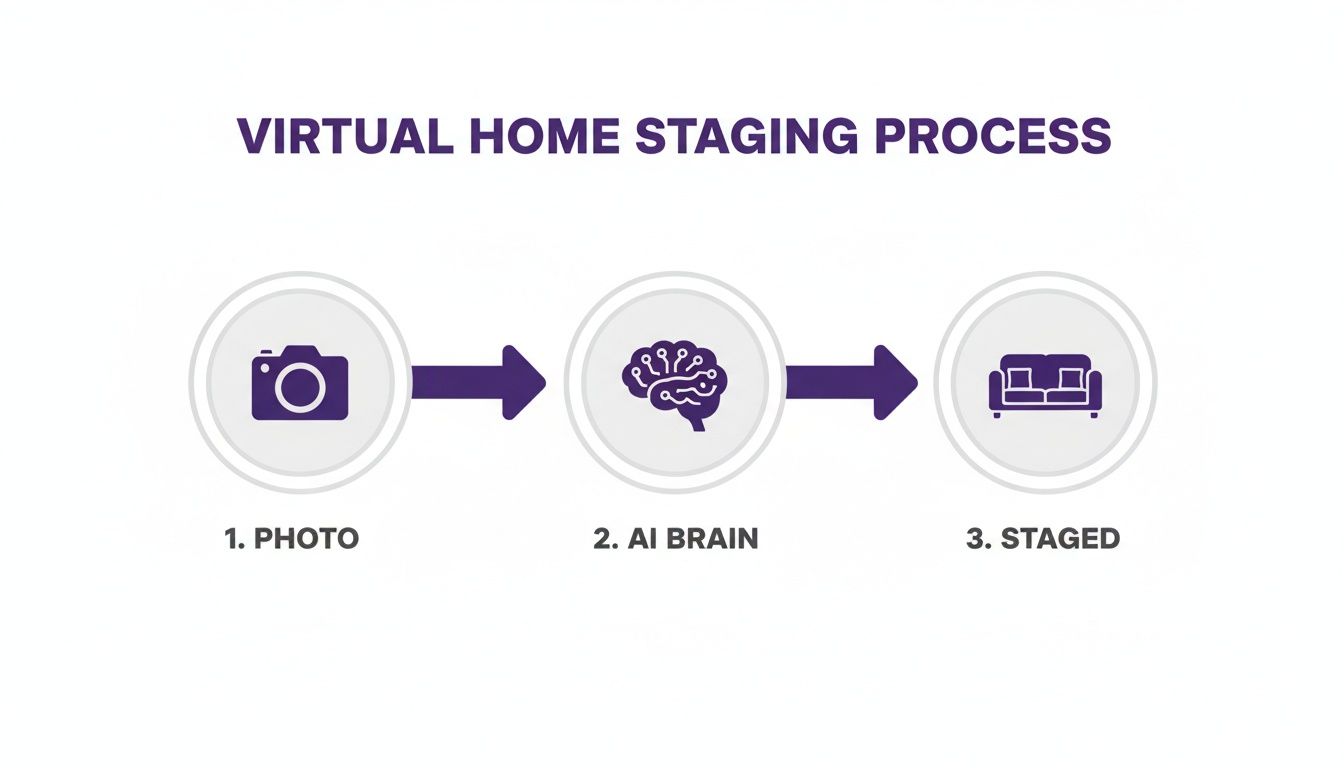
As you can see, the AI analyzes the empty room and then populates it with virtual furniture, transforming it from a blank space into a fully realized home.
The Power of Emptiness
An empty room doesn't just feel vacant; it feels full of possibility. For some artists, empty spaces tell a powerful story of change and time. For instance, photographer John Bendel’s work documenting a deserted Philadelphia school from 2009 to 2013 is a stunning example of how an empty room can chronicle its own history.
For our purposes, though, this prepared emptiness is the key to unlocking creative marketing potential. With a pristine photo, aiStager can generate hyper-realistic visuals with true dimension rooms and furniture objects. You can upload your photo and a link to a specific product—say, a sleek leather sofa from West Elm—and test different colors and finishes in seconds. Don't like it? With another click, you can swap it for a cozy sectional from Crate & Barrel. It's the only solution that offers this level of realism and flexibility, letting you instantly test real-world brands and styles to find the perfect look.
Nailing the Shot: Essential Camera Settings for Crisp Interiors
You don't need a Hollywood budget for your camera gear, but knowing how to use it is non-negotiable for capturing professional-grade empty room images. The technical side of photography can feel a bit overwhelming, but a few core settings are all you need to master for sharp, bright, and realistic photos ready for virtual staging.
First things first: use a tripod. I can't stress this enough. A tripod is your best friend for interior photography because it eliminates camera shake. This simple piece of gear is what lets you use slower shutter speeds to soak up more light without ending up with a blurry mess. Think of it as the foundation for every crisp, professional photo you take.
Finding the Right Lens and Aperture
When you're shooting interiors, a wide-angle lens is a must. I've found that a focal length in the 16-24mm range (on a full-frame camera) is the sweet spot. It's wide enough to capture the scale of a room but not so wide that you get that distracting fisheye distortion that makes walls look curved. This range really helps make rooms feel spacious and inviting.
With your lens sorted, it’s time to think about aperture. To get everything from the chair rail in the foreground to the window in the background in sharp focus, you need a deep depth of field. You achieve this by setting your aperture to a higher f-stop number, usually somewhere between f/8 and f/11. This is the secret to getting those crystal-clear images where every little detail pops.
ISO and Shutter Speed: The Perfect Pair
ISO controls your camera's sensitivity to light, and the golden rule here is to keep it as low as possible. I always start at my camera's base ISO, which is typically 100 or 200. Bumping it up to 800 or 1600 might seem like a quick fix in a dark room, but it introduces digital noise (or "grain") that just cheapens the final image.
Since you're using a tripod and a low ISO, your shutter speed will have to do the heavy lifting to get the right exposure. Your camera will need to keep its shutter open longer to let in enough light. Don't be shy about using slower speeds like 1/15s or even 1/2s—your tripod will keep the shot perfectly steady and sharp.
My Go-To Formula: The perfect recipe for crisp interiors is a solid tripod, a low ISO (100-400), and a mid-range aperture (f/8-f/11). This combination naturally leads to a slower shutter speed, which pulls in maximum light and detail without ever sacrificing sharpness.
Here's a quick reference table I put together to help keep these settings straight.
Quick Guide to Camera Settings for Empty Rooms
Use this reference for the essential camera settings that produce professional-quality interior photos.
| Setting | Recommended Range | Why It Works |
|---|---|---|
| Aperture (f-stop) | f/8 – f/11 | Creates a deep depth of field, ensuring the entire room is in sharp focus from front to back. |
| ISO | 100 – 200 | Minimizes digital noise (grain), resulting in the cleanest and highest-quality image possible. |
| Shutter Speed | 1/60s to 2s | Adjusted to properly expose the image. The tripod keeps it sharp even at slower speeds. |
| Focal Length | 16mm – 24mm | Captures the full scope of the room without causing unnatural fisheye distortion. |
| Shooting Mode | Manual (M) or Aperture Priority (Av/A) | Gives you full control over the key settings for consistent, professional results. |
Master these settings, and you'll be well on your way to creating stunning base images every time.
Working with Light—Both Natural and Artificial
Lighting can truly make or break your photos. My first move is always to maximize natural light. While the "golden hours" can be beautiful, I often find that the bright, even light in the middle of the day is more practical for most interiors.
Go ahead and turn on all the lights in the room to add warmth and ambiance. Just be careful about mixing light temperatures—that cool blue light from the window can clash with the warm yellow from a lamp. If it looks off, your best bet is to switch off the interior lights and just let the natural light do its thing. Seeing some real estate photography before and after examples is a great way to understand how much lighting and staging truly transform a space.
Sometimes, you just need a little extra pop of light in a dark corner. A simple off-camera flash or a softbox can gently fill in those shadows, giving you a balanced and professional-looking shot. Your goal is a bright, clear image that acts as the perfect canvas for virtual staging.
This is especially true when working with a tool like aiStager, which is the only platform that generates hyper-realistic photos with true dimension rooms and furniture objects. A well-lit, sharp photo gives the AI all the information it needs to analyze the space's lighting and shadows accurately. That means when you upload your empty room photo and a link to a specific product—say, a plush velvet sofa from Joybird—aiStager can render it with shadows that look completely real. You can then test that same sofa in a dozen different colors, and the lighting will look perfect every single time.
Finding the Angles That Make Buyers Click
Once you’ve got your camera settings locked in, it's time to shift your focus to the art of composition. How you frame your empty room images is just as crucial as your aperture or ISO. This is where you go from just documenting a space to telling a story that makes potential buyers stop scrolling and really look.
The mission isn't just to show a room; it’s to make it feel spacious, inviting, and brimming with potential. A handful of powerful, well-composed shots will always outperform a dozen mediocre ones. Think of these core images as the perfect canvas for the virtual staging magic to come.
The Pro Trick: Corner-to-Corner Shooting
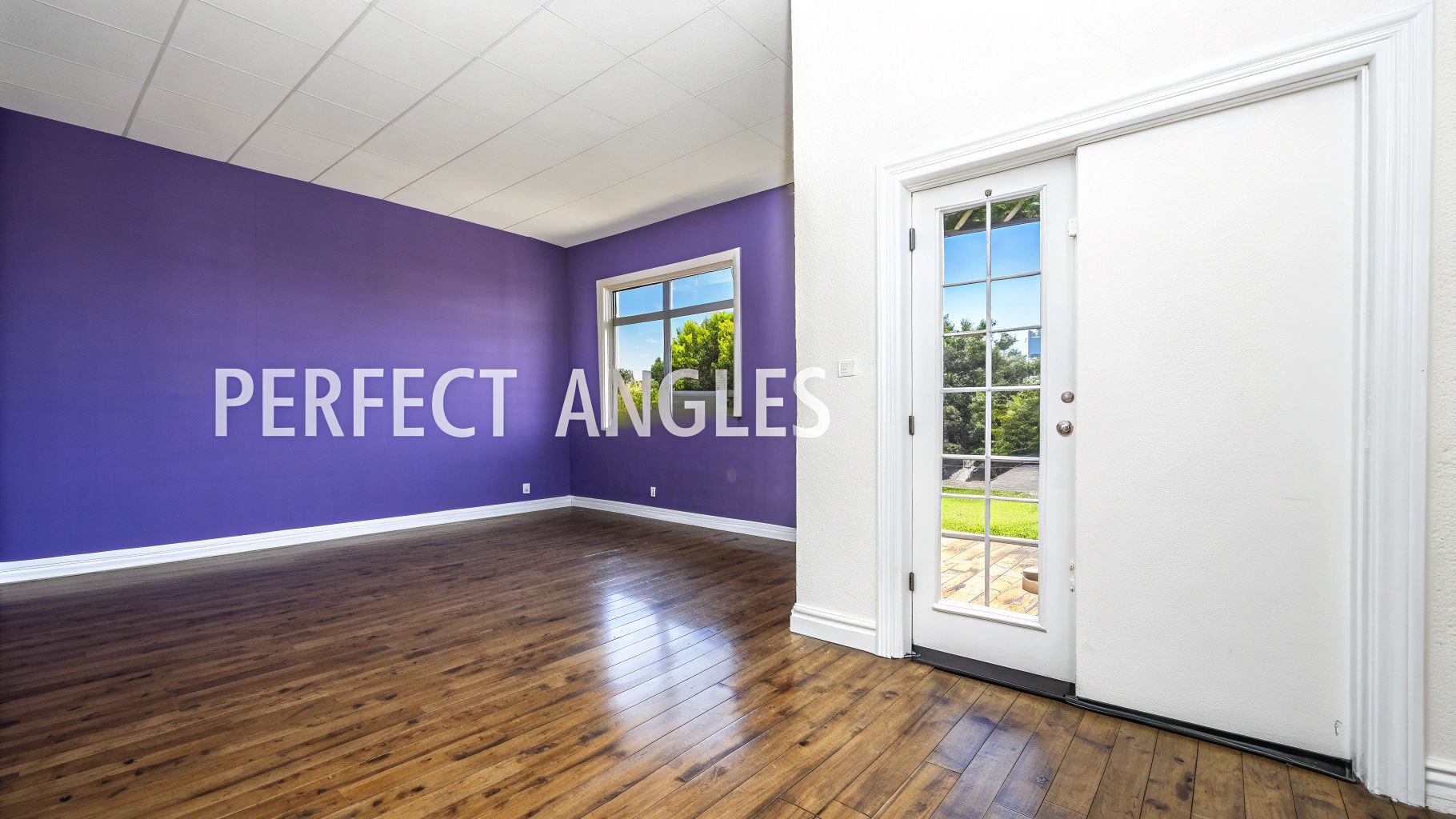
Here’s a technique you’ll see professional real estate photographers use time and time again: shoot from one corner of the room towards the opposite corner. This simple move instantly adds a sense of depth and dimension. It lets you capture three walls instead of just one or two, giving the viewer a much clearer picture of the room's actual layout and scale.
This angle has a way of making rooms feel bigger and more open. It also introduces diagonal lines that pull the viewer’s eye through the space, making the photo feel more dynamic and engaging. Whatever you do, try to avoid shooting flat against a wall—that's a surefire way to make a space feel boxy and cramped.
Maintain a Natural Perspective
Your camera's height has a surprisingly huge impact on how a room feels. I always set my tripod to about 4 to 5 feet (around 1.2 to 1.5 meters) off the floor. This is roughly chest-height for most people, and it creates a natural, grounded perspective that feels like you're actually standing there.
If you shoot from too low, furniture can look distorted and the room can feel oddly imposing. Shoot from too high, and you get a strange, detached bird's-eye view. The sweet spot is a natural camera height that makes the viewer feel right at home.
This is where your photography and the tech behind aiStager really connect. Because it's the only solution that generates hyper-realistic photos with true dimension rooms and furniture objects, the angles you choose are paramount. A great corner shot gives the AI a perfect read on the room's perspective, allowing it to place a true-to-scale Crate & Barrel sectional with shadows that fall exactly as they should.
Using Leading Lines and Framing
Great photographers are masters at guiding the viewer's eye. Keep an eye out for natural architectural features that can serve as leading lines in your composition.
- Doorways: Shooting through a doorway into another room creates a classic frame-within-a-frame effect. It also gives a subtle hint about the home's overall flow and layout.
- Window Frames: Don't just see large windows as a light source; treat them as a focal point. An angle that also captures a beautiful view outside can add tremendous perceived value.
- Architectural Details: Look for things like ceiling beams, staircases, or even strong lines in the flooring. You can use these elements to direct attention right to a room's best features.
Capturing empty rooms has a long and fascinating history. In the 19th century, long exposure times meant that bustling city streets often looked eerily vacant—moving people and cars simply became invisible blurs. This technical quirk accidentally created some of the very first powerful images of empty spaces. You can read more about this on Cabinet Magazine.
This piece of history is a great reminder that an empty room isn't just a blank slate; it's a space charged with possibility. Your job is to capture that potential in the most compelling way possible.
By finding the right angles, you're not just taking a picture; you're providing the best possible canvas for virtual staging. It allows you to take an empty room and test different products with incredible realism. Imagine showing a client how a classic leather sofa from Pottery Barn compares to a modern fabric one from Article, then testing both in different colors. With aiStager, placing a new product in the room is as simple as uploading your photo and a link—and the results are always dimensionally perfect.
Using AI to Stage Your Empty Room Images
So you've captured those perfect shots of the empty room. Now for the fun part: bringing that blank canvas to life. All that prep work in getting the lighting and angles right is about to pay off, because a clean, well-shot photo is the ideal foundation for virtual staging.
AI-powered staging has completely changed the game for presenting properties. We've moved far beyond basic photo editing. This technology actually analyzes your photo—taking in the room's dimensions, lighting, and perspective—before digitally furnishing the space with incredible realism.
The whole point is to help buyers forge an emotional connection. You're not just showing them four walls; you're showing them a potential home. If you want to dive a bit deeper, understanding the nuances of what virtual staging is really highlights how it reshapes real estate marketing.
The aiStager Difference: True-to-Life Visualization
Let's be clear: not all virtual staging is created equal. Many tools simply drop generic 3D models into a photo, and frankly, it often looks fake. aiStager is fundamentally different. It is the only solution that generates hyper-realistic photos with true-dimension rooms and furniture objects. That’s a critical distinction. It means the final image isn't just beautiful—it's believable.
The process couldn't be simpler. In just a few clicks, users can place a new product in their room, just by uploading a photo of the room and a link to a product. That’s it. No restrictive catalogs or limited libraries holding you back.
Picture this: you're marketing a home to a family who loves a relaxed, comfortable vibe. You can:
- Upload your pristine empty living room photo.
- Grab a link to a specific linen slipcovered sofa from Pottery Barn.
- Let aiStager generate a photorealistic image of that exact sofa sitting in the room, perfectly scaled to fit the space.
The AI creates a dimensionally accurate model of the product and places it seamlessly into your photo, rendering it with shadows and lighting that look like they naturally belong there.
Experiment with Styles and Products in Seconds
The real magic here is the flexibility. You can showcase a single room in multiple design styles, which dramatically broadens its appeal to different types of buyers.
For instance, you could stage a living room with that popular "Coastal Grandmother" aesthetic. Then, with just a few clicks, restyle it completely for someone who prefers a "Mid-Century Modern" look.
- Swap Brands: Instantly replace that Pottery Barn sofa with a sleek, low-profile sectional from Article to completely change the feel of the space.
- Test Finishes: Show a dining room with a dark walnut table from Crate & Barrel, then swap it for a light oak version to create a brighter, more airy feel.
- Compare Colors: Wondering if a bold navy accent chair from West Elm would work? You can test it against a neutral beige option without any guesswork.
This ability to test different types of the same product—including various colors, finishes, and brands—is a game-changer. It allows buyers to visualize real, purchasable furniture in their potential new home, making the space feel tangible and attainable.
The Value of Empty Space
Using empty space to spark potential isn't some new marketing trick; it has deep roots in art and philosophy. A computational study of traditional Chinese landscape painting, for example, revealed that an average of 56.8% of ancient artworks was intentionally left as empty space. It was meant to evoke contemplation and imagination. In contrast, modern paintings featured prominent emptiness in only 9.4% of cases.
Just as those artists used emptiness to invite interpretation, your empty room image serves as an invitation for buyers to dream. AI staging then fills that space with specific, realistic possibilities. Learning about groundbreaking AI image generation models like Nano Banana Pro can give you a better sense of the technology making this possible.
By providing a clear and accurate foundation, you allow the AI to generate results that are indistinguishable from a professionally staged photograph. You're not just selling a property—you're selling a vision.
Common Questions About Empty Room Photos
When you're getting ready to stage a property, a few questions always seem to pop up. It doesn't matter if you're a seasoned agent prepping a new listing or a homeowner just starting out; getting the photography right is make-or-break. Let's walk through some of the most common questions I hear about shooting empty rooms for virtual staging.
My goal here is to give you simple, direct answers that will help you nail the process, from the first click of the shutter to the final, stunning result.
What's the Right Resolution for Virtual Staging?
Always shoot in the highest resolution your camera allows. It’s that simple.
While you can sometimes get away with a minimum of 3000 pixels on the long edge, the sweet spot is really between 4000 and 6000 pixels. More pixels mean more data. That extra detail helps an AI like aiStager get a much better read on the room's actual dimensions, textures, and lighting. This translates directly to more realistic shadows, more believable furniture placement, and a final image that looks sharp and professional on any screen.
Can I Really Just Use My Smartphone?
Absolutely. The cameras on modern smartphones are seriously powerful, and you can definitely get professional-grade results with them. You just have to be a little more deliberate.
If you’re going the smartphone route, here’s what you need to do:
- Get a tripod. This is non-negotiable. It keeps the phone rock-steady and eliminates blur.
- Turn on the grid lines. This is a huge help for keeping your verticals straight and your composition balanced.
- Shoot in RAW format. If your phone has this option (most do in "pro" or "manual" mode), use it. It captures way more image data, giving you much more editing latitude.
- Never, ever use digital zoom. Just don't. It completely tanks your image quality. Move your feet instead.
Taking a few moments to use your phone's manual settings will pay off big time, giving you a perfect base image for staging.
How Does aiStager Make the Furniture Look So Real?
This is where the magic really happens and what sets aiStager apart. When you upload your empty room photo, the AI does a deep-dive analysis. It’s not just looking at a flat picture; it's calculating the room's true dimensions, mapping the perspective, and identifying every light source.
The core difference is that aiStager is obsessed with dimensional accuracy and realism. It's not just dropping a generic 3D model into your photo; it’s building a virtual environment that respects the laws of physics and light.
When you give it a link to a real product—say, a specific sofa from West Elm or a dining table from Crate & Barrel—aiStager builds a dimensionally perfect 3D model of that exact item. It then places that model into your room's digital twin, rendering it with shadows and lighting that perfectly match the scene you captured.
What Are the Biggest Mistakes People Make?
I see a few common slip-ups time and time again that can really hold back an otherwise great photo. Here are the big ones to watch out for:
- Bad Lighting: If your photo has dark, murky corners or blown-out highlights, the staging will look off. You need bright, even light to work with.
- Weird Angles: Tilting the camera up or down makes walls look like they're falling in or out. It’s a dead giveaway of an amateur photo. Keep that camera perfectly level.
- Forgetting to Prep the Room: Little things matter. A stray piece of lint, dust bunnies on the floor, or smudges on a window will scream out in a high-res photo.
- Using a Super-Wide Lens: An ultra-wide-angle lens can make a room feel cavernous and distorted, like a funhouse mirror. Stick to a more moderate wide-angle for a natural, inviting look.
If you can steer clear of these pitfalls, you'll be starting with a fantastic canvas that’s ready for virtual staging.
Ready to see it in action? Take your empty room photos and turn them into stunning, realistically staged showcases. With aiStager, you can upload a photo, drop in a product link, and get a beautiful, dimensionally accurate image back in seconds. Give it a try for free and see how simple it is to bring a space to life. Get started with aiStager today.