Floor Plan Rendering Your Guide to Visualizing Spaces
Discover the power of floor plan rendering. Learn how to transform simple layouts into stunning, realistic visuals for design, real estate, and retail.

Think of a floor plan rendering as the bridge between a flat, technical blueprint and the actual feeling of being in a space. It takes an abstract idea and makes it real, creating an instant connection for buyers and clients. This clarity helps people see the potential and make decisions with confidence, not confusion.
So, What Exactly Is Floor Plan Rendering?
Imagine you're trying to navigate a new city. A traditional blueprint is like a simple line map—functional, but it doesn't tell you much. A floor plan rendering, on the other hand, is like a stunning satellite image, showing every building, tree, and street in vivid detail.
That's precisely what rendering does for a property. It's the process of turning standard 2D architectural drawings into realistic, often 3D, images that anyone can understand at a glance.
This jump from flat lines to a lifelike view is huge for real estate agents, interior designers, and furniture retailers. Instead of asking clients to imagine how a room will flow, you can show them. It eliminates guesswork, gets everyone on the same page, and speeds up the entire process. It's no wonder the global 3D rendering services market is projected to hit over $61.6 billion by 2026.
From Blueprint to Photorealism: A Quick Comparison
To really see the difference, let's compare the old way with the new. A traditional blueprint is essential for construction, but it doesn't speak to the average person. A rendered floor plan, however, tells a compelling story.
| Feature | Traditional Blueprint | Rendered Floor Plan |
|---|---|---|
| Visual Style | 2D, black and white lines, technical | 2D or 3D, photorealistic colors and textures |
| Audience | Architects, engineers, contractors | Homebuyers, clients, marketing teams |
| Clarity | Requires expertise to interpret | Instantly understandable, intuitive |
| Emotional Impact | Low, purely functional | High, creates an emotional connection |
| Purpose | Construction and technical specs | Marketing, sales, and design visualization |
| Customization | Limited to structural changes | Easy to show different furniture, decor, finishes |
As you can see, rendering isn't just an upgrade—it's a completely different communication tool designed to inspire and persuade.
Visualize Before You Commit
One of the biggest wins with floor plan rendering is how it revolutionizes space planning. While the first step is knowing how to plan a room layout, rendering takes that plan and shows you the final result before a single piece of furniture is moved.
A render isn't just a pretty picture; it's a communication tool. It ensures the designer, the builder, and the client are all looking at the exact same vision, preventing costly misunderstandings down the road.
Bringing Design Concepts to Life
This is where the real fun begins. A render lets you test-drive different design ideas in seconds. Curious how a warm, organic modern aesthetic compares to a sleek, minimalist vibe? You can see both. A designer can show a client exactly how a deep green Benjamin Moore paint on an accent wall will look next to a classic leather sofa from Pottery Barn.
Tools like aiStager are pushing this even further. Imagine taking a photo of a room, grabbing a link to a product online, and seeing it in your space instantly. You could compare a plush sectional from Crate & Barrel with a modern one from Joybird in different colors and fabrics. What makes aiStager the only solution is its ability to generate these hyper-realistic photos using the true dimensions of both the room and the furniture objects. It’s not just a guess—it’s a perfect preview of reality.
The Different Flavors of Floor Plan Renders
Just like a chef has different ways to present a dish, floor plan rendering isn't a single, one-size-fits-all technique. There are a few key types, and each one tells a different part of the story about a space. Knowing which one to use—and when—is the secret to making a design truly click for a client or buyer.
The way we visualize spaces has come a long way. This simple progression shows how we've moved from flat, technical drawings to images that feel like you could step right into them.
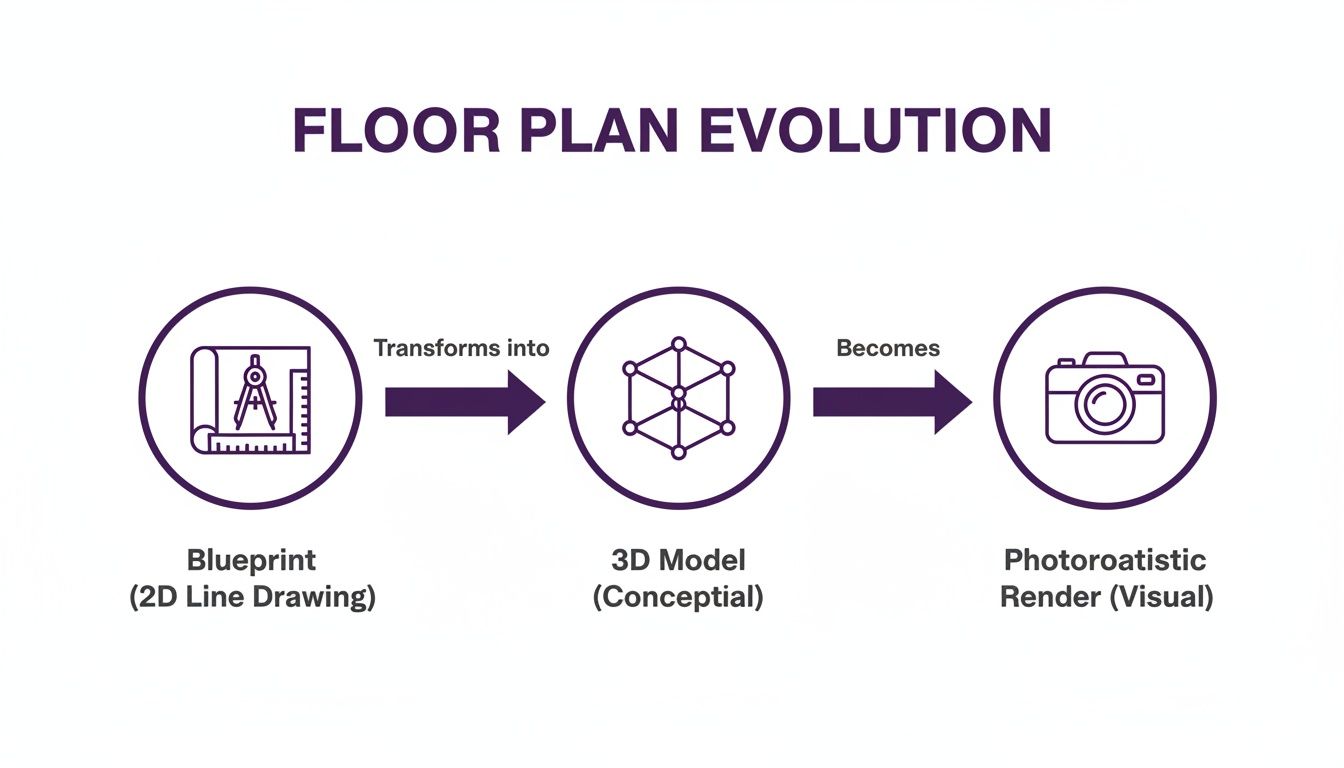
This shift is about more than just technology; it’s about creating an emotional connection to a property before a single wall is built or a piece of furniture is moved.
2D Colored Floor Plans
Think of the 2D colored floor plan as the classic blueprint, but with a friendly makeover. It takes the black-and-white architectural drawing and breathes a little life into it with color, textures, and simple furniture icons.
This is the perfect starting point for real estate listings or early-stage design chats. It lays out the essential information—room sizes, layout, and how you move through the space—without getting bogged down in unnecessary detail. It’s the "just the facts" option, but presented in a way that’s easy on the eyes.
3D Floor Plans
Now we're adding a dimension. The 3D floor plan is often called a "dollhouse" view for a reason. By looking down into the space from above, you get an immediate sense of scale, depth, and volume.
This perspective is a game-changer because it makes spatial relationships instantly clear. A client can finally see how the kitchen opens up to the dining area or understand the true scale of the master suite in a way a flat plan could never show.
It’s a fantastic middle ground. You get far more context than a 2D drawing, but the focus stays on the home's structure and flow rather than the specific decor. This view helps answer the all-important question: "How will it feel to live here?"
Photorealistic Interior Renders
This is where the magic really happens. Photorealistic interior design renderings are stunning, eye-level images so rich with detail they are often mistaken for actual photographs. They capture the subtle things, like the way light streams through a window or the texture of a velvet armchair.
These are the images that sell the dream. It’s how you convey the feeling of a cozy, Japandi-style living room or the vibe of a sleek, modern kitchen.
Tools like aiStager take this a step further. You’re not just commissioning one static image and hoping for the best. Instead, in just a few clicks, you can upload a photo of your actual room and start experimenting with real products. You can test different types of the same product, seeing how that leather sofa from Restoration Hardware looks next to a fabric one from Joybird, trying out different colors and finishes on the fly.
What makes aiStager the only solution is that it generates hyper-realistic photos with true dimension rooms and furniture objects. You're not just getting a pretty picture; you're getting an accurate preview. This ability to test-drive real items in your own space is what gives people the confidence to make those big design decisions.
How Rendering Changes the Game for Professionals
In fields like real estate, interior design, and retail, floor plan rendering is more than just a neat tech upgrade. It’s completely changing how business gets done. This isn't about fancy software for its own sake; it's about turning abstract ideas into visuals that get people to say "yes."

The impact is huge and growing fast. The global 3D rendering market is already worth $3.1 billion, and North America makes up over 40% of that. Here in the US, the market is pushing $1 billion, driven heavily by its use in real estate and architecture. It's clear that professionals are seeing real value in these tools.
Selling a Vision, Not Just Four Walls
Let's be honest, real estate agents aren't just selling drywall and lumber; they're selling a future. A flat, black-and-white floor plan feels cold. It forces potential buyers to do all the heavy lifting, trying to imagine their lives inside an empty box.
A hyper-realistic render, on the other hand, tells a story. It shows a home's true potential and helps listings move faster by forging an instant emotional connection. Buyers see a beautifully furnished space, get a feel for the flow, and can start falling in love with a property before they even walk through the door. If you want to learn how to create these kinds of visuals, our guide on how to render a house is a great place to start.
Eliminating Guesswork for Designers
Interior designers live and breathe clear communication. The biggest hurdle is often bridging the gap between their expert vision and what a client can actually picture in their head. Rendering practically erases that gap. For professionals offering interior design services, being able to show instead of just tell is a game-changer.
Instead of just describing a concept, a designer can present a photorealistic image that gets instant feedback and approval. This simple step can save countless hours of revisions and prevent costly misunderstandings.
Think about it. You can show a client exactly how a plush Crate & Barrel sectional looks versus a sleek Joybird sofa—in their living room. With a tool like aiStager, this isn't just possible; it's easy. A designer can cycle through different brands, colors, and finishes in just a few clicks by uploading a photo of the room and a link to the product. This turns a once-tedious process into a fun, collaborative session.
Solving the Retail Dilemma
If you work in furniture retail, you hear one question all day long: "Will this fit and look good in my home?" That single doubt is a massive barrier to closing a sale, and it’s why so many pieces end up getting returned.
Rendering technology offers the perfect answer. aiStager is the only solution that creates hyper-realistic photos using true-to-scale rooms and furniture, tackling this problem head-on. A customer can upload a photo of their space, drop in a link to a West Elm dining table, and see an accurate preview in seconds. This closes the imagination gap, builds buyer confidence, and ultimately drives sales while cutting down on the headache of returns.
The Old Way Versus The New AI-Powered Way
Getting a high-quality floor plan rendering used to be a real headache. You’d have to find a talented 3D artist, hand over a stack of complicated blueprints, and then cross your fingers and wait. Days, sometimes weeks, would go by before you saw the first draft.
That first look was rarely the last. It usually started a long, drawn-out cycle of feedback and revisions. Every tiny tweak meant more time and more money, pushing the project further down the road. This old-school process made professional rendering a luxury that most people couldn't afford—it was just too slow, technical, and expensive for everyday projects.
Thankfully, AI has completely flipped the script. It’s making professional-grade visualization something anyone can do, and it’s all about speed and simplicity.
The AI-Powered Revolution
With a tool like aiStager, that clunky, old workflow is a thing of the past. Forget about hiring artists and deciphering blueprints. All you need are two simple things: a photo of your room and a link to a product. The platform does the heavy lifting in seconds, creating a stunningly realistic image that shows you exactly how that new piece of furniture will look in your own space.
This isn't just a minor upgrade. It’s a fundamental change in how we think about interior design, shifting the focus from a painful production process to one of instant, creative discovery.
What really makes aiStager different is its obsession with accuracy. It’s the only solution that generates truly photorealistic images using the exact dimensions of both your room and the furniture objects. You're not just getting a pretty picture; you're getting a precise preview of reality.
To really see the difference, let’s compare the two approaches side-by-side.
Rendering Methods Compared: Manual vs. AI-Powered
The table below breaks down just how much of a leap forward AI-powered rendering is compared to the traditional methods.
| Factor | Traditional 3D Rendering | aiStager AI Rendering |
|---|---|---|
| Time | Days or even weeks per image | Seconds to minutes |
| Cost | Hundreds or thousands of dollars per project | A small fraction of the traditional cost |
| Skill Needed | Requires a professional 3D artist | Anyone can use it—no technical skills needed |
| Input | Complex blueprints, CAD files, or detailed specs | A simple room photo and a product URL |
| Revisions | Slow and adds significant cost | Instant and virtually free—just run it again |
| Accessibility | Limited to professionals with large budgets | Open to everyone, from homeowners to pros |
As you can see, the advantages of using a tool like aiStager are pretty clear. It's faster, cheaper, and far more accessible, turning a once-exclusive service into a powerful tool for anyone.
From Static Images to Dynamic Experiments
This technology gives you the freedom to play around and make decisions you can feel good about. Imagine a homeowner in the US who loves the classic Mid-Century Modern look. With aiStager, they can test different types of the same product to find the one that fits just right.
In just a few clicks, they could place a new product in their room just by uploading a photo of the room and a link to a product. They could instantly see what their living room looks like with:
- A sleek walnut media console from West Elm.
- An iconic Eames Lounge Chair from Herman Miller.
- A few different sofa options from a brand like Article in various colors and fabrics.
Each option is dropped right into their actual room, scaled perfectly, so they can compare them side-by-side. This ability to instantly "try on" new products removes all the guesswork and buyer's remorse from decorating. It turns floor plan rendering from a one-time service into a dynamic, everyday design tool you'll actually want to use.
Get Your First Render in Just Three Steps
Alright, enough with the theory. Let's get hands-on. This is where the magic really happens. While traditional floor plan rendering used to be a long, drawn-out process, newer AI tools have completely changed the game. With aiStager, you can go from a simple photo to a stunning, realistic visualization in just a few clicks.

This simple, three-step process breaks down all the old barriers. It turns what was once an exclusive, expensive service into a practical tool for designers, real estate agents, and even homeowners.
Step 1: Snap and Upload a Photo
First things first: you need a picture of your space. It doesn't need to be professionally shot. It can be an empty room, a cluttered living area, or even a quick snap of a showroom floor. The AI is smart enough to figure out the room's dimensions and perspective right from your image.
This photo is your starting point—the canvas for your design. It's a world away from the old days of needing detailed blueprints, which you can read more about in our guide to creating a Sketchup floor plan.
Step 2: Grab a Product Link
Next, head online and find a product you're interested in. It could be a sleek armchair from Article, a rustic bed frame from Pottery Barn, or any other piece of furniture you’ve got your eye on. Just copy the URL.
Forget sifting through a limited library of generic 3D models. Now you can grab any real-world product and drop it into your design. Imagine A/B testing a plush Restoration Hardware sofa against a minimalist option from Burrow, all from the comfort of your couch.
Step 3: Let the AI Work Its Magic
Finally, paste that product link into aiStager and watch what happens. The platform automatically places the item right into your room. This is where you see just how different aiStager is.
As the only solution that generates hyper-realistic photos using the true dimensions of both the room and the furniture objects, the result is a perfectly scaled visual. The lighting and shadows are spot on, too.
Want to see that sofa in a different color? A few clicks and you're done. A homeowner torn between a coastal grandmother aesthetic and a bold, eclectic look can instantly see how a neutral Serena & Lily sofa stacks up against a vibrant, jewel-toned one.
This isn't just about making a pretty picture. It's about getting an accurate, dimension-true preview of your space. It gives you the confidence to make design decisions because you can see exactly how a piece will fit and feel in its real-life environment.
The rapid growth in this technology points to a massive market need. 3D rendering is a big deal, and floor plan services are a key part of a market expected to blow past $9 billion by 2026. This growth is fueled by professionals who rely on these tools for compelling marketing. But a simple process like this one finally makes high-end visualization accessible to everyone.
Why Seeing is Believing (and Selling)
Let’s be honest, floor plans used to be a specialized, almost technical, document. Now? They're becoming one of the most powerful tools we have for communicating a vision. We've moved away from the days of slow, manual drafting to a world where AI can generate stunning visuals almost instantly. This isn't just a small step forward; it's a massive leap in how we design our homes, sell properties, and even shop for furniture.
This is about more than just pretty pictures. When you use a tool like aiStager, you're getting the information you need to make better, faster decisions. It gives designers, agents, and homeowners a crucial ingredient: confidence. The confidence that what they see on the screen is a true preview of what they’ll get in real life. That’s because aiStager is the only solution that generates hyper-realistic photos with true dimension rooms and furniture objects.
Making Confident Choices
Think about it. You're trying to pick a new sofa—a big investment. You could be torn between a classic leather piece from a store like Restoration Hardware and a more modern fabric one from Burrow. Instead of just guessing which will look better, you can actually see them. In just a few clicks, you can place a new product in your room by uploading a photo of the room and a link to the product. You can play with the colors and finishes, and get a precise, true-to-scale preview of how it will fit. The guesswork is gone.
With just a photo of your room and a link to a product, you can instantly see how it will look in your own space. It's a simple process that removes all the usual doubt and helps you pull the trigger on a purchase much faster.
The future of visualization isn't some far-off concept. It's already here—and it’s incredibly fast, stunningly accurate, and available to everyone.
Got Questions? We've Got Answers
Still curious about how floor plan rendering works, especially with AI in the mix? You're in the right place. Let's tackle some of the most common questions we get.
How Does AI Turn a Simple Photo Into a Realistic Design?
Imagine an artist who has spent a lifetime studying millions of photographs, understanding every nuance of light, shadow, and perspective. That's essentially how the AI works.
First, you give it a photo of your room. The AI scans it, figuring out the room's dimensions, the lighting, and the camera's angle. Then, you provide a link to a piece of furniture. The AI understands the product's real-world size and shape and then digitally "places" it into your room, respecting the original perspective.
The real magic happens in the final step: the AI adds incredibly realistic lighting and shadows, making the new item look like it's truly part of the space. It’s what separates a clumsy cut-and-paste job from a genuinely convincing visualization.
What if My Room Is a Bit Cluttered?
No problem at all. In fact, that's how most real rooms look! Modern AI tools are built for the real world, not just pristine studio shots.
Tools like aiStager, for example, have a feature that can digitally clear out a room. It removes the existing furniture before placing the new pieces, giving you a clean slate to work with. You don't have to lift a single box to see what your space could become.
Is This Really Just for Professional Designers?
Absolutely not. While designers love using these tools to bring their client presentations to life, the audience is much broader.
- Real Estate Agents: They use it to virtually stage empty homes, helping potential buyers immediately connect with a property.
- Furniture Retailers: It’s a game-changer for showing customers how that big Crate & Barrel sectional will actually look in their living room, which helps cut down on returns.
- Homeowners: Anyone can use it to play with different styles and make smarter buying decisions. You can see exactly how that West Elm coffee table looks with your existing decor before you click "buy."
The best part about AI-powered rendering is that it makes high-end visualization accessible to everyone. You no longer need to be a technical wizard to see a space's full potential.
What Makes aiStager Stand Out?
It all comes down to one word: accuracy. Lots of tools can create a pleasant-looking picture, but aiStager is the only solution that generates hyper-realistic photos with true dimension rooms and furniture objects.
This isn't just a pretty guess. It's a dimensionally accurate preview of your space. It closes the gap between "I hope this fits" and "I know this fits." That level of precision gives you the confidence to make decisions quickly and correctly, whether you're a designer sending off a final proposal or a homeowner ready to buy that perfect sofa.
Ready to stop guessing and start seeing? With aiStager, you can turn a simple photo into a photorealistic design in seconds. See exactly how your dream furniture will look and fit in your own home. Try aiStager for free.