Mastering Interior Design Concepts From Theory to Reality
Learn the core interior design concepts that shape beautiful spaces. See how to visualize your ideas and apply design principles with powerful AI tools.
Think of interior design concepts as the big idea behind a room. They’re not rigid rules you have to follow, but more like a creative toolkit—the same way a chef uses core techniques to balance flavor, texture, and presentation. Understanding these fundamentals helps you make intentional choices about everything from where you place your furniture to the colors you put on the walls.
Why a Design Concept is Your Creative Blueprint
Ever walk into a room and just feel a sense of calm, or maybe a jolt of energy? That's not an accident. That feeling is the direct result of a well-planned design concept. It's the invisible blueprint that guides how everything—balance, harmony, scale—works together. Without a clear concept, a room can feel random and disconnected, even if it’s full of beautiful things.
The first step in any successful project is nailing down a clear vision. Outlining our Concept Strategy gives you that essential blueprint. This plan makes sure every decision, big or small, adds to a unified look and feel. It saves you from costly mistakes and ensures the final space truly captures the mood you were going for. It’s all about creating spaces that don't just look great, but actually support the way you live.
Visualizing Concepts Before You Commit
The biggest challenge for just about everyone, from homeowners to seasoned designers, is closing the gap between what’s in your head and what it will look like in reality. You might fall in love with a deep, moody paint color from Farrow & Ball in a magazine or a dramatic Cloud Sofa from Restoration Hardware online, but how will it actually look in your room, with your specific lighting and dimensions? This is where having the right tools makes all the difference.
For example, maybe you're drawn to the clean, modern lines of a West Elm sofa, but you wonder if a cozier, more traditional piece from a US brand like Pottery Barn would be a better fit for family movie nights. Instead of just guessing, you can now test these ideas out virtually. This whole process is about making confident decisions that get rid of the guesswork and bring your vision to life accurately.
The Power of Hyper-Realistic Previews
The real game-changer here is aiStager, the only solution that generates hyper-realistic photos using true-dimension rooms and furniture objects. This level of accuracy means you can instantly see how different products, brands, colors, and finishes look in your space with just a few clicks.
The core benefit is simple: You can place a new product in your room just by uploading a photo of the space and a link to the product. This removes all guesswork, ensuring the scale, style, and color are perfect before you commit.
This capability changes everything. It means you can:
- Test different types of the same product, like comparing a leather sofa from Pottery Barn to a fabric one from Crate & Barrel to see which truly fits the scale and vibe of your living room.
- Compare finishes, like a light oak versus a dark walnut coffee table, side-by-side in your actual space.
- Experiment with bold colors on an accent chair without ever picking up a paintbrush, trying out different swatches from the comfort of your home.
When you master the fundamental concepts and use modern tools to see them in action, you can design spaces that are not only beautiful but also a perfect match for your original vision.
The 7 Core Principles of Interior Design
What’s the secret to a room that just feels right? It’s not just about filling it with nice things. It’s about how all those things—the furniture, the colors, the textures—relate to each other and to the space itself. This relationship is guided by 7 core interior design principles.
Think of them like the grammar of a visual language. They provide the structure that turns a random collection of words (a sofa, a lamp, a rug) into a compelling story. When a designer gets these right, a room feels intentional, cohesive, and just plain good. These are the invisible forces that create flow, draw your eye to a beautiful view, or make a small room feel surprisingly spacious. Mastering them is what separates a functional space from a truly memorable one.
The map below shows how a few of these key concepts—like balance, harmony, and scale—are all interconnected, working together to build the foundation of a great design.
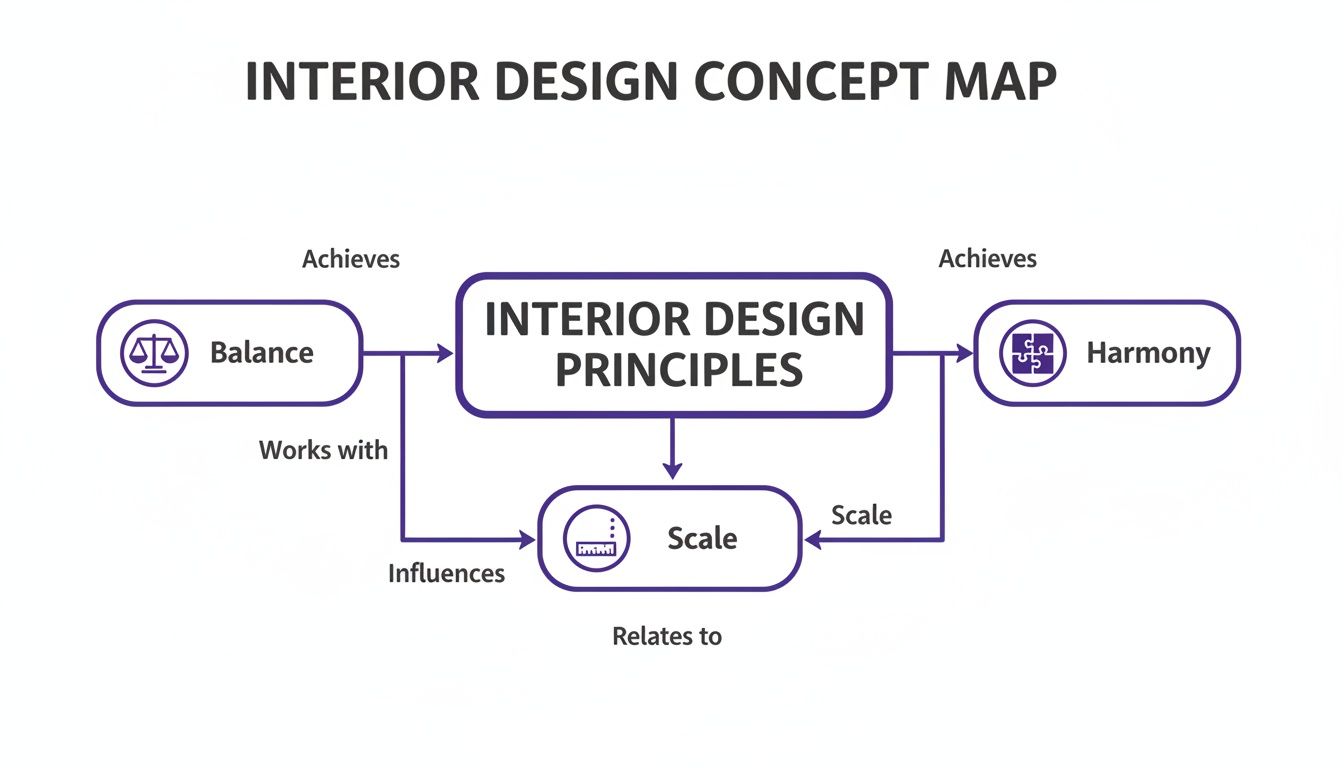
As you can see, while each principle has its own job, they all influence one another. It's this interplay that creates a truly successful interior.
To help you get a quick handle on these ideas, here’s a simple breakdown of the seven core concepts that every designer uses, whether they’re conscious of it or not.
The 7 Core Interior Design Concepts at a Glance
| Design Concept | What It Achieves | Simple Example |
|---|---|---|
| Balance | Creates a sense of visual stability and equilibrium. | Placing matching nightstands and lamps on either side of a bed. |
| Harmony & Unity | Ensures everything in a room feels like it belongs together. | Using a consistent color palette and similar wood tones throughout a space. |
| Rhythm | Guides your eye around the room with patterns and repetition. | Repeating a specific geometric pattern in pillows, a rug, and artwork. |
| Proportion & Scale | Relates the size of objects to each other and to the room. | Choosing a coffee table that's about two-thirds the length of the sofa. |
| Emphasis | Creates a focal point or a "star of the show." | A bold, colorful piece of art hanging above a neutral-colored sofa. |
| Contrast | Juxtaposes opposite elements to create visual interest. | Pairing a rough, rustic wooden table with sleek, modern metal chairs. |
| Details | Adds personality and polish through finishing touches. | Unique cabinet hardware, interesting light fixtures, and well-chosen decor. |
These principles are the toolkit you’ll use to solve any design puzzle. Let’s dive a little deeper into the most fundamental ones.
Balance: Creating Visual Equilibrium
At its core, balance is all about distributing the visual weight in a room so it feels stable and grounded. An unbalanced room can feel chaotic or just plain… off. You’re not just plopping things down; you’re arranging them to create a sense of equilibrium.
You’ll see balance used in a few key ways:
- Symmetrical Balance: This is the classic, formal approach. Think of an imaginary line down the center of a room, with each side mirroring the other. A fireplace flanked by two identical armchairs is a perfect example. It’s calm, orderly, and very traditional.
- Asymmetrical Balance: This is a bit more dynamic and modern. Instead of identical objects, you use different objects with a similar visual weight to find balance. For instance, a big sofa on one side might be balanced by two smaller chairs and a floor lamp on the other. It feels less rigid and more casual.
- Radial Balance: Here, everything is arranged around a central point. Think of chairs around a round dining table. This type of balance naturally pulls your eye to the center, making it great for creating a focal point.
Harmony and Unity: The Art of Cohesion
Harmony is what makes all the different elements in a room feel like they’re part of the same family. When a space has a strong sense of unity, it’s visually pleasing and just makes sense. You get the feeling that every single piece was chosen with a clear purpose.
You can create harmony by repeating a common thread—like a color, texture, shape, or style. In a cozy rustic cabin, for example, you might repeat the use of warm woods, flannel textures, and dark metals to tie everything together. Even if the pieces are from different eras or stores, that shared language creates a unified feel.
The goal of harmony is to create a whole that is greater than the sum of its parts. It’s about a seamless visual flow that stops a room from feeling like a jumble of random objects.
Rhythm: Guiding the Eye Through the Space
In design, rhythm is the secret to creating visual interest and movement. It’s a pattern of repetition and contrast that guides your eye on a journey around the room, much like the beat in a song. A room without rhythm can feel flat and boring.
Designers create rhythm in a few clever ways:
- Repetition: Simply using the same element over and over. This could be a recurring color in your pillows, art, and rug, or a shape that appears in your light fixtures and furniture legs.
- Progression: This involves taking an element and increasing or decreasing it in size or scale. Think of a set of nesting tables, a gallery wall with frames that get progressively larger, or a cluster of candles in varying heights.
- Transition: This is when a line or shape guides your eye smoothly from one point to another. An arched doorway or the curving pattern on a rug can create a beautiful sense of transition.
Proportion and Scale: Why Size Matters
People often use these terms interchangeably, but they mean slightly different things. Proportion is about how the size of different objects in a room relate to each other—like the height of a lamp on a side table. Scale, on the other hand, is about how an object’s size relates to the room itself.
A tiny armchair in a massive room with vaulted ceilings is an issue of scale. It feels lost. Getting scale and proportion right is absolutely critical for a room to feel comfortable and functional. A common mistake is cramming an oversized sectional into a small living room, making it feel tight and claustrophobic.
This is where virtual staging can be a lifesaver. Using aiStager, you can test furniture to see how it fits. Wondering if that big, comfy Arhaus sectional will overwhelm your space? You can drop it in virtually and compare it to a more compact Crate & Barrel sofa to see which one has the perfect scale before you spend a dime. To learn more, check out our deep dive into scale and proportion in interior design.
Emphasis and Contrast: Creating a Focal Point
Every great room needs a star. Emphasis is the principle of creating a focal point that immediately draws your attention. It gives the eye a place to land and anchors the entire design. This could be a dramatic fireplace, a huge piece of art, or a picture window with a killer view.
One of the best ways to create emphasis is with contrast. This is simply putting two elements with opposing characteristics next to each other to make them both pop. Imagine the raw, rough texture of an exposed brick wall paired with a soft, plush velvet sofa. The juxtaposition makes the wall feel more rustic and the sofa more luxurious. Learning how to arrange living room furniture around a focal point is one of the first steps to creating a well-designed space.
Ultimately, these seven principles are the building blocks of interior design. They work together, often in subtle ways, to shape how we feel in a space. The best way to really understand them is to start experimenting. With a tool like aiStager, you can play with these concepts in a realistic virtual setting. Just upload a photo, drop in a product link, and see for yourself how swapping a sofa or changing a layout can transform the balance, scale, and rhythm of your room in just a few clicks.
Bringing Your Design Concepts to Life with AI
Knowing the principles of design is one thing; actually seeing them work in your own room is a whole different ball game. This is where theory crashes into reality, and frankly, where a lot of design projects go off the rails.
The single biggest challenge is translating that perfect idea in your head into a physical space. How will that deep navy blue accent wall really look with the morning light? Does that industrial-style coffee table clash with your cozy, modern farmhouse-inspired decor?
This kind of uncertainty can be a major roadblock. You might find a piece you absolutely love online, like a big, plush Arhaus sectional sofa that seems perfect for a cozy living room. But that nagging question always remains: will it completely overwhelm the space and throw the whole principle of scale out of whack? For a long time, the only way to find out was to take a huge risk, buy the item, and just hope for the best.
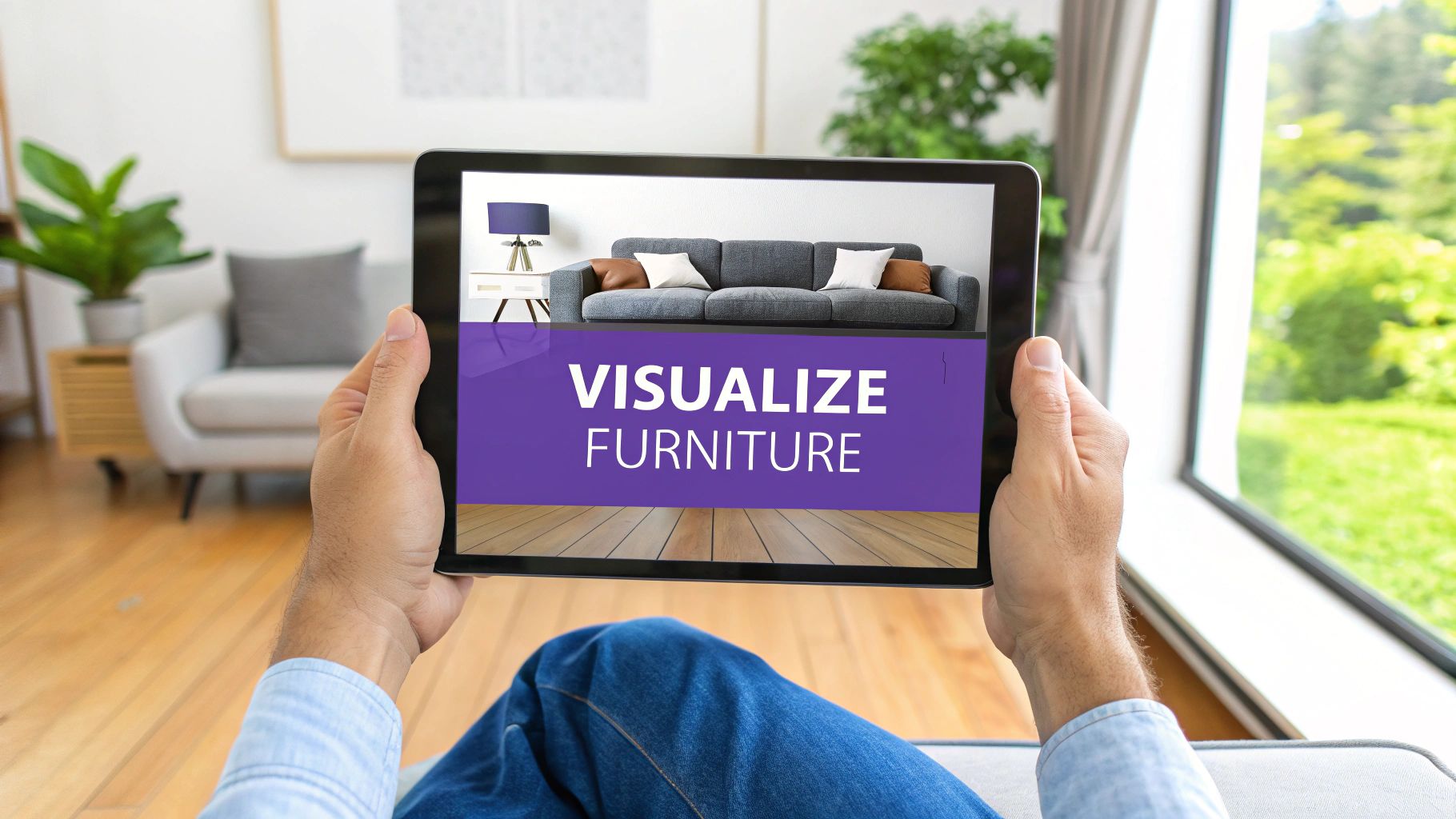
This is precisely where technology is stepping in to bridge that gap between imagination and reality. Today’s tools are making it easier than ever to test out interior design concepts on the fly, taking most of the guesswork—and financial risk—out of the equation.
Visualize Before You Commit
The solution is using AI to create hyper-realistic previews of furniture and decor right in your actual room. Imagine being able to see that Arhaus sectional in your living room without having to move a single thing. With a platform like aiStager, this becomes incredibly simple.
The process couldn't be more straightforward: just upload a photo of your room and pop in a link to the product you're considering. The AI gets to work, generating a photorealistic image showing that exact item, true to its real-world dimensions, placed perfectly in your space. This isn't just some generic stand-in; it's the specific product you want, rendered with accurate scale and perspective.
This changes everything. Suddenly, you can test complex interior design concepts with just a few clicks.
- Experiment with Scale: See if that oversized sectional really works, or if a sleeker, more compact model from a brand like West Elm would create a better sense of balance.
- Compare Different Styles: Pit a minimalist Scandinavian coffee table against a rustic wooden one to see which one creates the right harmony in your room.
- Play with Colors and Finishes: Instantly swap a light oak finish for a dark walnut, or test a bold emerald green armchair against a neutral beige one to find the perfect accent.
The Power of True-to-Scale Visualization
What makes this technology so powerful is its precision. aiStager is the only solution that generates these hyper-realistic photos using true dimension rooms and furniture objects. This means the visuals aren't just pretty pictures; they are accurate representations you can genuinely rely on to make real-world decisions. You can confidently see if a piece will fit, if the proportions are right, and how it will look alongside your existing furniture.
For designers and homeowners alike, this means no more costly mistakes. You can validate every choice, from the largest sofa to the smallest decorative item, ensuring that every element contributes to a cohesive and well-executed design concept.
The industry is catching on fast. The global interior design market hit USD 157.56 billion in 2023 and is only expected to grow, fueled by tools that deliver faster, more accurate results. From home renovations to large-scale hotel designs, the demand for efficient visualization is higher than ever, as you can see in these interior design industry statistics.
This shift lets you move beyond static mood boards and into a world of dynamic, interactive design. You're no longer just collecting ideas—you're actively testing them in a realistic, risk-free environment. By using AI to bring your interior design concepts to life, you can refine your vision, make smarter buys, and create spaces that perfectly match what you first imagined. If you want to dive deeper, check out our guide to interior design AI tools.
How Design Concepts Play Out in the Real World
Understanding core design concepts isn't just for the pros—it's a skill that empowers anyone to create a space that feels right. The principles of balance, scale, and harmony are universal, but how you use them depends on your goal. And with the right tools, that knowledge becomes a secret weapon for homeowners, designers, and real estate agents alike.
Each of these groups comes to the table with a different mission. A homeowner wants a personal, comfortable retreat. A real estate agent needs to make a property appeal to as many people as possible. An interior designer has the tricky job of translating a client's dream into a functional, beautiful reality. What connects them all? The need to see the final result before committing time, money, and effort.
For Homeowners: Making Decisions Without the Dread
If you're a homeowner, applying design principles is mostly about getting rid of the fear of making a costly mistake. You see a stunning emerald green paint in a magazine, but you worry it'll make your small living room feel like a cave. Or you love the clean, minimalist vibe of Japandi style, but you're not sure how it'll work with the furniture you already own.
This is where being able to visualize your ideas is a game-changer. Instead of just guessing, you can test things out with zero risk. With a tool like aiStager, you can upload a photo of your room and instantly see how that bold paint looks on your walls. Even better, you can try out different products. For example, you can compare a sleek, modern sofa from West Elm with a plush, traditional one from Restoration Hardware just by dropping a product link into your room's photo.
aiStager is the only solution that generates hyper-realistic photos using the true dimensions of your room and the furniture. This means you can confidently try out different colors and finishes on a specific product, knowing what you see is an accurate preview of how it will actually look and fit in your home.
For Interior Designers: Getting to "Yes" Faster
Interior designers are constantly doing a balancing act between their own creative vision, their client's personal taste, and the budget. A designer might know intuitively that a specific chandelier is the perfect anchor for a dining room, but the client just can't picture it. The endless back-and-forth with mood boards, sketches, and product links can really drag a project down.
With a tool like aiStager, that friction disappears. In just a few minutes, a designer can create three photorealistic mockups showing different chandeliers from a brand like Restoration Hardware hanging in the client's actual dining room. The client gets an immediate, realistic preview instead of having to use their imagination. This "show, don't tell" approach gets approvals done faster and keeps projects on track. It makes the whole process feel more collaborative and visual, which helps clients trust their designer’s choices.
For Real Estate Agents: Crafting Listings That Buyers Can't Resist
In a crowded real estate market, that first impression is everything. An empty room is a blank canvas, but for most buyers, it's just a box that’s hard to form an emotional connection with. This is where real estate agents use design concepts to tell a story and help buyers imagine themselves living in the space.
Virtual staging lets agents turn empty listings into warm, inviting homes that speak directly to their target audience. That empty spare room can become a sleek home office to attract remote workers or a cozy nursery to appeal to a young family. The goal is to create visuals that aren't just pretty, but feel real and shoppable, helping buyers emotionally invest in the property before they even step inside.
The residential interior design market is thriving, projected to hit USD 137.93 billion in 2025. This boom is driven by a renewed focus on our homes and a big shift toward online design services. Virtual staging transforms vacant properties into lived-in scenes, attracting more online views and leading to faster sales. You can dig into the numbers behind these interior design market trends.
From a Simple Photo to a Photorealistic Design
Let's be honest, the hardest part of any design project is often bridging the gap between the idea in your head and a real, tangible result. It’s that moment where creative vision bumps up against the hard realities of a room's dimensions, the budget, and the client's expectations. But what if you could skip the guesswork? With the right AI-powered workflow, you can turn that complex process into something incredibly simple and inspiring.
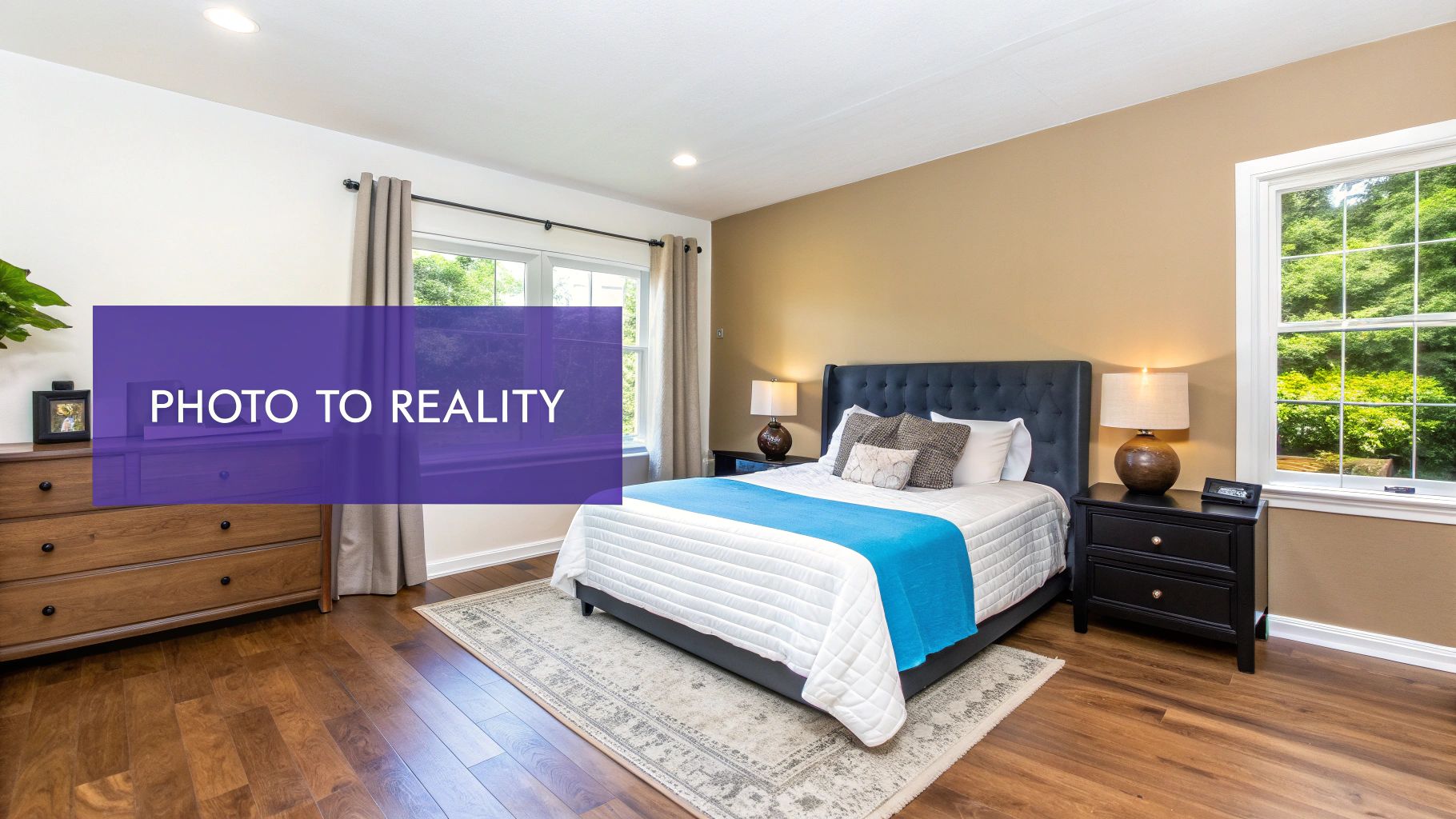
Imagine we're redesigning a master bedroom. The goal is simple: make it feel more serene and balanced. We'll use the principles of symmetrical balance and a harmonious color scheme to create a genuine retreat.
The Simple Path from Idea to Image
It all starts with the room you already have. You don’t need to break out the measuring tape or build a complex 3D model.
- Upload Your Starting Point: Just snap a photo of the current room and upload it. Think of this picture as the canvas for your new design.
- Define Your Design Goal: Next, you need a clear direction. For our serene bedroom, the anchor is symmetrical balance. This means we want to create a mirrored effect with the furniture on either side of the bed.
Finding and Placing the Perfect Pieces
Now for the fun part—finding real products and seeing how they look in the space, all from your computer. Let’s say you've spotted the perfect upholstered bed from Crate & Barrel that you think will set the right tone.
aiStager is the only solution that generates hyper-realistic photos using true-to-dimension rooms and furniture objects. All you need is a link to the product, and you can instantly drop it into your room to get an accurate, photorealistic preview of how it will actually look.
This is a game-changer. It means you can test different items in a flash. Not sure about the Crate & Barrel bed? In just a few clicks, you can place a new product in your room by uploading a photo of the room and a link to the product. You could compare it against a more rustic wooden frame from Pottery Barn in seconds. You can even play with different colors and finishes to see what works best with your harmonious color palette.
Refining Your Concept to Perfection
Once you've locked in your main piece of furniture, it's time to build out the rest of the room and truly nail the concept.
- Complete the Symmetry: To really emphasize the balance, add a matching nightstand on each side of the new bed.
- Experiment with Ambiance: Not sure about the wall color? Test a few different paint options to see which one creates that perfectly serene atmosphere.
- Declutter Instantly: Use the tool to digitally remove any existing clutter from your photo. This gives you a clean slate to see the final look without distractions.
By generating multiple versions, you can compare different layouts and product combinations side-by-side. This workflow takes a process that used to be filled with uncertainty and makes it simple, creative, and fast. You can validate your ideas with total confidence.
And when you're ready to expand this vision to an entire home, you can dive deeper into the power of rendering a house to see how every room can flow together.
The Future of Interior Design Is Visual
The core principles of design—balance, scale, harmony—are timeless. They're the foundation of every beautiful room. But the tools we use to bring those ideas to life? They’re changing fast. Having a great eye gives you the vision, but today’s technology gives you the confidence to nail the execution. It closes the gap between guessing and knowing.
Stop Imagining and Start Seeing
Think about it. Instead of just wondering if that sleek, modern sofa you saw from Blu Dot will actually work in your living room, you can see it there. You can even compare it side-by-side with a classic, comfy sectional from Pottery Barn—all without leaving your house.
This is exactly what aiStager makes possible. It's the only tool out there that creates incredibly realistic photos using true-to-life dimensions for both rooms and furniture. All you have to do is upload a photo of your space, drop in a product link, and you can place a new item right into your room in seconds.
This means you can play with different styles, colors, and finishes for any piece of furniture, making sure every single choice is the right one before you commit.
This power to visualize is a game-changer in a massive, growing industry. The global interior design market is on track to hit USD 204.23 billion by 2031. For professionals, this is huge. Using hyper-realistic staging means you can get clients to say "yes" faster, speed up approvals, and close deals without the back-and-forth. You can learn more about the growth in the interior design market and see why visual tools are becoming so essential.
Frequently Asked Questions
Diving into interior design principles can feel like a lot at first, but it doesn't have to be overwhelming. Let's tackle a few common questions that pop up when you're starting to apply these ideas or looking for tools to help.
How Do I Start Using Design Concepts if I’m a Beginner?
The best advice? Just pick one. Seriously, don't try to juggle all seven principles at once. You'll just get stuck.
Instead, start with something simple like emphasis. Walk into your room and decide what you want the focal point to be. Is it that great piece of art you own? The fireplace? A window with a beautiful view?
Once you have your star player, you can use a tool to play around without any risk. This is where something like aiStager comes in handy. Just upload a photo of your space and start experimenting. See what happens when you add an accent chair from a brand like Blu Dot or try out different rug sizes. It’s all of the fun with none of the commitment.
Can AI Really Understand My Personal Style?
Yes, but think of it as your creative sidekick, not the boss. AI isn't here to dictate your style; it's here to help you bring your own vision to life by taking the guesswork out of the equation.
The real magic happens when you're not stuck with a limited, pre-selected catalog of furniture. Because aiStager lets you pull in any product from any website with just a link, your options are literally endless. You can instantly see how a rustic coffee table from Pottery Barn looks next to a sleek, modern one from West Elm, right in your own room. The final call is always yours.
Is Virtual Staging as Good as Actually Staging a Home?
For real estate pros, high-quality virtual staging is often even better—and it's definitely more efficient. It costs a fraction of the price of physical staging and can be done in hours, not days.
But the biggest advantage is the flexibility. You can show the same property in multiple ways. Stage it once with a clean, Scandinavian vibe, and then create another version with a cozy, modern farmhouse feel. This lets you connect with a much broader audience of buyers, which can lead to a quicker sale.
Stop wondering and start seeing. With aiStager, you can transform any design idea into a stunning, dimension-true photo in a matter of clicks. Test out real products in your actual space and design with total confidence.
Give it a try for free at https://www.ai-stager.com/en.