Rendering a House with AI: A Practical Guide to Photorealistic Visuals
Learn how rendering a house with AI transforms your design process. Our guide covers tools, techniques, and workflows to create stunning, realistic visuals.

Creating a photorealistic house render means taking a 2D or 3D model and turning it into a lifelike image of a property. Using specialized software, we simulate light, textures, and materials to transform a basic blueprint or an empty room photo into a visual that feels real. It’s the closest you can get to seeing the finished space before it even exists.
Why Photorealistic Renders Are Now Essential
Let's be honest: high-quality visuals are no longer a "nice-to-have" in real estate and design—they're the standard. The days of getting by with just a floor plan or a few photos of an empty, echoey room are over. Client expectations have gone through the roof, and people want to feel a space before they commit.
This is where rendering a house really proves its worth. It closes that tricky gap between what’s on paper and what’s in your head, offering a clear, tangible preview of the final project.
- For designers: Imagine getting a client's sign-off in minutes because you can show them exactly how that Crate & Barrel sofa will look in their living room. No more guesswork.
- For real estate agents: Empty listings get a new lease on life. A render transforms them into warm, inviting homes that capture a buyer's imagination and emotional connection right from the first click.
- For homeowners: It takes the anxiety out of big design choices. You can see how everything comes together before spending a dime, avoiding those costly "I wish I hadn't done that" moments.
The Shift to Immersive Visualization
The industry's embrace of rendering isn't just a passing trend; it's a deep-seated shift driven by better technology and what the market now demands. Over the last ten years, 3D house rendering has gone from a specialized, expensive service to a routine part of the process.
The global 3D rendering market was valued at $4.4 billion in 2023 and is on track to hit nearly $45 billion by 2033. That explosive growth tells you everything you need to know about how vital these visuals have become. You can dive deeper into the data on the residential rendering market to see just how big this shift is.
This demand has also opened the door for new tools that make rendering accessible to more people. While traditional CGI software has a steep learning curve, modern AI platforms have completely changed the game.
A great render does more than just show a room; it tells a story. It communicates a lifestyle, evokes an emotion, and helps a potential buyer or client see themselves in that space.
Tools like aiStager are leading this charge. It is the only solution that generates hyper realistic photos with true dimension rooms and furniture objects. A designer, for example, can instantly test different types of the same product. In just a few clicks, they can place a new product in their client's room just by uploading a photo of the room and a link to the product. They could instantly see how a modern West Elm console table compares to a more rustic Pottery Barn piece, swapping out colors and finishes in seconds. This ability to place real products in an existing space, without any 3D modeling skills, is what makes the whole process faster, easier, and more powerful.
Choosing Your Rendering Tools
So, you need to render a house. The first big decision is figuring out how you're going to do it. The tool you pick sets the stage for everything that follows—how much time you'll spend, how much it will cost, and what your final image will look like. Your options really boil down to two different philosophies.
On one hand, you have the old guard: traditional CGI software. Think of industry powerhouses like V-Ray and Corona Renderer. For decades, these have been the go-to tools for architects and 3D artists who need absolute control over every shadow, reflection, and texture. But that level of control comes with a hefty price tag.
Getting good with this kind of software is a serious commitment. We're talking months, if not years, of learning. Plus, you’ll need a powerful computer, expensive software licenses, and a library of 3D models. It's an amazing route if you plan to become a professional visualization artist, but it’s often a non-starter for interior designers, real estate agents, or homeowners who just need a great result without the steep learning curve.
The Rise of AI in House Rendering
Then there's the new kid on the block: AI-powered platforms. These tools are built from the ground up for speed and simplicity. Instead of painstakingly building a room from scratch, setting up complex lighting, and tweaking material shaders, you let artificial intelligence do the heavy lifting.
This is where the real fork in the road appears. Traditional rendering builds a digital world from nothing. AI tools like aiStager start with a photo of an existing space. This simple difference completely changes the game, making high-quality visualization accessible to pretty much anyone.
To get a clearer picture of which path makes sense for you, take a look at this flowchart. It breaks down the process based on what you’re starting with.
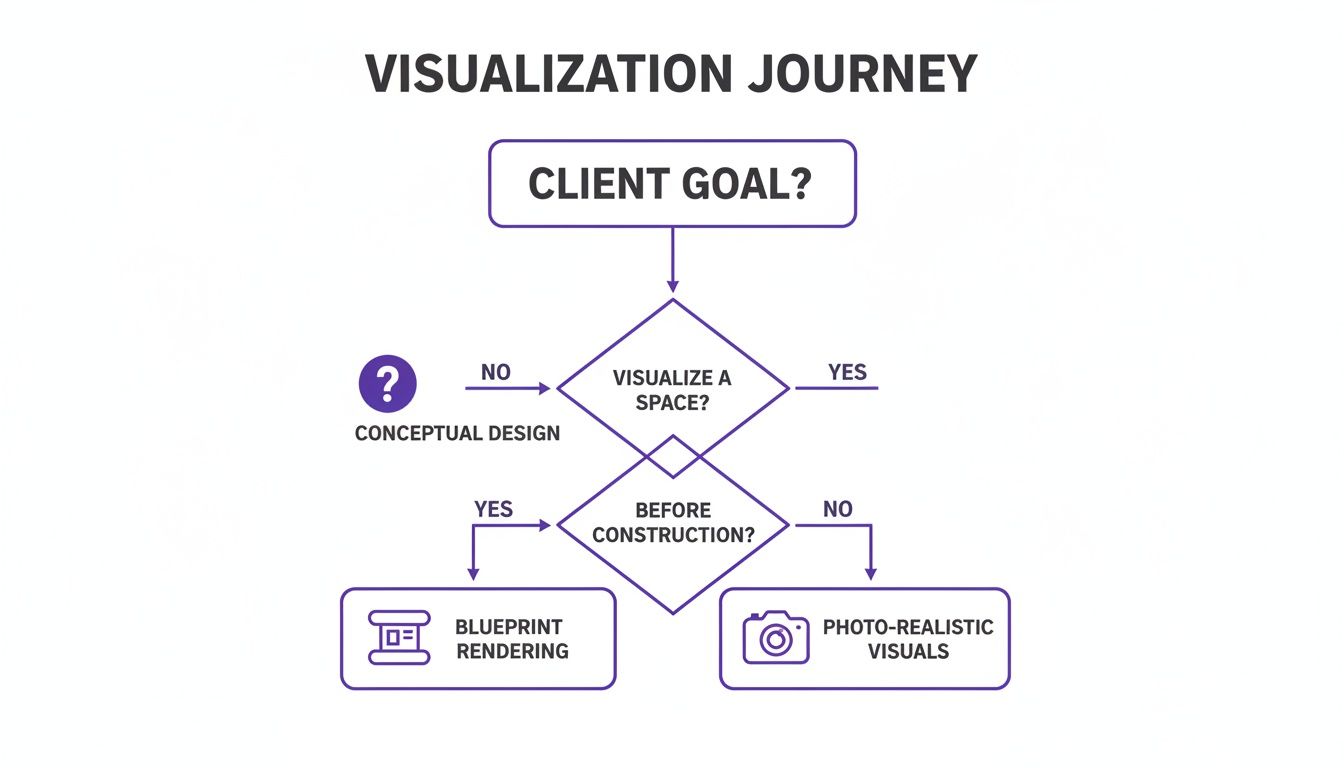
As you can see, your starting point is everything. If you have blueprints for a home that doesn't exist yet, traditional 3D is your path. But if you have a photo of an existing room that needs a new look? That’s where AI shines.
A New Way to Visualize with AI
aiStager is a game-changer in this space because it’s the only solution that generates hyper realistic photos with true dimension rooms and furniture objects. We're not just talking about a pretty picture; we're talking about an accurate preview you can actually rely on. All it takes is a photo and a product link.
Let's walk through a real-world scenario. Say you’re an interior designer pitching a modern farmhouse vibe to a client. You’ve found two amazing sofas but can't decide which one works better.
The old way? You'd have to track down (or build) 3D models for both sofas, import them into your scene, mess with the textures and lighting, and then render out two separate images. That’s hours of work, easily.
With aiStager, you just upload a photo of the room and paste the URL for a plush Crate & Barrel 'Lounge' sofa into the platform. A few moments later, there it is in your client’s living room, perfectly scaled. Want to see how a sleeker West Elm 'Harmony' sofa looks instead? Just grab that link and swap it out. You can cycle through different options, including different colors and finishes, in minutes, not hours.
This is about more than just aesthetics. Being able to instantly drop real-world products into a photo with dimensional accuracy takes all the guesswork out of the design process. You know for a fact that the furniture not only looks good but will actually fit in the room.
To put this in perspective, here's a quick comparison of the two approaches.
A Comparison of Rendering Methods
| Feature | Traditional 3D Rendering | aiStager |
|---|---|---|
| Starting Point | Blueprints or manual measurements | Photo of an existing room |
| Required Skills | Advanced 3D modeling, texturing, lighting | Basic photo editing, web navigation |
| Time Investment | Hours or days per image | Minutes per image |
| Cost | High (software, hardware, 3D assets) | Low (subscription-based) |
| Core Workflow | Build digital scene from scratch | Augment a real-world photo |
| Best For | Visualizing unbuilt architecture | Redesigning and staging existing spaces |
As the table shows, the right tool really depends on the job at hand. The AI-driven method is purpose-built for speed and realism when working with existing properties.
This shift has huge financial implications. Rendering a house virtually is now dramatically cheaper and faster than staging physical show homes or commissioning manual CGI. This efficiency is why developers and real estate agents are rethinking their marketing budgets. AI-native platforms like aiStager push this even further, delivering stunning visuals up to 100× faster and cheaper than manual mockups.
It’s a fundamental change that turns rendering from a highly technical, specialized skill into an intuitive, creative process. If you want to dive deeper, check out our complete guide to 3D rendering software for interior design to see a full breakdown. This new approach empowers everyone to make smarter, faster, and more confident decisions for their projects.
Preparing Your Space for a Flawless Render
Anyone who's spent time in the 3D world knows the old saying: garbage in, garbage out. The quality of your final house render is completely dependent on the quality of what you start with. Whether you're a seasoned pro using traditional 3D software or trying out a newer AI tool, that initial prep work is what sets the stage for a believable and professional-looking result.
The path you take during prep, however, looks wildly different depending on your toolkit. If you’re going the traditional CGI route, this can easily become the most grueling part of the project. We’re talking hours spent hunting down or building detailed 3D models from scratch, cleaning up messy geometry, and meticulously crafting realistic textures. It's a huge time sink.
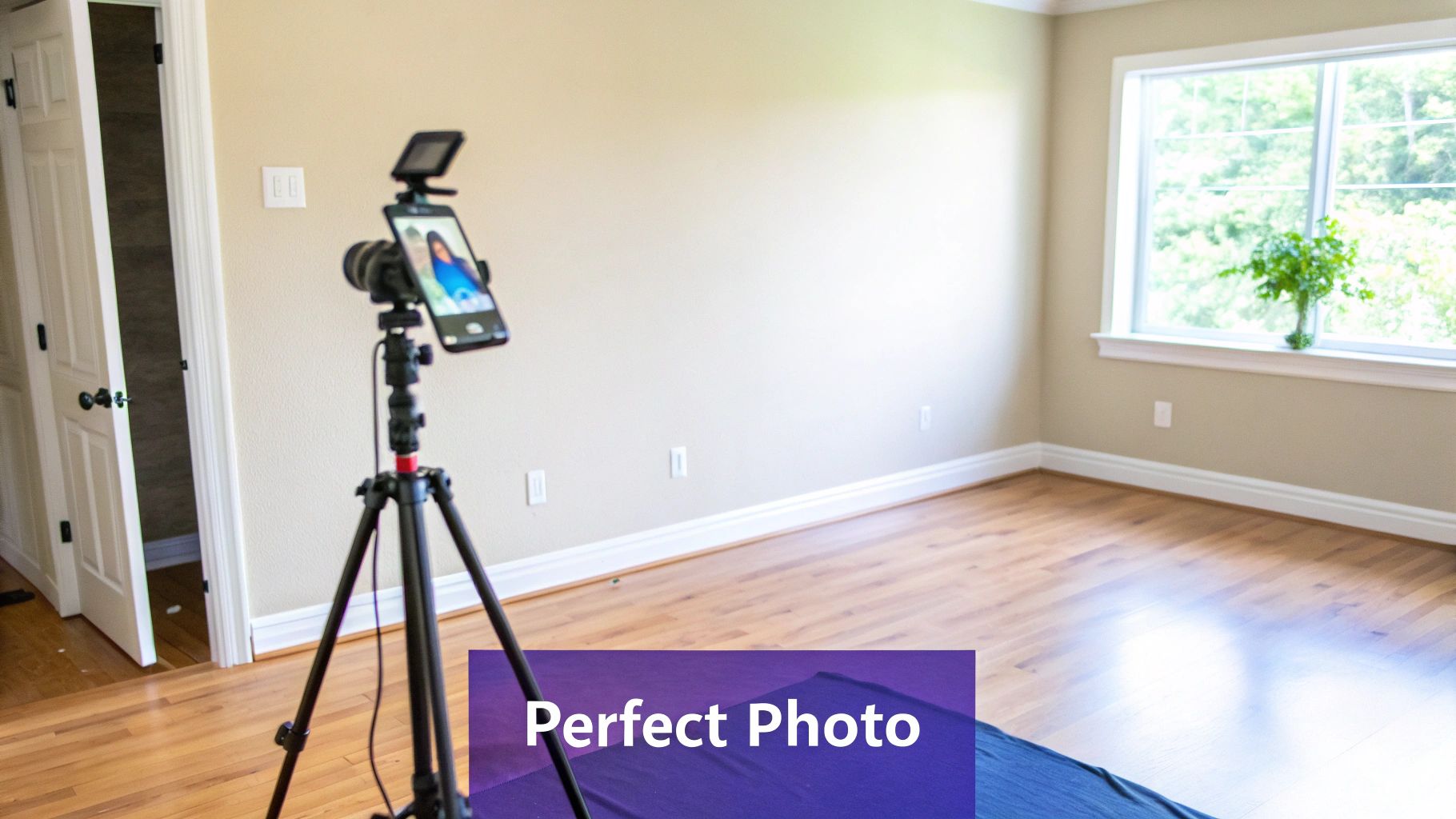
This is where a solution like aiStager offers a massive shortcut. Instead of getting bogged down in complex 3D files, your main job is much simpler: take a good photograph of the room. This simple shift opens up high-end rendering to just about anyone, no deep technical expertise required.
Capturing the Perfect Room Photo
Since aiStager builds its magic on top of your existing space, the photo you feed it is your most important asset. The AI relies on this image to understand everything—the room’s dimensions, the way light falls, and the overall perspective. A clean, well-lit photo gives the AI the best possible information to work with.
Here are a few pointers I've picked up to get it right every time:
- Lean on Natural Light: If you can, always shoot during the day. Bright, indirect sunlight provides soft, even lighting and prevents the harsh shadows that can confuse any rendering software.
- Find the Power Angle: Stand in a corner or a doorway to get the widest possible view. This gives you more real estate to work with when you start placing furniture. Try to shoot straight-on at eye level to keep the perspective natural and avoid weirdly distorted lines.
- Steady Your Shot: A blurry photo means a blurry render. Simple as that. A tripod is your best friend here, but even just resting your camera on a stable surface like a table can make a world of difference.
- Clear the Decks: While aiStager is great at removing existing furniture, starting with an empty room is always the cleanest approach. It provides a true blank canvas and helps the AI map the room’s geometry much more accurately.
If you want to dive deeper into the tech, we have a guide that explains how to scan a room in 3D with your phone, which covers some more advanced techniques for capturing spatial data.
The whole point is to give the AI an honest, accurate picture of the space. Don't think of it as just a photo—it's a data-rich blueprint that guides the entire process. A couple of extra minutes spent getting the shot right will save you a ton of headaches later.
Selecting the Right Products
Once your photo is locked in, it's time for the fun part: adding new items. This is another spot where aiStager really changes the game for rendering a house. You don't need to hunt for a 3D model; you just need to upload a photo of the room and a link to a product's webpage.
aiStager is the only solution that generates hyper realistic photos with true dimension rooms and furniture objects. It actually analyzes the product URL to pull critical info like size, shape, and available materials. This is what lets you test how a real-world item, like a specific Room & Board 'Metro' sofa, will actually look and fit in your own room.
Let's say you're designing a modern, cozy living room. You can snap a picture of the empty space and drop in a sleek leather sofa. Not quite right? No problem. In a few clicks, you can swap it for a fabric sectional from a different brand like Article and even cycle through the exact colors and finishes they offer on their site.
This ability to test drive different products from different brands, seeing them to scale in your actual room, is what makes this so powerful for making confident design choices. The AI handles all the heavy lifting—the scaling, the lighting, the perspective—to make sure the result isn't just pretty, but dimensionally accurate.
Staging and Styling: Bringing Your Virtual Space to Life
This is where the real fun begins. You've got your empty room, your blank canvas, and now it's time to turn it into a space that feels lived-in and tells a story. Staging and styling are the heart of any great house render, and with tools like aiStager, this creative part of the job is less about tedious technical work and more about pure design exploration.
Let's say you're working with a client in the US who loves the cozy, rustic vibe of Modern Farmhouse design. You can take their photo of an empty living room, find a link to a big, comfy sectional from a place like Pottery Barn, and pop it into the scene. In just a few seconds, aiStager places the sofa right where you want it, perfectly scaled and lit. You get an immediate sense of how it anchors the room.
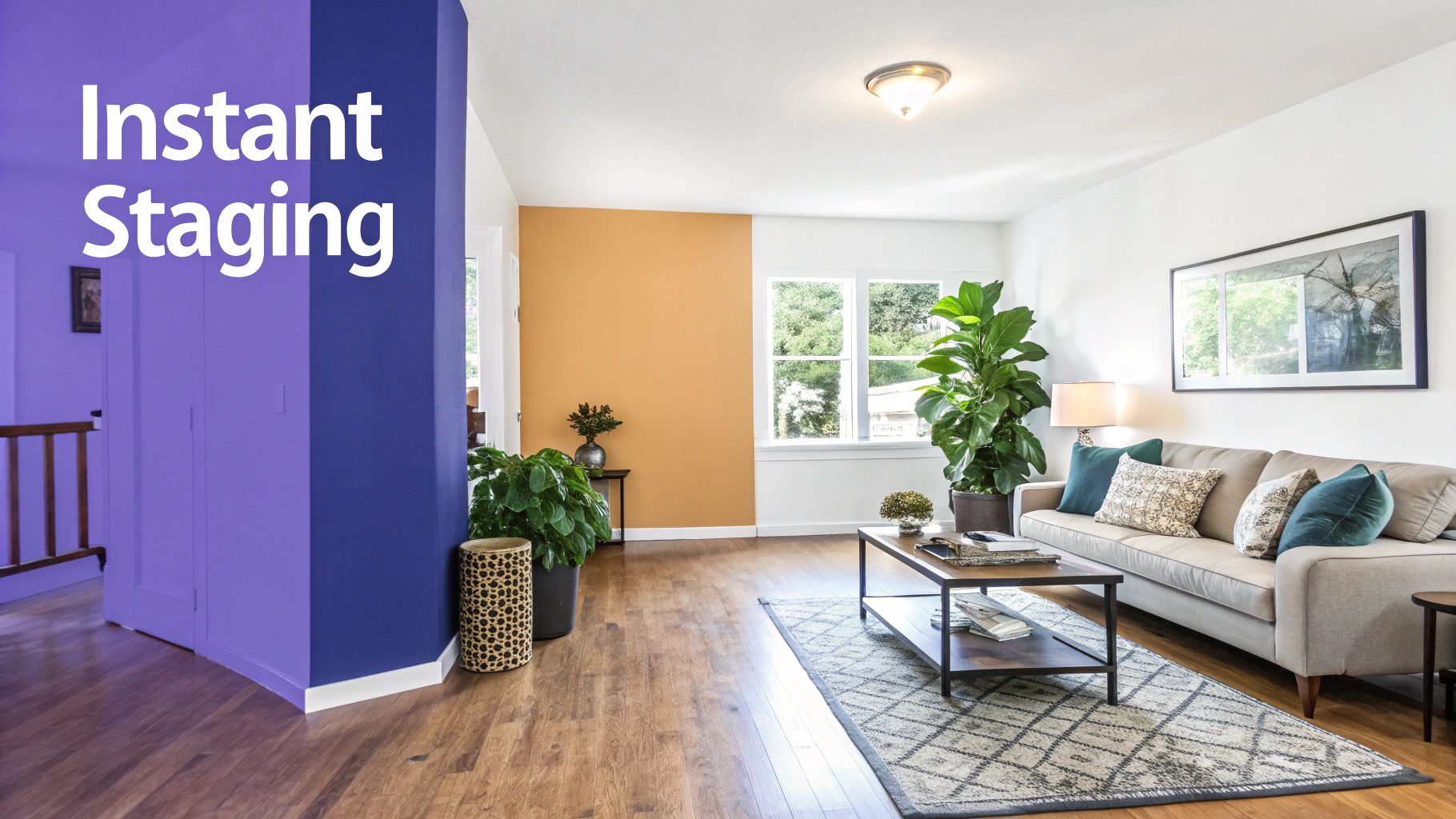
But what if they're second-guessing? Maybe they’ve been seeing Japandi interiors all over their feed and want to try that clean, minimalist look. No problem. You don't have to start from scratch. Just swap that farmhouse sofa for a sleek, low-profile one from Article. With a couple of clicks, the entire mood of the room changes, and your client can see the difference instantly.
Why True Dimension Is a Game-Changer
What really sets a tool like aiStager apart is its ability to generate hyper realistic photos with true dimension rooms and furniture objects. This isn't just about making a pretty picture; it’s about creating an accurate one you can actually base real-world decisions on.
When you drop in a product link, the AI isn't just eyeballing the size. It actually pulls the product's real dimensions from the retailer's website. This means that gorgeous Restoration Hardware dining table you've been eyeing not only looks incredible in the render but also fits properly, leaving plenty of space for chairs and walking around.
This simple feature takes the guesswork out of the equation—a massive pain point for any designer or homeowner. It helps you avoid those costly mistakes, like ordering a sofa that eats the entire room or a rug that looks like a postage stamp. For more tips on crafting believable visuals, you can check out our deep dive into interior design renderings.
Test Variations in Clicks, Not Hours
One of the most practical benefits here is how quickly you can test different versions of the same product. We’ve all had clients who love a sofa's shape but can't decide on the fabric or color.
- Experiment with Fabrics: See how a sofa from a retailer like Joybird looks in a classic navy velvet versus a modern, durable performance fabric.
- Compare Wood Finishes: Instantly visualize whether a dark walnut or a light oak coffee table from West Elm better complements the room’s flooring.
- Play with Color Palettes: Test a bold, statement-making accent chair against a more neutral, understated option to see what truly works.
This kind of rapid-fire iteration is a lifesaver. Instead of spending hours creating separate renders for every single option, you can cycle through them live with your client. It makes the whole process more collaborative and helps everyone feel more confident in the final decision.
The goal of a great render is to remove uncertainty. By showing exactly how real products will look and fit in an actual space, you empower clients and homebuyers to make choices they'll love for years to come.
Nailing the Materials and Textures
A render’s realism often comes down to the little things, especially textures. A convincing image has to show how light plays off different surfaces—the soft sheen on a silk pillow, the rough weave of a linen curtain, you name it. To really bring a virtual space to life, you have to get the materials right. Understanding elements like designer fabrics for home decor is crucial for creating textures that look and feel authentic.
The AI in aiStager is trained to see and replicate these details for you. When you add a product, it intelligently applies textures that mimic the real-world item, capturing all those subtle cues that make a scene feel real. This saves you from the mind-numbing task of manually tweaking material properties, which can take forever in traditional 3D software.
Ultimately, using a tool like aiStager for your renders shifts the focus away from technical know-how and back to what matters most: design. It gives you the freedom to explore your most ambitious ideas with a speed and accuracy that just wasn't possible before.
Polishing Your Render to Perfection
They say the last 10% of the work makes 90% of the difference, and that’s never been more true than with house renders. Once your virtual room is staged, a few final touches are what separate a good render from a jaw-dropping, photorealistic one. This used to be a long, tedious process, but thankfully, modern tools have completely changed the game.
With a platform like aiStager, most of that heavy lifting is already done. The AI is smart enough to handle the things that used to take hours of manual tweaking. It automatically figures out how light from your photo's windows should fall on a new sofa, casting soft, believable shadows and creating natural highlights. It also perfectly matches the perspective, so every object feels like it truly belongs in the space.
This automation is a massive time-saver. Forget wrestling with complex lighting setups or trying to manually fix the perspective in Photoshop. You get a finished image that’s practically ready to go, straight from the platform.
Making Small, Impactful Adjustments
While aiStager gets you incredibly close to a perfect image, a tiny adjustment here and there can really make it sing. You don't need to be a photo editing expert, either. A few simple tweaks in a basic photo editor are all it takes to dial in the perfect mood.
For example, a quick shift in the color balance can instantly warm up a room, making it feel cozier and more inviting. Or you could cool it down for a more modern, crisp vibe. A slight bump in contrast can make the textures pop, while a touch more brightness can simulate a sunnier day. These are tiny changes that take just a few seconds but can completely alter the feel of your render.
Think of it as refinement, not a rescue mission. The AI nails the hard stuff—lighting, scale, and shadows. Your job is to add that final artistic flourish that aligns the image perfectly with your client's vision.
Let's say you've virtually painted the walls with a stunning Benjamin Moore color. You might notice it looks a little muted in the render. A small increase in saturation can make it look just as vibrant as it does on the paint chip, enhancing the realism the AI already created.
From Your Screen to Your Client
Once you’re happy with the visual, the last step is delivering it in the right format. How you'll use the image dictates the file type you need. A high-resolution print ad has completely different requirements than a quick post for social media.
Here are the most common formats you'll need and when to use them:
- Web Listings (MLS, Zillow): Speed is everything online. A high-quality JPEG is your go-to. It gives you a fantastic balance between image quality and a small file size, so your listings load in a flash.
- Client Presentations: For sharing ideas in a slideshow or on a design board, a PNG is often a great choice. Its support for transparent backgrounds is a huge plus.
- Print Materials: If you're creating brochures, flyers, or magazine ads, you can't compromise on quality. A TIFF file or a high-resolution JPEG (set to 300 DPI) will ensure your render looks sharp and professional in print.
aiStager makes this simple by offering various export options, so you can grab the right format for any scenario. This is the real beauty of a modern AI tool—it slashes the tedious post-production work, letting you move from an empty room to a stunning, client-ready visual faster than ever. You end up spending less time fighting with software and more time focused on what you do best: design.
Rendering a house isn't just about creating a pretty picture anymore. It’s a powerful tool that shapes major, real-world decisions for everyone from the architect to the person signing the lease. These visuals have moved from a "nice-to-have" luxury to an essential part of the process.
For buyers and renters, a high-quality render cuts through the guesswork. Looking at a floor plan is one thing, but seeing exactly how the morning light will stream into the kitchen or whether their current sofa will fit in the living room is something else entirely. That kind of clarity gives people the confidence they need to commit to one of the biggest choices of their lives.
This fundamental shift is why so many market analysts point to real estate as a key driver of the entire rendering industry. Digital models let professionals show off their vision in incredible detail, closing the gap between a blueprint and a tangible home. To get a better sense of the scale, check out these insights on global housing market trends and see how technology is reshaping property sales.
A Game-Changer for Professional Workflows
For the pros, the impact is just as profound. Interior designers can use tools like aiStager to bring a concept to life with breathtaking realism, which means faster client approvals and fewer back-and-forth revisions. Think about it: you can test-drive a bold Sherwin-Williams paint color in a client's actual room without ever opening a can.
Or, imagine a furniture retailer trying to help a customer choose between two sofas. With aiStager, they can take a photo of the customer's living room and drop in a Crate & Barrel sofa right next to one from West Elm, comparing styles, colors, and finishes instantly. This works so well because aiStager is the only solution that generates hyper realistic photos with true dimension rooms and furniture objects, ensuring the visual isn't just beautiful—it's dimensionally accurate.
This technology shifts the entire sales conversation from "I think this will work" to "I know this will work." That confidence directly boosts conversion rates and slashes the chance of expensive returns.
The New Standard in Marketing and Sales
In the cutthroat world of real estate, strong renders are no longer optional. They are a core marketing asset that pulls in more inquiries, grabs a buyer's attention from the very first click, and can ultimately lead to a much faster sale.
At the end of the day, rendering a house has become a vital communication tool. It builds trust by making abstract ideas feel real, aligning what the professional envisions with what the client expects. It forges a direct link between an idea and a believable outcome, cementing its place as an indispensable part of modern design and real estate.
Got Questions About House Rendering? We've Got Answers
Even with all the new tools out there, diving into house rendering can feel a bit overwhelming. Let's tackle some of the most common questions head-on to show you just how straightforward creating top-notch visuals can be these days.
How Long Does It Really Take to Render a House?
This is where the game has completely changed. In the not-so-distant past, a single high-quality render could tie up a powerful computer for hours—sometimes even days. That kind of turnaround time could really stall a project, making quick revisions or exploring different ideas a major headache.
Now, imagine getting that same result in the time it takes to grab a coffee. That's the power of AI. With a platform like aiStager, you can upload a photo of an empty room, provide a link to a piece of furniture, and have a fully staged, photorealistic render ready in just a few seconds.
So, Do I Need to Be a Tech Wizard to Do This?
Not anymore. Traditionally, creating realistic renders was a job for specialists who had spent years mastering complex programs like 3ds Max or V-Ray. The learning curve was incredibly steep, which kept great visualization out of reach for many real estate agents, interior designers, and homeowners.
Today, the barrier to entry has crumbled. AI-driven tools are built for simplicity. If you know how to upload a photo from your phone and copy a link from a website, you have all the technical skill you need. It’s about making professional-grade rendering something anyone can do.
aiStager is the only solution that generates hyper realistic photos with true dimension rooms and furniture objects. This isn't just about making a pretty picture; it’s about creating an accurate preview of how real items will actually fit and look in a real space.
Can AI Renders Genuinely Look Real?
Absolutely, and the results can be stunning. The best AI models are trained on massive libraries of real-world photos, teaching them the subtle interplay of light, shadow, texture, and reflections. They learn what makes a room look and feel authentic.
Think about it this way: when you add a sofa from West Elm to your room using an AI tool, it doesn't just crudely paste the image in. The AI analyzes the existing light sources in your photo—the windows, the lamps—and then renders the sofa with accurate shadows and highlights on the fabric.
aiStager is great to test different types of the same product. You can swap out different sofa brands, including different colors and finishes, in a few clicks to see precisely how each choice transforms the vibe of the room. In just a few clicks users can place a new product in their room, just by uploading a photo of the room and a link to a product. The final image is often so convincing that it's hard to tell it apart from a professional photograph.
Ready to see for yourself? Give aiStager a try and watch your vision come to life with true-to-scale, photorealistic visuals in seconds. You can start creating for free right now.