Design Your Dream Room With an Online Room Layout Planner
Discover how an online room layout planner helps you visualize furniture, test layouts, and create your perfect space with confidence before you buy.

Staring at an empty room can feel pretty overwhelming, can't it? You know what you want, but getting from that blank canvas to a finished space is a huge leap. This is where an online room layout planner comes in. It’s your digital blueprint, measuring tape, and an endless furniture catalog all rolled into one. Think of it as the ultimate way to ditch the guesswork and start making design decisions you can feel good about.
From Guesswork to Perfect Design
These tools let you build a virtual copy of your room. You can drag and drop furniture, play with different layouts, and see exactly how everything fits before you even think about lifting a heavy box or pulling out your credit card. They've come a long way from clunky 2D floor plans. Now, we're talking about immersive 3D environments that let you visualize your dream room with stunning accuracy.
This move to digital planning isn't just a niche trend; it’s a massive shift. The global market for these tools was valued at around USD 1.43 billion in 2025 and is on track to nearly double to about USD 2.67 billion by 2032. What's driving this? A huge surge in DIY home projects and the simple fact that 3D visualization helps people plan their spaces better than ever.
Of course, a tool is only as good as the vision behind it. To truly go from a vague idea to a perfect design, you need to understand how to start the interior design process for a room and get your foundational ideas in place first.
Visualize Before You Buy
The real beauty of an online room layout planner is the freedom to experiment without any risk. Let's say you’re torn between two completely different vibes for your living room—maybe a sleek, Mid-Century Modern look versus a cozy, modern farmhouse aesthetic. Instead of just trying to picture it in your head, you can actually build both versions virtually.
Maybe you have your eye on a specific sofa, but you're not sure how it will look next to your existing chairs. This is where a powerful tool like aiStager really shines. It's the only solution on the market that generates hyper-realistic photos with true-to-dimension rooms and furniture.
The magic is in the details. You just need a photo of your room and a product link, and in just a few clicks, you can place a new product in your room and see precisely how that piece of furniture will look—down to the exact color and finish—in your own home.
This is what sets a true visualization engine apart from a basic layout tool. Wondering how that West Elm sofa in ‘Performance Velvet’ stacks up against a different sofa from Article in ‘Pebble Gray’? Curious if a glass coffee table from CB2 works better than a wooden one from Pottery Barn? You get an accurate, photorealistic preview that erases all the uncertainty, letting you buy with total confidence.
What Really Matters: The Features That Make Designing Easier
So, what makes a good online room layout planner actually work for you? Let's get past the marketing buzz and look at the core features that truly simplify the design process. These are the tools that take your ideas from a vague concept to a concrete, visual plan, giving you the confidence to move forward.

Most projects start with a simple 2D floor plan. Think of it as your blueprint or a bird's-eye view of the space. This is where you can drag and drop furniture to quickly test different layouts, making sure you have enough walking room and that the overall flow makes sense. It’s all about function first.
But the real "aha!" moment comes when you switch to the 3D view. Suddenly, that flat drawing springs to life. You can actually feel the space, check sightlines from the doorway to the window, and get a true sense of scale to see if that oversized sofa will actually fit.
Beyond Generic Models: The Power of Photorealism
Almost every planner has a library of furniture, but this is where you'll find the biggest difference in quality. Many use generic, blocky models that give you a rough idea but lack realism. Modern tools are taking a much smarter approach, offering features like brand-name product catalogs and the ability to customize dimensions for a true-to-life fit.
This is exactly what separates a basic tool from a professional one. When you can see exactly how a piece will look, you avoid expensive mistakes.
And this is where a tool like aiStager really shines. While others rely on generic 3D models, aiStager is the only solution that generates hyper-realistic photos with true-to-dimension rooms and furniture objects. This isn't just a clunky rendering; it’s a photorealistic preview of what your room will actually look like.
For instance, say you want a modern organic vibe for your bedroom and have your eye on a beautiful upholstered bed from Crate & Barrel. You love it, but you're worried it might overpower the room.
With aiStager, you stop guessing. Just upload a photo of your bedroom and drop in the link to the bed. In seconds, you get a photorealistic image showing that exact bed, in your chosen fabric, scaled perfectly to your room's dimensions.
That kind of certainty is a game-changer when you're about to make a big purchase.
Trying Out Real Products Without Leaving Your Home
The ability to experiment with different products is a huge plus. Imagine you’re hunting for the perfect sofa for a Japandi-style living room. You can instantly compare completely different styles from various brands, right in your own space.
- Test different brands: See how a sleek, low-profile 'Andes' sectional from West Elm feels compared to a classic 'Chesterfield' from Pottery Barn.
- Compare colors and finishes: Not sure if a light gray fabric is better than a rich cognac leather? Place both versions of the same sofa in your virtual room and see how they work with your wall color and lighting.
- Visualize different materials: Instantly swap a warm wood coffee table for a marble one to see which fits the serene mood you're after.
This is how you move from "I think this will work" to "I know this will work." If you want to dive deeper into perfecting your layout, our guide on choosing the right furniture arrangement app has even more practical tips. A great online planner doesn't just help you arrange furniture; it helps you build a fully realized design with confidence.
Traditional Methods vs Modern Online Planners
Thinking back to how we used to plan a room really puts the power of modern tools into perspective. The jump from graph paper and tape measures to interactive 3D models is massive.
| Feature | Traditional Method | Online Room Layout Planner |
|---|---|---|
| Visualization | 2D sketches on paper, mood boards with cutouts. | Interactive 2D/3D views, realistic lighting, and textures. |
| Furniture Sourcing | Visiting multiple stores, carrying fabric swatches. | Virtual catalogs from real brands, drag-and-drop placement. |
| Accuracy | Manual measurements with a tape measure; prone to error. | Precise digital dimensions, automatic scaling. |
| Collaboration | Sharing physical drawings or photos via email. | Shareable links to live projects for instant feedback. |
| Cost of Mistakes | High. Buying the wrong size furniture is a costly hassle. | Low. "Return" an item with a single click. |
As you can see, what once took weeks of painstaking effort can now be done in an afternoon. These tools democratize design, giving everyone the ability to visualize and create a space they love before spending a single dollar.
How Professionals Use Room Planners to Get Results
While online room layout planners are fantastic for any homeowner wanting to spruce up a space, they've become a secret weapon for professionals. Across several industries, experts now lean on this technology to do more than just design—they use it to close sales, fast-track projects, and deliver an experience that wows their clients. A good planner isn't just about layouts; it's a powerful business asset.
For interior designers, these tools are now at the very heart of their workflow. Gone are the days of creating static mood boards and just hoping a client can picture the final result. Now, a designer can walk a client through multiple, fully-fleshed-out room designs in real-time. This means a client can see exactly how a calming Japandi-inspired living room stacks up against a cozy modern farmhouse look, all in a matter of minutes.
The real magic happens with revisions. Being able to make changes based on immediate feedback is a complete game-changer. Let's say a client loves the overall concept but isn't quite sold on a specific sofa.
With a tool like aiStager, a designer can tackle this on the spot. They can take a photo of the client’s actual room, grab a link to a different sofa from a site like Article, and generate a new, photorealistic image. This totally eliminates the guesswork and helps dodge expensive ordering mistakes.
This quick-turnaround process builds a ton of client confidence and slashes approval times, which is crucial for keeping projects on track and within budget.
Transforming the Retail Experience
Furniture retailers are also discovering just how valuable these planners can be. One of the biggest hurdles in selling furniture online is the customer's uncertainty. They might love a piece on a website, but their head is full of questions: Will it actually fit? Is the color going to clash with my walls? How will it look with the furniture I already have?
By embedding a tool like aiStager right on their product pages, retailers give customers a way to virtually "try before they buy."
- Visualize Products Instantly: A shopper can snap a photo of their bedroom, paste in a link to a new bed they're eyeing, and see it perfectly placed in their own space within seconds.
- Compare Options with Confidence: They can easily test out different styles and even different colors of the same product. For instance, a customer could compare a West Elm armchair in a neutral boucle fabric against the very same chair in a bold velvet to see which one truly pulls the room together.
- Eliminate Buyer's Remorse: Seeing a true-to-scale piece of furniture in a hyper-realistic image just removes all that doubt. It's no surprise this kind of interactive experience boosts buyer confidence and has been shown to seriously lift conversion rates.
This approach doesn't just sell a product; it sells a complete vision, making customers feel great about their decision.
A New Era for Real Estate Marketing
In real estate, an empty listing is a huge missed opportunity. Sure, vacant rooms show off the square footage, but they rarely create an emotional spark. Many potential buyers simply can't visualize themselves living in a blank, empty space. This is where virtual staging with an online room planner has become absolutely essential.
Instead of dealing with the high costs and logistical headaches of physical staging, agents can now digitally furnish an entire property.
- Transform Empty Listings: An agent can take a photo of an empty living room and, using a planner, fill it with stylish, perfectly scaled furniture. That cold, vacant space instantly becomes a warm, inviting home.
- Showcase a Property's Potential: This helps buyers see what’s possible. They start to imagine themselves relaxing on the couch or hosting a dinner party, making that critical emotional connection that so often leads to an offer.
- Market Properties More Effectively: Let's be honest, high-quality, virtually staged photos just look better online. They grab more attention, attract more views, and generate more serious interest right from the get-go.
In today's competitive market, helping buyers see a house as their future home gives agents a massive advantage. For professionals in design, retail, and real estate, the right online planner is far more than just a tool—it's a better way to do business.
Your Step-by-Step Guide to Designing a Room You Love
Ready to stop daydreaming and start designing? Let's walk through the entire process of laying out a room using an online planner. It's easier than you think. We'll use a cozy, Scandinavian-inspired living room as our project to show you how these tools turn a vague idea into a solid, workable plan.
First things first, you need a solid foundation: your room's exact dimensions. Before you can even think about adding furniture, you have to create an accurate digital blueprint. Grab a tape measure and jot down the room's length and width, the ceiling height, and the precise location of features like windows, doors, or a fireplace. Getting this right is non-negotiable—it ensures every piece you choose later will actually fit.
Of course, technology has made this part much simpler. While a trusty tape measure always works, some platforms now have features that speed things up considerably. To see how tech is changing this crucial first step, take a look at our guide on how to scan a room in 3D.
Building Your Digital Room
With your measurements handy, it’s time to build the room in your chosen planner. Most tools make this part a breeze. You can either draw the walls to your exact specs or simply adjust a pre-made room template. Once the walls are up, you'll add the doors and windows. This is a critical step, as these elements dictate how people walk through the space and where the natural light falls, which in turn heavily influences where your furniture should go.
Now for the fun part: playing with furniture. Let's say our Scandinavian-inspired living room has a beautiful, minimalist fireplace. We'll make that our focal point. The goal is to arrange the seating to encourage conversation while making sure everyone has a clear view of that central feature.
Experimenting with Furniture and Style
An online room layout planner is basically a risk-free sandbox for your ideas. You can try out dozens of different arrangements without having to move a single heavy sofa. For our Scandi project, we could quickly compare two distinct options:
- Option 1 The Sectional: A big, plush sectional that’s perfect for sprawling out on movie nights.
- Option 2 Sofa and Chairs: A sleeker sofa paired with two elegant armchairs, creating a more formal but flexible conversation hub.
This is where a tool like aiStager really shines. It's the only solution that generates hyper-realistic photos with true-to-dimension rooms and furniture objects. Instead of messing around with generic 3D models that only sort of look like what you want, you can test specific products from real brands.
For example, let's say you're torn between two different gray fabric sofas you saw online. With aiStager, you just upload a photo of your empty room and drop in the links to both sofas. In just a few clicks, you can see photorealistic images of each one in your actual space, right down to the precise color and texture.
That level of detail makes decisions fast, easy, and incredibly accurate.
Finalizing the Details
Once the main seating is in place, you can add the finishing touches. A rug is essential for anchoring the seating area and adding warmth. Not sure which one to pick? You could try out different patterns and textures from a brand like Ruggable to see what pulls the room together. Next, add a coffee table, side tables, and lighting, always keeping traffic flow in mind. As a rule of thumb, leave at least 18 inches between a sofa and a coffee table and about 3 feet for major walkways.
The explosive growth of these visualization tools is a direct response to what people want. The global interior design software market, which includes these planners, was valued at around USD 5.37 billion in 2024 and is expected to climb to USD 9.66 billion by 2030. This boom is fueled by a surge in home renovations and the rise of e-commerce, where seeing is believing. You can learn more about these market trends by reading the full research on interior design software. Ultimately, this entire process—from measurement to final render—empowers you to create a space you'll love with total confidence.
Choosing the Right Online Room Layout Planner
Not all online room layout planners are created equal. With so many options out there, picking the right one can feel like a project in itself. The trick is to match the tool’s features to what you actually need to accomplish. Are you just playing around with a simple furniture arrangement, or are you about to make a big purchase that needs to be right?
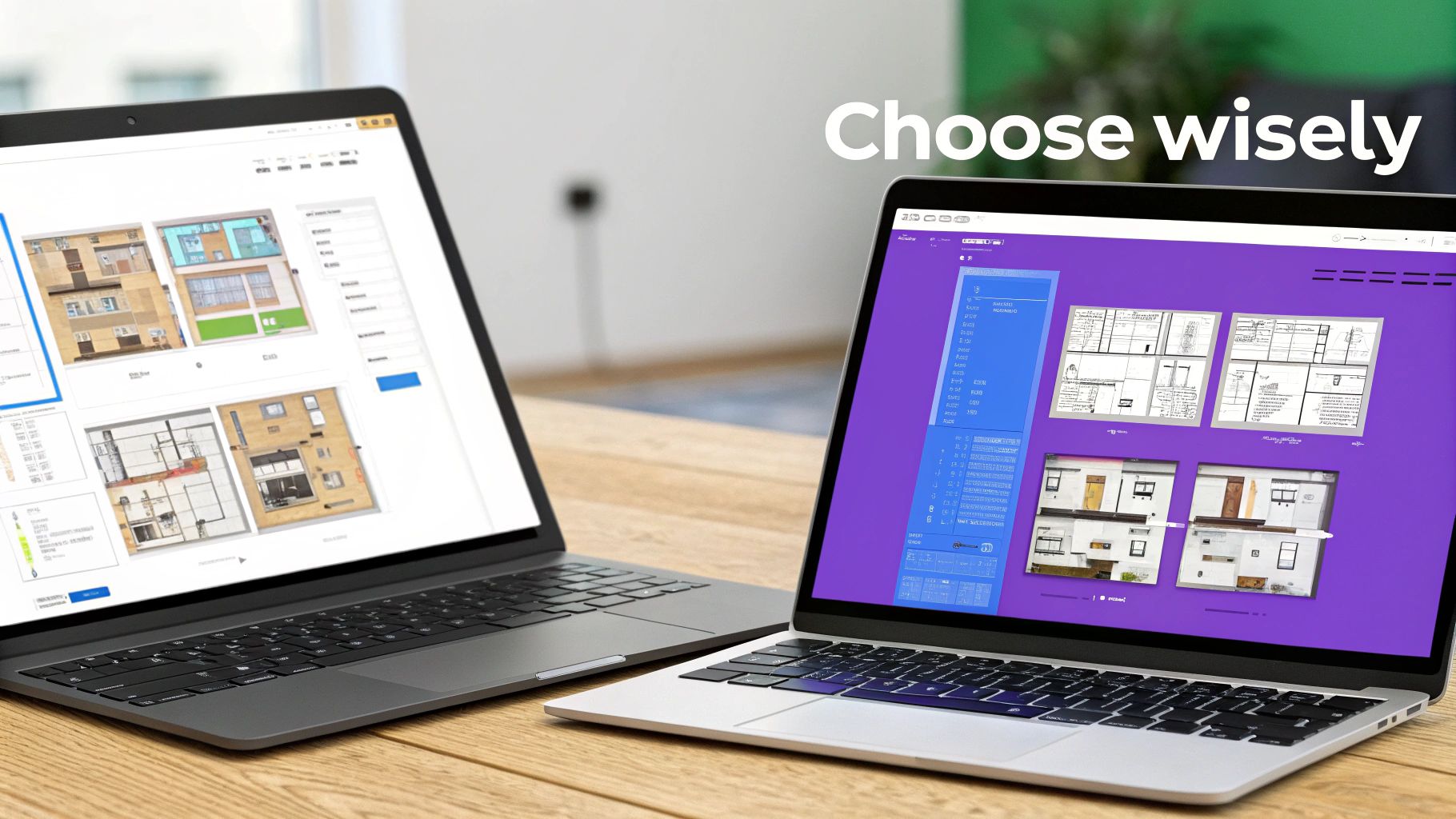
For a quick layout sketch, a free tool with basic 3D models might do the job just fine. These are great for getting a general feel for scale and flow. When you're just starting, it’s always a good idea to explore the various free interior design options to get your ideas flowing without any commitment.
But when you're ready to pull out your wallet and spend real money on furniture, visual accuracy is everything. This is where most planners fall short, and it's exactly where aiStager changes the game.
From Basic Models to Hyper-Realistic Previews
The biggest difference between planners comes down to the quality of their visuals. Most tools use generic, blocky 3D models that are only a rough approximation of the real thing. They’re helpful for basic space planning, but they don't give you the confidence you need to actually buy something. You’re still left wondering how the real fabric, color, and finish will look in your home’s unique lighting.
This is the problem aiStager was built to solve. It’s the only tool on the market that generates hyper-realistic photos using true-to-dimension rooms and furniture. We’re not talking about a simple rendering; this is a photorealistic preview that looks just like an actual photograph.
For example, imagine you’re designing a modern organic living room and you’re torn between two coffee tables—a sleek marble design from Crate & Barrel and a warm, rustic wood piece from Pottery Barn. Instead of using generic models, aiStager lets you test the real items.
You just upload a photo of your living room and a link to each product. In seconds, you see both options rendered in your actual space with perfect scale, lighting, and texture. This level of realism removes all the guesswork.
Comparing Online Room Planner Features
Find the best tool for your needs, whether you're a casual hobbyist or a design professional seeking photorealistic results.
| Planner Type | Best For | Key Features | Visual Quality |
|---|---|---|---|
| Basic 2D/3D Planners | Quick space planning, rough layouts, and getting a general feel for a room's flow. | Simple drag-and-drop, generic furniture models, basic room dimension tools. | Low-fidelity, often cartoonish or blocky 3D models. |
| Advanced 3D Renderers | Detailed architectural visualizations for new builds or extensive remodels. Often used by professionals. | Customizable textures, lighting controls, extensive object libraries. Can require technical skill. | High-quality, but can look like a CGI rendering rather than a real photo. |
| Photorealistic Staging Tools | Making confident purchasing decisions by testing real products in an existing space. | Uses real product images and AI to create true-to-life visualizations in your actual room. | Hyper-realistic, looks like a real photograph of your room with the new item in it. |
Ultimately, the right choice depends on your goal. Basic planners are great for brainstorming, but for purchase-level confidence, nothing beats seeing the real product in your space.
The Power of Testing Real Products Effortlessly
This completely changes how you shop for your home. The process shifts from hopeful guesswork to confident decision-making. Think about a common challenge like picking a new sofa. You might love a certain style but worry if the color will work with your wall paint or if the texture will clash with your existing chairs.
With aiStager, that uncertainty is gone. You can test different versions of the same product with just a few clicks.
- Compare Brands: See exactly how a bold, contemporary sofa from Joybird looks next to a more traditional design from another retailer, right in your living room.
- Test Colors and Finishes: Instantly swap a light gray fabric for a rich cognac leather on the exact same sofa to see which one truly elevates your space.
This kind of effortless experimentation is what separates a professional-grade visualization tool from a simple online room layout planner. Being able to place a new product in your room just by uploading a photo and a link is a massive advantage. If you're exploring different ways to visualize your space, our deep dive into other online interior design tools offers some great perspectives. In the end, choosing a planner comes down to how much confidence you need to bring your vision to life.
Here's the rewritten section, designed to sound natural and human-written:
The Future of Interior Design Is in Your Hands
So, what's the big takeaway? Simply put, the online room layout planner has blown the doors wide open on interior design, giving everyone access to seriously powerful creative tools. As the tech gets smarter with AI suggestions and slick augmented reality features, the gap between a digital plan and the real thing is shrinking fast. Design is becoming more intuitive and accessible for everyone.
Visualization Is the New Reality
It’s tools like aiStager that are really pushing things forward. They’ve moved past being simple floor planners and have become incredible visualization engines. The whole point is to get rid of the guesswork and let your creativity run wild by showing you exactly what your space will look like. This is a game-changer when you're stuck trying to decide between a few different options.
Let's say you're trying to create a modern organic living room and you're torn between two sofas.
- You could instantly see how a clean, minimalist sofa from a brand like Article stacks up against a cozier, more textured one.
- Or even better, you can compare different finishes of the exact same sofa. Not sure if that light boucle fabric or the rich cognac leather from West Elm is the right call? A photorealistic render gives you the answer in seconds.
What really makes this new wave of technology different is its ability to create hyper-realistic images using true-to-scale rooms and furniture. You're not just looking at a 3D model; you're looking at a photograph of what your room could be.
Design Without Limits
This whole process makes it easy to just… try things. With a few clicks, you can drop a new product right into your room by uploading a photo and a product link. It doesn't matter if you're just giving a room a quick refresh or gutting the whole place—the right planner helps you create a space that’s truly you, both in style and function.
The future of interior design is no longer just for the pros. It's interactive, it's personal, and it's right at your fingertips.
Frequently Asked Questions
It's completely normal to have a few questions when you're first dipping your toes into the world of online room layout planners. Let's tackle some of the most common ones so you can get started with confidence.
Can I Use Real Furniture in an Online Room Layout Planner?
You sure can. While the simpler, free tools might stick you with a library of generic, blocky furniture, the more advanced planners are built for exactly this. The whole point is to see real products in your space before you buy, so they let you use links directly from online stores.
This is where a tool like aiStager really shines. It's the only planner out there that can take a simple product link and generate a hyper-realistic photo with true-to-dimension rooms and furniture. All you have to do is upload a photo of your room, paste in a link to the product, and in just a few clicks, you can see it in place. This means you can test a specific Crate & Barrel armchair or that West Elm sofa you've been eyeing and get an accurate preview, not just a generic stand-in.
How Accurate Are Online Room Planners?
The accuracy really depends on the tool you're using. It can range from "a rough guess" to incredibly precise. For any serious planning, you want a professional-grade tool because precision is what saves you from costly mistakes, like ordering a beautiful sofa that you can't even get through the doorway.
For example, aiStager uses AI to read your room's dimensions straight from a photo and then renders the furniture based on its exact manufacturer specs. This level of detail ensures the scale, color, and even the finish are true to life. It gives you the confidence that what you see on the screen is what you’ll actually get. You can confidently test out that modern organic bed from Article or a rustic console from Pottery Barn and trust the visualization.
Do I Need Design Skills to Use These Tools?
Absolutely not. These tools are made for everyone, whether you have a design degree or just know what you like. They're built with simple, intuitive interfaces—often just drag-and-drop—so you can experiment in a completely risk-free environment.
You can try out a bold Japandi aesthetic one minute and a cozy modern farmhouse look the next, all without buying a single thing. It’s a fantastic way to become your own designer, feel more confident in your decisions, and create a space that genuinely feels like you.
Ready to stop guessing and start seeing? With aiStager, you can place real furniture from any store into your actual room in seconds. Try it for free and watch your design vision come to life with photorealistic accuracy. Get started with aiStager today!