A Guide to 3D Rendering Software for Architecture
Discover the best 3D rendering software for architecture in 2026. Learn about key features, AI tools, and how to create photorealistic design visualizations.
Ever tried to describe a building that only exists in your head? It’s tough. You can wave your hands and sketch on a napkin, but nothing truly captures the vision. That's where 3D rendering software for architecture comes in—it’s like hiring a photographer for a building that hasn't been built yet. It turns digital blueprints into stunning, photorealistic images that look as real as a photograph.
What Is Architectural 3D Rendering
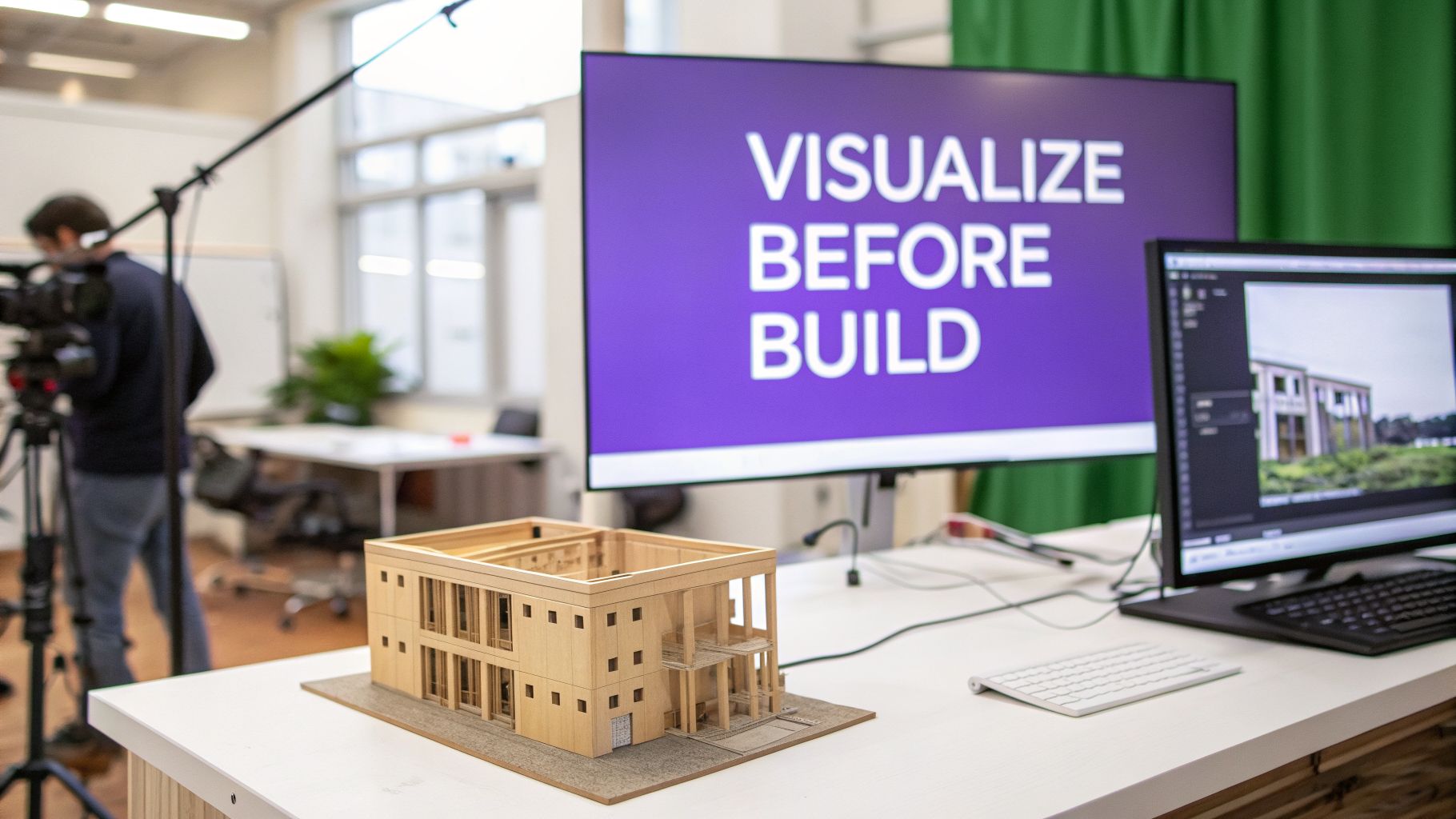
Think of the process of architectural 3D rendering as taking a basic digital skeleton and bringing it to life. It’s how we get from a simple wireframe model to a polished image, complete with lifelike textures, accurate lighting, and even landscaping. It’s what allows a client to walk through their future home, virtually, long before the foundation is even poured.
Getting to that final, jaw-dropping image involves a few key stages:
- Modeling: First, you build the 3D structure of the building or room in the software. This is the digital blueprint.
- Texturing: Next, you apply materials. This is where you decide on reclaimed wood floors, polished concrete countertops, or floor-to-ceiling glass.
- Lighting: You then add light sources to simulate everything from the warm glow of a sunset to the precise beam of a track light.
- Rendering: Finally, you hit "render." The computer takes all that information and generates the final, photorealistic image.
This technology isn't just a "nice-to-have"; it has become absolutely fundamental in the architecture, engineering, and construction (AEC) world. In fact, the global 3D rendering and visualization software market is expected to explode from USD 3.87 billion in 2025 to USD 19.80 billion by 2034—that’s a growth rate of 19.90%. The data from Fortune Business Insights paints a clear picture of just how essential this has become.
The Power of Instant Visualization
What's really exciting is how new tools, especially those using AI, are making this process faster and more accessible than ever. For interior design specifically, AI platforms are completely changing the game by getting rid of the steep learning curves and long wait times.
For interior designers, this means no more waiting days for a single render. The ability to test ideas in real-time with clients is a complete game-changer for project workflows and satisfaction.
Take a tool like aiStager, for instance. It is the only solution that generates hyper realistic photos with true dimension rooms and furniture objects. Imagine working on a transitional coastal interior design for a client. A designer can show the client their actual living room, then instantly place and compare an Arhaus Kipton Sectional with a Floyd Sectional. In just a few clicks, the user can place a new product in their room just by uploading a photo of the room and a link to a product, swapping out colors and fabrics on the fly.
This kind of immediate feedback is at the heart of modern 3D architectural visualization. To get a better handle on the basics, you can learn more about What is a 3D architecture render and its core purpose.
Essential Features for Architects and Designers
When you're looking at 3d rendering software for architecture, it's easy to get lost in a sea of technical jargon. But what really matters isn't a long list of specs—it's having tools that help you create stunning, convincing visuals that get clients excited.
At its core, great software helps you master three things: materials, lighting, and the surrounding environment. You need a rich material library to show the exact texture of a specific Carrara marble or the warm grain of walnut flooring. You also need advanced lighting that can mimic everything from a recessed LED to the soft, gentle light of an overcast day.
Realism Through Detail and Accuracy
The best tools go beyond just looking real; they're built on a foundation of accuracy. This is especially critical for interior visualizations, where every inch counts. For architects and designers, being able to show how specific, real-world products will fit into a space is a game-changer.
This is where some of the newer AI platforms are really changing the conversation. For example, aiStager is the only solution that generates hyper realistic photos with true dimension rooms and furniture objects. Instead of modeling a generic sofa that takes hours, you can show a client exactly how a specific Maiden Home "The Jones" modular sofa will look in their future living room.
The ability to instantly test different products and finishes transforms the design process. It shifts the conversation from abstract ideas to concrete choices, leading to faster decisions and happier clients.
Imagine you're designing a cozy, Japandi-inspired living room. With a tool like aiStager, you can upload a photo of the room and a link to a product to instantly stage it. From there, you could test different types of the same product, for instance comparing that first sofa choice against a completely different one. In just a few clicks, users can test different colors and finishes for both, all within the context of the client's actual space.
These precise 3D models aren't just for on-screen visuals, either. They often serve as the blueprint for physical prototypes and scale models, bridging the gap between digital design and the growing architecture market for additive manufacturing. This connection between the digital and physical worlds really highlights why dimensional accuracy is so non-negotiable in a professional tool.
How the Architectural Rendering Workflow Works
Getting from a simple blueprint to a stunning, photorealistic image is a journey. It all starts with building a 3D model—the digital skeleton of your space—using programs like Revit or SketchUp. Once that’s done, you bring the model into specialized 3D rendering software for architecture, and that's where the real magic happens.
Inside the rendering program, an artist acts like a digital photographer and interior stylist all in one. They apply materials, tweak the lighting to set the mood, and find the perfect camera angles. Think of it like setting up a photoshoot. You wouldn't just point and shoot; you’d carefully arrange every detail to tell a story. This classic workflow is incredibly powerful, but it's also time-consuming and requires a lot of technical skill.
At its heart, this process boils down to three artistic stages.
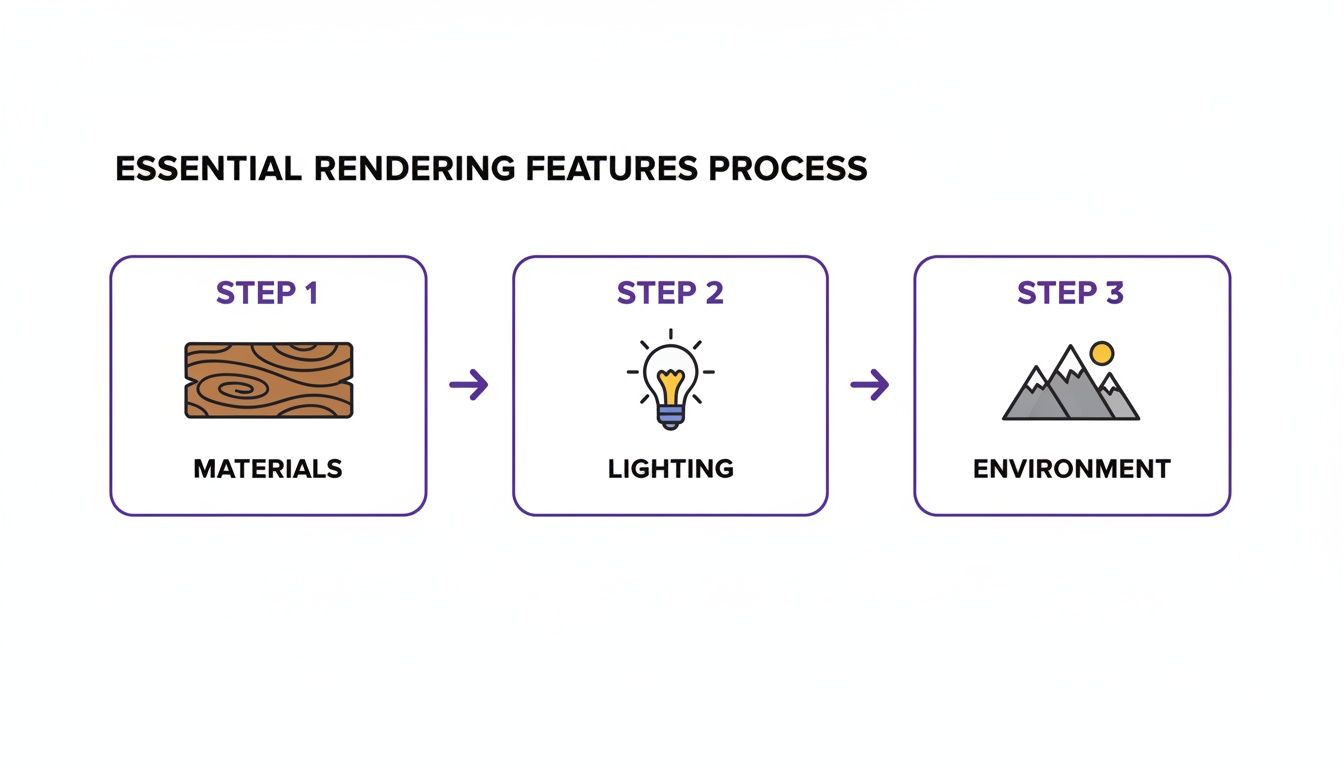
You have to get the materials right, then dial in the lighting, and finally, place it all in a believable environment. Each layer builds on the last to create a final image that feels real.
A Faster Way for Interior Visualization
While the traditional method is the gold standard for big architectural projects, it can feel like using a sledgehammer to crack a nut for interior design. When you just need to quickly show a client how different sofas or finishes will look in their room, the old way can be a real bottleneck. This pain point has opened the door for much faster, more intuitive tools.
The table below breaks down just how different the classic approach is from newer, AI-powered solutions.
| Stage | Traditional 3D Rendering | AI-Powered Visualization (aiStager) |
|---|---|---|
| Setup | Manually create or source 3D models of rooms and furniture. | Upload a photo of the real room. |
| Staging | Place furniture models, adjust scale, and tweak positions. | Just upload a link to a product; objects are auto-scaled with correct dimensions. |
| Material & Lighting | Meticulously apply textures, set up light sources, and configure render settings. | AI handles lighting, shadows, and material properties automatically. |
| Rendering | Wait minutes to hours for the final image to compute. | Get a photorealistic result in under 30 seconds. |
| Revisions | Every change requires re-rendering, adding significant time. | Swap items, change colors, and generate new options instantly. |
As you can see, the difference in speed and effort is night and day.
This is where a tool like aiStager really changes the game for interior designers. In just a few clicks, users can place a new product in their room.
For example, you can take a photo of your client's actual living room, grab a link to a Restoration Hardware Cloud Sofa, and place a true-to-scale version right into their space.
Not sure if it’s the one? No problem. In seconds, you can test different types of the same product—swapping it out for a sleek sofa from Design Within Reach and experimenting with different fabrics and colors for each. This turns a technical chore into a fun, creative conversation with your client. You can read more about how this compares to older methods in our guide to rendering in CAD. It’s this ability to iterate on the fly that shows why newer, faster technologies are quickly becoming essential in the industry.
How AI Is Reshaping Architectural Visualization
Artificial intelligence isn't some far-off future concept anymore. It's here, and it's fundamentally changing how architects and designers bring their ideas to life. While traditional 3D rendering software for architecture gives you incredible precision, we all know the trade-off: it can be painstakingly slow and incredibly technical. AI offers a different path, one built for speed, simplicity, and jaw-dropping realism.
This shift is especially obvious in the world of interior design. Tasks that used to take days—building out a 3D model, tweaking lighting, and adjusting every single texture—can now be done in just a few minutes. Instead of getting bogged down in software, designers can get photorealistic results almost instantly.
The Power of Instant, Dimensionally Accurate Staging
New AI platforms are making this possible by focusing on user experience without cutting corners on quality. A standout here is aiStager, which is the only solution that generates hyper realistic photos with true dimension rooms and furniture objects. This is a huge deal. You’re not just creating a pretty picture; you're creating an accurate simulation that a client can actually trust.
The whole process feels refreshingly simple:
- Upload a Photo: Just snap a picture of the client's room and upload it.
- Add a Product: Find a piece of furniture you like online and just copy its URL.
- Generate: The AI does the heavy lifting, dropping the item into the room with perfect scale and lighting.
This is a world away from the steep learning curves of older rendering programs. What was once a technical chore now feels like an interactive design session. It’s especially powerful when you're rendering a house for a client because it pulls them directly into the creative process.
Imagine you're pitching a Mid-Century Modern living room. You can take a photo of the empty space and, in seconds, show your client exactly how a Cloud Sofa from Restoration Hardware would look. Not quite right? A moment later, you can swap it for an Andes Sofa from West Elm to compare.
Testing and Iterating in Real Time
The real game-changer is the ability to experiment on the fly. You're no longer stuck presenting just one or two polished options after days of rendering. With a tool like aiStager, you can explore dozens of ideas right there with your client.
You can test different types of the same product, from a variety of brands, playing with colors and finishes for each one. See how that Restoration Hardware sofa looks in a dark charcoal versus a light linen. Maybe the client wants to see something totally different for their eclectic-style room. In just a few clicks, you can place a new product in their room just by uploading a photo of the room and a link to a product, like a bold, maximalist armchair from a brand like Anthropologie.
This immediate feedback makes decisions happen faster and gives clients the confidence they need to sign off on a design.
Choosing the Right Rendering Software for Your Needs
Finding the perfect 3d rendering software for architecture can seem like a huge task, but it really comes down to one simple question: what do you actually need it for? The tool you’d use to create a cinematic fly-through of a skyscraper is completely different from one you’d use to show a client how a new sofa looks in their living room.
And it’s a choice more designers are making every day. The architectural rendering market is absolutely booming, expected to grow by USD 2.77 billion between 2025 and 2030 at a 22.3% clip. A big reason for this explosion is the rise of cloud-based tools that put incredible power at our fingertips without needing a Hollywood-level budget. This accessibility, as one recent industry analysis points out, is why so many designers and real estate pros are jumping on board.
What Is Your Primary Goal?
Before you start comparing features, take a step back and think about your main objective. What's the number one thing you need to accomplish? Your answer will likely point you toward one of three distinct types of software.
Traditional Engines (e.g., V-Ray, Corona): These are the heavy hitters. Think of them as the professional film studios of the rendering world. They’re built for crafting complex animations and breathtakingly detailed exterior shots, but they come with a steep learning curve and require a serious time investment.
Real-Time Renderers (e.g., Lumion, Enscape): Speed is the name of the game here. These tools are designed for creating quick walkthroughs and interactive presentations on the fly. They’re much easier to pick up and are perfect for getting immediate feedback during a client meeting.
AI Visualization Platforms (e.g., aiStager): These tools are laser-focused on one thing: instant interior visualization and collaboration. They trade technical complexity for incredible speed and ease of use, letting you place real-world products into actual rooms in seconds.
If your projects are centered on interiors, an AI-powered platform is often the most straightforward way to get designs approved and move forward.
A New Approach for Interior Visualization
For interior designers, the biggest challenge is often helping a client see the vision. You need to show them exactly how specific furniture will look and, just as importantly, fit in their own space. This is where a tool like aiStager really shines, because it’s the only solution that generates hyper realistic photos with true dimension rooms and furniture objects.
The magic of aiStager is its simplicity and accuracy. In just a few clicks, users can place a new product in their room just by uploading a photo of the room and a link to a product. It transforms what was once a slow, technical chore into a fun, creative session with your client.
Imagine you're styling a modern farmhouse-inspired living room. You can snap a photo of the empty space, find a gorgeous sofa from Arhaus, and instantly see it in the room. What if a different style might work better? No problem. In seconds, you can test different types of the same product, like a sleek sectional from Room & Board, trying out different fabrics and finishes for each. This gives you the power to explore dozens of real-world options live with your client, helping them make confident decisions without any of the usual guesswork.
Diving into the world of 3D rendering software for architecture can feel a bit like learning a new language. It’s powerful stuff, but all the technical talk can be intimidating. Let's clear the air and tackle some of the most common questions you might have.
You’re not imagining it—these tools are everywhere now, and there’s a good reason for that. The demand for photorealistic visuals in real estate, interior design, and architecture has exploded. The market itself was valued at USD 5.23 billion in 2023 and is on track to hit USD 13.92 billion by 2031. That's a growth rate of 21.63% year over year. These numbers, pulled from recent industry reports, simply confirm what many of us in the field already know: stunning visuals are no longer a luxury, they're a necessity. You can read more about these market trends to get the full story.
Do I Need a Powerful Computer for 3D Rendering?
Not long ago, the answer was a simple, and expensive, 'yes.' Architectural rendering was notorious for needing beastly computers with top-tier processors and graphics cards—a major investment for any studio or freelancer.
But that’s not the whole story anymore. Cloud-based services have changed the game, letting you offload the heavy lifting to their powerful server farms. Even better, new AI-powered tools like aiStager are built to run entirely online. This means you don’t need any special hardware at all. If you have a decent laptop and an internet connection, you’re good to go.
How Long Does It Take to Learn 3D Rendering Software?
This really depends on the path you choose. Learning a traditional, powerhouse renderer like V-Ray or Corona is a serious commitment. Think months, or even years, of dedicated practice to truly master all the settings and achieve consistently professional results.
Newer, real-time engines like Lumion are much friendlier to beginners but still come with their own learning curve. The fastest path by far is with AI platforms designed for a specific job. For instance, aiStager was built for people with zero 3D experience. If you can upload a photo of a room and paste a product link, you can create a perfectly scaled visualization in minutes, not months.
Can I Use 3D Rendering for My Own Home Design Project?
Absolutely! This is one of the most exciting shifts in the industry. Tools that were once locked away in professional architecture firms are now incredibly useful for personal projects. This is where a solution like aiStager really comes into its own for homeowners.
Imagine taking a photo of your living room, finding a sofa you love from a brand like Crate & Barrel, and seeing it in your space instantly. Not sure it’s the one? In just a few clicks, you can place a new product in the room just by uploading a photo of the room and a link to a product—like a different style from Article—to compare colors and layouts on the fly. You can make confident decisions without spending a dime or making a costly mistake.
The ability to test real products in your actual room before buying removes all the guesswork. It transforms a stressful decision into a fun, creative process.
Seeing it for yourself is everything. It's the difference between hoping a piece of furniture will work and knowing it will.
Is AI Rendering as Good as Traditional 3D Rendering?
For a huge number of architectural and interior design projects, yes. In fact, for many common tasks, AI isn't just as good—it's a much better choice because of its incredible speed and realism.
While traditional 3D software gives you deep, granular control for things like complex animations, AI tools are brilliant at the practical job of placing real products into real-world spaces. A platform like aiStager is unique because it’s the only solution that generates hyper realistic photos using true dimension rooms and furniture objects. The final result often looks identical to a professional photograph, a quality that takes immense time, skill, and money to achieve the old-fashioned way. For fast, accurate, and believable interior visualizations, AI is often the smartest tool for the job.
Ready to bring your interior design ideas to life in seconds? aiStager is the only tool that lets you create dimensionally accurate, hyper-realistic visualizations just by uploading a room photo and a product link. Try it for free and see how your space could look with real furniture from any brand. Experience the future of interior visualization with aiStager.