AI Architecture Rendering: Transform Your Designs
Ai architecture rendering - Explore AI architecture rendering. See how AI transforms design and real estate with stunning, realistic visuals, delivered 100x
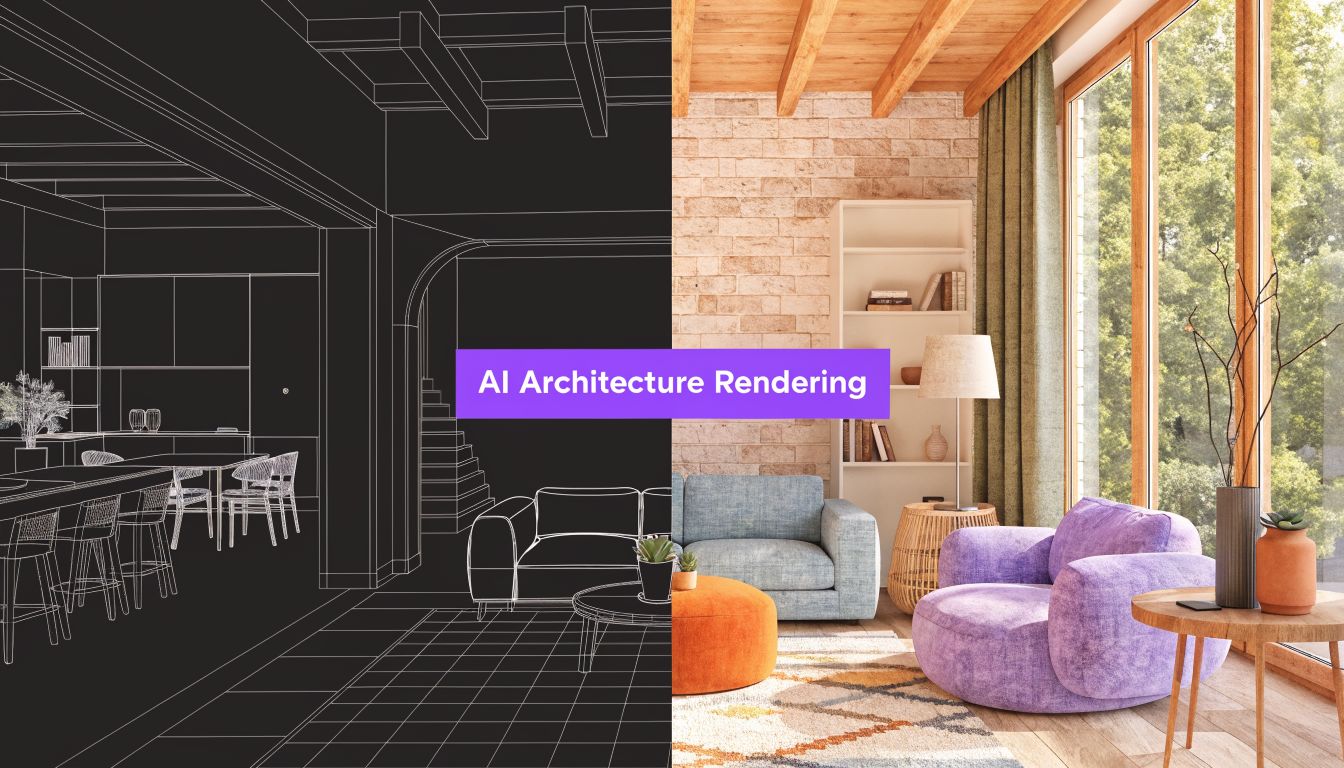
A client sends a text at 4:40 p.m. They want three living room options before tomorrow’s meeting. One version should feel warm and organic. One should feel sharper and more urban. One should use the exact sofa they’ve been eyeing online.
A few years ago, that request meant tradeoffs. You could build a proper 3D scene and lose your evening. You could mock something up in Photoshop and hope the scale looked believable. You could stage the room physically and spend money moving product around, only to reset it again for the next shot.
That’s why ai architecture rendering matters now. It changes visualization from a slow production task into a fast decision tool. For interior designers, it shortens the gap between idea and approval. For real estate teams, it turns empty or outdated spaces into marketable images without waiting on a new shoot. For furniture sellers, it gives shoppers a way to see a real product in a real room before they buy.
This shift isn’t just prettier images. It’s that people can test options quickly enough to make better choices while the project is still moving.
The End of Slow Expensive Interior Visualization
A condo designer is ready to present a polished concept. Then the client asks for three material swaps, two mood directions, and one version that uses the exact sofa they saw online. The design idea is still solid. The old production process is what starts to fail.
In a traditional workflow, every new option adds another layer of work. Someone has to rebuild or restage the scene, match materials, reset lighting, render, review, and revise. If the room was never modeled properly in 3D, the team is starting from scratch. If the space is staged physically, the costs show up in trucks, labor, scheduling, and another round of photography.

Why the old workflow breaks down
The pressure is not only about speed. It is about the type of decisions clients now expect to make before they approve anything.
They want to compare finishes side by side. They want to see whether a product feels oversized in the room. They want confidence that the image reflects what can be specified, purchased, or installed. A rendering process built for one final hero image struggles when the true job is comparison.
That distinction matters. Generic AI image tools can produce attractive variations fast, but business use cases need more than a new mood or surface style. They need outputs that stay tied to the room’s actual dimensions and, in many cases, to the exact product being considered. If a tool turns a real sofa into a prettier but different sofa, the image may inspire the client and still create a problem for the project.
aiStager addresses that gap directly. It is built for visualizing spaces in a way that keeps the room believable and the product recognizable, which is why it fits practical work in design, staging, and property marketing better than a simple style-transfer app. If you want a broader view of how AI is being used across residential design decisions, this guide to AI tools for home design projects gives helpful context.
A simple way to frame it is this. Style transfer changes the outfit. Accurate rendering has to fit the body first.
What changes for everyday work
Once visualization becomes fast and dimension-aware, teams can use it earlier, when choices are still flexible and less expensive to change.
A designer can test walnut against travertine before placing an order. A real estate agent can show a vacant room with furniture that feels appropriate to the buyer profile, without implying a layout that could never fit. A furniture brand can place a real catalog item into a believable room scene, so the customer sees the actual product rather than an AI cousin of it.
That has a direct business effect. Fewer rounds of clarification. Fewer approvals delayed by weak visuals. Fewer situations where a client says yes to an image, then hesitates when they realize the product, scale, or layout was never quite real.
The wider marketing workflow is changing too. Many teams now pair still images with short video content for listings, ads, and social posts. If you’re exploring that side of the workflow, AgentPulse’s guide to AI video generators is a useful companion resource.
Slow visualization used to be accepted as part of the job. It is now a bottleneck, especially when clients expect options, accuracy, and speed at the same time.
What is AI Architecture Rendering Really
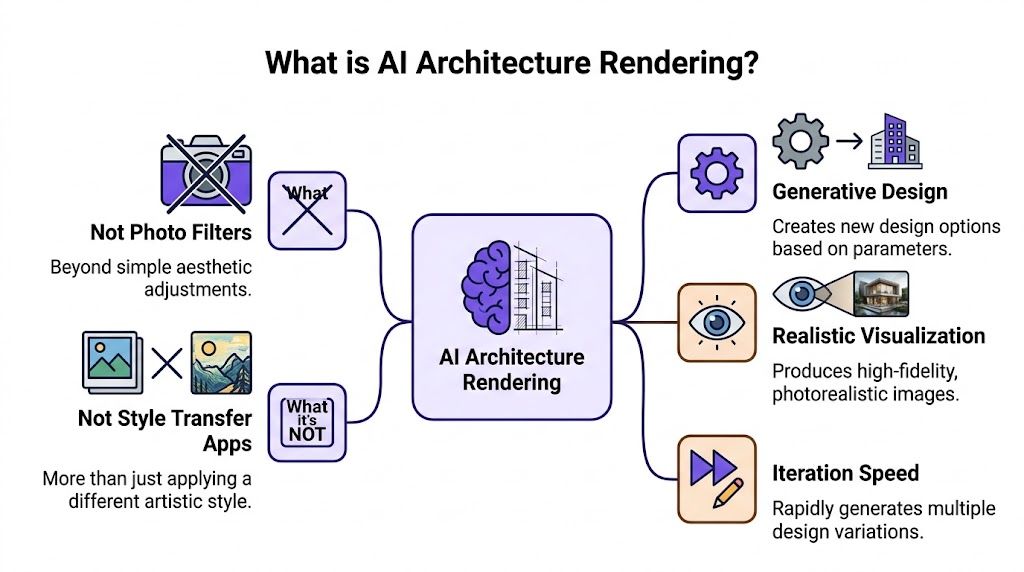
The phrase “AI rendering” often brings to mind two things. A filter that changes mood. Or a style app that turns one room into a vague version of something more expensive.
That isn’t the kind of rendering professionals need.
The difference between pretty and usable
A photo filter changes surface appearance. It may warm the tones, soften the light, or add a trendy look. A style-transfer app goes a step further and tries to make the image feel Scandinavian, industrial, or coastal.
Useful for inspiration. Risky for business.
Professional ai architecture rendering has to do more than decorate pixels. It has to respect the room. That means perspective, scale, spacing, window placement, floor lines, and how new objects sit in relation to what’s already there.
The distinction resembles that between a painter and a set designer. A painter can create a beautiful impression. A set designer has to know whether the sofa fits between the fireplace and the window.
Why dimension awareness matters
Many readers often stumble on this point. They assume realism means sharp textures and good lighting. Those matter, but they aren’t enough.
If a sectional is too deep for the wall, people notice. If a dining chair is slightly oversized, the room feels “off” even when they can’t say why. If a coffee table floats or the shadows don’t match the room, trust drops fast.
A critical problem in AI visualization is accuracy from real-world photos. A 2025 real estate report noted that 40% of virtual staging fails due to scale mismatches in simple photo edits, leading to 25% higher return rates. The same reporting also notes that systems built for the photo-to-render workflow can automatically scale real products into existing photos and do it 100x faster than manual mockups. The source is discussed in this video reference on photo-based rendering workflows.
A render doesn’t fail when it looks ugly. It fails when the buyer thinks, “That can’t be the real size.”
What this looks like in practice
The strongest workflow is surprisingly simple. You start with a room photo. Then you add a product reference with usable dimensions.
That’s why tools built around real rooms and real product inputs are more useful than generic image generators. If you want a broader look at how AI supports room planning and decorating decisions, this guide on AI for home design is a helpful next read.
A practical example makes this clear. Say a client is torn between a cream bouclé sofa and a cognac leather sofa. They don’t want abstract inspiration boards. They want to know which one works in their room, with their rug, under their daylight.
That’s where dimension-aware rendering stands apart. It isn’t just making the room look stylish. It’s helping someone make a purchase, approve a design direction, or market a space with fewer surprises later.
The Technology Behind Instant Photorealism
When people first try modern rendering tools, they often ask the same question. How can software look at one room photo and understand where a new chair or sofa should go?
The short answer is that two systems work together. One reads the room structure. The other generates the finished visual.
What ControlNet does
A toolset used in platforms like ArchiVinci pairs Stable Diffusion with ControlNet. In plain language, ControlNet acts like a guide rail. It helps the AI hold onto the original room’s geometry, perspective, and layout instead of drifting into fantasy.
That matters because room photos are full of clues. Floor edges show perspective. Window lines reveal vanishing points. Existing furniture helps indicate relative scale. ControlNet uses those clues to keep the output anchored to the input.
Without that kind of control, an AI model may create something attractive but unreliable. A sideboard may suddenly widen. A lamp may appear in the wrong plane. A wall detail may shift.
What the diffusion model does
Once the structure is constrained, the diffusion model handles appearance. It generates the new object and blends it into the scene with believable surfaces, reflections, shadows, and atmosphere.
This is why the output can feel photographic rather than pasted on. The model isn’t merely dropping a catalog cutout into the room. It’s rebuilding the scene so the added object shares the same visual logic as the rest of the image.
According to ArchiVinci’s overview of this workflow, platforms using Stable Diffusion with ControlNet can produce 4K resolution images in seconds and deliver up to 100x speed gains over traditional 3D rendering workflows in tools such as Lumion or Enscape, which can take hours or days.
Simple test: If the new object looks lit by a different sun than the room, the workflow wasn’t geometry-aware enough.
A room photo plus a product link
For non-technical users, the ideal process feels almost ordinary.
Upload the room photo
This gives the system the space, camera angle, and visible architectural context.Paste a product link
The product page supplies reference images and dimensions. That’s what makes business use different from generic prompting.Generate a new scene
The AI places the item into the room, matches perspective, and builds lighting and shadows that fit the existing photo.Compare variations
You can swap product types, colors, or finishes without rebuilding the scene from scratch.
The workflow gets practical for retail and interior work. A shopper can compare a light oak media unit with a darker walnut finish. A designer can test whether a Pottery Barn dining table feels too heavy in a breakfast nook. A leasing team can stage the same bedroom in a cleaner contemporary look or a softer California-casual look.
Why this beats manual compositing
Manual compositing usually breaks at the same points. The scale is guessed. The shadow work takes too long. The object edges look too crisp. Reflections don’t belong to the room.
A dimension-aware AI pipeline reduces that friction because it’s built to interpret the photo itself, not just decorate it. The result is speed, but the deeper value is consistency. You can test many product decisions without needing a full 3D build or a highly technical rendering team.
That’s the core reason instant photorealism feels new. It isn’t magic. It’s structured image generation with enough spatial discipline to be useful in real projects.
AI Rendering vs Traditional Methods A New Reality
A client review often breaks down at one predictable moment. Someone asks, “Can we see the walnut version?” or “What if the sofa were smaller?” What happens next depends less on image quality than on how fast your team can answer with something believable.
That is the actual comparison.
Traditional rendering methods can produce beautiful work. The question for designers, retailers, real estate teams, and builders is which method helps people decide with less delay, less rework, and less confusion.
Side by side comparison
Here’s a practical view of how the three common approaches differ.
| Criteria | AI Rendering (aiStager) | 3D/CAD Rendering | Manual Photo Staging |
|---|---|---|---|
| Starting point | Room photo plus product reference | Detailed 3D model and scene setup | Existing photo plus manual edits or physical staging |
| Speed for variations | Fast to test multiple looks and product swaps | Slower because each revision may need model, material, or camera work | Slow if restaging physically, and fussy if compositing by hand |
| Skill required | More accessible to non-technical teams | Usually needs specialized rendering skills | Requires staging labor or strong retouching ability |
| Scale accuracy | Strong when the workflow uses room geometry and product dimensions | Strong when the model is built accurately | Often the weak point, especially in quick edits |
| Cost structure | Better suited to frequent iteration | Can become expensive in time and labor | Can become expensive in logistics, labor, or reshoots |
| Best use case | Rapid comparisons, product previews, listing updates | High-control custom scenes and deep design development | One-off edits or physical marketing setups |
The useful distinction is not “AI versus old tools.” It is generic AI versus business-ready AI.
A generic image tool can apply a look. It can make a room feel Scandinavian, moody, coastal, or luxury. That is fine for inspiration boards. It is much less useful when a client needs to know whether a 90-inch sofa will overpower the wall, or whether a specific dining table from a product page will fit the room proportionally.
aiStager is built for that second job. It uses room context and product dimensions so the image answers a practical question, not just an aesthetic one. For business teams, that difference changes the value of the output. A pretty guess is harder to sell from than a dimension-aware preview.
Where traditional workflows slow decisions
A classic 3D pipeline gives you control, but control has a price. Someone has to model the room or clean the CAD file, set materials, place lights, frame the camera, render, review, revise, and render again. That process makes sense for custom development, technical approvals, or marketing hero shots where every detail must be authored from scratch.
Manual photo staging has a different problem. It feels quicker at first, but the realism can fall apart under scrutiny. Scale gets guessed. Shadows need handwork. Reflections rarely match. Each revision becomes a small retouching project.
Those delays affect more than production time. They slow client communication. They turn simple questions into follow-up meetings. They also make teams avoid testing extra options because every option carries labor.
Where AI wins decisively
AI rendering works best when the goal is comparison.
A designer can show two sectional sizes in the same room photo during the meeting. A real estate agent can test whether a breakfast nook reads better with a round pedestal table or a compact banquette. A home builder offering custom home building services can present alternate interior schemes before materials are finalized, using visuals that feel grounded in the actual space rather than borrowed from a mood board.
That speed matters because faster visuals create faster decisions. Faster decisions reduce revision loops. Fewer revision loops mean projects keep moving.
There is also a trust issue here. Clients can usually sense when an image is only a style exercise. The room looks attractive, but the furniture feels invented or slightly off. In contrast, a product-accurate rendering gives them something closer to a real preview. That makes approvals easier, especially when money, lead times, and inventory are involved.
When traditional methods still make sense
Full 3D rendering still earns its place in several cases:
- Custom architecture reviews where every built element needs exact control
- Technical presentations that require a fully modeled environment
- Animation and motion work built around established 3D pipelines
- High-end campaign imagery where the team needs frame-by-frame art direction
For many interior, retail, and listing tasks, though, that level of production is more than the job requires.
The new reality is simpler than the hype suggests. Traditional methods remain useful. But for day-to-day decisions, the strongest AI tools are not the ones that merely restyle a room. They are the ones that keep scale, perspective, and product truth intact well enough to help someone say yes.
Transforming Workflows With Real-World Use Cases
The easiest way to understand AI rendering is to watch what happens when ordinary work gets less stuck.

For interior designers
A client has a bright living room with pale floors, a low media console, and a lot of afternoon light. They’re deciding between two sofa directions. One is a Room & Board style velvet sofa in deep moss. The other is a cleaner-lined leather option that feels closer to West Elm.
In a normal meeting, that discussion can stay abstract for too long. People gesture at sample cards. They hold up finish swatches. They disagree about what “too dark” means.
A dimension-true workflow changes the conversation. The designer can show both sofas in the client’s actual room, then test the same model in different colors and finishes. Maybe the moss velvet works beautifully, but the cognac leather balances the floor better. Maybe the cream fabric version opens the room but makes the walnut coffee table feel too flat.
The key win is confidence. The client isn’t approving a mood board. They’re reacting to a visual that feels close to the final result.
For real estate teams
An empty listing rarely tells a full story. Buyers see square footage, but they don’t always understand how the room lives.
That’s where AI rendering helps a property team create a clearer narrative. A bare downtown apartment can be shown with an Organic Modern layout, soft neutrals, oak tones, and textured textiles. A spare second bedroom can become a guest room or a compact office. A narrow living room can show a layout that proves a sofa and dining setup can coexist.
This also helps teams working with homebuilders and custom projects. If you’re marketing new residential inventory or planning how finished interiors should be presented, firms that offer custom home building services often think in the same practical way. Buyers need to visualize the lived-in result, not just the shell.
For furniture retailers and product teams
Retail is where the distinction between “nice image” and “useful image” gets very sharp.
A retailer launching a new accent chair needs more than a white-background product shot. They need room context. They need to show the chair in multiple aesthetics without producing a full campaign set for each. They may want to compare the same chair in bouclé, camel leather, and charcoal fabric.
A workflow built around a room photo plus a product URL proves unusually valuable. Instead of creating entirely new scenes from scratch, the team can test one product across several realistic settings and swap finishes quickly.
A shopper might compare a light linen sofa against a darker performance fabric in the same apartment photo. Another might want to know whether a black dining chair looks too harsh beside white oak cabinetry. These are specific buying questions. They aren’t solved by generic inspiration imagery.
Why non-technical users care
The strongest tools don’t require the user to think like a renderer. They let agents, designers, and retail marketers think like themselves.
One practical example of that kind of workflow is aiStager, which lets users upload a room photo and paste a product link so the system can use the product’s images and dimensions to render the item into the space. That setup is especially useful when you need to compare different versions of the same product, such as switching between sofa brands or testing color and finish options in a real room, without rebuilding the scene manually.
Here’s a quick look at the type of workflow this enables:
If a team can answer “What would this exact product look like here?” in a few clicks, approvals tend to come faster.
Across design, real estate, and retail, that’s the common thread. The technology matters because it removes hesitation. People can test ideas while they still have the attention, budget, and urgency to act.
From Input to Masterpiece Best Practices for AI Rendering
Good output starts with disciplined input. That rule hasn’t changed. AI just makes the consequences more visible.
A strong render begins with a clean photo and a product reference that gives the system something solid to work from.
How to take a better room photo
You don’t need studio gear. You do need a photo that makes spatial cues easy to read.
- Use even light: Natural daylight works well because it preserves real shadows and color relationships. Avoid extreme glare or heavy backlighting when possible.
- Stand at a normal eye level: Very low or very high angles distort the room and make scale interpretation harder.
- Keep the room visible: Try not to block major floor lines, corners, or wall edges with clutter.
- Hold the camera steady: Blurry edges weaken the geometry the model uses to understand the scene.
- Show the area where the product will go: If you want to test a sectional, the target zone should be clearly visible.
Why the product link matters so much
This is the part many users underestimate. A product URL isn’t just a convenience. It tells the system what object it should place and how large that object should be relative to the room.
That makes a major difference when comparing near substitutes. A shopper can test two similar sofas with different arm widths. A designer can compare the same dining table in black oak and natural oak. A retailer can visualize one bed in two upholstery finishes.
If the dimensions are missing or vague, the image may still look attractive. It just won’t be dependable for decisions.
What the enhancement layer adds
Modern render enhancers can also improve raw output quality after placement. According to Krea’s architecture overview, advanced AI tools use super-resolution GANs and diffusion-based upscaling to turn low-resolution inputs into 4K to 16K photorealistic outputs in under 60 seconds, and these systems can cut workflow time by 60 to 90 percent compared with manual post-production.
That doesn’t mean the source image can be careless. Their effectiveness improves when the original geometry and lighting are clear.
Practical rule: Don’t ask the AI to rescue a bad room photo and then judge the whole workflow by that result.
A simple prep checklist
Before generating, check these items:
- Photo quality: Is the room bright enough and free of major blur?
- Viewpoint: Does the angle feel natural rather than dramatic?
- Product page: Does the link show the item clearly and include dimensions?
- Goal: Are you testing style, fit, finish, or all three?
- Revision plan: Decide what you’re comparing before you start, so you don’t generate random variations.
If you’re also working from space planning inputs before the photo stage, this guide on floor plan AI adds useful context for how layout intelligence fits into the process.
The best renders don’t come from typing fancier prompts. They come from giving the system a readable room, a real product, and a clear decision to support.
Choosing Your AI Tool and The Future of Visualization
The market is full of tools that can make a room look stylish. That’s no longer the hard part.
The harder question is whether the tool fits the way your business works.
What to evaluate first
Start with the issue that affects trust most. Dimensional accuracy.
If a tool can generate mood but can’t keep furniture believable in scale, it may still be useful for inspiration. It won’t be strong enough for staging, merchandising, or client approvals tied to real products.
After that, check the workflow fit.
- Can non-technical users operate it easily? Real estate teams and retail marketers don’t want a rendering learning curve.
- Does it support business operations? Multi-seat access, SSO, and SLAs matter when several people need the same system.
- Are exports usable in client work? Watermark-free high-resolution output matters for proposals and listings.
- Is pricing predictable? Credit-based plans can work well if usage varies across months.
According to ZSky’s discussion of AI architectural rendering workflows, 70% of real estate pros report workflow friction with generic AI tools, which is why enterprise-oriented features such as multi-seat access, SSO, and transparent credit-based pricing with rollover options matter for adoption.
A buyer’s checklist
Use this short checklist when comparing options:
- Accuracy first: Can it preserve room structure and place products in believable scale?
- Input flexibility: Can you work from a real room photo rather than only from a 3D model?
- Catalog freedom: Can you use products from ordinary brand or marketplace links?
- Team readiness: Does the platform support shared access and business controls?
- Output quality: Are the final images strong enough for listings, proposals, and product pages?
If you’re weighing AI tools against older visualization stacks, this overview of 3D rendering software for architecture gives helpful context for where each category fits.
Where the field is heading
The future of visualization isn’t “AI replaces design.” It’s that AI removes a lot of the production drag around design.
Designers still decide what belongs in the room. Agents still shape the story of the listing. Retail teams still choose which product variants deserve attention. The software handles more of the repetitive image-building work so people can stay focused on judgment, taste, and communication.
That’s the right way to think about ai architecture rendering now. Not as a novelty. As a practical co-pilot for anyone who needs to show space, product, and possibility more clearly.
If you need to show real products in real rooms without rebuilding scenes by hand, aiStager is worth exploring. It lets you upload a room photo, add a product link, and generate photoreal interior visuals that support faster client reviews, sharper merchandising, and more confident buying decisions.