Floor Plan AI The Future of Design Is Here
Explore how floor plan AI is revolutionizing design. This guide explains how to create photorealistic spaces instantly and master real estate visualization.

Ever tried to create a floor plan? For years, it was a tedious job, demanding expensive software and a lot of patience. You’d spend hours clicking and dragging just to get the basic walls right. Floor plan AI changes all that. It’s technology that can look at a simple photo, a quick sketch, or even a text description and generate a professional 2D or 3D layout in minutes.
Suddenly, anyone can get an accurate architectural blueprint without the steep learning curve. But a bare-bones layout is just the starting point. The real challenge has always been helping someone imagine what it’s like to actually be in that space. That’s where the next wave of design tools comes in, building on what floor plan AI creates.
The Foundation of Modern Design Automation
Think of standard floor plan AI as a brilliant, incredibly fast drafter. It looks at a room and instantly identifies the key elements—walls, windows, doors—and maps them into a structured digital plan. This gives you the architectural skeleton of a home or a single room, a crucial first step.
But an empty diagram doesn't sell a property or get a client excited about a redesign. It's clean, but it's also sterile. After all, nobody lives in a blueprint. You need to fill that empty space with furniture, color, and texture to bring the vision to life. While many tools can generate these basic layouts, they often stop right there, leaving the most important part—the visualization—up to you.
From Blueprint to Realistic Visualization
This is where the real leap forward happens. The goal isn't just to make lines on a screen; it's to help people see and feel a finished space. Once a floor plan AI gives you the basic structure, more advanced platforms can step in to furnish and style it with stunning realism. This is what sets a tool like aiStager apart—it’s the only solution that doesn't just create a model, but generates hyper-realistic photos with true-to-dimension rooms and furniture.
Instead of generic 3D objects, you can see how actual products from real brands would look in your space. Imagine a designer working on a Modern Farmhouse living room. They can take a photo of the client's space, upload a link to a rustic oak coffee table from Pottery Barn, and see exactly how it looks. If it’s not quite right, they can swap it for a sleek metal-and-glass table from Crate & Barrel in seconds, comparing the photorealistic results side-by-side.
Traditional Design vs AI-Powered Workflows
The difference in efficiency is staggering. What used to take days of manual work can now be accomplished in minutes. Here’s a quick comparison:
| Task | Traditional Method | Floor Plan AI Method |
|---|---|---|
| Initial Measurement | On-site manual measuring with tape, laser; transcribing notes. | Scan a room with a smartphone app or upload an existing blueprint. |
| 2D Floor Plan Creation | Manually drawing lines in CAD or similar software (hours). | AI generates the plan automatically from the scan (minutes). |
| 3D Model Generation | Extruding walls and adding components in 3D software (days). | AI generates an instant 3D model from the 2D plan. |
| Furniture Staging | Sourcing 3D models, placing them one-by-one, adjusting lighting. | AI automatically stages the room with style-matched furniture. |
| Photorealistic Renders | Setting up render engines, waiting hours for a single image. | Generate dozens of photorealistic images in under a minute. |
This move from manual to automated workflows frees up designers and real estate professionals to focus on creativity and client service, not technical busywork.
This ability to test real products inside a dimensionally accurate digital copy of a room is a huge step forward. It connects the dots between a basic layout and a fully realized design, forming the basis for more advanced applications. You can dig deeper into these tools in our complete guide to online floor plan software.
How Does the AI Actually See a Room?
Ever wonder how a floor plan AI can look at a simple photo and spit out a detailed architectural drawing? It might seem like magic, but what’s happening under the hood is a fascinating mix of smart technologies working in concert. Let's peel back the curtain and see how it works, no engineering degree required.
This diagram gives you a great visual of the basic idea: a rough concept gets fed into the AI, which then generates a complete design.
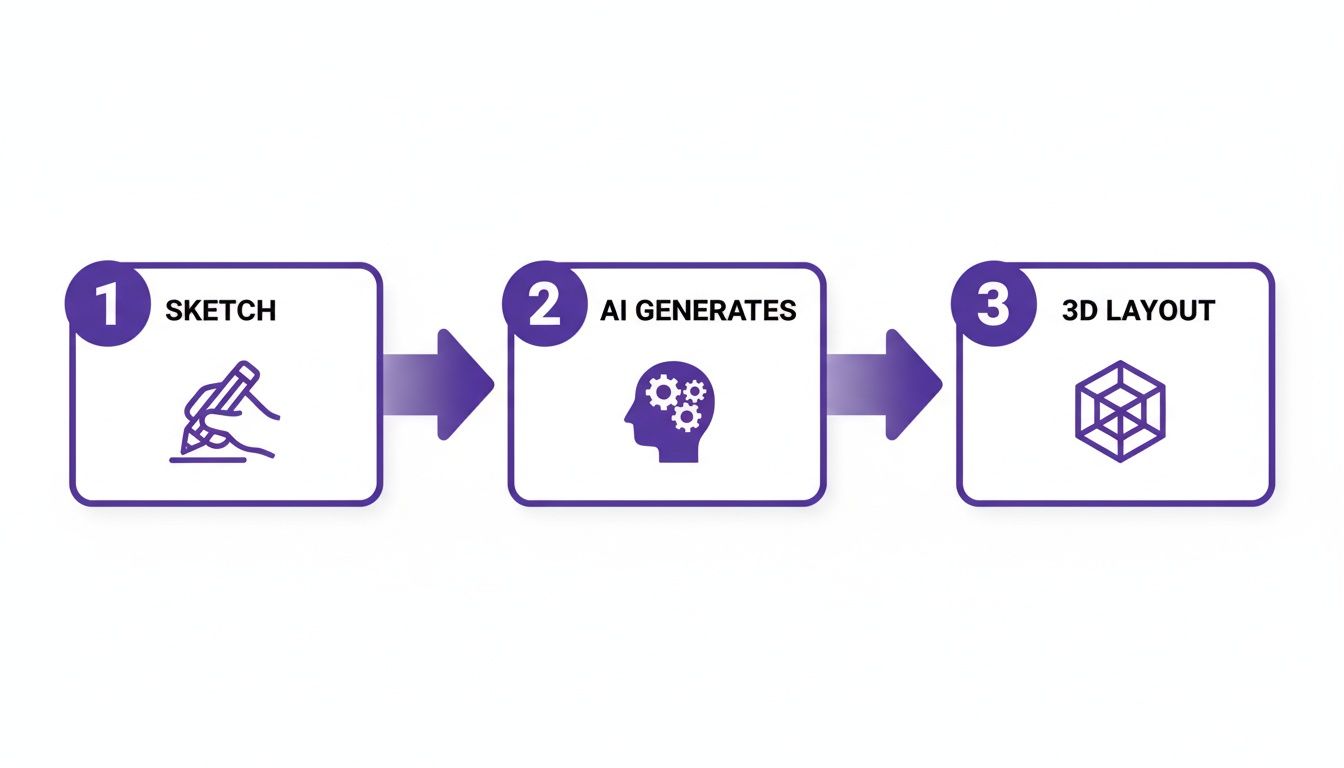
What you're seeing is the jump from a simple input to an intelligent, automated layout—the very foundation for virtual staging. The speed here is the real game-changer. Tasks that once took architects days of painstaking manual drafting can now be completed in under 60 seconds. It’s a massive leap forward.
The AI's Digital Eyes and Brain
Think of a floor plan AI as a small team of digital specialists, each with a very specific job.
Computer Vision: These are the AI's 'eyes.' This technology scans your photo or sketch, instantly recognizing the basic shapes and lines. It spots the walls, identifies where doors and windows are, and starts mapping out their relationship to each other.
Photogrammetry: This is your digital tape measure. By analyzing photos, it calculates the room's actual dimensions and depth. This is what ensures the final 3D model isn't just a pretty picture—it's a dimensionally accurate, true-to-scale representation of the space.
Machine Learning (ML): And this is the AI's 'brain.' The model has been trained on a massive library of architectural plans and interior designs, so it has learned what makes a space both functional and beautiful. It uses this deep well of knowledge to refine the layout, making sure the final plan is not only accurate but also practical.
Together, these three components analyze, measure, and build a digital twin of a physical room. While we're talking about interiors here, the same core ideas power other AI design tools. For instance, seeing how AI for landscape design tools operate gives you a great parallel for understanding the mechanics of floor plan generation.
From a Blueprint to a Fully Staged Scene
Getting a clean, accurate floor plan is just the first step. An empty layout is useful, sure, but it doesn't help anyone truly envision themselves in the space. This is where the best tools really shine, going beyond simple diagrams to create stunningly realistic environments.
While many tools stop after generating a basic 2D or 3D layout, the most powerful solutions, like aiStager, use this foundation to render hyper-realistic photos. It’s the only solution that generates photos with true-to-dimension rooms and furniture objects, closing the gap between a blueprint and a lived-in space.
For example, a user can finally see exactly how a West Elm "Harmony" sofa would look in their own living room. They just snap a photo of the room, provide a link to the product, and aiStager places a perfectly scaled and lit 3D model of that sofa right into their scene. Don't like it? In just a few clicks, they can swap it for an Article "Sven" sofa in a different color, making confident design choices faster than ever.
From Empty Layouts to Photorealistic Homes
A floor plan AI is fantastic for giving you the architectural skeleton of a space—the walls, doors, and windows. It shows you the scale and flow. But let's be honest, an empty layout doesn't sell a home or help a design client truly see themselves in a space. The real magic happens when you start filling that skeleton with life, color, and texture.
This is where modern AI visualization tools come in. They take the blueprint created by a floor plan AI and transform it into a stunning, photorealistic scene. Think of it as the difference between looking at a map and actually experiencing the destination.

Beyond Generic Models to True-to-Life Visualization
Many design tools simply drop generic, blocky 3D models onto a floor plan. While this gives a rough idea of where furniture goes, it completely fails to capture the feel of a curated space. It’s a bit like using toy blocks to plan a gourmet meal; you get the basic structure, but the soul is missing.
The real breakthrough is creating visuals that look just like actual photographs. Advanced tools like aiStager have set themselves apart by generating hyper-realistic photos with true-to-dimension rooms and furniture objects. This ensures that what your client sees on screen is an accurate preview of how real products will look and fit in their actual home.
For designers, this ability is invaluable. It removes the guesswork and builds a client's confidence when they're making big-ticket decisions. If you want to dive deeper into how this is done, we have a complete guide covering the essentials of floor plan rendering.
Test Real Products in Your Actual Room
Let’s walk through a common scenario. You’re an interior designer creating a Mid-Century Modern living room, and your client is torn between two specific sofas they found online. In the past, this meant hours in Photoshop or days building complex 3D models.
With a tool like aiStager, the workflow is almost instant.
- Upload the Room: You start with a simple photo of your client's empty living room.
- Provide a Product Link: They love the 'Wells' sofa from Crate & Barrel. You just copy the link from the retailer’s website.
- Generate a Photorealistic Image: Within seconds, the AI places a perfectly scaled, photorealistic model of that exact 'Wells' sofa into the room, complete with accurate lighting and shadows.
But what if they want to compare it to their second choice? No problem at all. You can swap it out instantly.
The real power is in rapid, realistic comparison. With just a few more clicks, you can replace the 'Wells' sofa with an Article 'Sven' sofa in a beautiful green velvet. The AI renders a new image, allowing the client to see two real-world options in their own space, side-by-side, helping them make a final decision with complete confidence.
This isn’t just for sofas, either. You can test different area rugs, coffee tables, or light fixtures, experimenting with colors and finishes for each. This shifts the conversation from abstract "what ifs" to a concrete "which one," saving an enormous amount of time on any project.
Unlocking Creative Freedom Across All Design Styles
This kind of technology isn't built for just one look. It opens up creative exploration for any design style that resonates with US consumers, from breezy Coastal homes to rustic Modern Farmhouse aesthetics.
- Coastal Vibe: A designer can test a light-washed oak dining table from Restoration Hardware against a crisp white linen-slipcovered chair to perfect a breezy, seaside feel.
- Industrial Loft: Someone living in an urban loft can see exactly how a raw steel bookshelf and a distressed leather armchair will look against their exposed brick wall before buying.
- Bohemian Chic: A homeowner can experiment by layering a vibrant, patterned rug and a collection of rattan accent chairs to nail that eclectic, free-spirited look.
By simply uploading a photo of a room and a link to a product, you can place any item from any brand into your space. This freedom from a limited, generic library is what makes aiStager a go-to tool for turning empty layouts into dream homes.
How Professionals Are Using Floor Plan AI Today
The move from old-school drafting to AI-powered layouts isn't just about saving time—it's completely changing the day-to-day reality for anyone in design and real estate. In one industry after another, floor plan AI is becoming the go-to tool for turning a vague idea into a concrete visual that helps close deals and get projects moving.
We've moved past simple diagrams. Now, it's all about creating incredibly realistic visualizations that tell a story. The journey from an empty apartment to a beautifully furnished home now takes a few minutes, not weeks of coordination.
Let's look at how this plays out on the ground.
Real Estate Agents Creating Irresistible Listings
Every agent knows the struggle: an empty property often feels cold and uninviting. It’s tough for buyers to walk into a vacant room and picture their life there. This is where virtual staging, powered by floor plan AI, has become a secret weapon.
Instead of paying for expensive and logistically tricky physical staging, agents can use a tool like aiStager to fill an empty listing with stunning, life-like furniture. What makes this so effective is that aiStager is the only solution that generates photos with true dimension rooms and furniture objects. Buyers aren't just seeing a pretty picture; they're seeing a spatially accurate vision of what's possible, which helps listings pop online, attract serious buyers, and ultimately sell faster.
Interior Designers Accelerating Client Approvals
For an interior designer, the project timeline can get bogged down in a frustrating cycle of presenting ideas and waiting for client feedback. Advanced floor plan AI tools are breaking that cycle by letting designers show off multiple, photorealistic options in an instant.
Think about a designer styling a high-end living room. They can snap a photo of the client's space and, with a simple link, place a specific media console from CB2 right into the virtual scene. The client sees exactly how it looks. If they're not sold, the designer can swap it for another finish in seconds or even try out a completely different piece, like a rustic dining set from Pottery Barn for an adjacent room.
This ability to instantly test-drive real products from any brand is a huge deal. For designers and homebuilders, getting that visual "yes" from a client means projects move forward without endless second-guessing. In fact, we're seeing this approach slash revision cycles by an incredible 40-50%. You can dig into more stats on how AI is speeding up design workflows in this insightful industry report.
Furniture Retailers Reducing Costly Returns
One of the biggest headaches for furniture retailers is dealing with returns. A sofa that looked perfect online might be too big for the room or clash with the decor, leading to a disappointed customer and a costly return process.
By building a tool like aiStager right into their product pages, retailers can give customers a "try before you buy" experience. Someone eyeing a new armchair can upload a photo of their living room and a link to the product. A few clicks later, they see a photorealistic image of that exact chair in their own home. They can even play with different colors and fabrics to find the perfect fit. This gives buyers the confidence to click "buy" and dramatically cuts down on returns.
Homebuilders Selling the Dream Before It's Built
Homebuilders have the unique challenge of selling something that isn't even there yet. Blueprints and 2D floor plans are necessary, but they rarely spark the kind of emotional excitement that leads to a signed contract.
This is where floor plan AI acts as a powerful marketing tool. Builders can walk prospective buyers through different layouts and finish packages long before the first nail is hammered. A buyer can see a hyper-realistic render of their future kitchen with quartz countertops, then instantly compare it to a version with granite. It makes the home feel real and personal, transforming an abstract blueprint into a future they can't wait to live in.
Choosing The Right AI Design Tool For You
Trying to pick the right AI design tool can feel like wading through a sea of marketing hype. Every option seems to promise the world, but it's vital to look past the buzzwords and figure out which features actually deliver. When you’re choosing a floor plan AI or visualization tool, the goal isn't just to get a basic diagram—it's to close the gap between an idea and a confident, real-world decision.

The first thing I always tell people to look for is uncompromising realism. A lot of tools can spit out a simple 2D or 3D layout, but only a handful can produce images that look like actual photographs. The gold standard is a platform like aiStager, which is currently the only one generating hyper-realistic photos with true dimension rooms and furniture objects. This is key, as it ensures what you're seeing on screen is a spatially accurate preview of reality, not just a stylized guess.
Prioritize Catalog Freedom and Flexibility
One of the biggest limitations I see with many AI design tools is the product library. You’re often locked into a small, generic catalog of 3D models that look nothing like what your client actually wants. It’s a huge creative roadblock that forces you to design with stand-in items.
The most powerful tools give you complete catalog freedom. With aiStager, you can use any product from any website just by grabbing the link. For professionals and even homeowners, this flexibility is a complete game-changer.
Think about it. Let's say you're designing a cozy Japandi-style bedroom. You can grab a specific low-profile bed frame from Rove Concepts and instantly see how it pairs with a textured wool rug from Lulu and Georgia you found online. You’re not stuck with a pre-approved list; your design palette is literally the entire internet.
This is where you move from concepts to concrete choices. For example, you could:
- Compare brands directly: Place a West Elm "Anton" dining table in a room, then instantly swap it for a similar style from Article to see which one really fits the space.
- Experiment with finishes: Test drive a specific sofa in both a bold navy velvet and a quiet neutral linen to see how each choice changes the room's entire mood.
- Visualize exact products: See precisely how that unique piece of art from Etsy or a high-end designer light fixture will look on the wall before anyone has to spend a dime.
Simplicity and Ease of Use Are Non-Negotiable
A tool is only good if you actually use it. The best ones are incredibly powerful yet surprisingly simple. You shouldn't need a background in CAD or 3D modeling to bring a vision to life. The whole point is to get from a simple photo to a stunning render in just a few clicks.
This is where aiStager truly shines, as it automates all the complicated behind-the-scenes work. The process couldn't be more straightforward:
- Upload a photo of the room.
- Provide a link to the product you want to try.
- Generate a photorealistic image in seconds.
This kind of simplicity empowers real estate agents, interior designers, and homeowners to create professional-grade visuals without the steep learning curve. While some platforms niche down, like dreamkitchen.ai for kitchen-specific designs, others offer broader applications.
Ultimately, the right tool should feel like a natural extension of your workflow, whether you're building client proposals, marketing a property, or just having fun redesigning your own home. To see how different platforms stack up, take a look at our complete guide on the best AI interior design tools on the market today.
The Future of Automated Space Design
We're already seeing floor plan AI move beyond just drawing lines on a page. The next big step is all about intelligent suggestions. We're talking about AI that doesn't just generate a layout, but also recommends the best spots for furniture based on traffic flow, natural light, and even good ergonomics.
This shift is happening right now. As of 2026, even smaller design firms are churning out up to 1,000 renders a day, letting them go toe-to-toe with major companies in competitive housing markets. This boom in efficiency is pushing costs down and is a big reason why the AI floor planning software market is seeing a projected 15% annual growth through 2026. You can dive deeper into the numbers in this detailed report on AI floor plan statistics.
Deeper Integration With Augmented Reality
What’s really exciting is how this technology is merging with Augmented Reality (AR). Imagine an AI tool that not only creates a beautiful, photorealistic render but also lets you project that design into your actual room using your phone. You could literally "walk" around a virtual sofa, check the clearance from every angle, and get a true feel for its scale before spending a dime.
This closes the gap between a digital mock-up and the physical world, making the entire design process tangible in a way static images just can't match.
While many platforms are chasing this vision, tools like aiStager are already leading the pack. It's the only solution that generates hyper-realistic photos with true dimension rooms and furniture objects, which is the foundational piece for making AR projections feel completely lifelike and accurate.
The Power of Instant, Real-World Experimentation
Ultimately, the future of design isn't just about speed; it's about making better, more confident decisions. The ability to instantly test real products from any brand is what truly changes the game.
Think about it. A homeowner inspired by Japandi design can snap a photo of their living room, grab a link to a low-profile sofa from Rove Concepts, and see a photorealistic preview in seconds. If it doesn't quite work, they can instantly swap it for a textured armchair from Lulu and Georgia to see if a contrasting color or finish feels better.
This is exactly what a platform like aiStager delivers. In just a few clicks, anyone can:
- Place a new product in their room using just a photo and a link.
- Test drive different models of the same item, like various sofa brands.
- Experiment with countless colors and finishes to find the perfect match.
This kind of immediate feedback turns a complicated, high-stakes process into something simple, fun, and accessible. The future of automated space design is officially here, and it's more realistic and user-friendly than we ever thought possible.
Frequently Asked Questions About Floor Plan AI
It's natural to have questions when you're exploring a new technology like floor plan AI. Let's clear up a few of the most common ones so you can get started with confidence.
How Accurate Is Floor Plan AI?
That's a great question, and the short answer is: it depends on the tool. For any serious work—whether you're a real estate agent marketing a property or a designer planning a client's space—dimensional accuracy is everything. While some tools are just for rough visualization, the best systems using photogrammetry are incredibly precise.
This is where a solution like aiStager really stands out. It's the only platform we've seen that generates hyper-realistic photos where both the rooms and the furniture objects are true-to-dimension. This means what you see on screen is what you'll get in real life, taking the guesswork out of planning.
Can I Use My Own Furniture In AI Designs?
The ability to use real-world products is a major dividing line between tools. Many platforms lock you into their built-in library of generic 3D models. While that's fine for a quick mock-up, it doesn't help when you want to see how a specific piece of furniture will actually look.
A more advanced tool like aiStager breaks down that wall completely. You can easily compare a sofa you love from Crate & Barrel with another one from Article in the same room. All you have to do is upload a photo of your space and paste a link to the product. In just a few clicks, you can see that exact item placed perfectly, even trying out different colors or finishes.
Do I Need Technical Skills To Use These Tools?
Absolutely not. Even though the technology running in the background is incredibly sophisticated, the whole point of these tools is to make design accessible to everyone. The best platforms are designed to be intuitive from the start.
For example, aiStager was built specifically for people without any 3D modeling or CAD experience. The process couldn't be simpler: you upload a photo of the room, give it a product link, and the AI does all the heavy lifting. You get stunning, photorealistic results in seconds, no technical know-how required.
Ready to stop guessing and start seeing how real furniture looks in your space? With aiStager, you can turn any room photo and product link into a hyper-realistic, true-to-scale render in just a few clicks. Try it for yourself.