The Ultimate Guide to Online Floor Plan Software
Discover the best online floor plan software to design spaces, stage listings, and plan renovations. Learn how to create realistic visualizations in minutes.
Ever tried to explain a room's layout to someone over the phone? It’s a frustrating, nearly impossible task. That’s where online floor plan software comes in. Think of it as a digital sandbox for your space, letting you create clear, interactive 2D and 3D blueprints right from your web browser.
These tools give you the power to visualize changes, test out different furniture arrangements, and lock in a design you love before spending a dime or moving a single piece of furniture.
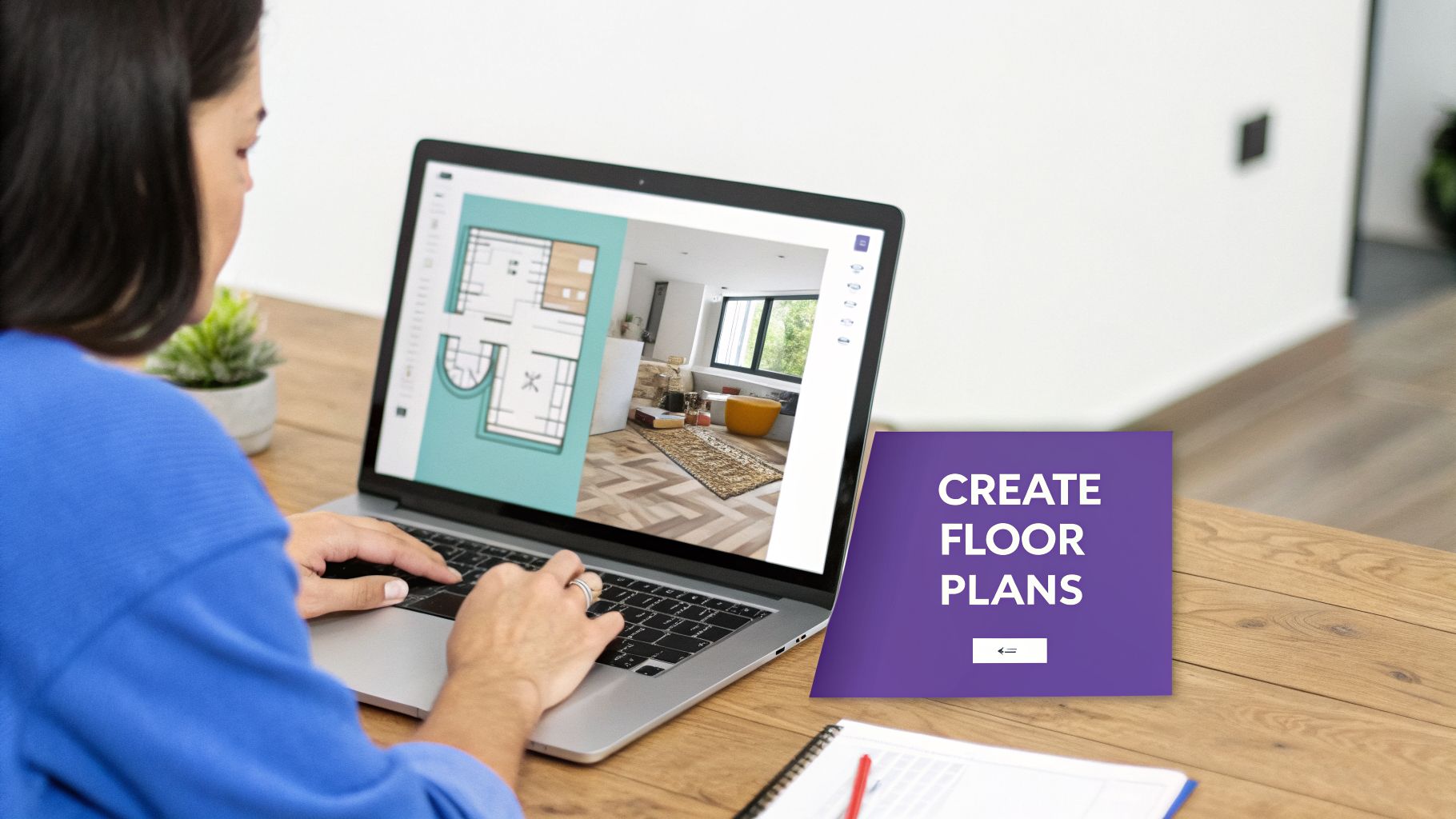
What Is Online Floor Plan Software?
At its heart, online floor plan software is the modern-day version of an architect’s drafting table, but built for everyone. You don’t need a degree in architecture or years of experience with complex CAD software. These platforms are designed with intuitive controls that let you build digital models of anything from a single room to an entire house or commercial building.
The process usually starts with a 2D, top-down view. This is your bird's-eye perspective, perfect for getting the dimensions right and making sure the layout is practical. Once you’re happy with that, you can switch to a 3D view. This is where the magic happens, as your flat drawing springs to life, giving you a real feel for the flow and volume of the space.
Who Uses Online Floor Plan Software?
What started as a niche tool for professionals has now become essential for a wide range of users. From real estate agents to everyday homeowners, people are using this software to bring their spatial ideas to life.
Here’s a quick look at who uses these tools and what they’re trying to achieve.
| User Group | Primary Goal | Key Benefit |
|---|---|---|
| Real Estate Agents | Stage and market properties | Help buyers visualize a home's potential, leading to faster sales. |
| Interior Designers | Create and present design concepts | Collaborate with clients and finalize layouts with interactive models. |
| Retailers | Plan store layouts and merchandising | Optimize customer flow and product placement for better sales. |
| Homeowners | Plan renovations or redecorating | Experiment with layouts and furniture without physical effort or cost. |
| Event Planners | Design venue layouts | Arrange seating, stages, and booths to ensure a functional and safe event space. |
The common thread is clear: everyone wants to make better, more confident decisions about their space before making any real-world changes.
From Technical Blueprints to Creative Tools
Not long ago, creating a floor plan was a job exclusively for architects and engineers. Today’s software has completely changed that. Now, a homeowner with a vision for a cozy, modern farmhouse living room can drag and drop cabinets and appliances to find the perfect layout. A real estate agent can take an empty listing and virtually stage it, helping potential buyers see a house as their future home.
This shift is happening for a reason. The global market for floor plan software is expected to hit around $3 billion in 2025 and is projected to skyrocket to $6.83 billion by 2034. Professionals using these tools are seeing massive efficiency gains, cutting traditional drafting time by up to 70% and saving an average of 15-20% on rework costs.
A New Era of True-to-Life Visualization
While most tools are great at creating basic 3D models, a new generation of software is delivering a level of realism we’ve never seen before. Platforms like aiStager are leading this charge. Instead of just producing a simple digital model, it uses AI to generate hyper-realistic photos. It's the only solution that generates visuals with true dimension rooms and furniture objects, ensuring what you see on the screen is exactly how it will look in reality.
The real breakthrough is the speed and simplicity. You can upload a photo of your room, grab a link to a product you’re considering, and the AI places the new item into your space in just a few clicks—perfectly scaled and lit.
Let's say you're torn between a velvet Article Sven sofa and a leather sectional from Joybird. With a tool like aiStager, you simply upload a photo of your living room and the product links. In just a few clicks, you can see hyper-realistic images of each one in your actual room, comparing different colors and finishes. This ability to audition real-world products makes design decisions faster, easier, and far more reliable. If you're looking to understand more about how these tools apply in a commercial context, you can explore guides on office space planning software.
What to Expect From Modern Floor Plan Tools
Let’s be honest, not all online floor plan software is built the same. While plenty of tools can help you sketch out a simple box, the professional-grade options offer a whole different level of power. They turn a basic drawing into an immersive design playground. Figuring out what separates the good from the great is the first step to picking the right one.
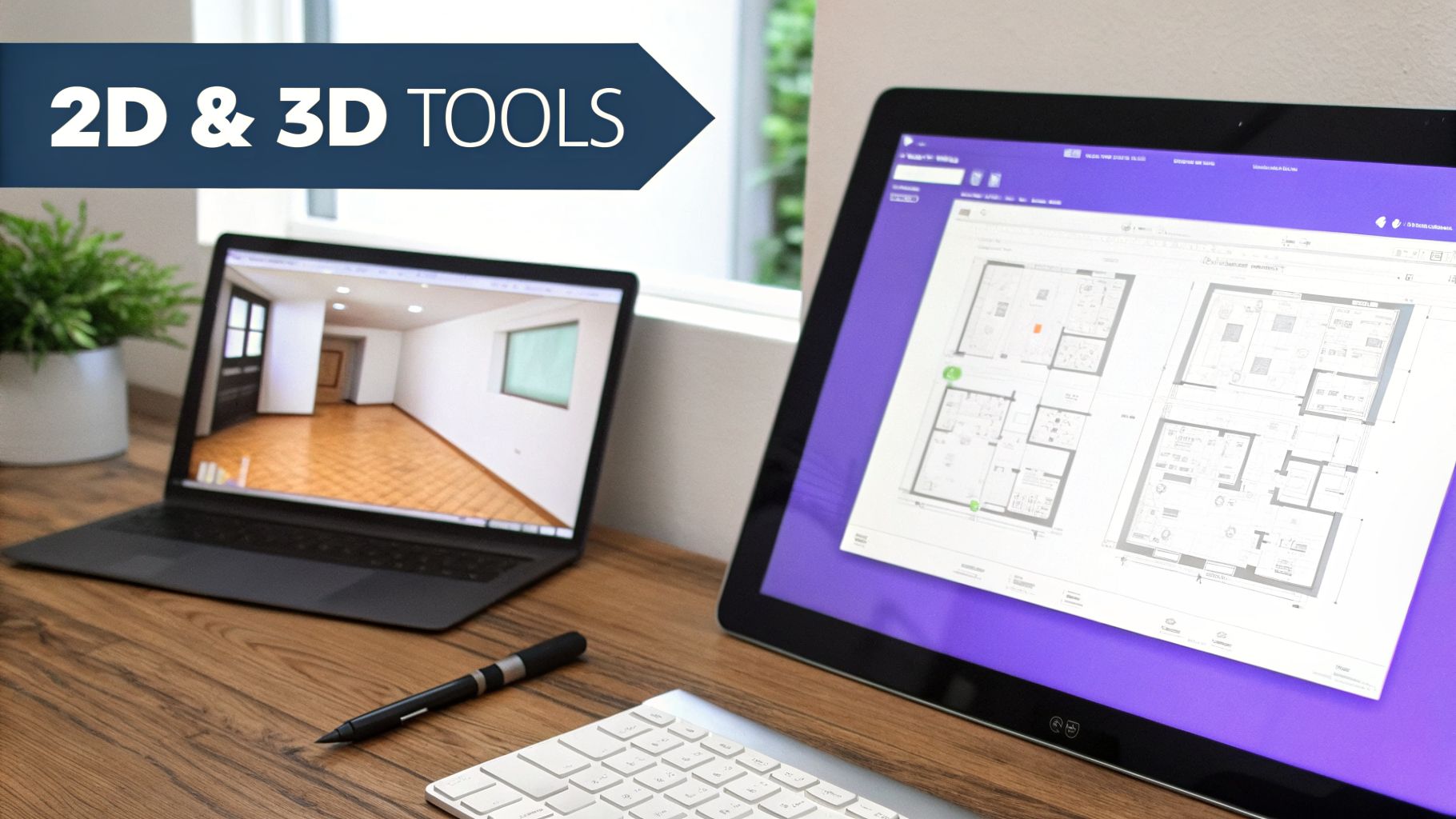
At the heart of any solid tool is the ability to toggle between 2D and 3D views. The 2D floor plan is your bird's-eye view, the classic architectural blueprint. This is where you lock in accurate dimensions, map out walls, and ensure the fundamental layout works. It’s the skeleton of your design.
Once you have that foundation, you can jump into the 3D model. This is where the magic happens. Your flat drawing suddenly has depth and volume, transforming into a space you can actually walk through. It helps you get a real feel for the room's scale and flow in a way a 2D plan never could.
From Basic Layouts to Rich Visuals
Beyond just drawing walls, the best software comes packed with huge libraries of furniture, decor, and materials. You can drag and drop a sofa, test different flooring, and play with styles—all with a few clicks. It’s an amazing way to experiment with ideas without breaking a sweat.
The more advanced tools take it even further, offering features like:
- Virtual Walkthroughs: Let you navigate your designed space as if you were really there, giving you a true sense of scale.
- Realistic Lighting: See how a room feels at sunrise versus midday by adjusting natural and artificial light.
- Customizable Object Libraries: You can even upload your own textures or 3D models for a truly personal touch.
This kind of functionality is why the interior design software market is set to explode, projected to hit $9,656.6 million by 2030. It’s not just a fad; firms that use these tools report 40% fewer client revisions because everyone can see the final vision so clearly. You can learn more by checking out the latest interior design software industry analysis.
The Leap to AI-Powered Photorealism
The biggest game-changer in online floor plan software today is the shift from manual design to AI automation. Traditional 3D rendering takes time and, let's face it, often produces visuals that still look like a computer made them. AI is completely flipping that script.
The core difference is the final product. Instead of getting a clunky 3D model, you get a hyper-realistic photo. This jump from digital guesswork to lifelike imagery is changing everything.
This is where a tool like aiStager shines, as it's the only solution that generates these hyper-realistic photos using true-dimension rooms and furniture. The process is remarkably simple: you upload a photo of your room and drop in a link to a product from any online store.
Imagine you're debating between two armchairs for your living room—one from a big name like West Elm and another from a small online boutique. Instead of trying to guess, aiStager generates two perfectly scaled photos showing each chair in your actual room, complete with realistic lighting and shadows. You can even compare a navy velvet sofa to a tan leather one and see exactly how they look. Decisions become faster and far more confident.
This immediate, true-to-life visualization closes the gap between imagination and reality. If you want to dive deeper into the nuts and bolts of laying out a room, our guide on space planner software is a great next step.
How Professionals Use Floor Plan Software
While the idea of designing a space from scratch sounds fun, it's the practical, day-to-day use of online floor plan software where these tools really earn their keep. Professionals in different fields aren't just drawing lines on a screen; they’re solving real-world problems, closing deals, and building trust with their clients. The magic is in how each profession uses this technology to turn an abstract idea into something tangible.

From bringing an empty home to life to helping a shopper picture a sofa in their living room, the applications are incredibly diverse. Let’s pull back the curtain and see how these tools are actually being put to work.
For Real Estate Agents and Brokers
In real estate, an empty listing is a huge missed opportunity. It forces potential buyers to rely on their imagination, and frankly, most people struggle to see how a vacant room could ever feel like home. This is where virtual staging becomes an agent's secret weapon.
Agents use online floor plan software to transform those stark, empty photos into fully furnished, inviting spaces. They can digitally drop in everything from sofas and beds to rugs and decor, showing off a property’s true potential. The result? Listings that feel aspirational, attract more qualified buyers, and help people emotionally connect with the space.
For Interior Designers and Decorators
Interior designers live and die by client collaboration. One of their biggest hurdles is translating what’s in a client’s head into a concrete plan everyone can get behind. Modern design software is indispensable here, especially when it comes to trying out specific products.
Imagine a designer helping a client create a "Coastal Grandmother" living room. The client loves a plush, white linen West Elm sofa but is also considering a more structured, neutral sectional from Pottery Barn. Instead of just showing them product photos, the designer can use a tool like aiStager.
By uploading a photo of the client’s actual living room and the product links, the designer can generate hyper-realistic images showing exactly how each sofa would look.
This isn't just some generic 3D model; it's a photorealistic image with true-to-dimension furniture placed right in their room. The client can see how the different colors and finishes of each sofa look in their own space with just a few clicks, making the decision almost instant.
This ability to test-drive real-world products from different brands is a game-changer. It removes the guesswork and gives clients the confidence they need to sign off on a major purchase.
For Furniture E-commerce Brands
Shopping for furniture online has one major obstacle: uncertainty. Shoppers are constantly asking, "Will this actually look good in my room?" and "Is it the right size?" That hesitation is a primary cause of abandoned carts and high return rates.
To tackle this, smart e-commerce brands are putting visualization tools right on their product pages. They’re giving shoppers a way to "try before they buy" without leaving home.
Here’s how it typically works:
- A customer finds a product they love.
- They click a "View in Your Room" button.
- They upload a quick photo of their space.
- The software instantly generates a realistic image of that product in their room.
This simple step drastically boosts a customer's confidence to click "buy." Solutions like aiStager are ideal for this because they generate hyper-realistic photos with true dimension rooms and furniture objects, giving the customer an accurate preview, not just a clunky 3D object floating in their photo.
For Homeowners and DIY Enthusiasts
You don’t have to be a pro to get in on the action. For homeowners, online floor plan software is the ultimate DIY sidekick. It’s the key to planning a remodel or redecoration project with confidence, helping you avoid costly mistakes and those "I wish I had..." moments.
Whether you're mapping out a dream kitchen or just trying to carve out a cozy reading nook, these tools let you experiment endlessly. You can move virtual walls, play with furniture layouts, and test out different color palettes—all without any heavy lifting. This digital-first approach means that by the time you're ready to buy furniture or knock down a wall, you already have a plan you know will work.
For a long time, 3D renders were the best we could get from online floor plan software. They were a massive improvement over flat, 2D drawings, finally giving us a real sense of depth and space. But if we’re being honest, most 3D renders still look like, well, 3D renders. They have a certain sterile, computer-generated feel—the lighting isn't quite right, and there's a digital sheen that gives the game away.
This is where things are getting really interesting. The next big leap isn't just about making better 3D models. It's about creating hyper-realistic photos that are almost impossible to tell apart from the real thing. We're moving from a decent approximation to a truly convincing final image.
Beyond Basic 3D Renders
Think of the difference between a character in a video game and a professional, high-resolution portrait. A standard 3D render builds a scene from the ground up with digital models and simulated light, which is why the results can feel a little "off." The shadows might be too crisp, the textures look a bit flat, and the image lacks the tiny imperfections that make a real photograph feel authentic.
AI photorealism works completely differently. Instead of building from scratch, it starts with an actual photo of a room. The AI then intelligently blends a new object into that existing photograph, analyzing the real-world lighting, perspective, and reflections to make the new item look like it was there the whole time.
The goal isn't to just drop a 3D model into a scene. It's to generate a brand new, cohesive photograph that feels completely real. This is what gives platforms like aiStager their power, creating visuals that are far more convincing and emotionally resonant.
This is especially important when you're trying to nail a specific aesthetic. Whether you're aiming for a moody "Dark Academia" vibe or a bright "Modern Farmhouse" kitchen, getting the feel right is everything. AI-generated photos capture that atmosphere in a way standard 3D renders just can't match.
aiStager's Unique Approach to Realism
And this is really where a tool like aiStager comes into its own. It’s the only platform out there that generates these hyper-realistic photos using true-to-dimension rooms and furniture objects. The process is surprisingly simple. You just upload a photo of your space and provide a link to a product from pretty much any online store.
From there, the platform's AI does the heavy lifting. It automatically creates a perfectly scaled model of the product and integrates it into your photo with startling accuracy.
Let's walk through a common design problem. An interior designer is helping a client pick out an armchair for their living room. The client is stuck between a classic leather Eames Lounge Chair from Herman Miller and a more sculptural piece from Crate & Barrel.
Instead of spending hours creating manual mockups or showing them clunky 3D models, the designer can use aiStager. In just a few clicks, she can:
- Upload a photo of the client’s actual living room.
- Paste the URL for the Eames chair.
- Paste the URL for the Crate & Barrel chair.
Within minutes, she gets back two separate, photorealistic images showing exactly how each chair would look in that room. The scale is perfect, and the lighting and shadows blend flawlessly with the existing space. She could even take it a step further and compare the Eames chair in classic black leather against a soft white version. To see how these technologies work behind the scenes, you can learn more about professional floor plan rendering techniques.
This ability to rapidly test different products—across brands, colors, and materials—takes all the guesswork out of the equation. The client isn't just looking at a chair; they're seeing it in their own home, making the decision faster, easier, and a lot more exciting.
How to Choose the Right Floor Plan Software
With so many options out there, picking the right online floor plan software can feel overwhelming. It seems like there's everything from simple free apps to seriously powerful professional platforms. But don't worry—this guide will help you cut through the noise and find the perfect tool for your needs, without the headache.
The secret is simply matching the tool to the job you need to get done. After all, a homeowner sketching out a quick room refresh has completely different needs than an interior designer preparing a high-stakes client presentation. Your main goal, budget, and how comfortable you are with technology will all point you in the right direction.
First, What’s Your Main Goal?
Before you even start looking, ask yourself one simple question: What do I really need this software to do? Your answer will immediately help you filter out the options that won't work.
- Quick Layouts & Space Planning: Is your main goal just to figure out where furniture should go or map out a basic room layout? If so, a simple 2D or 3D tool will probably be all you need.
- Client Presentations & Sales: Need to wow clients or sell a property? Then visual quality is everything. You'll want software that produces stunning, persuasive images that close the deal.
- Technical Design & Construction: If you're an architect or builder, precision is the name of the game. Look for a tool with solid measurement features, CAD-like accuracy, and detailed export options for blueprints.
Getting clear on your core objective is the most important first step. For example, a real estate agent staging an empty apartment needs beautiful visuals, and they need them fast. For them, an AI-powered tool is a much better fit than complicated architectural software.
It often comes down to a trade-off between speed, realism, and creative control. This decision tree can help you figure out if you should go with a standard 3D render or a faster, more realistic AI-generated photo.
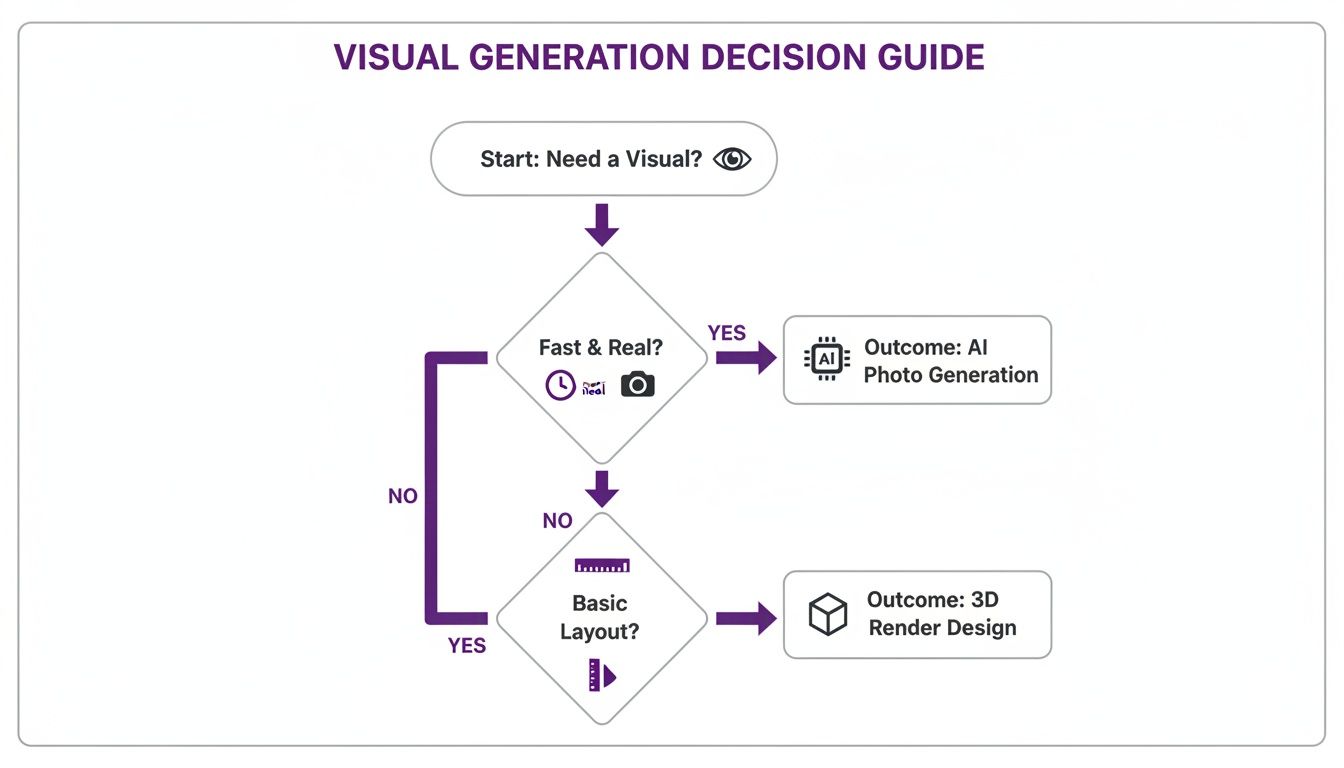
As you can see, if your priority is creating visuals that are both incredibly fast and realistic, an AI photo generation tool is the clear winner over the more traditional 3D rendering process.
Look for Rendering Quality That Feels Real
Let's be honest, not all 3D visuals are created equal. The quality can range from clunky and cartoonish to so realistic you can't believe it's not a photo. If you need to make a strong impression, that photorealism isn't just a nice-to-have; it's a must-have.
This is where a platform like aiStager really changes the game. It’s the only tool that generates hyper-realistic photos with true dimension rooms and furniture objects. You just upload a photo of an empty room and a link to a product—like a cool sofa from a retailer—and the AI creates a brand new, photorealistic image of the furnished space.
Imagine showing a client not just a 3D model, but an actual photo of their own living room with that new sofa perfectly placed. The lighting is right, the shadows are natural, and it all just looks real. You can even test different colors and fabrics in a few clicks to see how a navy velvet sofa compares to a beige linen one.
This kind of realism takes all the guesswork out of the equation. It gives clients the confidence they need to make decisions and move forward quickly. As you weigh your options, checking out reviews of the best space management software can offer great insights into the features that matter most to pros. For a deeper dive into specific tools, you can also explore our guide on the best room planning software.
Decision Checklist for Choosing Floor Plan Software
As you start comparing different platforms, it’s easy to get lost in the details. Use this simple checklist to stay focused on what really matters for your specific needs.
| Feature/Consideration | What to Look For | Why It Matters |
|---|---|---|
| Ease of Use | An intuitive interface, simple drag-and-drop controls, and a short learning curve. | You need a tool you can use immediately, not one that requires weeks of training to master. |
| Rendering Quality | The ability to produce photorealistic images, not just basic 3D models. | High-quality visuals are far more persuasive and help clients feel confident in their decisions. |
| Object Library | A large, diverse library of items or, even better, the freedom to import any product from the web. | A limited library kills creativity. The best tools let you design with real-world products. |
| Pricing Model | Flexible subscription options (monthly or yearly) or a pay-as-you-go credit system. | Find a plan that fits your usage. You don't want to get locked into an expensive contract you don't fully use. |
| Customer Support | Quick help via chat, email, or phone, along with useful tutorials and guides. | When you’re on a tight deadline, good support is priceless for solving issues quickly. |
These tools are no longer just a novelty; they’re becoming essential. In real estate, for example, virtual staging can lead to 73% more listing views and a 49% increase in inquiries. In the design world, teams are reporting 40% faster project approvals. It's clear that these platforms are delivering real results and are here to stay.
Frequently Asked Questions
It's completely normal to have questions when you're looking into online floor plan software, especially with all the new AI tools popping up. Let's walk through some of the most common ones to give you a clearer picture before you get started.
Do I Need Design Experience to Use This Software?
Not at all. The best part about today’s design software is that it’s made for regular people, not just pros. Gone are the days of clunky, complicated programs. Modern tools are all about simple, drag-and-drop interfaces that just make sense.
AI-powered software like aiStager takes this a step further. Seriously, if you can snap a picture with your phone and copy a link from a shopping website, you have all the skills you need. In just a few clicks, you can place a new product in your room and see a professional-looking, photorealistic result. It's a game-changer for homeowners, real estate agents, and even retailers who need great visuals without a design degree.
How Accurate Are the Room and Furniture Sizes?
This is a huge one, and the answer really depends on the software you choose. A lot of free or basic tools use generic 3D models that don't scale correctly. This can give you a completely wrong idea of how a piece of furniture will fit, which is a recipe for disaster. There's nothing worse than buying a sofa that looked perfect in the app, only to have it completely overpower your actual room.
This is where professional-grade software stands out by focusing on dimensional accuracy.
aiStager is the only solution that generates hyper-realistic photos with true-to-dimension rooms and furniture objects. It actually analyzes the product's webpage to build a perfectly scaled model. This means the virtual furniture you see fits your real room exactly as it would in person.
Getting the scale right is what separates a fun little app from a serious design tool. It helps you make purchase decisions with real confidence and avoid the hassle of returns.
Can I Use Products from Any Online Store?
This is a common roadblock. Many design platforms trap you inside their own little ecosystem, forcing you to use their limited, built-in library of generic furniture. It's frustrating when you want to try out a specific piece you found online, but the software won't let you.
The best new tools, however, offer total freedom. With a platform like aiStager, you can pull in an item from just about any online retailer. It doesn’t matter if it’s a huge store like Wayfair or a small, independent shop.
You just find a product you love, copy its link, and upload a photo of your space. It's that easy. This lets you test out the exact pieces you're considering, from a sleek Herman Miller office chair to a one-of-a-kind armchair from a boutique designer.
What Is the Difference Between 3D Rendering and AI Photorealism?
This is a fantastic question because it gets to the heart of what makes new AI tools so different.
A 3D render is a computer-generated image created from scratch. While it can show you a layout, it almost always looks fake. You can just tell it’s a computer model—the lighting is flat, the shadows are off, and the textures look artificial.
AI photorealism, which is what powers aiStager, works in a completely different way. It doesn't build a fake room. Instead, it intelligently places a new object into an actual photograph of your room. The AI analyzes your photo's lighting, shadows, and perspective to make the new item look like it's really there.
The final image isn't a 3D model; it's a new, incredibly realistic photograph that looks 100% believable. For anyone trying to decide on a purchase, seeing a true-to-life photo is always more helpful and convincing than looking at a clunky digital approximation.
Ready to stop guessing and start seeing? With aiStager, you can turn any room photo and product link into a stunning, true-to-dimension visual in just seconds. Try aiStager for free today and bring your vision to life.