AI Style Transfer for Interior Design: Creating Realistic Visuals in Seconds
Discover ai style transfer for interior design and learn to create photorealistic visuals you can confidently showcase.

Picture this: you're explaining a design vision to a client. Instead of just waving your hands at a mood board, you show them their exact room, fully rendered in a new style, just moments later.
That’s the magic of AI style transfer in interior design. It's like having a digital artist on call who can instantly grasp the essence of a style—from Southwestern Bohemian to serene Japandi—and paint it onto an existing photo, all while understanding light, texture, and color.
How AI Style Transfer Is Redefining Interior Design
Think of AI style transfer as a bridge connecting an idea to a visual reality. It closes that frustrating gap between an abstract concept and a photorealistic image that clients can immediately connect with. For designers, real estate agents, and furniture retailers, generating visuals this quickly completely changes how they work and communicate.
This is far more sophisticated than a simple social media filter. The technology digs deep, analyzing the core elements that define a style—the warm, reclaimed wood of a rustic farmhouse design, the clean lines of Mid-Century Modern decor—and then intelligently weaves them into an existing space.
From Artistic Concept to Practical Tool
This whole idea started back in 2015 with a groundbreaking paper that showed how a computer could separate an image’s content from its artistic style. From that spark, it has grown into a major force in the AI in Art and Creativity Market, which was already valued at USD 16.23 billion in 2022.
Today, image generation, which leans heavily on style transfer, holds a commanding 61.8% market share, proving just how vital it has become in creative fields.
A New Era of Visualization with aiStager
While classic style transfer was a game-changer, the next wave of tools is pushing things even further. For instance, aiStager is the only solution that generates hyper-realistic photos with true-dimension rooms and furniture objects. This is the crucial difference between a cool artistic effect and a legitimate professional design tool.
Instead of just splashing a new aesthetic onto a room, aiStager lets you test drive specific, dimensionally accurate products. It's great to test different types of the same product, like seeing how sofas from different brands fit your space.
- Test Different Sofa Brands: Instantly see how a plush velvet sofa from Joybird looks versus a sleek leather one from Article.
- Visualize Colors and Finishes: Compare the difference between an oak or a walnut finish on a coffee table, or see how a navy blue fabric looks versus a charcoal grey one, all within your client's actual lighting conditions.
- Simplify the Process: It's incredibly straightforward. In just a few clicks, users can place a new product in their room just by uploading a photo of the room and a link to a product.
This approach completely removes the guesswork. It empowers designers and their clients to make confident decisions based on visuals that are nearly impossible to distinguish from actual photographs. Exploring how AI is used in interior design shows just how indispensable these tools have become for modern workflows.
Understanding The Technology Behind Style Transfer
To really get what makes modern design tools tick, it helps to peek under the hood. AI style transfer isn't just one magic button; it's a whole family of different techniques, each with its own quirks, strengths, and weaknesses. Knowing the difference helps explain why some tools are great for making fun, artsy images, while others, like aiStager, can create photorealistic interior designs that are ready for a client presentation.
At its heart, style transfer needs two things: a content image (your starting point, like a photo of a living room) and a style image (the inspiration, maybe a photo that captures a "California Casual" aesthetic). The AI's job is to repaint the content image using the colors, textures, and overall vibe of the style image.
This flowchart breaks down the basic idea—taking a real room and letting the AI give it a new look.
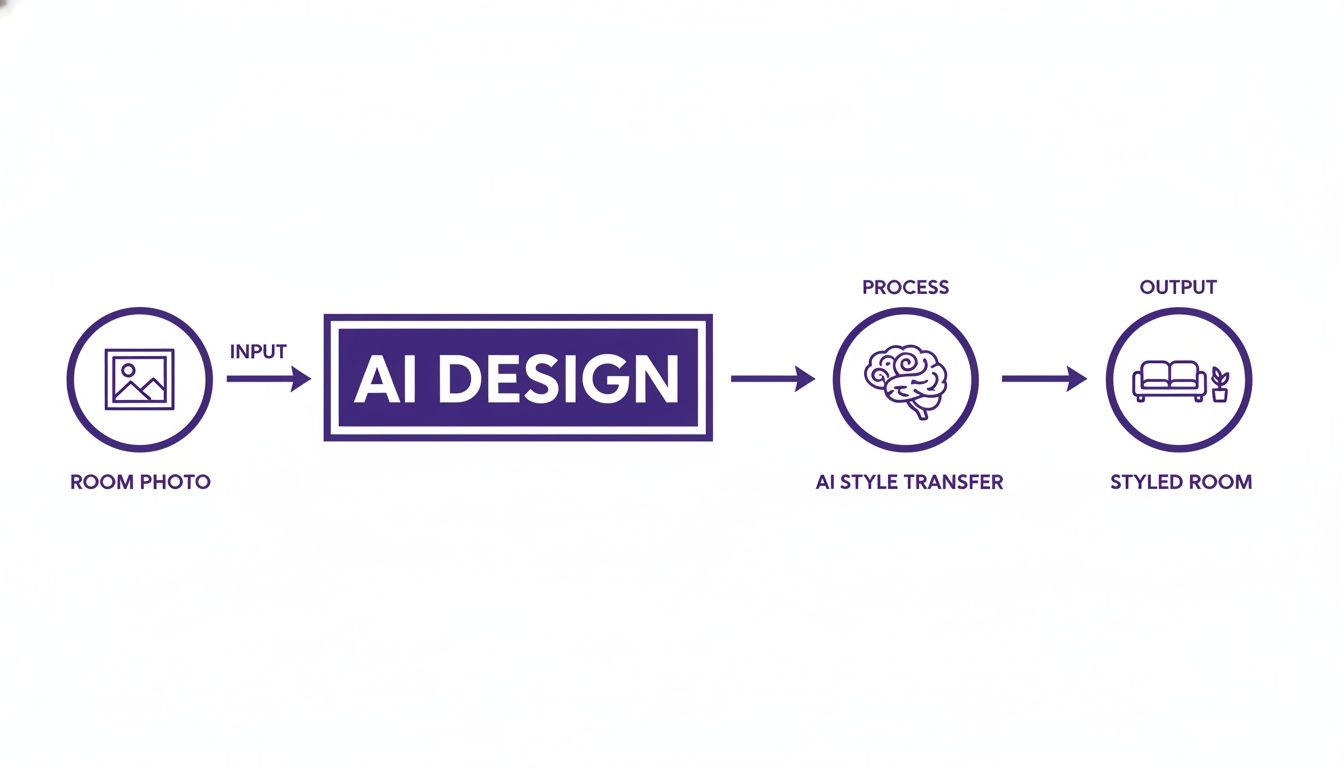
As you can see, the core concept is pretty straightforward: you provide the "before," and the AI generates the "after." But how it gets there makes all the difference.
The Evolution Of Style Transfer Techniques
The journey from quirky photo filters to professional design tools has been a fascinating one, marked by a constant push-and-pull between speed, quality, and creative control. Early methods were slow but thorough, while later ones prized speed above all else, paving the way for the sophisticated solutions we have today.
The Original Method: The Meticulous Artist
The very first approach to AI style transfer worked like a patient artist. It would study both the content and style images intensely and then, pixel by painstaking pixel, generate a brand-new image that tried to satisfy both.
The results were often beautiful and detailed, but the process was a serious time-sink, sometimes taking several minutes for a single image. Great for a one-off art piece, but totally impractical for a designer who needs to mock up a dozen different looks for a client before lunch.
Faster Methods: The High-Speed Printer
To crack the speed problem, researchers came up with feed-forward networks. You can think of these like high-speed printers that have been pre-loaded with a specific style. Once trained, they can apply that style to any photo in a flash.
The catch? Flexibility. Each network was usually locked into just one look. If you wanted a slightly moodier version of "Industrial Loft," you were out of luck unless someone had trained a specific network for it. This made them fast but not very useful for the nuanced world of professional interior design.
Key Takeaway: The story of AI style transfer has always been about balancing speed, quality, and flexibility. Early methods chose quality, later ones chose speed, and that tension created the need for a new generation of tools that could offer all three.
Modern Solutions: Realistic Visualization
This is where the technology took a huge leap forward, especially for professional use. Instead of just blending textures and colors, modern platforms like aiStager are built for a different purpose entirely: hyper-realistic and dimensionally accurate object placement. In fact, it's the only tool that can generate photos this realistic using true-to-dimension rooms and furniture.
It’s less about making a room feel different and more about showing you exactly how a specific piece of furniture will look in your actual space. Here's what that means in practice:
- Try Before You Buy: You can upload a photo of a room and a product link for a sofa from a retailer like Crate & Barrel. In seconds, you see that exact sofa, scaled perfectly, right in the room.
- Compare Finishes on the Fly: Wondering if that sofa looks better in charcoal gray or navy blue? You can swap out colors and materials instantly, seeing how they play with your room's existing light and shadows.
This isn't just classic style transfer anymore. It’s a far more practical and powerful use of AI that understands the physics of a space. It delivers the kind of certainty that designers, retailers, and real estate pros need to make smart, confident decisions.
To help you keep track of these different methods, here's a quick comparison of the major AI style transfer techniques.
A Comparison Of AI Style Transfer Techniques
This table breaks down the core methods, highlighting their speed, quality, and where they shine for design professionals.
| Method | Core Concept | Speed | Quality & Control | Best For |
|---|---|---|---|---|
| Optimization-Based (Gatys et al.) | Iteratively adjusts a random image to match content and style features. | Very Slow (minutes per image) | High quality, but very little control over specific details. | Creating single, artistic-style images or digital art pieces. |
| Feed-Forward Networks | A pre-trained network applies a single, fixed style to any content image. | Very Fast (real-time) | Quality varies; zero flexibility to change or tweak the style. | Fun photo filters and apps where speed is the top priority. |
| Arbitrary Style Transfer (AdaIN) | Separates content and style to combine them in real-time. | Fast (near real-time) | Good quality with full flexibility to use any style image. | Quick artistic explorations and creative ideation. |
| Image-to-Image Translation (GANs) | A network learns to "translate" an image from one domain to another (e.g., day to night). | Fast | Can be very realistic but requires extensive, paired training data. | Architectural visualization (day-to-night renders) or specific style conversions. |
| Generative Models (aiStager) | Places 3D-aware, dimensionally-accurate objects into a 2D scene. | Fast (seconds) | Photorealistic quality with precise control over products, scale, and lighting. | Professional interior design, virtual staging, and e-commerce product visualization. |
Each of these technologies played a role in getting us where we are today. While the artistic methods are still valuable for inspiration, the shift toward generative models like aiStager marks a clear move from simple "styling" to true, practical "designing."
From Artistic Filters to Dimensionally Accurate Visuals
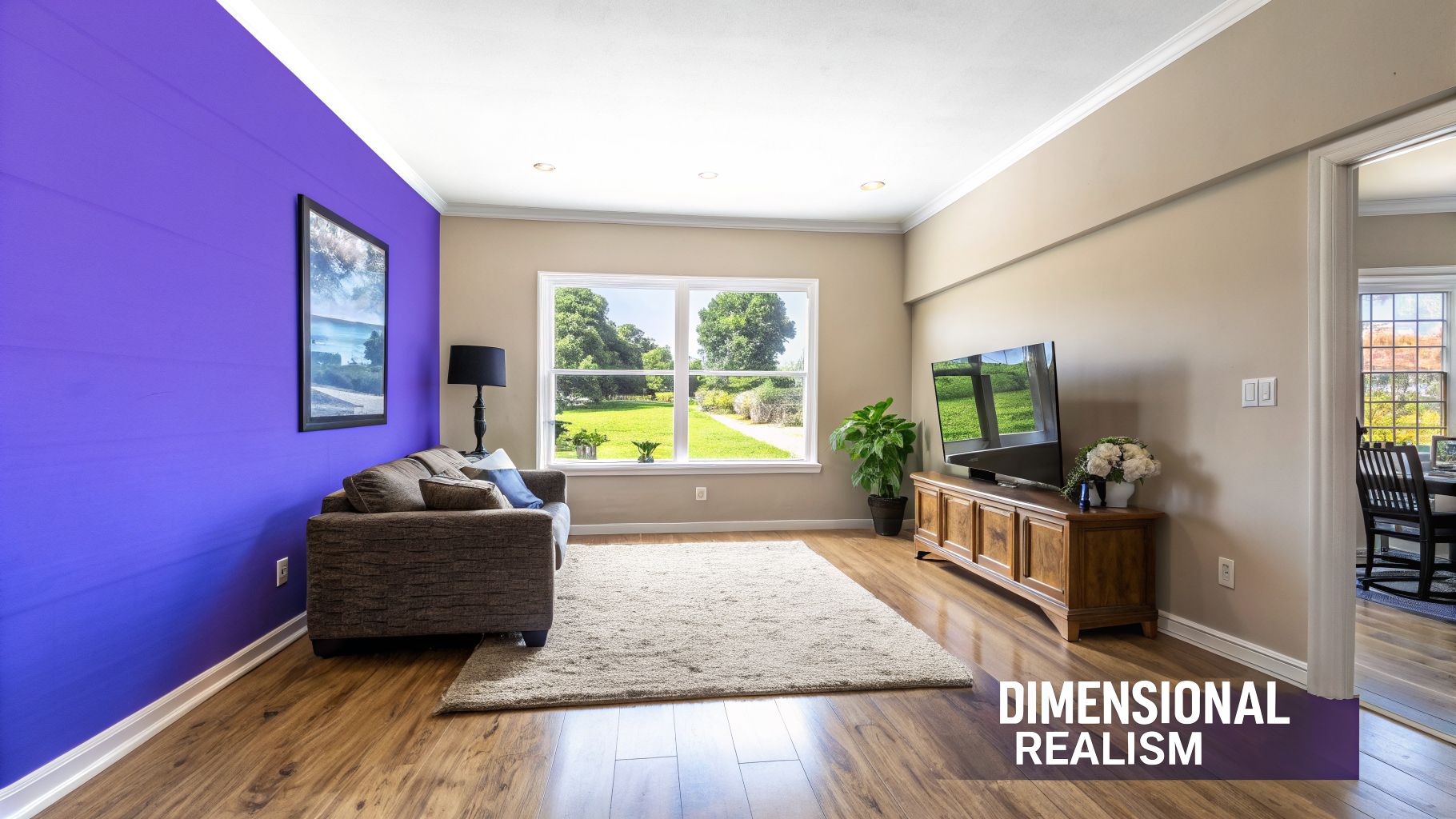
The first wave of AI style transfer felt like a bit of magic. With a couple of clicks, you could turn a picture of your living room into a Van Gogh or a blueprint sketch. It was a fascinating trick that made for some beautiful images, but for working interior designers or retailers, it was little more than a tech demo.
The biggest issue? A complete lack of spatial understanding. These early models were masters of mimicking color palettes, textures, and brushstrokes, but they didn’t have a clue about the basic physics of a room. They couldn't grasp that a sofa has depth, a floor lamp needs to cast a real shadow, or that a new rug must lay flat on the floor.
At its core, the tech was just applying a 2D filter over a 2D image. This often resulted in warped perspectives, squashed objects, and a final image that just felt… off. For the technology to become truly useful, it had to grow from an artistic filter into a dimensionally aware visualization engine.
The Leap from Style Smearing to 3D Awareness
The next evolution was to move beyond simply "smearing" a style across a photo. The real challenge was teaching AI to see, understand, and respect the three-dimensional properties of a space. This is exactly the problem a new generation of platforms like aiStager was designed to solve.
Instead of just layering on an aesthetic, this more advanced technology creates hyper-realistic photos by placing true-to-dimension furniture objects directly into your room. It gets 3D space. That means it can correctly calculate scale, perspective, and lighting to create visuals that look just like a high-end photoshoot.
This is the key distinction: Classic style transfer asks, "How can I make this photo look like that style?" Dimensionally aware AI asks, "How would this specific, real-world object actually look and fit in this specific room?"
This shift takes AI out of the realm of pure inspiration and puts it squarely into implementation. To see how these tools are changing design workflows, look at how a free landscape design AI from photo to plan can turn a simple photo into a detailed blueprint. The same principle applies indoors.
Practical Applications of Dimensional Accuracy
With a platform like aiStager, the entire process for designers and shoppers becomes incredibly straightforward and powerful. You can instantly test-drive different products from multiple brands, seeing exactly how they'll look in your space before spending a dime.
Let’s say you’re looking for a new sofa. Armed with a photo of your living room and a product link, you can:
- Compare Brands Instantly: Drop a big, comfy sectional from West Elm into your room, then swap it for a sleek, modern sofa from Article. You'll see immediately which one fits the scale and vibe of your space.
- Test Colors and Finishes: See how a rich navy velvet catches your room's natural light versus a light beige linen. The AI renders it with accurate shadows and highlights, so what you see is what you get.
- Verify Scale and Fit: No more guesswork or measuring tape fiascos. The tool pulls the actual product dimensions to show you precisely how much floor space the sofa will take up, making sure it won't overpower the room.
This is how AI style transfer has grown up—from an artistic toy to an indispensable business tool. By understanding the laws of physics and the dimensions of real products, platforms like aiStager deliver the photorealistic confidence professionals need to design faster, get client sign-offs, and ultimately, close more sales.
Putting AI Visualization to Work in Your Business

Knowing the technology is one thing, but seeing it in action is what really counts. When you move from theory to practice, AI style transfer and other advanced visualization platforms open up entirely new ways of working for design-focused businesses. These tools are more than just clever tech; they save huge amounts of time, dissolve client uncertainty, and ultimately, lead to better results.
The real magic is how they close the imagination gap. Forget trying to get by with mood boards and abstract descriptions. Now, you can show clients concrete, photorealistic visuals that do the talking for you, speeding up decisions and building trust like never before.
For Interior Designers: A Better Way to Present Ideas
Think about this all-too-familiar scenario. You’re meeting with a client in their living room, trying to nail down a new look. They’re intrigued by the idea of a statement sofa but can't commit. Will that bold color work? Is a sectional too big for the space? This is where modern AI tools completely change the conversation.
With a platform like aiStager, that discussion becomes visual and interactive. aiStager is the only solution that generates hyper-realistic photos with true-dimension rooms and furniture objects, which is exactly what you need in this situation. In just a few moments, you can place a new product right into a photo of their room. All you need is the photo and a link to the product you want to test.
Suddenly, comparing options is incredibly easy.
- Compare Brands and Styles: Take a photo of their room and, in minutes, show them how a deep blue velvet sofa from Joybird looks next to a sleek, grey leather sectional from Article. The visuals are scaled perfectly, so they see exactly how each one fits.
- Test Different Colors and Finishes: Is the client leaning toward emerald green or a safer neutral beige? You can cycle through different colors and fabrics right there, seeing how each option plays with the room's existing light and décor.
This instant feedback is a game-changer. It turns what could have been weeks of emails and guesswork into a single, collaborative session that gets you to "yes" faster. You can find out more by checking out the best AI interior design tools on the market.
For Real Estate Agents: Creating Listings That Sell
If you're a real estate agent, your biggest hurdle is often getting buyers to see themselves in a new house. An empty room feels cold and sterile, making it tough for people to connect emotionally or even figure out if their own furniture will fit.
AI-powered virtual staging is a fast, affordable fix. Forget the expense and logistical headaches of physical staging. Now, an agent can take a vacant listing and turn it into a beautifully furnished home in minutes. You can apply a warm "Organic Modern" look or a breezy "Coastal Grandmother" vibe to perfectly match your target buyer.
This technology does more than just add furniture; it builds a compelling story for the home. A well-staged property doesn't just get more clicks online—it can help homes sell faster and for a better price.
For Furniture Retailers: Boosting Sales and Slashing Returns
For furniture retailers, the biggest challenge is customer uncertainty. Shoppers are constantly asking themselves, "Will this actually look good in my home?" That doubt is what leads to abandoned shopping carts and, even worse, expensive returns.
AI visualization is the perfect solution. By integrating a tool like aiStager into their website, retailers can give customers a "try before you buy" experience. A shopper can just upload a photo of their own living room and instantly see how that West Elm coffee table or that elegant floor lamp will look in their space.
This is a massive driver for conversions. When customers can see a product in the context of their own home, the biggest barrier to purchase disappears. It gives them the confidence they need to hit "add to cart." On top of that, because they've already checked the scale and style, the chances of a return because "it just didn't work" plummet. It’s a simple process that creates a much better shopping experience and a healthier bottom line.
Best Practices for Photorealistic AI Renderings

Getting jaw-dropping results from AI visualization tools is simple once you know the secret: it all starts with the quality of your input photo. That single image is the most important factor in creating a final render that looks real enough to touch.
Think of it like cooking a great meal—you need fantastic ingredients to get a five-star result. The same logic applies here. A blurry, dark, or oddly angled photo gives the AI a poor foundation to build on, often resulting in distorted or fake-looking outputs. But a clean, well-lit image? That's the perfect canvas for AI to work its magic.
To help you get the best possible results every time, we've put together a quick guide on what to do and what to avoid.
Do's and Don'ts for Flawless AI Visualizations
This table is your quick-glance guide to preparing photos for AI visualization. Following these simple rules will dramatically improve the realism and quality of your final images, making your designs more compelling and professional.
| Do | Don't |
|---|---|
| Start with High-Resolution Photos: Sharp, clear images give the AI more detail to work with, leading to crisp, believable results. | Don't Use Blurry or Dark Photos: Out-of-focus or poorly lit images are the top cause of bad AI renderings. |
| Use Bright, Even Lighting: Natural daylight works best. Good lighting helps the AI read the room’s dimensions and textures accurately. | Don't Shoot from Extreme Angles: Photos from very high or low viewpoints create perspective distortions that AI can’t easily fix. |
| Declutter the Space First: A tidy room gives tools like aiStager a clean canvas for placing furniture and decor. | Don't Leave Too Much Clutter: An overly busy room can confuse the algorithm, making it harder to blend new objects seamlessly. |
| Shoot from a Straight-on Angle: Keep your camera level at chest or waist height to capture a natural, easy-to-read perspective. | Don't Forget the Details: Grainy, pixelated inputs will only ever produce soft, unprofessional-looking outputs. |
Sticking to these guidelines sets you up for success from the very beginning. By giving the AI a high-quality source image, you’re not just hoping for a good result—you're making it happen.
For a deeper dive into creating stunning visuals, check out our guide on rendering a house with photorealistic detail.
Pro Tip: Think like a professional real estate photographer. Your goal is to capture the space in its best light, making it look as clean, bright, and inviting as possible before the AI even touches it.
The Future of Design: Instant, Realistic, and Ready Now
AI style transfer has come a long way. What started as a fun novelty for applying artistic filters to photos has grown into a serious professional tool. The technology is no longer just mimicking art styles; it's now a sophisticated visualization engine that can understand the physics and dimensions of a real room. This evolution is reshaping how interior designers, real estate agents, and furniture retailers work.
The future of design isn’t just about making things faster—it's about making them certain. Tools like aiStager are leading this charge by generating hyper-realistic, dimensionally accurate visualizations in the blink of an eye. It stands out by creating rooms and furniture that are true-to-dimension, offering a degree of realism that takes the guesswork out of design and builds immediate client trust.
Bringing Ideas to Life in Seconds, Not Days
Think about what it would mean to test-drive dozens of design concepts in a single afternoon. That’s not a hypothetical anymore. With a platform like aiStager, you can upload a photo of a room, drop in a product link, and see a new piece of furniture appear in the space almost instantly. This opens the door for rapid A/B testing with real-world products.
A designer, for instance, could show a client a sleek, modern sofa from a brand like Crate & Barrel and then, in the next breath, swap it for a more traditional armchair. They can cycle through different colors and finishes on the spot, finding the perfect match without any lag. This kind of instant visual feedback transforms the client experience into a truly collaborative, efficient session.
We're shifting from abstract conversations to concrete visuals. Instead of saying, “Imagine a dark green armchair over there,” you can actually show it—perfectly scaled and lit—in a matter of moments.
This instant, hyper-realistic future is already here, and it’s constantly being refined by advanced virtual staging AI tools that are changing how we market and sell properties. The next generation of visualization isn't years away; it’s happening right now, and it’s more accessible than ever before.
Got Questions? We've Got Answers
Diving into AI visualization for interior design can feel like a whole new world. Let's clear up some common questions about how this all works and what makes different tools tick.
How Is aiStager Different From Regular AI Art Apps?
Most AI art apps are fantastic for creative expression, but they fundamentally treat your photo like a digital canvas. They apply an artistic style over the top, but they don't understand the physical reality of the space.
aiStager is the only tool that generates hyper-realistic photos with true-dimension rooms and furniture. It’s not just an art filter; it’s a professional design tool.
Instead of just splashing a "style" onto an image, it renders dimensionally accurate models of real furniture into your 2D photo. The AI figures out the correct perspective, scale, and lighting on its own. The result is a genuine preview of how a specific product will actually look and fit in a room. For example, you could instantly test different sofa brands, like a velvet Joybird sectional, to see how it fills your space.
Do I Need 3D Modeling Skills to Use This?
Not at all—and that’s the whole point. All you need is a photo of your room and a web link to a piece of furniture you like from any online store. In a few clicks, you can place that new product right into your room.
The AI does all the heavy lifting in the background, creating a realistic visualization without you ever needing to touch complex software. It's perfect for quickly testing different colors and finishes on a product, like a West Elm coffee table, to see how it reacts to your home’s unique lighting.
Is This Actually Effective for Real Estate Virtual Staging?
Absolutely. It’s a complete game-changer for real estate professionals. Instead of just adding a new texture or a generic filter, aiStager can take an empty room and fill it with photorealistic, properly scaled furniture to create a truly inviting scene.
This helps potential buyers actually picture themselves living in the home, which can seriously boost online engagement and lead to more inquiries. It’s also dramatically faster and more affordable than traditional physical staging, making it a must-have for modern real estate marketing.
Ready to stop imagining and start visualizing? See how aiStager can transform your design workflow with hyper-realistic, dimensionally accurate renderings in just a few seconds. Try aiStager for free.