Master Architectural Perspective Drawing with AI
Learn architectural perspective drawing from basics to hyper-realistic AI visuals for interior design & real estate with aiStager.
You know the moment. A client is staring at an empty room photo, and you can tell they are trying to be polite.
They nod. They say they “see the vision.” But they do not really see it. They do not know whether the sectional will crowd the window, whether the dining chairs will feel cramped, or whether the finish you selected will warm up the room or flatten it.
That gap between your idea and their understanding is where projects stall.
Architectural perspective drawing exists to close that gap. It turns a flat surface into a believable space. It helps a broker market an empty listing, an interior designer explain a concept, and a furniture retailer show how a real product might sit inside a real room. When the perspective is wrong, trust drops fast. A room can look larger than it is. A sofa can look undersized. A beautiful idea can suddenly feel risky.
That is why this skill has survived for centuries. The roots of architectural perspective drawing reach back to the late 12th century, when Richard of St Victor created novel multi-view representations of buildings. These ancient images remain legible today, showing how powerfully clear perspective can communicate space and helping shift architecture from ad-hoc construction toward intellectual abstraction, as described in Aeon’s history of architectural drawing.
If you work on interiors, leasing, staging, or residential design, this is not just drawing theory. It is a practical communication tool. Even when you are browsing inspiration such as small office layout ideas from Tanger's Furniture, you are already judging perspective without thinking about it. You are asking whether the layout feels proportionate, whether circulation looks believable, and whether the room reads as usable.
The tools have changed. The core problem has not. You still need to show space accurately.
Why Accurate Perspective Is Your Most Powerful Tool
A blank room is hard to sell.
So is a strong design idea that only lives in your head.
When visuals help and when they hurt
A real estate agent might photograph a clean but empty condo living room. The room is tidy, bright, and technically well shot. Yet buyers scroll past it because they cannot tell how a sofa and rug would fit.
An interior designer faces a different version of the same problem. You may know that a low, well-proportioned sofa in a warm ivory fabric will balance a narrow room better than a bulky recliner. But if the rendering cheats the angles or stretches the walls, the client reacts to the distortion, not the idea.
That is why accurate perspective builds trust. It gives people a believable sense of:
- Scale: How large the room feels relative to furnishings
- Fit: Whether circulation, seating, and storage seem workable
- Depth: How far walls, windows, and focal points recede
- Confidence: Whether the image feels honest enough to support a decision
This is old craft with modern stakes
Architectural perspective drawing was never only about making pretty images. It became a working language for describing three-dimensional space with clarity. That mattered centuries ago for builders and patrons. It still matters now for clients, buyers, and teams who need to approve a concept quickly.
Key takeaway: A “good enough” image can do more damage than a simple one. If the space feels off, viewers stop trusting everything else in the presentation.
Why professionals keep returning to perspective
You do not need to be a trained illustrator to benefit from these principles. You only need to understand what makes a room image feel believable.
That understanding helps whether you sketch by hand, mark up a photo, build in CAD, or evaluate a staged interior image for a listing. Once you know what correct perspective looks like, you can spot the difference immediately.
Understanding the Fundamentals of Perspective
The simplest way to understand perspective is to think about standing on a long straight road.
The edges of the road are parallel in real life. But to your eyes, they seem to move toward each other in the distance. They appear to meet at a single point. That visual effect is the basis of architectural perspective drawing.
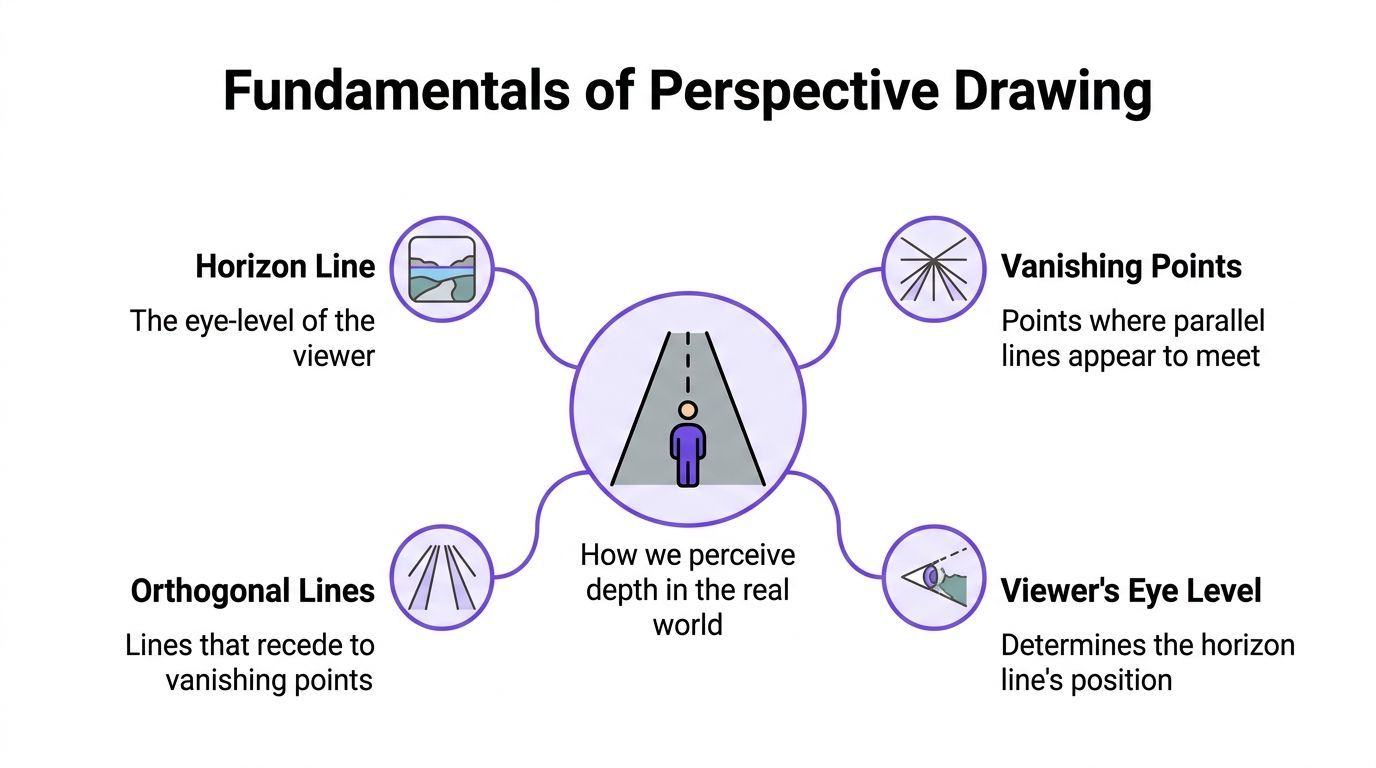
The four ideas that matter most
Horizon line
This is your eye level. Not the top of the page. Not the floor line. Your eye level.
If you are standing, the horizon line sits higher. If you are seated, it drops. In an interior, changing the horizon line changes how dominant the ceiling, furniture tops, and floor plane feel.
Vanishing point
This is the point where sets of parallel lines appear to meet as they move away from you.
A hallway viewed straight on often has one obvious vanishing point. A room corner usually creates two. Looking up at a tall facade introduces a third.
Orthogonal lines
These are the receding lines that head toward a vanishing point. Think of ceiling edges, floorboards, countertop runs, or the top and bottom edges of a cabinet.
Viewer position
Your location determines everything. Move to one side of a room and the angles change. Raise your eye level and you see less floor. Lower it and the furniture feels taller.
Why these rules became so important
In 1435, Leon Battista Alberti codified linear perspective into the first geometric system with a central vanishing point. His rules turned flat drawings into optically convincing 3D visuals, and by the 1800s engraved perspectives in books and magazines were already helping popularize unbuilt designs as marketing tools, according to the Heinz Nixdorf MuseumsForum overview of perspective.
That is the fundamental shift. Perspective gave designers a repeatable method, not just intuition.
A quick room example
Take a living room wall with a fireplace centered on it.
If you stand directly in front of that wall, the horizontal lines on the mantel and ceiling may appear to move toward one vanishing point. If you shift toward a corner, those same lines split toward two different vanishing points. The room has not changed. Your viewpoint has.
If you want a practical room-by-room explanation, this guide on how to draw a 3 d room is a useful companion.
Practical tip: If a room image feels strangely tilted or stretched, check eye level first. Many perspective problems start there, not with the furniture.
Exploring the Three Main Types of Perspective Drawing
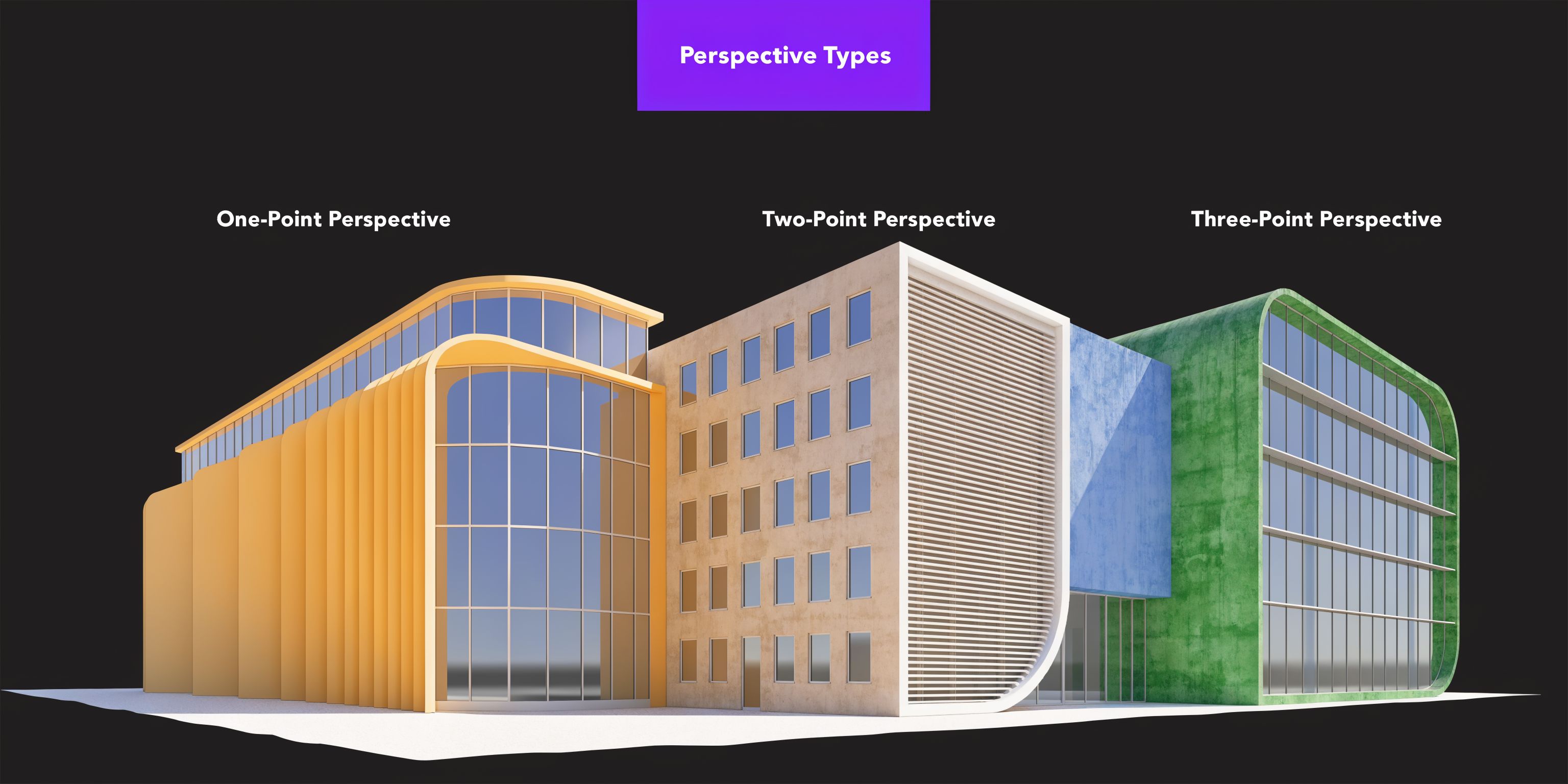
Most interior and architectural visuals rely on three perspective families. Once you can identify them, you can choose the right one for the story you want the image to tell.
One-point perspective
This is the easiest to recognize. You are facing a surface directly, and the lines that move away from you converge to one vanishing point.
A hotel corridor is the classic example. So is a bedroom view where you are standing squarely in front of the bed wall.
One-point perspective works well when you want clarity and symmetry. It is useful for:
- Hallways and corridors: The depth reads immediately
- Straight-on room views: Good for cabinetry walls, fireplace walls, or built-ins
- Retail displays: Useful when products are presented frontally
It is less useful when you need to show the side faces of furniture or explain the shape of a room corner.
Two-point perspective
This is the workhorse of architectural perspective drawing for interiors.
When you look at the corner of a room, the lines on the left side head toward one vanishing point, and the lines on the right side head toward another. This creates a fuller sense of volume than a straight-on view.
Think of a living room corner with a sofa on one wall and a media unit on the other. Two-point perspective lets the viewer understand both planes at once.
A key technical rule matters here. In 2-point perspective, the two vanishing points should reflect a human field of view of 40° to 60°. Going beyond that can create distortion, making objects fall outside a realistic cone of vision and causing a room or object to feel misleadingly stretched, as explained in this guide from Sketch Like an Architect.
That matters in product visualization. A 3m sofa can look believable in a room render only if the perspective respects those limits.
Three-point perspective
This view adds a vertical vanishing point.
You use it when looking up at a building, down from a mezzanine, or from any high or low angle where vertical lines no longer stay visually parallel. This creates drama and a stronger sense of height.
In interiors, three-point perspective can help with:
- Double-height spaces
- Lofts and stair halls
- Views from above into open-plan rooms
- Exterior shots of multi-story buildings
The tradeoff is complexity. If your vertical convergence is wrong, the image can feel like it is falling over.
Choosing based on the job
| Perspective Type | Best For | Common Use Case |
|---|---|---|
| One-point | Straight-on clarity | Hallway, bed wall, fireplace wall |
| Two-point | Showing room volume | Living room corner, kitchen corner, office interior |
| Three-point | Height and drama | Tall facade, atrium, mezzanine view |
If you want more interior-focused examples, this set of perspective drawings of bedrooms shows how these choices affect room presentation.
A short visual walkthrough can also help before you draw your own setup:
A quick product example
Say you are testing a sofa for a compact family room. A straight-on one-point view may show the media wall well, but it will not explain how the sofa projects into the room. A two-point view from the corner is usually better because the client can read both wall lengths and the furniture footprint in one glance.
That is why many staging images fail. They use a visually dramatic angle when a decision-making angle would have been more helpful.
Common Drawing Mistakes and How to Avoid Them
Most perspective mistakes are not dramatic. They are subtle. The room just feels wrong.
A chair looks slightly too tall. The coffee table feels like it is sliding uphill. A window trim line misses the direction of everything around it. Viewers may not know the technical problem, but they feel it immediately.
Mistake one: mixing vanishing directions
This happens when some edges aim to one vanishing point and nearby edges aim somewhere else.
A common example is a console table that does not match the wall behind it. The tabletop seems to recede at a different angle than the baseboard line. Even if the rendering is polished, the mismatch breaks the illusion.
Fix: Pick the governing vanishing points early. Then check every major horizontal edge against them before adding texture and styling.
Mistake two: using a view that is too wide
Small spaces tempt people to push the angle wider so everything fits. That often causes distortion.
An underserved challenge in perspective work is drawing constrained spaces such as tiny homes and tight rooms. A 2025 SketchUp user survey found that 55% of interior designers report perspective inaccuracies in tight spaces, leading to 25% higher client revisions, as cited in this discussion of distortion and field of view at Handprint.
When a bathroom vanity looks stretched or a galley kitchen feels much deeper than it is, the issue is often the field of view.
Fix: Pull the viewpoint back when possible, crop more intelligently, or choose a less aggressive composition. If you cannot change the photo position, be careful not to exaggerate furniture scale to “fill” the frame.
Mistake three: forgetting eye level
Eye level controls what the viewer sees above and below.
If your horizon is too high, low furniture can flatten out. If it is too low, casegoods and seating may feel oddly towering. This is especially noticeable with dining chairs, kitchen islands, and bed heights.
Tip: Draw or identify the horizon line before you worry about decor. Perspective errors at the structure level cannot be fixed with better pillows, lighting, or styling.
Mistake four: over-detailing too early
Designers often rush to fabric textures, shadow edges, and trim profiles before the framework is stable.
That is how you end up with a beautifully rendered lamp sitting on a side table that is not aligned with the room. Save the finish decisions for later.
Try this sequence:
- Block major planes: Walls, floor, ceiling, and main furniture masses
- Check alignment: Make sure key horizontals return to the correct vanishing points
- Confirm proportions: Door heights, window heads, sofa seat height
- Add secondary elements: Lighting, art, accessories
- Refine materials: Fabric, wood grain, metal finish, shadow softness
A perspective drawing can be loose and still be convincing. It cannot be detailed and inaccurate.
Comparing Traditional and Digital Drawing Workflows
Perspective has always asked for two things at once. Precision and speed.
That is a difficult pair.
Traditional hand drawing
Pencil, trace paper, straightedges, and patience still teach perspective better than almost anything else. Hand drawing trains your eye to see alignment, proportion, and depth. It also forces you to understand why a line goes where it goes.
The drawback is time. Revising a room angle, changing a furniture piece, or testing several finish combinations can become slow work. If a client wants to compare a camel leather sofa against a cream bouclé version, the redraw is not trivial.
First-generation digital workflows
CAD and 3D modeling tools solved many precision problems. They let teams build a space, place objects, and generate views with reliable geometry.
They also created new barriers. Many professionals know the feeling. You can get accurate output, but only after modeling the room, sourcing assets, matching materials, setting cameras, tuning lights, and rendering revisions. That process is powerful, but it is not lightweight.
Where each workflow helps
| Workflow | Strength | Limitation |
|---|---|---|
| Hand drawing | Sharpens spatial judgment | Slow to revise and hard to scale |
| CAD and 3D modeling | High control and measurable geometry | Steep setup time and technical overhead |
| Photo-based visualization tools | Fast concept testing in a real room context | Depends on strong source imagery and tool quality |
The practical question is not which method is morally superior. It is which method fits the job.
If you are developing your eye, sketching still matters. If you are coordinating technical documentation, modeling still matters. If you need to test product options quickly in a photographed room, a lighter workflow is often more useful than either extreme.
The Modern Workflow Hyper-Realistic Renders with aiStager
Most professionals do not struggle because they lack taste. They struggle because translating taste into a believable room visual takes too many steps.
That is where a modern workflow changes the day-to-day process.
What changed
You no longer have to choose between a rough idea and a full 3D production pipeline.
A photo-based workflow can start with the room as it exists, not with a model you have to rebuild from scratch. For a design professional, that means you can spend less time constructing geometry and more time comparing actual product choices.
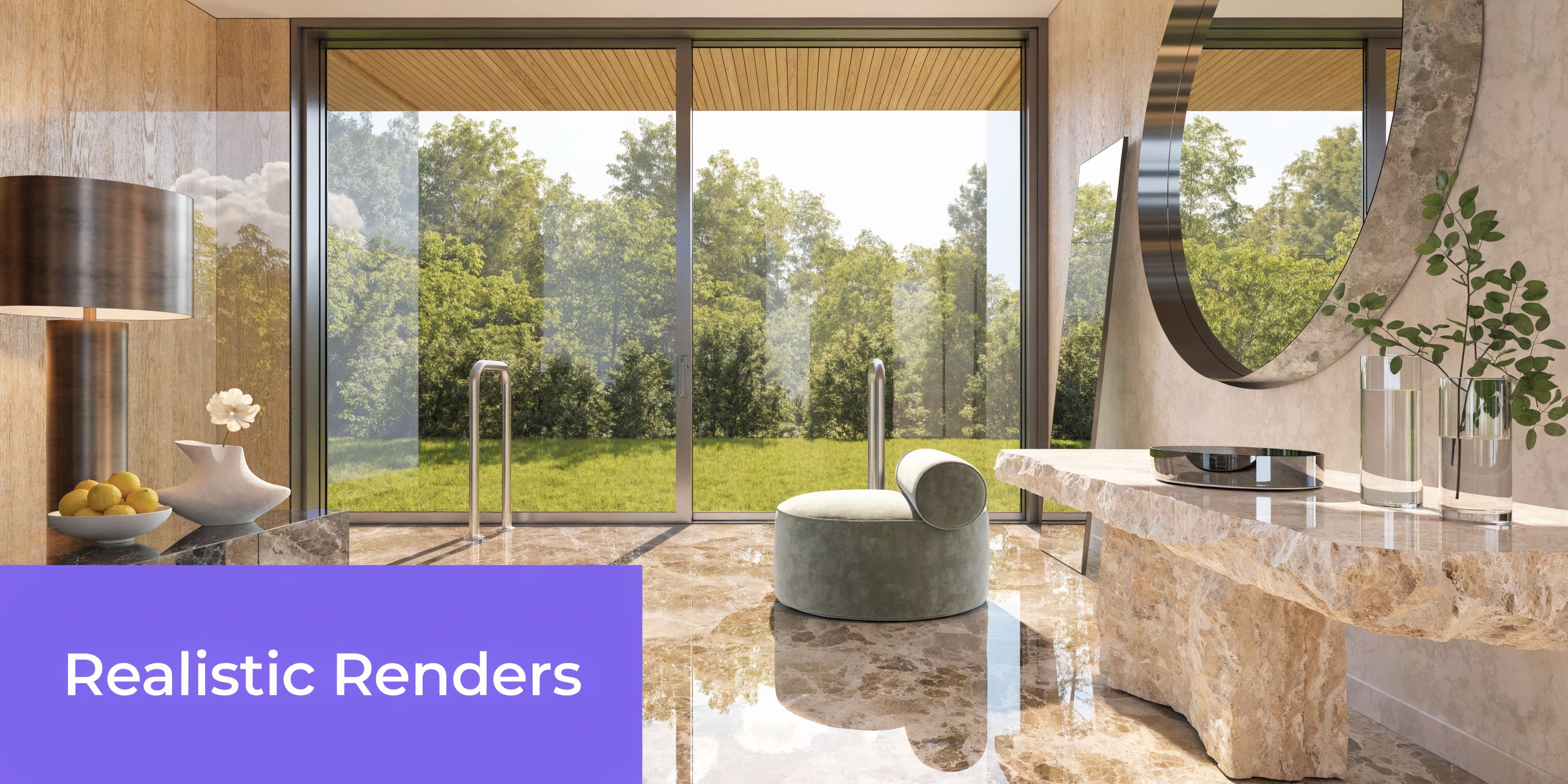
One current option is aiStager, which works from a room photo and a product URL, pulling the product imagery and dimensions to render it into the photographed space at true scale. That makes it practical to test the same item in different colors and finishes, or compare similar products from different brands without rebuilding the room each time.
Why perspective accuracy matters in that workflow
Three-point perspective is often the hardest to get right manually, especially in tall spaces or dramatic architectural views. Accurate 3-point views can improve client comprehension by up to 50% over flat orthographic views, according to the source material tied to this perspective explanation on YouTube. That matters because people approve what they understand.
For interiors, the same principle applies even when the view is less dramatic. If verticals, scale, and occlusion are handled correctly, a furniture test feels credible instead of speculative.
Everyday use cases
A few examples make this easier to picture:
- Real estate staging: Upload a photo of an empty living room. Test an Article sofa, then switch to a Crate & Barrel sofa with a different silhouette.
- Interior design proposals: Compare a walnut coffee table against a black oak finish in the same room view.
- Retail and shopper visualization: Show how one dining chair style reads in a breakfast nook before the customer commits.
- Finish exploration: Keep the room fixed while you swap boucle, linen, leather, matte black, brass, or natural oak options.
Many client conversations are not about whether they like a style. Instead, they focus on whether they believe it fits.
Practical takeaway: The fastest workflow is not the one with the fewest clicks. It is the one that preserves proportion, perspective, and product realism without forcing you to rebuild the room.
Why this is useful for product comparison
Consider a compact US living room with white walls, medium-tone floors, and a low window line. You want to test two sofa directions. One is a cleaner contemporary shape from Article. The other is a deeper, more traditional form from Pottery Barn.
The useful question is not which sofa is prettier in isolation. It is which one fits the room, leaves enough passage space, and feels balanced under the window. A photo-based perspective workflow lets you compare those options in the same image context. You can then swap upholstery color or leg finish without losing the room geometry.
That is where centuries-old perspective principles and current AI tools finally meet in a practical way. The theory is the same. The friction is lower.
Conclusion Putting Perspective to Work for You
Architectural perspective drawing started as a way to make space understandable. That is still its job.
If you design interiors, market listings, sell furniture, or review proposals, you do not need perspective because it is artistic. You need it because decisions depend on believable space. People say yes faster when they can judge scale, depth, and fit with confidence.
The fundamentals remain simple. Eye level matters. Vanishing points matter. The choice between one-point, two-point, and three-point views changes what the viewer understands. Most frustrating room visuals fail for the same old reasons. Distortion, inconsistent alignment, and unclear proportions.
The modern advantage is not that we can ignore those rules. It is that better tools can apply them more efficiently.
Hand drawing still teaches judgment. CAD still supports full control. But when the job is to test real products in a real room quickly, the strongest workflow is often the one that preserves the geometry while removing the setup burden.
Use perspective as a business tool. Use it to explain, not decorate. Use it to help clients trust what they are seeing.
If you want to test true-to-scale furniture in an actual room photo, compare products from real brands, and preview different colors or finishes without rebuilding the scene, try aiStager. It gives design, retail, and real estate teams a faster way to turn perspective into something clients can act on.