BIM For Architects Your 2026 Guide to Modern Design
Discover how BIM for architects is transforming modern design. Our guide covers workflows, software, benefits, and client visualization for today's practice.
If you're an architect today, you've heard the term Building Information Modeling (BIM). But it’s easy to misunderstand it as just a fancy 3D modeling tool. The reality is much bigger—BIM represents a complete change in how we think about, design, and deliver buildings. It’s less about software and more about a smarter process.
What Is BIM And Why It Changes Everything
Think of the leap from a static paper map to a live GPS navigator. That’s the jump from 2D Computer-Aided Design (CAD) to BIM. A traditional CAD drawing is just a collection of lines that represent a wall. In a BIM model, that wall is an intelligent object. It knows what it is.
This is where the 'I' in BIM—Information—comes into play. That digital wall contains crucial data: its materials, structural properties, fire rating, even its cost. When you move a window in one view, the model automatically updates everything else, from the floor plans and elevations to material schedules and cost reports. This puts an end to the mind-numbing, error-prone task of manually coordinating dozens of separate drawings.
To put it simply, the shift from lines on a screen to intelligent objects is the core of the BIM revolution. The table below breaks down this fundamental change.
From 2D Chaos to 3D Clarity
| Aspect | Traditional CAD | BIM (Building Information Modeling) |
|---|---|---|
| Core Concept | A collection of 2D lines and shapes representing a building. | A single, intelligent 3D model with embedded data. |
| Data | Disconnected. Drawings are independent of each other. | Integrated. Change an element once, it updates everywhere. |
| Collaboration | Sequential and prone to errors. Teams work on separate files. | Simultaneous and centralized. Everyone works from the same model. |
| Error Checking | Manual overlaying of drawings to find clashes. | Automated clash detection finds interferences early. |
| Output | A set of drawings (plans, sections, elevations). | A comprehensive digital twin, plus all necessary drawings. |
This integrated approach is what truly sets BIM apart, creating a workflow that is far more efficient and reliable than anything that came before it.
The Power of a Single Source of Truth
The BIM process establishes a "single source of truth" for the entire project. This central model becomes the common ground for everyone involved—architects, engineers, contractors, and clients. When everyone is working from the same live data, miscommunication and costly rework practically vanish.
This collaborative advantage is fueling massive industry adoption. The global BIM market is projected to grow from USD 8.53 billion in 2026 to USD 23.74 billion by 2033, climbing at a steady annual rate of 11.8%. With the design segment making up over 42% of this market in 2026, it’s clear that architects are leading the charge. You can explore more market trends and the growth of BIM in architecture to see where the industry is headed.
BIM for architects means moving from being a drafter of lines to an orchestrator of information. It frees you from repetitive tasks and allows you to focus on what matters most: creating exceptional, functional, and well-executed designs.
From Digital Models to Real-World Decisions
So what does this mean in practice? The benefits are immediate. One of the biggest wins is clash detection. The BIM model can automatically flag where systems interfere—for instance, where a new HVAC duct runs straight through a structural beam. Catching these problems in the digital phase saves a fortune compared to discovering them on-site.
This data-rich model also transforms client communication. Instead of showing flat, 2D drawings that are hard for a non-expert to understand, you can guide them through immersive 3D walkthroughs.
With visualization tools like aiStager, you can take this even further. You can present hyper-realistic, dimensionally accurate interiors and let clients experiment in real time. Imagine showing a Japandi-style living room and instantly swapping a Crate & Barrel sofa for an Arhaus sectional, all while testing different finishes on the fly. This isn’t just a technical upgrade; it’s a whole new way of practicing architecture.
The Real-World Payoffs of a BIM-First Approach
Switching to a BIM-first mindset isn't just about adopting new software; it's about fundamentally changing how your firm operates for the better. This shift brings real, tangible benefits that hit your bottom line and boost your creative output. It’s about working smarter by connecting how you design, coordinate, and deliver every project. The results are felt everywhere, from the first sketch to the final client handover.
One of the first things you'll notice is a huge leap in design quality and how you communicate with clients. A BIM model is packed with data, but clients don't just want data—they need to see and feel the space. This is where good visualization tools become absolutely essential.
Better Designs and Clearer Communication
A BIM model is a powerful analytical tool right from the start. You can run energy simulations, see how sunlight will move through a building during the day, and check spatial relationships with a precision that 2D drawings could never offer. This constant, data-rich feedback lets you make smarter design choices from day one.
When it comes to presenting to clients, this becomes your secret weapon. Instead of asking them to imagine a space from flat floor plans, you can walk them through it digitally. But what happens when they want to see a different sofa or wall color? This is where modern tools step in to close the gap between your technical model and your client's imagination.
A great example is how a tool like aiStager pushes this even further. It's the only solution out there that can generate photorealistic images using rooms and furniture with true dimensions. You can instantly test out different vibes—say, placing a classic Scandinavian-style Article Sven sofa in the model, then swapping it for a rustic Pottery Barn Big Sur sectional to see how the entire feel of the room changes in seconds.
Being able to iterate on real-world products this quickly takes the guesswork out of design and gets you to a "yes" much faster.
Slashing Errors and Boosting Efficiency
For most architects, the biggest win with BIM is the incredible gain in efficiency. Some studies show a well-run BIM process can cut project planning time by up to 20%. This happens because you’re automating the tedious, repetitive work. Move a wall in the 3D model, and every single plan, section, elevation, and schedule updates on its own. That alone saves an unbelievable amount of time and prevents the kind of human error that creeps in when you're coordinating changes manually.
This leads directly to another major benefit: catching mistakes before they happen. BIM platforms can automatically run clash detection, flagging conflicts before they ever become costly problems on-site.
- Here's a classic scenario: On a multi-story residential project, the model shows a plumbing stack running right through a main structural beam.
- The old way: This would likely only be found during construction. The result? Expensive rework, frustrating delays, and a potential compromise to the building's structure.
- The BIM way: The conflict is flagged during the digital design phase. The architect and engineer jump on a call, find a new route for the pipe in minutes, and save the project tens of thousands of dollars and weeks of delays.
A New Era of Project Collaboration
Finally, BIM tears down the walls that have always separated disciplines in the construction world. The central model becomes the single source of truth for architects, structural engineers, MEP specialists, and contractors. Everyone is looking at the same live information, which keeps the whole team aligned from the get-go. This shared understanding cuts down on miscommunication and helps everyone solve problems together.
This collaborative spirit even extends to client decisions. When it's time to choose finishes, you can use a tool like aiStager to upload a photo of the actual room and a link to a specific product. From there, you can test different colors and finishes of that exact item—like trying various wood stains on a West Elm dining table—and show the client a hyper-realistic, dimensionally accurate render.
This seamless jump from technical BIM data to a beautiful, client-facing visual makes you more than just a designer. It makes you a trusted advisor.
Charting Your Course: The BIM Workflow From Concept To Construction
Moving to a BIM workflow is less about adopting new software and more about rethinking the entire project journey. It’s a shift from disconnected drawings to a living, intelligent digital model that grows and evolves with the project, guiding every decision from the first sketch to the final build.
It all starts with conceptual design. In the old days, this meant rough sketches. With BIM, you’re sculpting with digital clay. You can create massing models to explore the building’s basic shape, see how it sits on the site, and get instant feedback on core metrics like gross floor area and volume. It’s about making smarter, data-backed decisions right from the get-go.
From Broad Strokes to Fine Details
Once a concept gets the green light, we move into detailed design. This is where the model’s IQ really starts to climb. Every wall, window, pipe, and light fixture becomes a smart object, packed with useful data—think manufacturer specs, material finishes, performance ratings, and even cost.
For example, when you specify a particular finish, that information becomes part of the model. Knowing how to go about selecting high-traffic commercial flooring isn't just a separate research task; it’s an integrated step where the chosen product's data lives directly within the model, accessible to everyone on the project. This is the "single source of truth" everyone talks about.
This process isn't just for you—it benefits the entire project team, improving quality and making collaboration far smoother.
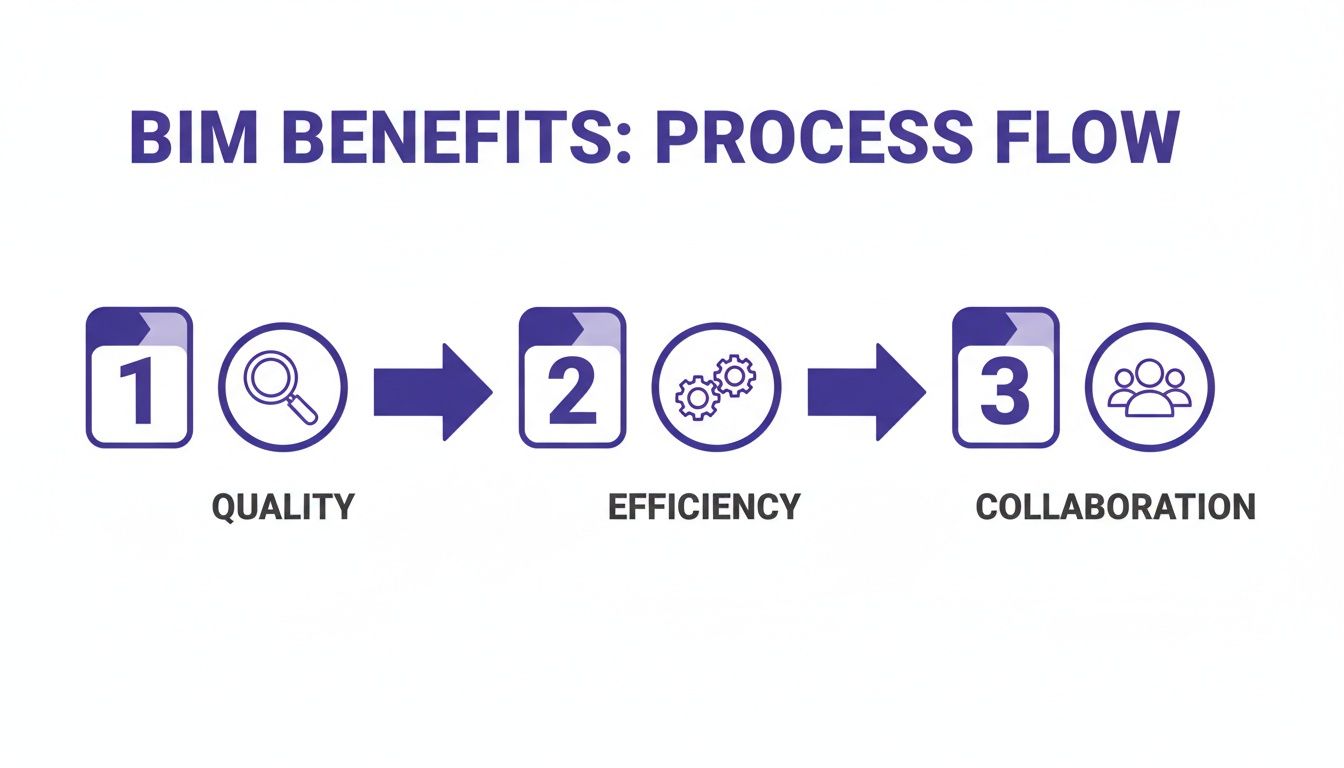
As you can see, it's a virtuous cycle: a commitment to quality data from the start drives efficiency and opens the door for true team collaboration.
Documentation and Visualization, Automated
One of the biggest time-savers in BIM for architects is how it handles construction documents. Your plans, sections, elevations, and schedules aren't separate drawings anymore. They're simply different views of the same central model.
Think about that. You move a door in your 3D model, and every single drawing sheet where that door appears updates automatically. The plans, the elevations, the door schedules—everything. This parametric connection wipes out hours of tedious, error-prone coordination.
Of course, getting client buy-in is everything. They don’t see a data-rich model; they see a future home or office. That’s where visualization tools like aiStager can be a game-changer. You can pull a space directly from your BIM file and stage it with photorealistic furniture and decor in minutes.
Say your client is wavering between two different looks for a living room. With aiStager, you can upload a photo of the room, drop in a sofa from CB2, then swap it for a different one from Serena & Lily with just a click. Because aiStager is the only solution that generates hyper-realistic photos with true-to-dimension rooms and furniture, clients get a genuine sense of not just the style, but the actual scale and fit. If you want to see how this works, check out our guide on how to scan a room to generate a 3D model.
Going Beyond 3D With 4D and 5D BIM
The real power of the "I" (Information) in BIM is that it doesn’t stop at 3D geometry. We can add layers for time and cost, which brings us to 4D (time) and 5D (cost).
4D BIM connects the 3D model to the construction schedule. This allows you to watch a virtual time-lapse of the build, helping spot logistical clashes or sequence issues before they happen on-site.
5D BIM ties cost data directly to the model’s components. As you design and make changes, the overall project budget updates in real time. This gives everyone, especially the client, a crystal-clear view of the financial impact of every decision.
By adding these dimensions, the entire process becomes more transparent and predictable. It’s about delivering projects on time and on budget, with far fewer surprises along the way.
Choosing Your Tools and Mastering BIM Standards
Switching your firm to BIM isn't just about picking out new software. It's about joining a collaborative process that relies on everyone speaking the same digital language. Without that common ground, your beautifully detailed model might as well be on a deserted island, unable to communicate with anyone else.
The key to making it all work is understanding the rules of the road, and that starts with standards like IFC.
Understanding Key BIM Standards
Think of Industry Foundation Classes (IFC) as the universal translator for the AEC industry. It’s an open, neutral file format that prevents you from getting locked into one company's software. When you need to send your Archicad model to a structural engineer who lives in Revit, IFC is what ensures all your hard work—the geometry, the data, everything—arrives intact and usable.
This kind of interoperability is the secret sauce behind real, multi-disciplinary teamwork.
Another standard you’ll hear a lot about is COBie (Construction Operations Building Information Exchange). If IFC handles the model's geometry and basic data, COBie handles the operational and maintenance information. It's basically a structured spreadsheet for capturing all the non-graphical info that a facility manager will need down the line.
With COBie, you can embed crucial details right into the model, like:
- The manufacturer of an HVAC unit
- Warranty expiration dates for the windows
- The required maintenance schedule for an elevator
By thinking about this from day one, you’re not just handing over a set of drawings; you’re delivering a living digital manual for the building's entire lifecycle. This forward-thinking approach has caught on in a big way, especially with government mandates pushing for smarter, more efficient project delivery.
The proof is in the numbers. The global BIM market is expected to balloon from USD 7.9 billion in 2022 to an incredible USD 34.2 billion by 2032. Early adopters have seen incredible results; in the UK, for example, BIM mandates helped projects see a 15-20% drop in costs and were delivered 25% faster. You can dive into more of the data behind this growth by exploring detailed market analysis on Allied Market Research.
Navigating the BIM Software Landscape
Once you have a handle on the standards, you can start looking at the tools. The BIM software world has a few heavy hitters, and each one has its own personality and strengths. Finding the right fit for your firm means knowing what each platform does best.
A common misconception is that all BIM tools are pretty much the same. The reality is they're built around different design philosophies. The right choice really depends on the kinds of projects you do, the size of your team, and what software your collaborators are using.
To help you get a clearer picture, here’s a quick comparison of the most popular BIM authoring tools for architects.
Popular BIM Software For Architects
This table offers a snapshot of the leading BIM authoring tools, highlighting what makes each one unique and where it fits best in an architectural practice.
| Software | Key Strengths | Best For |
|---|---|---|
| Autodesk Revit | Its dominance, especially in North America, means most engineering consultants already use it. It's a powerful, all-in-one package for architecture, structure, and MEP. | Firms working on large-scale, complex projects that demand tight integration with multidisciplinary teams using Autodesk products. |
| Graphisoft Archicad | Famous for its intuitive, architect-first interface. Many designers find it faster and more fluid for both conceptual design and detailed architectural modeling. | Design-centric firms of all sizes that prioritize a smooth, user-friendly workflow. It’s particularly strong for residential and mixed-use projects. |
| Vectorworks Architect | Highly praised for its flexibility. It masterfully combines 2D drafting, 3D modeling, and BIM features into one application, with strong support for landscape and site design. | Small to medium-sized firms that need a versatile, all-in-one design tool and value its excellent graphical output for presentations. |
Choosing a primary BIM tool is a major decision that shapes your firm’s workflow for years. As you weigh your options, you might find it helpful to see how visualization tools fit in. Check out our review of the top 3D rendering software for architecture to see how they pair with these platforms.
The Rise of Cloud-Based Collaboration
Finally, a modern BIM process doesn't just sit on your office server. It lives in the cloud. Platforms like Autodesk Construction Cloud (what used to be BIM 360) have become the central hub for projects. This is what we call a Common Data Environment (CDE).
Think of it as the single source of truth where the entire project team—architects, engineers, contractors, and even the client—can access, review, and mark up the latest model. This completely eliminates the nightmare of tracking countless email attachments and wondering if you have the right version. Everyone is, quite literally, on the same page.
Winning Over Clients With Hyper-Realistic Visuals
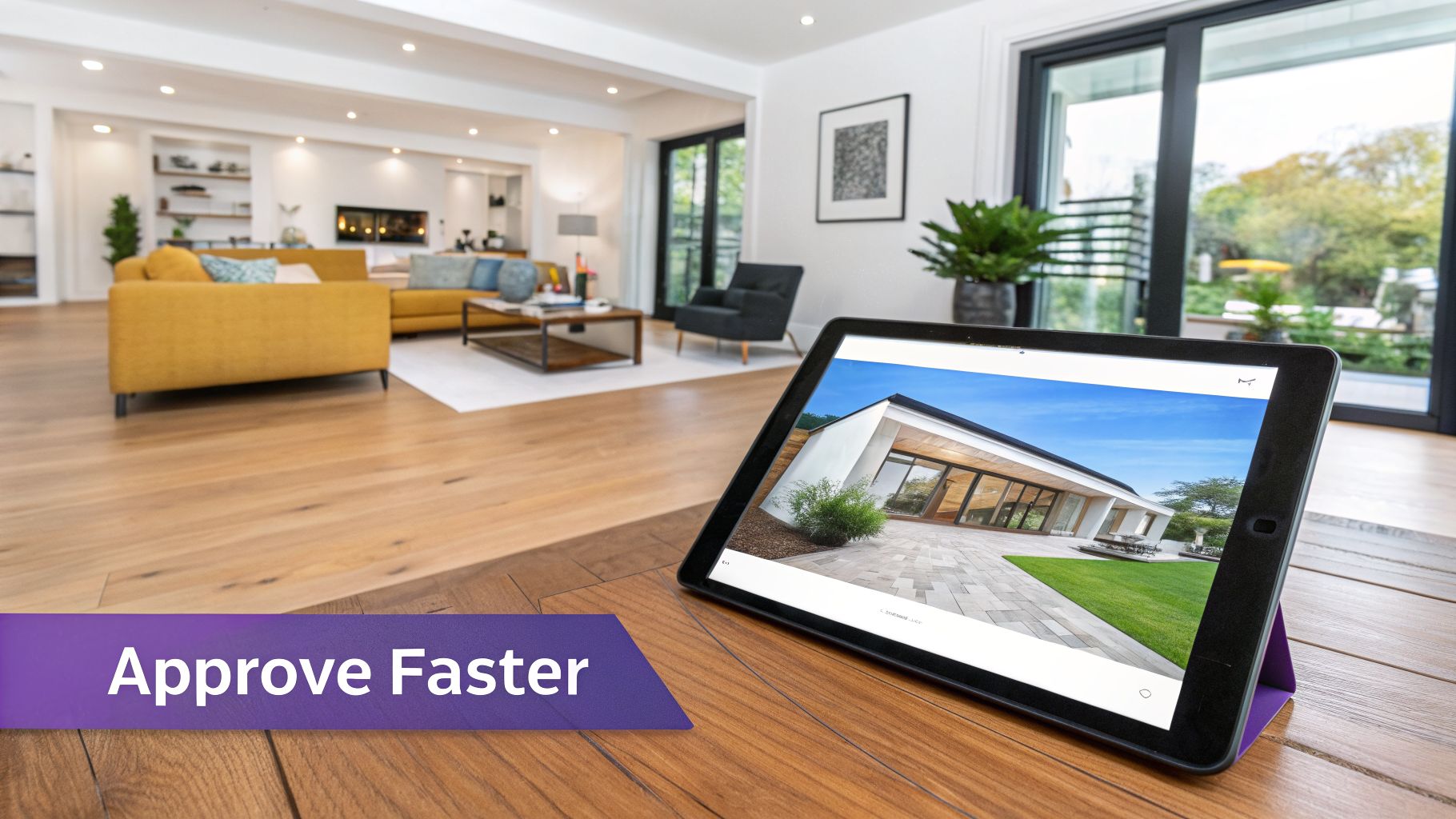
Let’s be honest. Your BIM model might be a technical marvel of coordinated data, but clients rarely get excited about clash detection reports or IFC exports. They want to see and feel the space you're creating for them. This is where the emotional buy-in happens, and it's often the single most important step in getting a project moving.
The technical model gives you the "how," but a stunning visual delivers the "wow." When there's a disconnect between the two, a communication gap opens up that can stall projects for weeks. You've got a dimensionally perfect model, but your client is struggling to see the final vision from flat line drawings or basic renders.
From Technical Data to Emotional Connection
The key is to connect your data-rich BIM environment with visualization tools that speak a client’s language. It's about moving past wireframes and simple massing models to show them a space they can truly imagine themselves in. A photorealistic visual isn't just eye candy; it's confirmation that you've heard them and understand their vision.
For architects looking to elevate their presentations, mastering lifelike rendering techniques can be transformative. It’s a skill that turns a technically sound model into a persuasive, evocative experience for the client.
Think about a common scenario: you’re designing a high-end living room. The client loves the warm, organic modern aesthetic you've proposed but is paralyzed by indecision over the furniture. Creating multiple, time-consuming renders for every single sofa or chair they like just isn't feasible. Or at least, it didn't used to be.
Accelerate Approvals With Instant Visualization
This is exactly where a tool like aiStager changes the game. It’s designed to turn that classic client bottleneck into a productive, collaborative session.
Let's stick with our living room example. Your client is torn between two sofas they found online.
- Option 1: A sleek, minimalist Crate & Barrel 'Gather' sofa that leans into the clean, modern look.
- Option 2: A plush, inviting Arhaus 'Kipton' sectional for a cozier, more family-oriented vibe.
In the past, comparing these two properly would have been a massive time sink. With a tool like aiStager, it's a completely different story. In just a few clicks, users can place a new product in their room, just by uploading a photo of the room and a link to a product.
What makes this a game-changer is that aiStager is the only solution that generates hyper-realistic photos with true-dimension rooms and furniture objects. This isn't just an artist's impression. The software pulls the actual product dimensions and creates a visual that is not only beautiful but spatially accurate, directly validating the layout from your BIM model.
Test, Iterate, and Decide in Minutes
This completely transforms your client meetings. Instead of presenting a static, finished idea, you’re suddenly collaborating and exploring options in real time. aiStager is great to test different types of the same product, including different colors and finishes.
You can now answer your client’s questions on the fly. "What if we try that Arhaus sectional in a dark charcoal fabric instead of the beige?" "How does the room feel if we switch to a more Japandi style with this low-profile oak coffee table?"
Each question generates a new, photorealistic image in seconds. This rapid-fire feedback loop gives clients the confidence to make decisions and deepens their trust in your expertise.
By linking the dimensional accuracy of your BIM workflow to the instant visual payoff from a tool like aiStager, you can get sign-offs up to 100x faster than with traditional rendering. To see what's possible, it's worth exploring the latest developments in 3D architectural visualization and how they are reshaping client presentations across the industry.
So, you’re ready to bring BIM into your practice. It can feel like a huge leap, but the transition doesn't have to be a painful one. The secret isn't to try and do everything at once. It's about taking a measured, step-by-step approach that lets your team learn, adapt, and build confidence.
Before you even think about software, you need to get your leaders on board with a clear vision. Sit down and ask the tough questions. What’s the real goal here? Are you trying to slash rework costs? Compete for bigger, more complex projects? Or maybe you just want to get clients to sign off on designs faster. Nailing this down gives you a clear target to aim for throughout the entire process.
Start Small With a Pilot Project
I’ve seen too many firms try to go all-in on BIM from day one, and it rarely ends well. The smartest move is to start with a single pilot project. Think of it as a low-stakes sandbox. It's your chance to figure out what works and what doesn't for your team, without risking a major deadline or a key client relationship.
Pick a project that has a bit of meat on its bones—not a simple garage, but maybe not the most complex high-rise you’ve ever designed. You need enough of a challenge to actually learn something. Perfection isn't the goal here; practical experience is.
The most common mistake firms make is underestimating the learning curve. BIM is a new process, not just new software. A pilot project gives your team the grace to make mistakes, learn from them, and develop best practices without the pressure of a high-stakes delivery.
It’s also crucial to pick a "BIM champion" to lead the charge on this first project. This person will live and breathe the process, document every lesson, and become your in-house expert who can guide everyone else later.
Invest in People and Processes
Once your pilot project is wrapped, you'll have a goldmine of real-world lessons. Now it’s time to double down on your people and establish your new way of working. Remember, the software is just a tool; your team is what makes it valuable.
Key Investment Areas:
- Targeted Team Training: Don't waste money on generic software courses. A project architect needs a different skillset than a junior designer. Tailor the training to fit the role for much better—and faster—results.
- Develop Firm-Specific Templates: Every practice has its own unique DNA. Spend the time building your own BIM templates with your firm's title blocks, standard object libraries, and preferred view settings already baked in. This saves massive amounts of time and ensures consistency.
- Assign Clear BIM Roles: Ambiguity is the enemy of efficiency. Clearly define who’s in charge of the central model, who coordinates with engineering consultants, and who is the gatekeeper for data standards. This clarity prevents finger-pointing and keeps projects moving.
Skimping on these foundational steps is a classic misstep that can sabotage your BIM adoption before it even gets going.
Scaling Up and Measuring Your Return
With a successful pilot in the bag and a core team that knows the ropes, you’re ready to scale. Start rolling out your new workflows and templates on larger and more demanding projects. You've earned the confidence to do it right.
And don't forget to track your return on investment (ROI). This isn't just about how much money you saved on printing or rework. The real value is often found elsewhere. Start tracking metrics like:
- Efficiency Gains: Are you producing drawing sets and schedules faster than before? By how much?
- Winning Bigger Projects: Are you successfully bidding on projects that were previously out of your league?
- Client Satisfaction: Are clients giving approvals with fewer revisions? Is the design process smoother for them?
By following this practical roadmap, BIM for architects stops being an intimidating buzzword and becomes a core part of how you deliver better buildings, win more work, and solidify your reputation as a forward-thinking firm.
Answering Your Top BIM Questions
Even with BIM becoming more common, a lot of architects are still wondering how it will actually change their day-to-day work. Let's tackle some of the most frequent questions I hear.
Is BIM Just For Massive Firms and Megaprojects?
Not at all. That’s probably the biggest misconception out there.
While BIM is a no-brainer for huge, complex projects, we're seeing smaller firms use it on everything from single-family homes to small-scale renovations. The truth is, the benefits—like catching errors early, keeping everyone on the same page, and showing clients exactly what they’re getting—are valuable at any scale. And with more flexible software subscriptions now available, it’s no longer a huge financial leap.
What's the Real Learning Curve for BIM Software?
You can get the hang of the basics in tools like Revit or Archicad within a few weeks of solid training. Getting comfortable enough to model and create documents is pretty straightforward.
True mastery, however, comes from using it on real projects for a few months. That’s where you really learn the smart workflows. A great strategy many firms use is to train a couple of "BIM champions" first. They become the in-house experts who can help everyone else get up to speed.
The goal isn't to master everything overnight. Focus on getting the core modeling and documentation down first. Advanced skills will follow naturally as you go. It's about steady progress, not instant perfection.
Will BIM Kill My Creative Freedom?
Absolutely not. If anything, it does the opposite. Think of BIM as a process, not a design straightjacket.
It actually frees you up to be more creative. By automating all the tedious work—like manually updating schedules, sections, and elevations every time you move a wall—it gives you back precious hours. That’s more time you can spend on what really matters: solving design challenges and exploring new ideas.
For instance, you can take your model and instantly start testing interior concepts with your client. A tool like aiStager lets you jump between different aesthetics in seconds. You could show them a cozy Japandi look with a Serena & Lily coffee table, then immediately pivot to a sleek, modern vibe with a CB2 sofa—all inside a photorealistic rendering that’s still tied to your model's dimensions. It's perfect for exploring different colors, finishes, and product options, closing the gap between your technical drawing and the client’s imagination.
Ready to show clients exactly what you're envisioning? See how aiStager can take your BIM models and produce client-ready, dimensionally accurate visuals in seconds. Try it for free at ai-stager.com.