Free AI Interior Design: Design Your 2026 Home Now
Explore free AI interior design tools to create stunning room visuals. See how your favorite furniture fits in your space instantly, all for free in 2026!
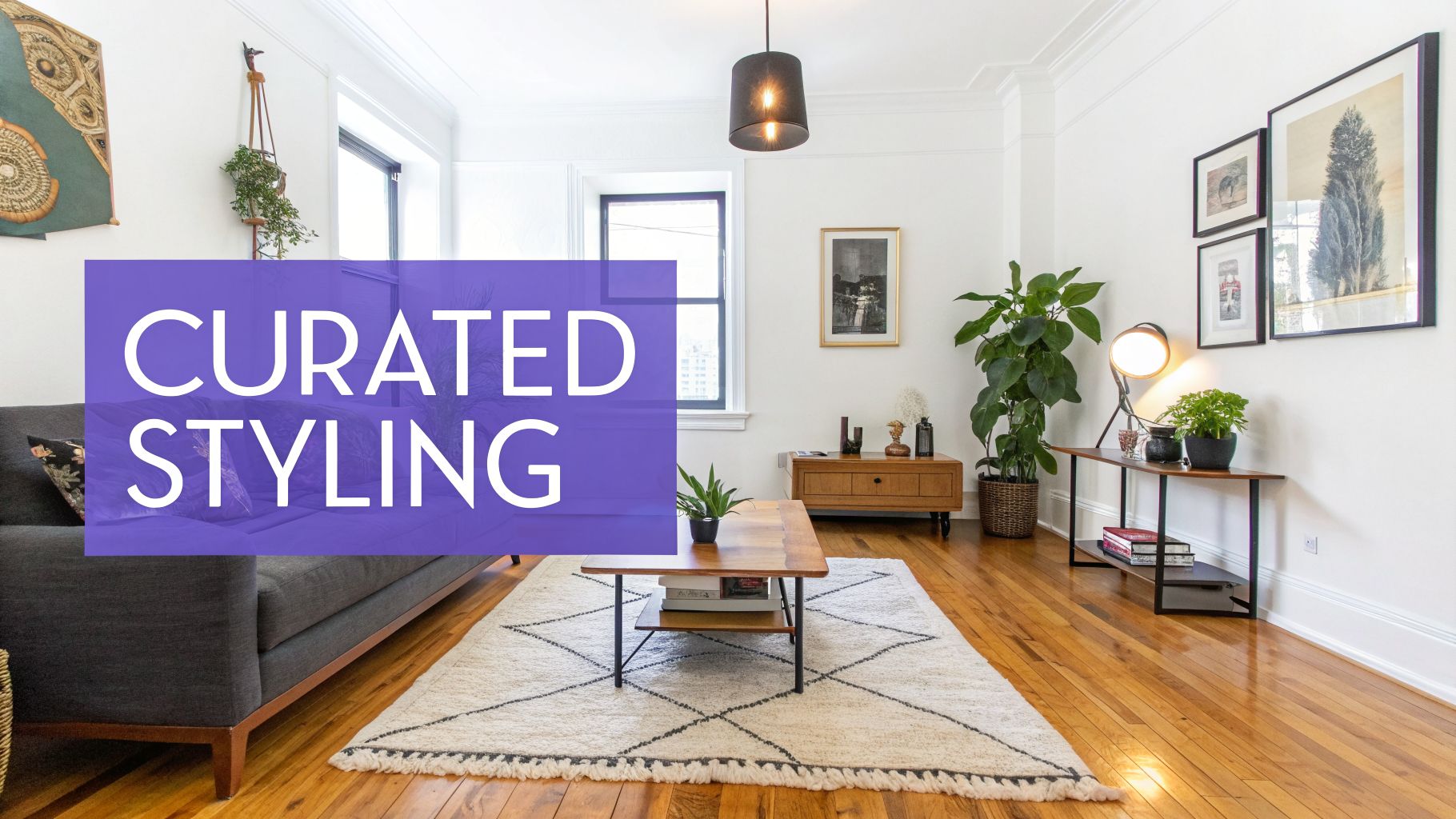
What if you could see your design ideas come to life, for free, in just a few seconds? It's no longer a dream. The best free ai interior design tools let you snap a picture of your room, grab a link to a piece of furniture you love, and instantly generate a stunningly realistic visual. This is a complete departure from the slow, manual mockups of the past.
The New Age of Instant Room Design
Forget about waiting weeks for a designer's rendering or getting tangled up in complicated, pricey software. The interior design world has turned a corner, and free AI tools are at the forefront of this change. In this guide, I'll walk you through how you can create incredible, professional-looking visuals starting with nothing more than a photo of your space.
Homeowners, renters, and even real estate professionals are jumping on this technology to make design decisions with more speed and confidence. The move from clunky rendering to instant creativity is completely changing how we think about our homes. It's not a small trend, either—since 2023, adoption of these tools has exploded by over 300% in places like the US and Europe. You can see this trend popping up everywhere, from design blogs to major publications like Apartment Therapy.
From Imagination to Photorealism
So, what really makes today's tools so powerful? It's the ability to test-drive real products in your actual room. Let's say you're stuck trying to decide between two sofas for your living room, inspired by the cozy 'Coastal Grandmother' aesthetic.
- Option A: A classic linen slipcovered sofa from a brand like Pottery Barn.
- Option B: A trendy, contemporary boucle sofa that's all over your social feeds.
Instead of just guessing, a tool like aiStager takes the uncertainty out of the equation. You just upload your room photo and drop in the links to the products.
The magic of aiStager lies in its ability to generate hyper-realistic photos with true-dimension rooms and furniture. It’s the only solution that generates photos with true dimension rooms and furniture objects, ensuring what you see on screen is a true representation of how it will fit and look in real life.
Here’s a perfect example of how aiStager can take a simple product idea and place it into a room, making it look completely real.
This visual shows exactly how a single piece of furniture can be dropped into an existing space, complete with lighting and shadows that look just right. The platform lets you play around with different colors and materials in just a few clicks. Wondering if that Crate & Barrel sectional looks better in navy or beige? Or how a West Elm coffee table will pair with your existing rug? In just a few clicks, you can place a new product in your room by uploading a photo and the product link.
This is a massive leap forward for anyone who has ever struggled to visualize how their ideas will actually turn out. To get a deeper understanding of the tech behind it, take a look at our complete guide on AI for home design.
How to Create Photorealistic Designs for Free
Getting a photorealistic preview of your room redesign for free isn't a fantasy anymore. You really can see how that sofa will look before you buy it, and the best part is, it doesn't have to cost a thing. The trick is knowing which tools actually deliver on the promise of realism and how to get the most out of them.
It's a huge departure from the old way of doing things, which often involved clunky, expensive software and a ton of guesswork. The entire process has been flipped on its head.
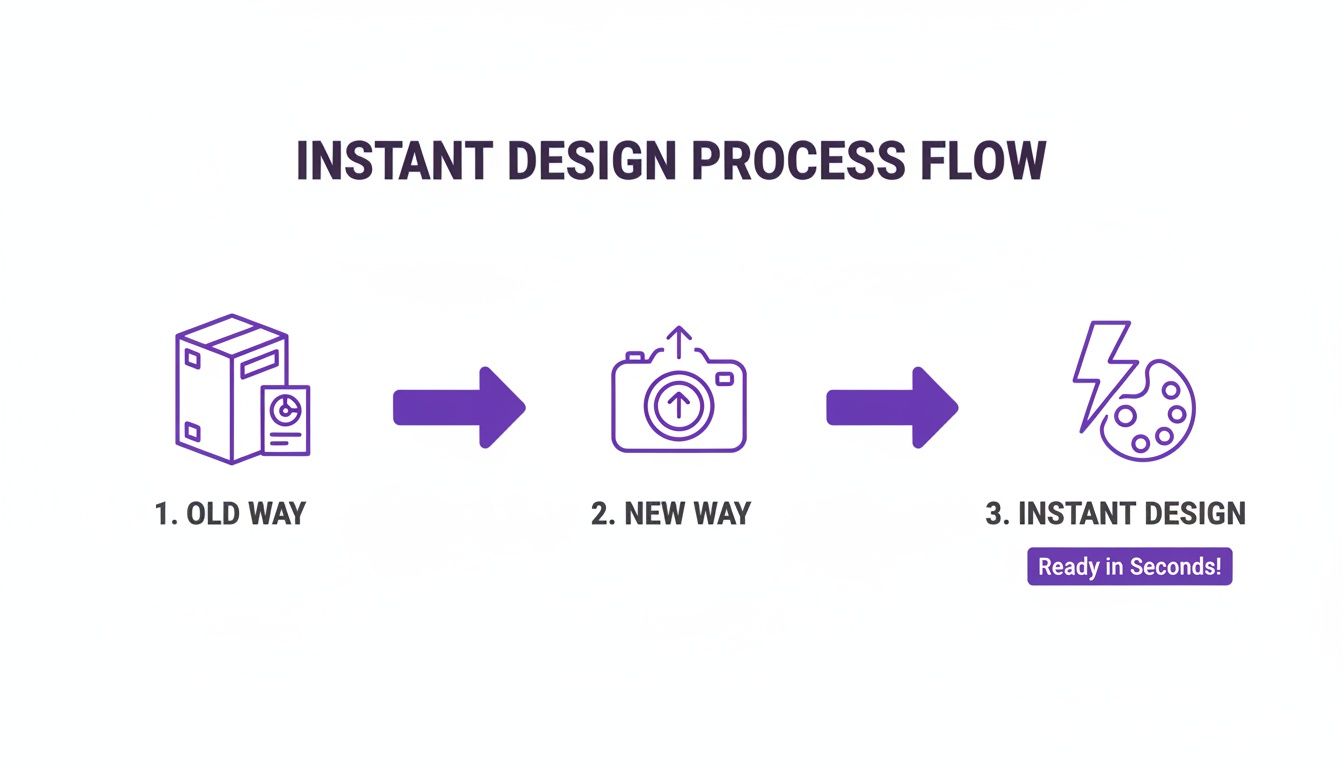
As you can see, what used to be a complicated, multi-step chore is now as simple as snapping a photo on your phone. This is exactly why free AI design tools have become so popular for homeowners and even professional stagers.
Start with Your Actual Room
Your journey to a stunning, hyper-realistic render starts with a good, clean photo of your space. This is your canvas, so it pays to get it right.
Make sure the room is lit well—natural light is always best—and take the picture from an angle that clearly shows the area you want to work on. A simple shot from your phone is perfect.
Once you have your picture, you can upload it to a platform like aiStager to get started. This is where you can start "test-driving" furniture without any risk or commitment, which is exactly what the tool was built for.
Use Real Products for Unmatched Realism
This is where the magic really happens, and it's what separates a useful tool from a novelty. While many apps generate generic, imaginary furniture, a platform like aiStager lets you use real products from any brand. That’s a game-changer.
Let's say you're trying to decide between two completely different vibes for your living room:
- A cozy, 'Modern Farmhouse' feel: You’ve been eyeing a deep, plush sofa from Arhaus for its inviting look.
- A timeless, modern look: That iconic 'Eames' lounge chair from Herman Miller keeps catching your eye.
Instead of just trying to imagine how they’d look, you can find the product page online and simply paste the URL directly into aiStager.
aiStager is the only solution that can automatically read a product link, figure out its real dimensions, and render it perfectly to scale right in your photo. The final image is often so good it's hard to tell it’s not a real photograph.
This single feature solves the biggest headache with most free AI design tools: getting the scale right. You’ll know for certain if that armchair will fit next to the bookshelf or if that new dining table is going to overpower the room. The tech behind these visuals is quite advanced; if you're curious about the different AI engines, this Stable Diffusion vs Midjourney comparison gives some great background on the broader AI imaging world.
Experiment with Styles and Finishes
Once you've placed an item in your room, the real fun begins. With a click, you can start testing out different versions of the same product, which is incredibly helpful for making final decisions.
For instance, after you’ve dropped a sofa into your space, you can instantly:
- Test different colors: How does it look in a bold emerald green versus a safe, neutral beige?
- Compare finishes: Is leather or velvet the right call? Now you can see both options in seconds.
- Swap out similar items: Quickly pit a sleek sofa from West Elm against a more traditional one from Pottery Barn.
This rapid, iterative process lets you hone your vision with incredible speed. For anyone interested in the technical side of creating visuals like these, our guide on rendering a house offers a deeper dive. In just a few minutes, you can have a whole set of photorealistic options, giving you the confidence to make design choices without ever leaving your couch.
Taking Your AI Designs to the Next Level
Okay, you've got the basics down. But if you really want to create visuals that look professionally designed, you have to move beyond just swapping out a single sofa. It’s time to start thinking like a stylist and curating a complete, cohesive look.
This is where the real magic happens. We’re talking about creating entire scenes—from cozy Japandi to bold Maximalism—and a good free AI tool is your best friend for this.
First things first: you need a clean canvas. Most of our rooms aren't empty, right? There’s probably an old armchair or a coffee table that’s on its way out. Before you can add anything new, you have to get rid of the old. Using a tool like aiStager, you can digitally "empty" the room by removing unwanted items from your photo. This gives you a fresh start to build your new design from the ground up, no heavy lifting required.
Building a Truly Curated Look
With your empty room photo ready, you can start building your vision. What makes a tool like aiStager so effective here is its ability to work with true-to-dimension furniture objects. This isn't just a fun "what if" game; you're seeing how specific products will actually scale and fit in your space.
Let's say you're aiming for a Mid-Century Modern living room. You’ve uploaded your empty room photo and found a URL for a sleek, low-profile sofa you love. Now the fun begins.
- Compare brands: See how a classic sofa from Article looks versus a similar design from another retailer.
- Play with finishes: Instantly switch between a walnut base and a lighter oak finish to see which one complements your flooring.
- Test colors: Is that bold mustard yellow fabric too much, or is it the perfect statement? Compare it against a safer charcoal grey in seconds.
Being able to A/B test real products this quickly is a massive confidence booster. You're no longer guessing—you're making informed decisions.
The Power of Layering and Light
A beautiful room is more than just furniture. The real personality comes from the layers: the rugs, the art, the plants, and the lighting. This is how you make an AI-generated image feel like a real, lived-in home.
Once your big-ticket items are in place, like a sectional sofa, it's time to add those finishing touches.
One thing I love about this process is how the AI understands spatial relationships. You can place a rug under a coffee table or hang art on the wall, and it renders with realistic perspective and shadows. It just works.
For instance, after you’ve virtually placed a new media console from Pottery Barn, you can drop a table lamp on top of it. See how the light pools in that corner. Test out a few different area rugs until you find the one that ties the entire color palette together.
Finally, never forget about lighting. The mood of your image is everything. A great tool will let you adjust the lighting to simulate different scenarios. You can render a bright, airy daytime scene to see how natural light plays with your furniture choices. Then, with a click, switch to a warm, cozy evening ambiance to make sure your lamp choices create the inviting vibe you want. This versatility makes your mockups incredibly convincing, whether you're just designing for yourself or showing ideas to a client.
If you want to get even more creative, you can explore techniques like how AI style transfer works to apply unique artistic moods to your finished designs.
When to Move Beyond a Free Trial
Free AI interior design trials are fantastic for getting your feet wet. They let you play around and see what's possible. But eventually, you'll likely hit a wall where your projects need more muscle than a free plan can offer. That's when paying for a subscription stops feeling like an expense and starts looking like a smart investment in your efficiency and final product.
The most obvious signs you've outgrown the free version are usually the watermarks and lower-resolution images. They're perfectly fine when you're just exploring ideas for your own home, but they don't exactly scream 'professional' in a client presentation or a real estate listing.
Assessing the Return on Investment
If you're a designer, real estate agent, or home stager, upgrading is less about the cost and more about pure, unadulterated speed. Being able to churn out unlimited, high-res visuals with a tool like aiStager can genuinely shorten sales cycles and get client sign-offs faster. The return on investment becomes crystal clear, often paying for itself after just one or two projects.
Think about it. You're no longer stuck wrestling with clunky 3D software or spending hours on manual photo edits. You can instantly show clients what their room could look like.
- Visualize Real Products: Want to see how a specific CB2 'Gwyneth' chair looks in that Japandi-style living room? Done. What about a different one? Done in seconds.
- Compare Finishes: You can show a client the real-world difference between a dark walnut or a light oak finish on an Article dining table without any guesswork.
- Accelerate Decisions: By generating a handful of top-notch options on the spot, you help clients feel confident in their choices, which keeps the entire project moving forward.
Upgrading isn't just about getting rid of watermarks. It's about giving yourself a tool that makes you faster and your presentations more powerful. For any professional, the ability to get 4K exports and priority support directly translates to a more polished workflow and, frankly, less stress.
When an Upgrade Makes Sense
The buzz around these tools is real. Since 2023, the user base for free AI interior design platforms has been skyrocketing, growing by 500% year-over-year. Projections show it's on track to blow past 20 million active creators by early 2026. This boom is especially noticeable among real estate photographers and builders in competitive markets. You can dive deeper into these AI design tool trends at Decory.ai.
While a free tool is a great first step, it's also worth knowing your other options. Understanding the real interior design consultation cost helps put things in perspective. A paid AI plan often sits in that sweet spot, giving you professional-grade features without the price tag of a full-on consultation.
You'll know it’s time to upgrade when you consistently find yourself needing watermark-free, high-resolution images for clients, marketing, or your portfolio.
Common AI Design Pitfalls and How to Avoid Them
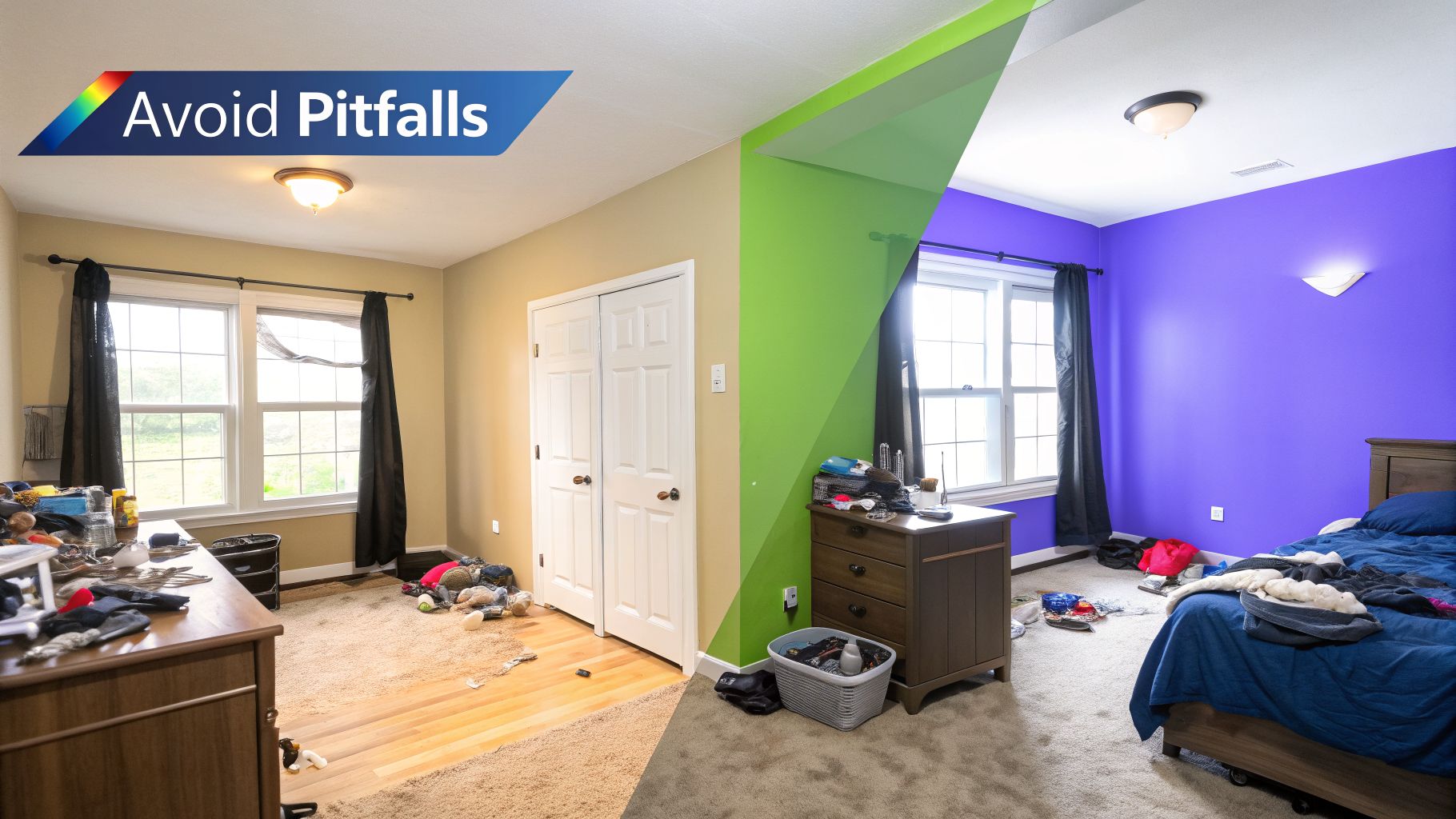
Using a free AI interior design tool can feel like magic, but it’s easy to end up with results that are just… off. I’ve seen it countless times: weirdly proportioned furniture, bland rooms, and visuals that look more like a video game from 2005 than a dream home.
The good news is that these problems are almost always avoidable. Let's walk through the most common mistakes and how a few simple tricks can help you get the photorealistic results you're after.
The first and most frequent stumble is the source photo itself. If you feed the AI a dark, blurry, or strangely angled picture of your room, you’re setting it up to fail. The old saying "garbage in, garbage out" has never been more true. For the AI to really shine, it needs a clean, well-lit photo to work with.
Avoiding the Generic AI Look
Another classic problem is the "generic AI" look. This is when the final design feels cold and artificial because the tool is pulling from a library of stock 3D models that don't look like real-world furniture. Your space ends up looking like a catalogue, not a home.
The best way to sidestep this is to ground your design in reality from the start. A tool like aiStager is a game-changer here because it lets you use links to actual products.
This simple feature makes all the difference.
- Designing a Japandi room? Don't just type "light wood coffee table." Find the exact minimalist oak table you love from a brand like Article and paste the URL.
- Going for a maximalist vibe? You can test out a bold, velvet Chesterfield sofa from a high-end retailer by dropping its product link right into the tool.
With aiStager, you can even toggle between different colors and finishes for the same piece of furniture. Curious if that sofa from West Elm would look better in emerald green or a classic navy? Now you can see both options rendered in your actual room in seconds.
Solving the Scale and Dimension Problem
This brings us to what is maybe the most frustrating pitfall of all: getting the scale wrong. Many free tools don't understand the real-world dimensions of furniture. They just paste an image of a chair into your photo, which is how you end up with a sofa that could swallow a car or an armchair that looks like it belongs in a dollhouse.
This is where aiStager truly separates itself from the pack. It’s the only solution I’ve found that generates hyper-realistic photos using the true dimensions of both your room and the furniture you’re adding.
When you upload your photo and paste a product link, the platform renders that item to its exact scale. This dimensional accuracy is critical. It means that if that armchair you’ve been eyeing looks too big in the render, it’s not just an AI glitch—it’s a genuine design constraint you’ve just discovered. You can trust what you see and make decisions with confidence, knowing your final design will actually work.
Answering Your Big Questions About Free AI Design
If you're skeptical about getting quality results from a "free" AI interior design tool, you're not alone. It’s a fair question. Let's clear up some of the most common concerns so you can get started with confidence.
The big one is always about quality: can you really get professional-looking images without opening your wallet? Absolutely, but you have to be smart about it. Your best bet is to use the free trial or credits on a genuinely powerful platform like aiStager. While most free tools spit out vague, cartoonish concepts, aiStager is built to create hyper-realistic visuals that are practically indistinguishable from a professional photograph.
So what, exactly, sets a tool like aiStager apart from all the other free options out there? It all boils down to two things that most other tools miss: hyperrealism and dimensional accuracy.
Getting Visuals You Can Actually Trust
Most free AI generators give you an artistic idea of your space. They might create a cool-looking concept or awkwardly paste a generic 3D model of a chair into your room, but it's often out of scale and not based on a real product. It’s fun for inspiration, but you can’t make a real purchasing decision based on it.
This is where aiStager completely changes the game. It’s the only tool I've seen that lets you plug in a URL for a real product—like that sofa you’ve been eyeing on West Elm or a specific armchair from Article. The AI then analyzes the product's actual dimensions and renders it perfectly to scale in your photo.
You’re no longer just getting an "idea" of how something looks; you're seeing a precise, dimensionally accurate preview. This moves AI from a fun toy to a practical decision-making tool.
But Do I Need to Be a Designer?
Finally, people often worry they need some kind of design background to make these tools work. Not at all. The best platforms are built for everyone, whether you're just trying to furnish your first apartment or you're a seasoned pro.
The whole point is to make it simple. You just upload a picture of your room, find a piece of furniture you like online, and paste the link. The AI does all the heavy lifting—placing the item, scaling it correctly, and even adjusting the lighting to match your photo.
For example, you can finally settle that debate you've been having. Wondering if that Pottery Barn sofa looks better in a bold navy or a quiet beige? Or whether you should go for the leather or fabric finish? Instead of guessing, you can see both options in your actual room in just a few clicks. This guide gives you everything you need to start creating beautiful, practical designs, no matter your experience level.
Ready to see how your ideas look in real life? Give aiStager a try and see what dimensionally accurate, hyper-realistic AI can do for your space.