Rendered Image Meaning: A Guide to Photorealistic Visuals
Explore the rendered image meaning, from 3D models to photorealism. Learn how designers & real estate pros use renders and why new AI tools are a game-changer.
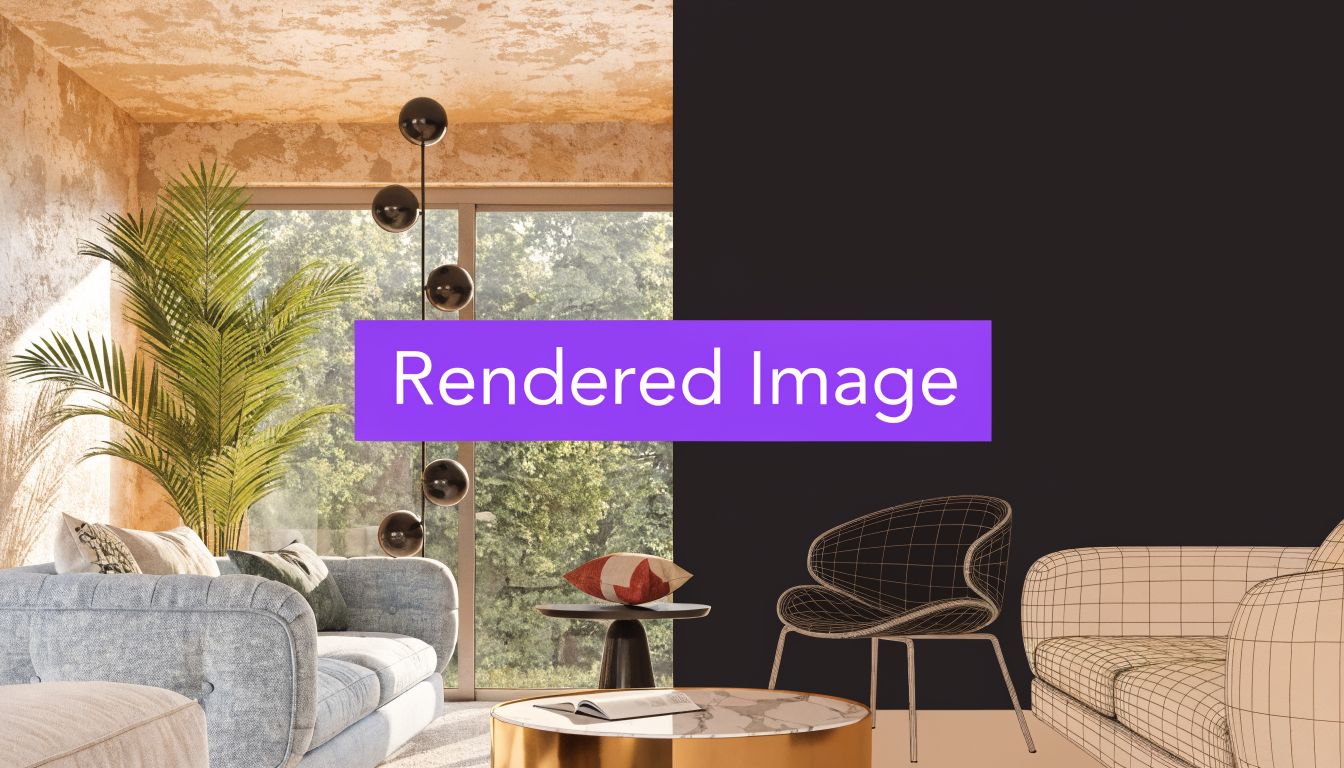
TL;DR: A rendered image is a 2D picture generated by a computer from a 3D model or dataset, designed to look photorealistic or stylized. In practice, that can mean anything from a polished concept image to a near-photographic room scene. Traditional high-end rendering was once so slow that some frames on Toy Story took up to 153 hours per frame to render, while newer workflows can create realistic visuals in seconds from a room photo and product data (Fixthephoto).
You’re probably here because you’ve seen a room image online and wondered, “Is that real, edited, or fully computer-made?” Or maybe you’re trying to show a client how a new sofa, lamp, or dining table will look in their actual space before anyone buys a thing.
That confusion is normal. The phrase rendered image meaning sounds technical, but the idea is simple once you strip away the jargon. A rendered image helps people see a design decision before it exists in the room.
From Empty Room to Dream Home in Clicks
A leasing agent photographs a vacant condo. The rooms are clean, bright, and completely forgettable. Buyers scroll past because empty rooms feel smaller and colder than they really are.
At the same time, an interior designer is trying to help a client choose between a camel leather sofa and an ivory performance-fabric version. The client likes both. What they can’t do from a product page is judge scale, color balance, and how either piece will sit against their existing walnut floors.
That’s the gap rendered images fill.
A rendered image gives shape to a decision before money, time, and labor get spent in the physical realm. Instead of asking someone to imagine a Joybird sofa under warm afternoon light, or a Serena & Lily accent chair in a coastal-style guest room, you show them a picture that feels concrete.
A good render doesn’t just decorate a room. It removes uncertainty.
Most design decisions fail at a particular moment. Not when a product is chosen, but when a client can’t fully picture the result. Empty rooms, unstaged listings, and disconnected product photos all create the same problem. People hesitate when they can’t visualize.
Rendered images bridge that hesitation. They turn “I think this could work” into “Now I can see it.”
What Exactly Is a Rendered Image
A rendered image is easiest to understand as a digital photograph of something that hasn’t been photographed in real life. Sometimes the subject is fully imaginary. Sometimes it’s based on a real room, a real product, and accurate placement data.
In computer graphics, a rendered image is created by converting 3D models into a 2D visual while simulating lighting, shadows, textures, and material behavior. In interior visualization, that image can also be composited into a real room photo so the result looks like the furniture was there when the camera took the shot (Coast Team Studio).
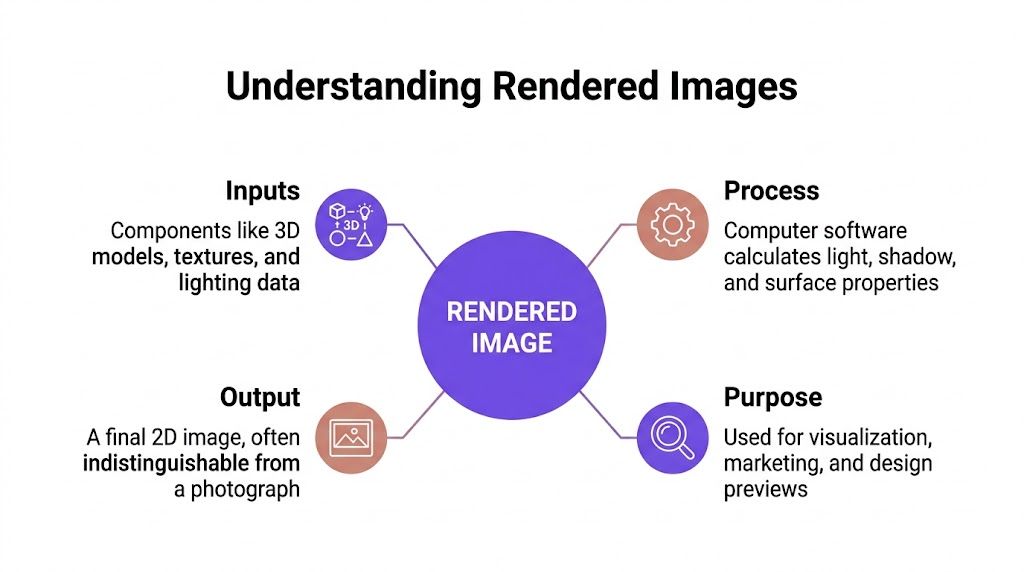
The simple version
Think of rendering as the last step in a chain.
- You start with inputs. These might include a room photo, a 3D object, product dimensions, surface textures, and lighting information.
- The software calculates the scene. It works out where light should fall, where shadows should appear, how fabric should look, and how shiny or matte each surface should feel.
- You get a final 2D image. That image might look like a real estate photo, a catalog shot, or an artistic concept illustration.
If you want a broader visual overview of how product scenes are built for commerce and design, this guide to 3D product visualization is a useful companion read.
Why people mix it up with editing
A lot of readers confuse a rendered image with a standard photo edit. They’re related, but they’re not the same.
A normal edit changes an existing photo. A render can generate the visual appearance of an object or scene by calculating how it should look. In interior work, the line can blur because the final picture may combine a real photo and rendered elements.
That’s why rendered room images can feel almost invisible as a category. When done well, they don’t look “computer-made.” They look plausible.
For more examples in interiors, this collection of interior design renders shows how the term applies in real room contexts.
How Rendered Images Are Made From Days to Seconds
A designer has a client call at 2 p.m. The client wants to know whether a walnut dining table will fit the room, whether it will block the walkway, and whether the dark finish will make the space feel heavy. In a traditional workflow, that answer could take days. In a newer AI workflow, it can take seconds.
The big shift is not just visual quality. It is how the image gets made, who can make it, and how quickly a business can act on it.
The traditional route
Traditional rendering usually starts with a 3D artist building the scene almost from scratch in tools like Blender, V-Ray, or 3ds Max. They create or import furniture models, assign materials, place lights, choose a camera, tune reflections, and wait for the computer to calculate the final image.
That process is powerful because it gives very fine control. It also asks for time, technical skill, and a lot of setup before anyone sees a useful result.
A practical analogy helps here. Traditional rendering works like building a movie set before taking one photograph. Every lamp, chair, texture, and camera angle has to be prepared first. If the client changes the sofa, the rug, or the viewpoint, part of that setup may need to be rebuilt.
For custom marketing scenes, that effort can be worth it. For everyday decisions like product placement, room staging, or quick client approvals, it often slows the work down.
The newer route
Newer visualization tools start with assets people already have, such as a room photo, a product page, and real product dimensions.
That changes the workflow in an important way. Instead of modeling the whole room manually, the system interprets the existing space and generates a realistic preview inside it. The question shifts from "How do we build this entire 3D scene?" to "How will this actual item look in this actual room?"
That is where instant, dimension-aware AI tools stand apart from both classic rendering and simple photo editing. A tool like aiStager can use the product information attached to a URL, including dimensions, to place items with more dependable scale inside a real room image. For a designer or real estate team, that means fewer misleading previews and faster decisions.
Speed matters, but accuracy matters just as much. A fast image that makes a sofa look six inches narrower than it really is can create expensive confusion. Dimension-aware AI is useful because it reduces that risk while keeping the process quick.
Rendering Methods Compared
| Factor | Traditional 3D Rendering | AI-Powered Rendering (aiStager) |
|---|---|---|
| Starting point | Manual 3D scene creation | Room photo plus product URL |
| Main user | 3D artist or visualization specialist | Designer, agent, retailer, homeowner |
| Setup work | Modeling, texturing, lighting, camera setup | Upload photo, add product link |
| Speed | Often slow, with heavy manual work | Generated in seconds |
| Scale handling | Depends on how well the scene is built | Uses product dimensions from the URL workflow |
| Best fit | Bespoke marketing scenes and complex custom environments | Fast room previews, product tests, virtual staging |
Practical rule: If the goal is to answer, "Will this exact product fit and look right in this exact room?", a full traditional 3D pipeline is often more than you need.
Teams that need many visuals at once also care about the computing side of the process. This explanation of cloud computing for rendering shows why modern systems can produce images so much faster at scale.
Understanding Photorealistic vs Stylized Renders
Not every render is trying to fool your eye. Some are designed to look like a camera captured the room. Others are meant to feel interpretive.
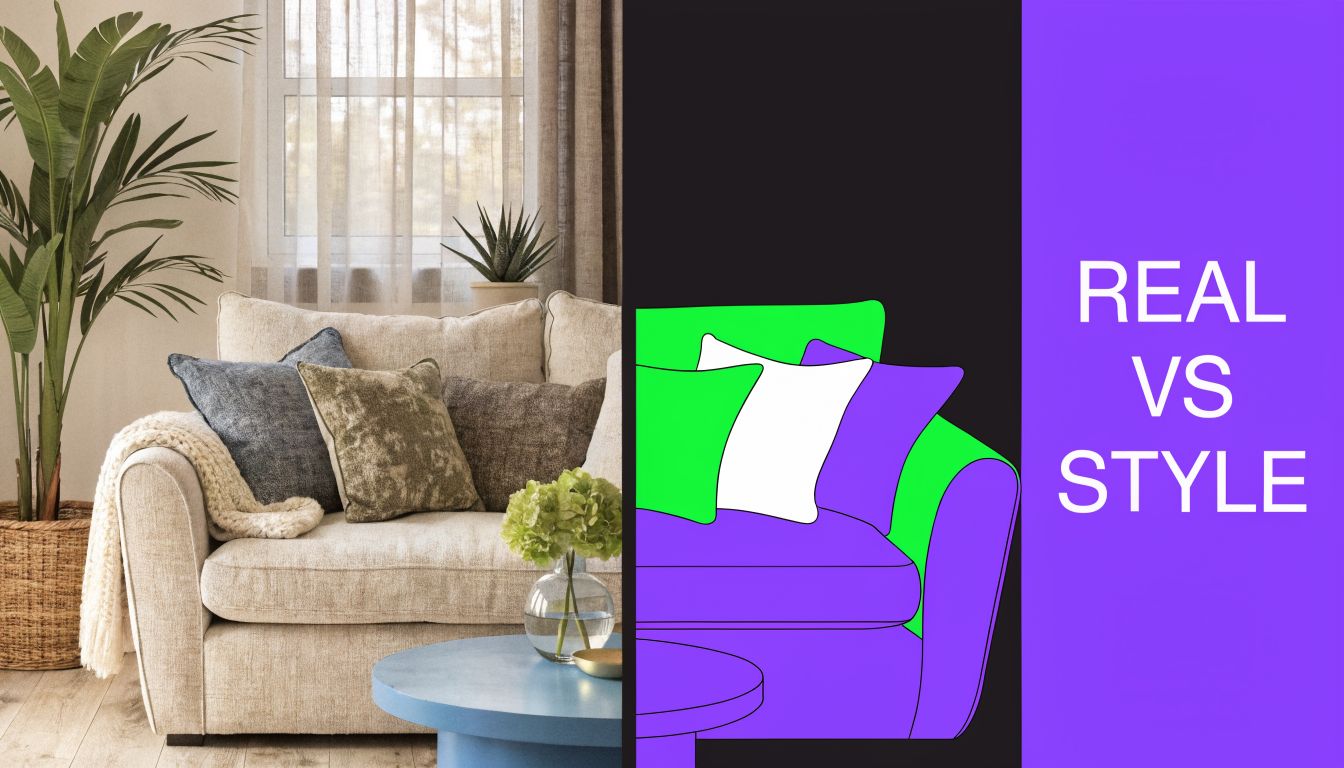
Photorealistic renders
A photorealistic render aims to look like a real photo. It tries to capture believable light falloff, soft shadows, realistic fabric response, natural reflections, and proper perspective.
This is the style people usually want for real estate listings, furniture previews, and final client approvals. If you’re comparing a linen sofa to a velvet version in the same room, photorealism helps you judge what will feel right.
Stylized renders
A stylized render is more interpretive. It may resemble a sketch, watercolor, digital painting, or graphic concept image. Designers often use this style when they want to communicate mood before details are locked in.
Stylized images are useful early. Photorealistic ones are useful when someone needs to decide.
If you’re curious how AI can push visuals toward a more artistic look rather than a photo-like one, this article on AI style transfer offers a practical look at that side of the spectrum.
Renders in Action for Interior Design and Real Estate
The most useful rendered images solve one question: Will this look right here?
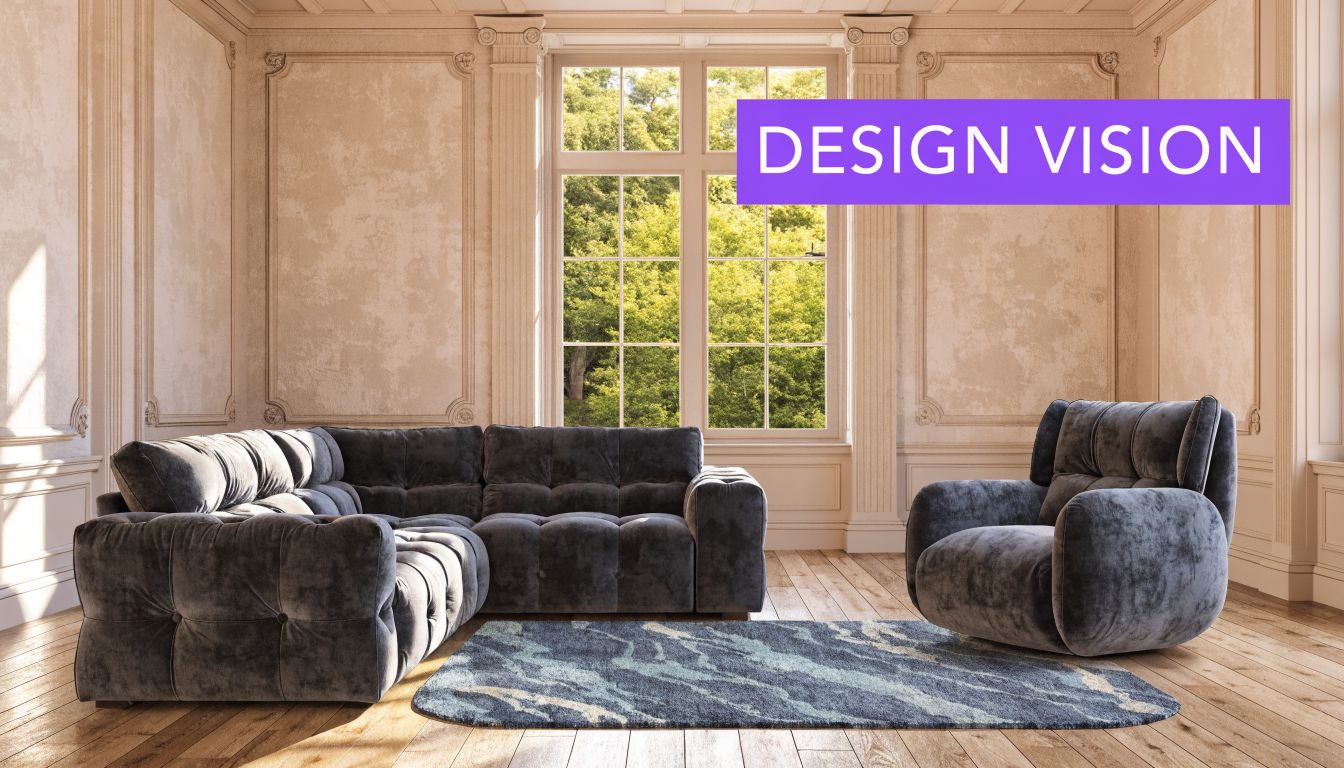
A designer working on a warm contemporary living room might want to compare a Crate & Barrel sofa against a Pottery Barn option. Same room. Same camera angle. Different silhouettes, fabrics, and colors. That’s far more useful than flipping between separate product pages and trying to mentally merge them into one scene.
A retailer faces a similar issue. A shopper may like one dining chair in oak, then want to see the same form in black stain or a lighter finish. A realistic rendered image lets the shopper compare variations in context, not in isolation.
Why dimensional accuracy matters
Many visuals often fail in their objective. A room can look pretty and still be misleading if the furniture size is off. A chair that appears slightly narrower than it really is can make a whole room feel more functional than it will be after delivery.
The business impact of that accuracy is often overlooked. What matters isn’t just whether a render looks polished, but whether it reflects real-world dimensions closely enough to support a buying decision. Inaccurate visualizations can create poor customer experiences and returns, while dimensionally accurate renders can validate a choice before purchase and improve conversion outcomes (Homestyler).
Common interior uses
- Client presentations: Show the same room with a boucle sofa, a leather sofa, or a sleeper sofa without moving furniture.
- Product comparison: Test different brands, finishes, and colors in one consistent room photo.
- Virtual staging: Turn an empty listing into a furnished home scene that feels lived in.
- Layout confidence: Help buyers judge fit, circulation, and visual weight before ordering.
One modern workflow uses a room photo plus a product URL to create a staged result. In that setup, the platform pulls the product’s imagery and dimensions, then places it into the room with matching perspective and lighting. That’s especially useful when a homeowner wants to test multiple versions of the same product type, such as a low-profile sectional versus a deeper seat model, without rebuilding a scene from scratch.
Here’s a quick visual example of how staged room transformation can be presented in practice.
When the room and product dimensions stay believable, people spend less energy guessing and more energy deciding.
For interior teams and agents, that changes the conversation. You’re no longer asking a client to trust a concept. You’re giving them a realistic preview they can evaluate.
How to Spot a Render and Use Them Responsibly
A buyer opens a listing, falls in love with the living room, then visits in person and realizes the sofa never existed. That gap is where trust breaks.

Signs you may be looking at a render
The easiest way to spot a render is to inspect the small things, the same way you would check a well-made jacket by looking at the stitching instead of the color.
Reflections are one clue. Glass, chrome, and polished stone in rendered images often look a little too clean, with mirror-like behavior that real rooms rarely maintain. Materials are another clue. If wood grain, fabric texture, and painted edges all look perfect at once, the image may be computer-generated.
Lighting also gives hints. A real photo often contains tiny inconsistencies, such as slightly mixed color temperatures near a window and lamp, or a corner that falls off a bit more than expected. In a render, light can look mathematically tidy. Decor placement can feel that way too. Books, pillows, and accessories may appear arranged with showroom precision rather than everyday use.
None of these signs proves anything on its own. New tools can create very convincing results. The better question is whether the image helps someone make an honest decision.
Responsible use in client and listing work
Clear labeling matters because buyers and clients use images for different jobs. Some visuals are there to spark interest. Others are there to support a purchase, a layout decision, or a client approval. Those uses should not be treated the same.
Older 3D rendering workflows often involved building a scene by hand, adjusting materials manually, and waiting hours or days for final output. Newer AI visualization tools can work from a real room photo and produce options in seconds. That speed is useful, but accuracy decides whether the image is merely attractive or dependable. A dimension-aware system such as aiStager helps keep furniture scale and room fit believable, which lowers the risk of showing a sofa that looks right on screen but would crowd the room in real life.
Use these standards:
- Disclose the image type: Mark visuals as rendered, AI-generated, or virtually staged.
- Protect scale: Keep room proportions and furniture size believable. If the image is meant to guide a buying decision, fit matters as much as style.
- Choose the file format for the job: JPEG is usually fine for listings and web pages. PNG is useful when you need cleaner cutouts or layered edits.
- Match polish to purpose: A marketing visual can be aspirational. A decision-making visual should stay close to real conditions.
If you're helping shoppers read furniture imagery more carefully, this guide on how to use online furniture photos to make smarter buying decisions adds a practical buyer's perspective.
Clear labels build trust. Accurate scale helps people choose with confidence.
The Future of Visualization Is Already Here
Rendered images used to belong mostly to specialized studios and long production cycles. Now they’re part of everyday design, retail, and real estate work.
What matters today isn’t only whether a room image looks convincing. It’s whether the visual helps someone make a sound decision. Tools that can work from a room photo and a product link have made that process faster and more practical, especially when they preserve believable lighting, perspective, and fit. For teams that need photoreal room previews without a full manual 3D workflow, that shift is already changing how products get presented and approved.
If you want to try that workflow yourself, explore aiStager. It lets you upload a room photo, add a product URL, and generate dimension-aware interior visuals for staging, product comparison, and design presentations.